



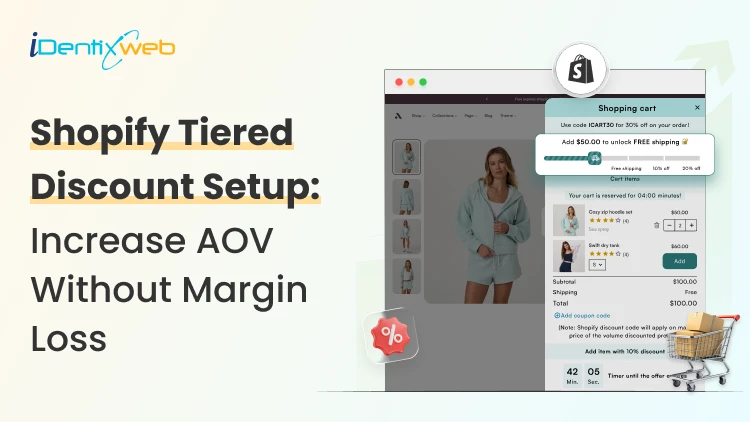
Tiered discounts in Shopify are a pricing strategy where customers get rewards as they unlock each tier. This can be done in multiple ways, like adding more items or increasing the total spend.
I recommend this based on how new stores sell. If you just want a simple backend setup, the native method is enough.
If you want shoppers to clearly see the multiple discount tiers in the cart, I suggest the app method. I have worked with stores with both methods and have seen their AOV increase within weeks.
First, let’s have an overview of the two methods to create tiered discounts in your Shopify store.
How to do tiered discounts on Shopify? (The 2 methods)
| Method | Best for | What it does |
| Native Shopify method | Simple tiered offers | Let's you create amount-off or Buy X Get Y discounts with a minimum quantity or minimum spend |
| Shopify app method with iCart | More visible cart-based tiers | Let's show a multi-tiered discount bar in the cart. |
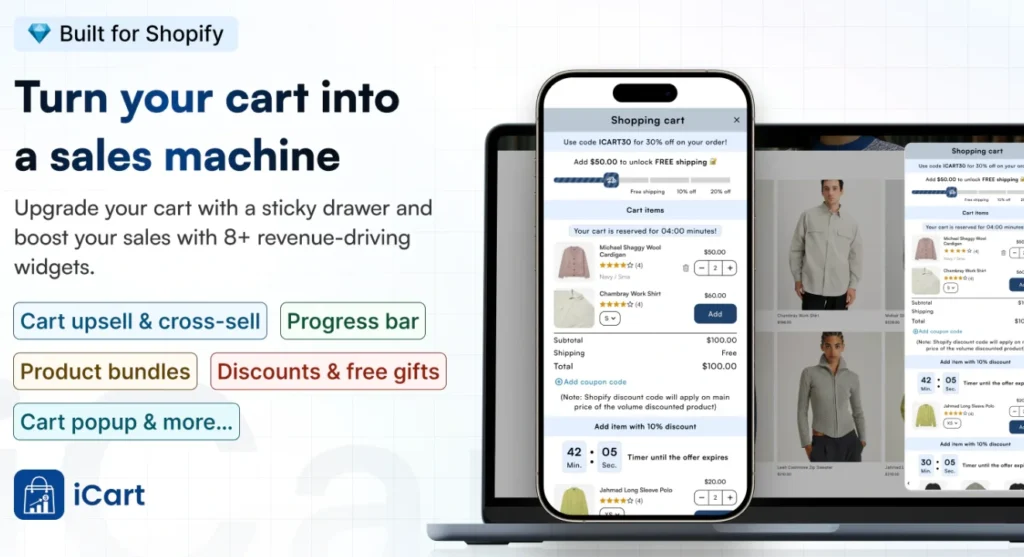
I have used the iCart Cart Drawer Cart Upsell app the most because it helps me show a multi-tiered discount bar in the cart drawer.
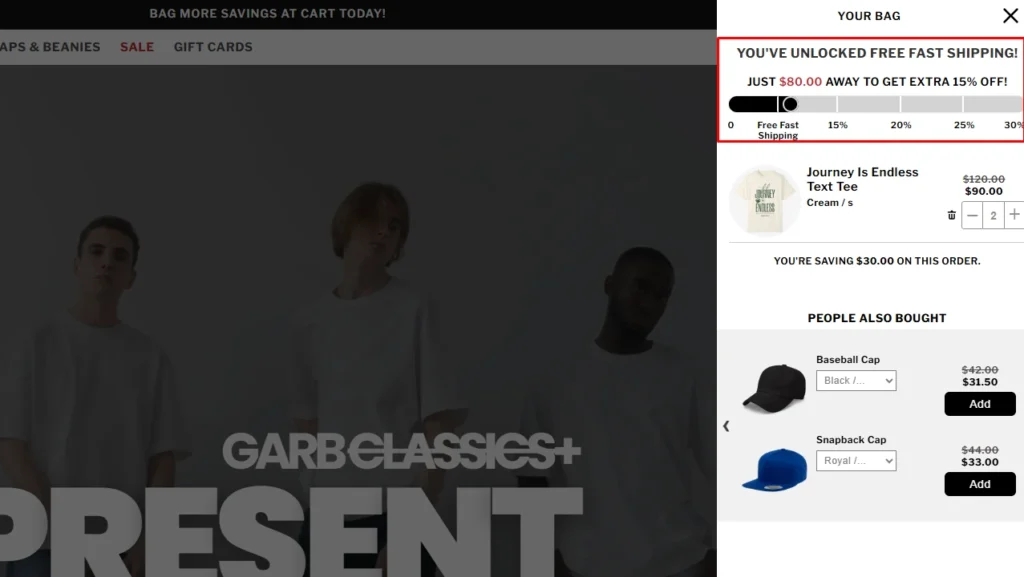
For example, here’s a store I worked with called Garb Classics. We worked together to increase their AOV and installed iCart in their store. The discount bar with multiple tiers in their cart decreased their cart abandonment rate and increased their sales.
You can also do a tiered discount without an app. Let’s first understand that.
How to create tiered discounts in Shopify? (native method)
This works well for offers like Buy 2, get 10% off or Spend $50, get 10% off. The setup is simple, but it is better for simple tiers than for a fully visual bulk discount experience.
Step 1: Go to Shopify Discounts
From your Shopify admin, open Discounts and click Create discount. Shopify lets you build discounts as code or as an automatic discount. Choose the format that fits your store.
Step 2: Choose the right discount type
For most Shopify tiered discounts, I start with Amount off if I want a percentage or a fixed discount once the shopper reaches a threshold.
If the offer is more quantity-driven, I use Buy X Get Y.
Step 3: Set your threshold
Inside the discount setup, add the rule that triggers the offer. Shopify lets you use a minimum purchase amount or a minimum quantity of items. This is the part that creates the tier logic.
For example, you can set one discount when a shopper buys 2 items, and another when they buy 4 items.
Step 4: Add Tier 1 and Tier 2
Now set your discount levels clearly. For example, Tier 1 can buy 2 items and get 10% off, and Tier 2 can buy 4 items and get 15% off.
This makes your Shopify tiered discounts easy to plan before you publish them.
Step 5: Choose products or collections
Now select which products, variants, or collections the discount should apply to.
I always tell merchants to start small here. Test the offer on one collection first. That makes it easier to see if the discount is increasing your AOV.
Step 6: Decide if it should be a code or automatic
If you want customers to enter a code, use a discount code. If you want the tier to apply once the cart qualifies, use an automatic discount.
Step 7: Set dates, usage rules, and combinations
Add the active dates, usage limits, and customer eligibility. Shopify also allows discount combinations, but there are rules around how many discounts can apply to the same order.
Step 8: Test the discount
Before publishing, test the discount tiers yourself. Add products, hit the minimum quantity, and make sure the offer applies exactly when it should.
Now I prefer discount tiers to be visible on the cart drawer; that’s why I use apps like iCart. Here’s how to create tiered discounts in Shopify with an app.
How to create tiered discounts in Shopify? (with an app)
Step 1: Install the iCart app
Go to the app store and install the app ‘iCart Cart Drawer Cart Upsell’
Step 2: Enable the app
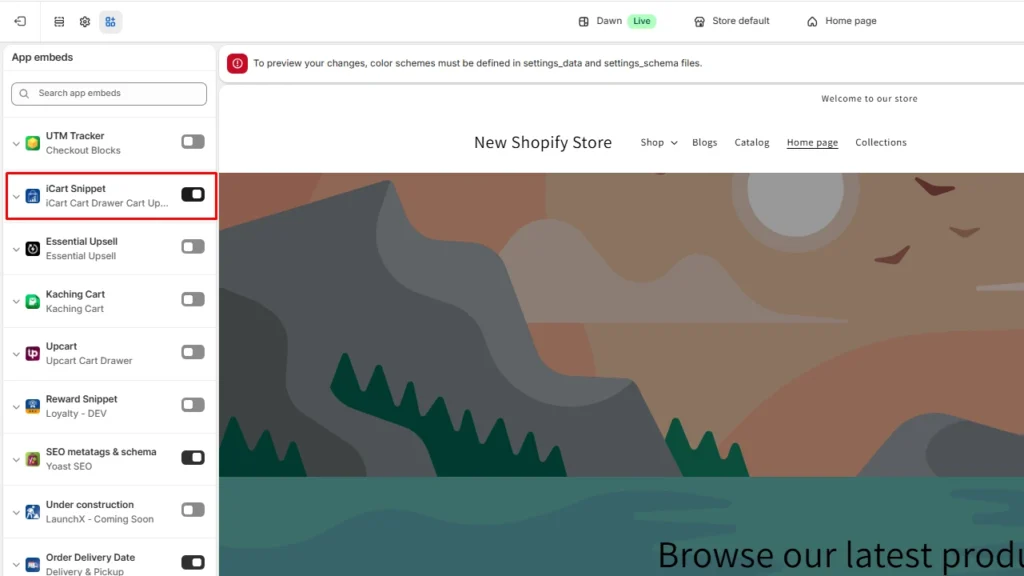
After installing, go to Online store > Edit theme and enable the iCart app embed. Click save after applying the changes.
Step 3: Select your cart type
Next, choose how you want the cart experience to appear. iCart has a multi-cart feature that lets you add both a full cart and a cart drawer in your storefront.
After selecting the cart, click Customize.
Step 4: Select the progress bar widget
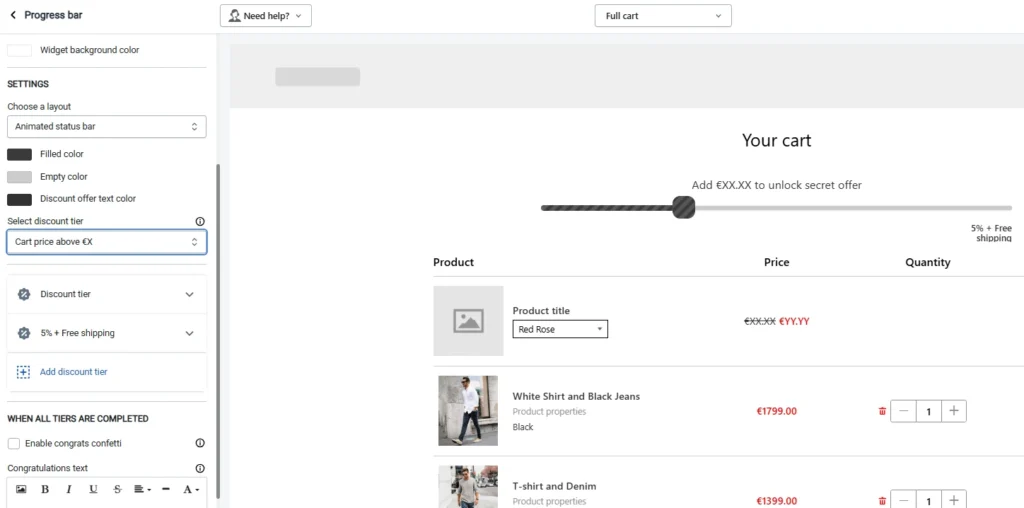
Backend view of the Progress Bar widget in iCart
From the Widgets section, select the Progress Bar widget. Here’s how I add a multi-tier discount bar in the cart drawer.
The discount tiers can be selected based on cart price above X and cart items above X. You can add multiple tiered discounts based on free shipping, percentage, and fixed amount.
I find this method better than native because it gives me more choices to do tiered discounts where shoppers make decisions. That is in the cart.
Key tips while adding tiered discounts
- Start with 2 or 3 tiers, not 5 or 6. I have experienced stores get better results when the offers are easy to read.
- Keep the discount math simple. “Buy 2, save 10%” is easier to act on than a complicated progress bar.
- Test tiered discounts on one collection first, then expand only after you see what happens to the conversion rate and average order value.
- Make the next reward level visible. That is where cart messaging and progress bars are a much better option.
- Always check the offer on mobile. Your AOV will decrease when the discount is hidden on smaller screens.
Tiered discounts decrease cart abandonment rate
The biggest benefit of adding a tiered discount on Shopify is they help decrease cart abandonment rate. This is because customers want bigger rewards as they unlock tiers and complete the checkout.
Use the native method for a basic setup. Use apps like iCart when you want shoppers to clearly see the discount tiers in the cart and feel pushed toward the next saving level.
FAQs
1. How to create tiered discounts in Shopify?
You can create simple tiered discounts in Shopify by using native discount types like Amount off or Buy X Get Y and setting a minimum quantity or minimum purchase amount. You can use apps like iCart to add tiered discounts in the cart through a discount bar.
2. Can you stack discounts on Shopify?
Yes, Shopify does allow discount combinations, but stacking depends on the discount types and how you configure them.
3. What is a tiered discount strategy?
A tiered discount strategy is a pricing approach where the discount gets better as the customer buys more or spends more.
4. What is an example of a tiered discount?
A simple example is: buy 2 items and get 10% off, buy 4 items and get 15% off. This works well because the customer can clearly see the next saving level.




About the author
Vineet Nair
Vineet is an experienced content strategist with expertise in the ecommerce domain and a keen interest in Shopify. He aims to help Shopify merchants thrive in this competitive environment with technical solutions and thoughtfully structured content.