





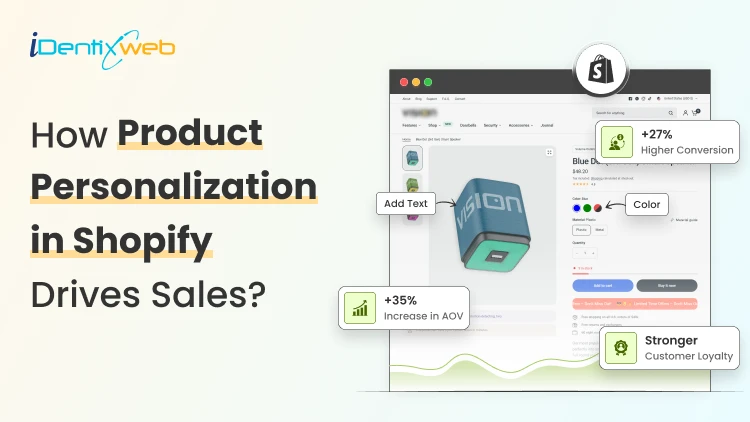

You can use product personalization apps in Shopify to add personalization to your products in your store. You can use conditional logic to add customization. You can also add a simple product customization in the Variants section of your admin panel.
Product personalization in Shopify stores is about giving shoppers more control before they buy.
I have seen many new Shopify store owners sell good products, but still struggle with conversions. Everything looks fine from the prices to the storefront, but the product feels too common.
This is why I suggest that store owners use Shopify product personalization.
When a shopper can add their name, upload a photo, choose a color, add initials, select a message, or build a custom version, the product feels more personal.
In this guide, I will explain what product customization means, how to add personalization to Shopify products, the benefits it brings, and which product personalizer app to use in Shopify.
What is product personalization in Shopify?
Product personalization in Shopify means letting shoppers customize a product before they add it to the cart.
This includes simple options like custom text, name, initials, date, color, or size. There are more advanced options, such as image upload, file upload, engraving, gift message, live preview, custom packaging, or paid add-ons.
For example, a shopper buying a necklace may want their name engraved on it. Many people confuse this with normal product variants, but both are completely different.
Variants are basic choices like size, color, and material. Personalization lets shoppers add their own input to the product. Stores like Printful are a great example of this.
From my experience, Shopify’s default product options work well for simple products. But if your store needs a deeper product personalization, you will usually need a product personalizer app.
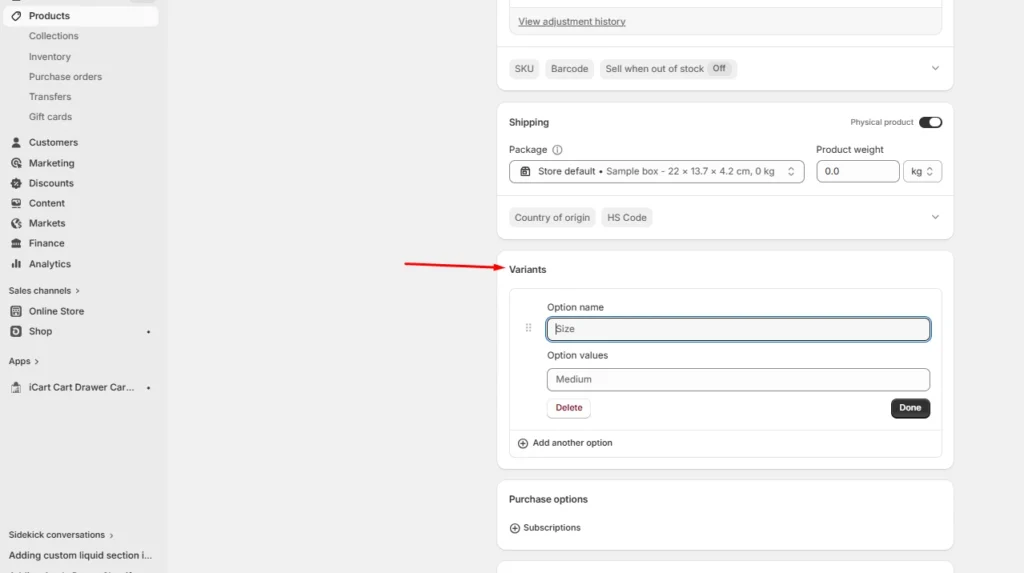
To add a simple product customization you can use the variants option in the admin panel. Go to Products > variants and add variations like size or color.
Benefits of adding product personalization in Shopify store
1. It makes the product feel more valuable
A personalized product feels different. It has the customer’s name, photo, message, date, or design. That makes it harder to compare only by price.
2. It will increase AOV
Personalization gives you room to add paid options. A customer may buy the main product first. Then they may add engraving, gift wrap, premium packaging, or faster processing.
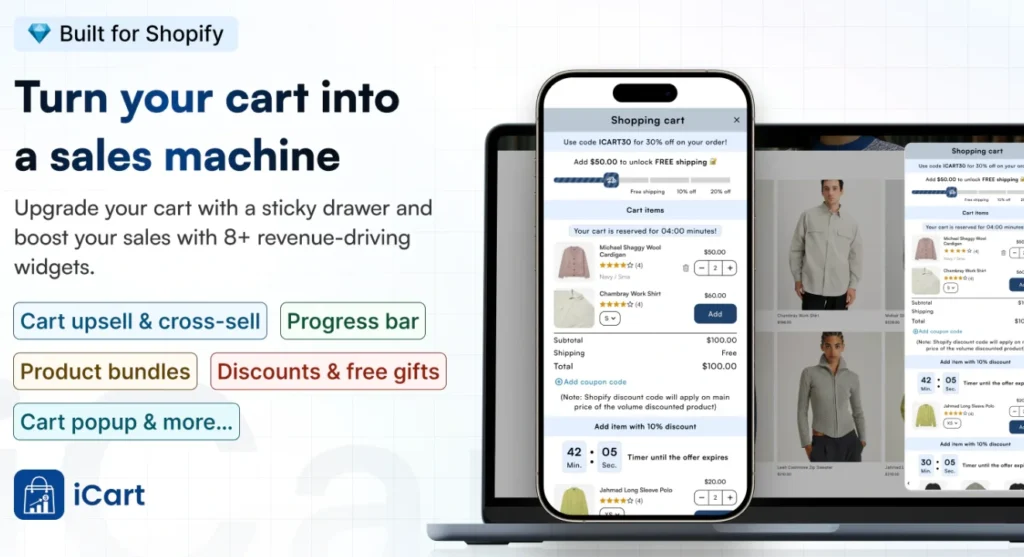
You can also support this with a smart cart experience. For example, apps like iCart Cart Drawer Cart Upsell help store owners show relevant upsells, cross-sells, product recommendations, progress bars, and product bundles inside the cart without making the buying flow feel pushy.
3. Customization improves gift shopping
Shoppers want something that feels thoughtful. A name, date, message, or image can turn a simple product into a gift-ready item.
This works well during birthdays, weddings, anniversaries, Valentine’s Day, Mother’s Day, Father’s Day, Christmas, and baby showers.
4. It gives you useful customer insights
Personalization data can show what customers prefer. When I work with stores selling personalized products, I can see which colors, names, add-ons, designs, and messages customers choose most. This helps you plan future products, bundles, ads, and seasonal campaigns.
How to Add Personalization to Shopify Products: Step-by-Step Guide
Step 1: Choose the right products first
Do not add personalization to every product at the start.
Start with products where customization makes sense. The best products are usually giftable, emotional, or design-based.
Good examples include:
- Personalized necklaces
- Custom t-shirts
- Photo mugs
- Name bracelets
- Wedding gifts
- Phone cases
- Corporate gifts
I usually suggest testing personalization on 3 to 5 products first. It also helps you see which products customers actually want to customize.
Step 2: Decide what customers can personalize
Now decide what kind of input you want from the customer.
- Name field
- Custom text box
- Date field
- Dropdown menu
- Color swatch
- Image upload
- File upload
- Checkbox
- Gift wrap option
- Special instruction box
Keep this step simple. If the product only needs a name, add a name field. If it needs a message, add a message box.
Step 3: Pick a Shopify theme for personalized products
A Shopify theme for customized products will make the buying flow easy. I always pick among Dawn, Kalles, Prestige, and Motion. All are good themes for personalized products
Step 4: Add personalization fields
Now you have two main ways to add personalization fields.
- Custom coding: This can work if you only need a simple text field. But it is not always easy for non-technical store owners.
- Using a Shopify product personalizer app: Shopify store owners can install it from the Shopify App Store. This is usually better for new stores because you can add fields without touching code.
Many store owners I have worked with choose the second option. It's much easier to personalized with apps.
Use conditional logics in apps for personalizing. For example, if a customer checks a file upload option, a box will appear with the Upload button.
Step 5: Write clear instructions
Do not assume shoppers know what to enter. Tell them exactly what to do.
Use clear instructions like:
- “Enter the name exactly as you want it printed.”
- “Maximum 12 characters.”
- “Upload a clear front-facing photo.”
- “Personalized products cannot be returned unless damaged.”
- “Double-check spelling before placing the order.”
Step 6: Add pricing for premium options
Personalization can help you increase AOV. Some options can be free. Some can be paid.
For example:
- Engraving: $10
- Gift box: $5
- Rush processing: $15
- Premium packaging: $8
- Extra design proof: $12
A good tip here I always use is to keep the extra price visible before checkout. Customers should not feel surprised later.
Step 7: Test the full order flow
Before publishing, place a test order and check the entire order flow.
I always ask myself these questions while checking:
- Is the field appearing on mobile?
- Does the custom text show in the cart?
- Does the uploaded file attach properly?
- Is the price updating correctly?
- Does the custom detail appear in the Shopify admin?
Step 8: Be ready with order fullfilment
Many product personalisation apps have automation that passes this information to the print-on-demand partner. If not, set up a fulfillment process so that the team receives the personalization details.
Which are the best product personalizer apps in Shopify?
Of all the apps that I have used, here are my picks of the best ones.
| App | Best for |
| Easify Product Options | Simple and advanced product options |
| Teeninblue Product Personalizer | AI-powered design tools |
| Customily Product Personalizer | Print-on-demand and custom product previews |
| Zepto Product Personalizer | Text, image, and custom product fields |
| Globo Product Options | Flexible custom options for growing stores |
Here's a deeper breakdown to choose the best product personalization app in Shopify.
Personalized products drive sales
Product personalization in Shopify can drive sales because it gives shoppers a stronger reason to buy.
It makes the product feel personal. It supports premium pricing, improves gifting, and helps your store stand out.
If I want to add personalization in Shopify in 2026, I would start small. Pick a few products. Add simple personalization fields. Write clear instructions. Test the full order flow and then track AOV and optimize the store accordingly.
FAQs
1. What is Shopify product personalization?
Shopify product personalization means giving customers the option to customize a product before buying it. This includes adding a name, message, image, engraving, color, file upload or gift note.
2. How to add personalization to Shopify products?
You can add personalization to Shopify products by custom code, built-in features like variants, or a product personalizer app.
3. What are the top product personalizer apps in Shopify?
Some popular Shopify product customizer apps include Zepto Product Personalizer, Customily, Teeinblue, Inkybay, and SC Product Options.
4. Which is the best Shopify theme for personalized products?
From my experience being a Shopify expert, Dawn, Kalles, Prestige, and Motion are top picks for adding personalization to your products.




About the author
Vineet Nair
Vineet is an experienced content strategist with expertise in the ecommerce domain and a keen interest in Shopify. He aims to help Shopify merchants thrive in this competitive environment with technical solutions and thoughtfully structured content.