





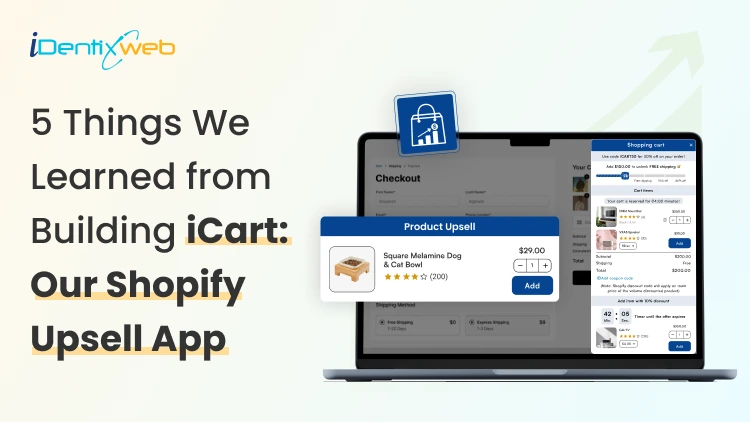
New Shopify merchants usually jump into ads because it feels like the fastest way to get sales. But traffic does not fix a weak cart. If your cart is not optimized, customers will bounce.
In fact, the top reason for cart abandonment is that customers are just browsing. But even if that’s the case, they do have an intent to buy.
Here’s a simple example. A shopper adds a $40 face moisturizer to their cart. If your cart suggests a discount with a countdown timer, many shoppers add it. This is because they don’t want to miss out on the offer before it runs out, even if they are just browsing.
This and many more reasons are why we built iCart. In our experience of shopper behaviour, the cart is one of the elements you need to optimize to increase AOV. You earn more from the same ad spend without changing your products.
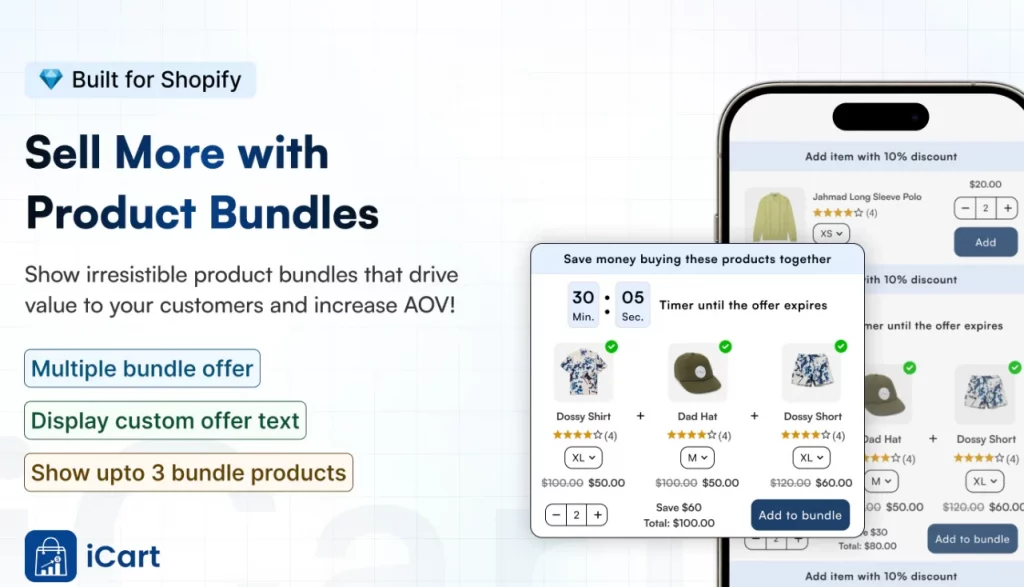
What does a Shopify upsell app do?
A Shopify upsell app like iCart shows relevant add-ons, bundles, or incentives in the cart so customers add more items before checkout.
Here’s one of our customers, Swad. It’s a food & beverage store famous for its pickles. Look at how adding an item to the cart suggests their ‘Bestseller products’. The cart also has an incentive at the top (Add X amount for free shopping).
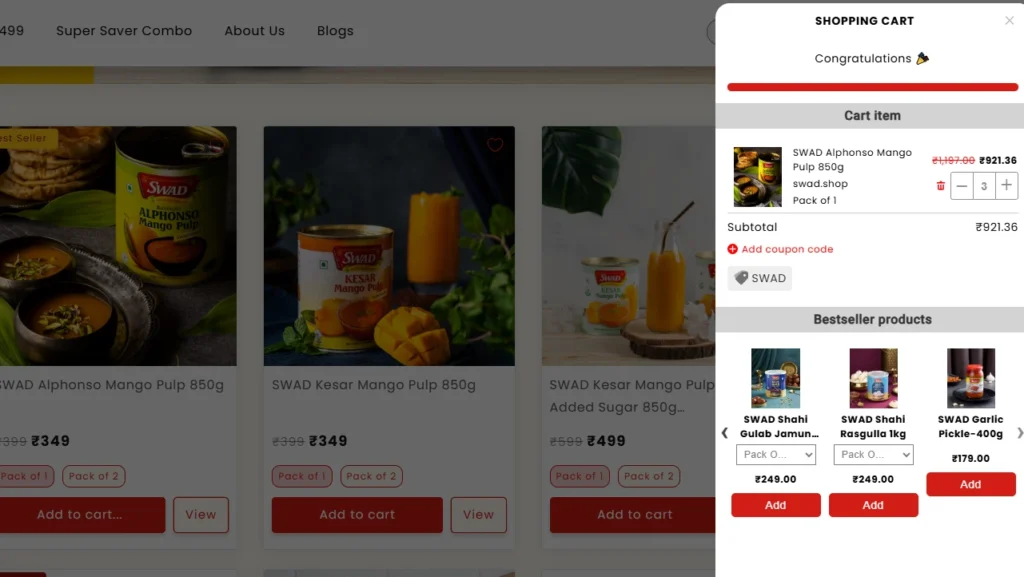
Source: Swad
This is how you turn window browsers into genuine customers. Features like a progress bar and a frequently bought together section nudge customers to complete their checkout.
Where do upsells convert best?
There are two places where upsell converts best. Pre-purchase and post-purchase.
| Upsell type | When it shows | Where it shows | Goal | Why it converts |
| Pre-purchase upsell | Before payment | Product page, cart drawer, checkout | Increase cart value before order | Shopper is still deciding and can add in one click |
| Post-purchase upsell | After payment | Thank-you page, post-checkout offer | Add extra items after the order | Purchase is done, so adding a simple offer feels easy |
Shopify apps like iCart fall in the pre-purchase category, while apps like SellMore fall in the post-purchase category.
5 Lessons We Learned Building iCart
Lesson 1: Shoppers respond to simple goals like free shipping
In the recent Statista report on cart abandonment, 40% of customers left their cart because the shipping price was too high.
Shoppers love simple goals. “Free shipping at $75” feels clear, and it gives them a reason to add one more item to the cart.
That’s why we leaned hard into progress bar tiers and cart milestones in iCart.
A progress bar shows how close someone is to unlocking a reward. In iCart, you can set milestones like “Spend $75 to unlock free shipping,” and the cart updates in real time.
Here’s how Garb Classics is using iCart’s progress bar to offer free shipping.
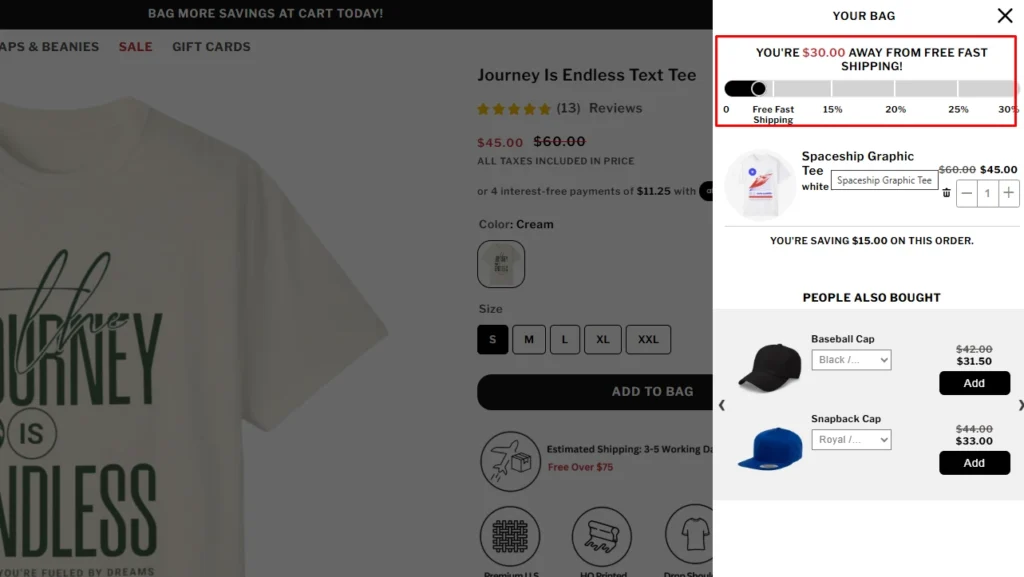
Source: Garb Classics
Lesson 2: One cart UI does not fit every store
When we started building iCart, we learned this fast. Merchants want a cart that matches how their shoppers buy.
Some stores need a cart drawer because it keeps people shopping without sending them to a new page. Others need a cart pop-up for a quick, clean checkout moment. And some stores still convert best with a full cart page that feels detailed and familiar.
That’s why iCart supports multi-cart options. You can add a cart drawer, a cart popup, or replace your default cart with a full cart page. You can even add a cart drawer and a full cart together.
Here’s the store Green Room using the full cart feature on their website.
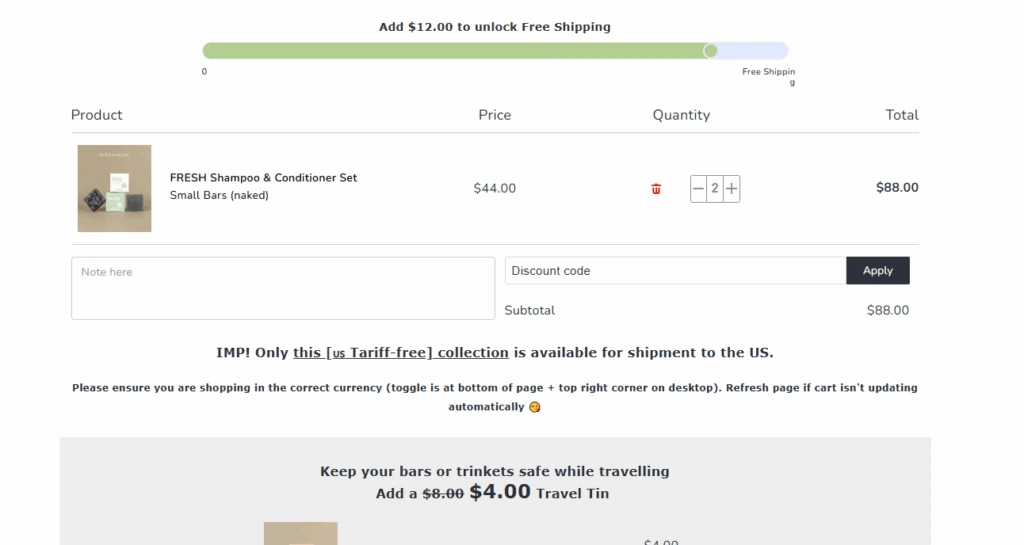
Source: Green Room
Lesson 3: Upsells only work when they feel helpful
A pushy upsell feels like you are interrupting the buyer. A helpful upsell feels like you are guiding them. That difference decides if they add more or abandon the cart.
That’s why iCart helps you build your cart with widgets like:
- Progress Bar
- Product Upsell
- AI-powered Recommendations
- Custom HTML
- Cart Items
- Checkout Button
- Product Bundle
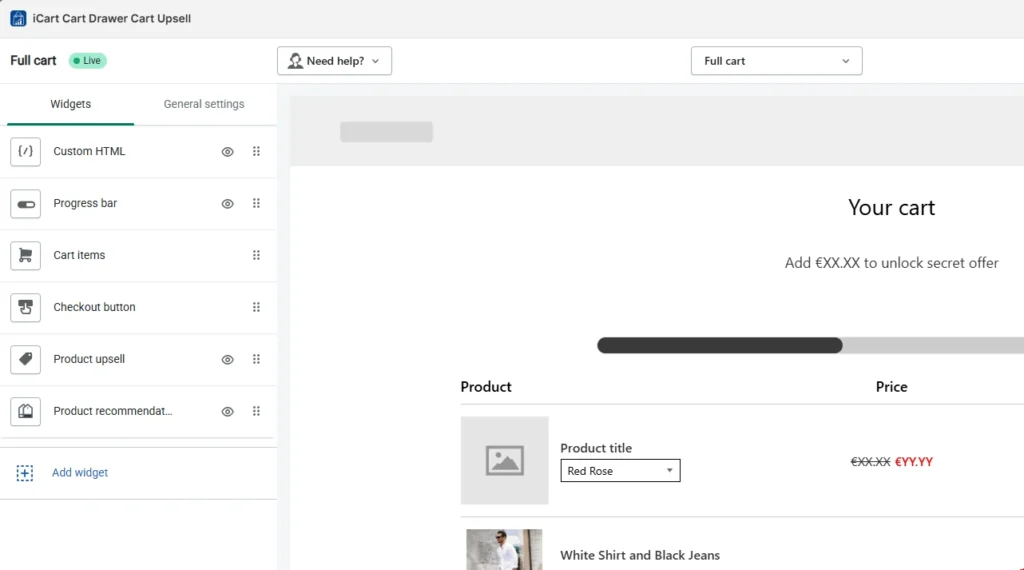
A back-end view of iCart’s settings
Merchants can enable or disable each feature to customize their cart. Moreover, we also learned that stores need custom HTML features for deeper customization. It was one of the most recommended features when we built the app.
Lesson 4: Merchants want AI recommendations
We kept hearing the same thing from merchants. “I want upsells, but I don’t want to manually pick products forever.”
They wanted the cart to recommend smarter.
So we added AI-powered recommendations inside iCart. Our goal was simple: help merchants save time by automating product recommendations in the cart. You can still manually pick products for upsells when you want full control. But AI-powered recommendations help merchants drive sales by showing products based on the customer’s shopping behaviour.
Lesson 5: Stores going international need multi-currency
A lot of stores start locally, then suddenly get orders from other countries. The storefront may show prices in the shopper’s currency, but if the cart does not match, it feels inconsistent.
That mismatch can create doubt right before checkout.
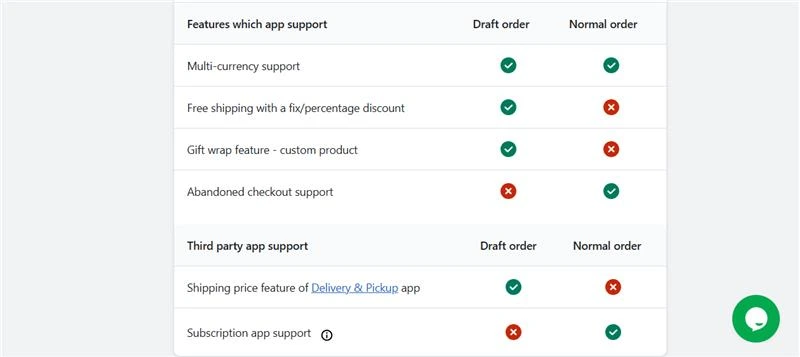
A lot of our customers have stores that are multinational. So we made sure iCart supports Shopify’s multi-currency setup in both draft and normal orders.
Conclusion
If you are running a Shopify store, you just need a cart that is easy to set up with helpful features for your shoppers. That’s what we learned while solving real merchant problems while building iCart.
Start simple. Add the features that fit your store (progress bar or product recommendations), then add one clear goal, like free shipping. Use iCart’s analytics to measure the data and customize your cart accordingly.
We provide the first 100 orders free for life, with all features included. Your traffic already costs you time and money, so make the cart do more work for you.
FAQs
1. How do I add a cart on Shopify?
Shopify gives you a cart by default, so you usually do not “add a cart,” you just make sure your theme has an Add to cart button and a working cart page or cart drawer. If you want deeper customization to your cart drawer, install apps like iCart.
2. Why do users add to cart but not checkout?
Most of the time, it’s unexpected shipping costs, forced account creation, confusing checkout steps, or trust concerns right before payment.
3. What is the best place to upsell on Shopify?
Pre-purchase spots like the product page and cart work well because shoppers are still deciding and can add items before paying. Post-purchase offers work right after checkout on the thank-you page, and Shopify supports adding apps to these pages depending on your setup.
4. How do cart drawers increase AOV?
A cart drawer keeps shoppers on the same page, so it’s easier to add a product without breaking the shopping flow. Merchants customize their cart drawer with features like a free shipping bar, which nudges customers to add more items to hit a threshold.
5. Do bundles work better than discounts?
Bundles can work better when you want to raise AOV through a curated set, because bundles can increase AOV and provide value through curation. Discounts can convert fast, but they can also hit your margin depending on your pricing and goals.
6. Will an upsell app slow down my store?
It can, especially if it loads heavy scripts or adds extra requests. You should monitor storefront performance whenever you install any Shopify app.

![The Only Easter Marketing Ideas for Shopify Stores [Proven Strategies]](https://www.identixweb.com/wp-content/uploads/2026/02/24-02-Tue-Blog-Tips-Tools-for-Shopify-Stores-to-Boost-Easter-Sales.webp "The Only Easter Marketing Ideas for Shopify Stores [Proven Strategies]")

About the author
Vineet Nair
Vineet is an experienced content strategist with expertise in the ecommerce domain and a keen interest in Shopify. He aims to help Shopify merchants thrive in this competitive environment with technical solutions and thoughtfully structured content.