






To create a landing page on Shopify, you can use the built-in "Pages" feature or install a Shopify page builder app (like PageFly, GemPages) for pre-built templates and advanced drag-and-drop customization. Make sure to add SEO-focused content, images, and calls-to-action (CTAs) to the landing page to increase conversions.
So, you're running advertising and marketing campaigns to entice visitors to your Shopify store. But when someone clicks one of your ads, where do you want them to end up? Your homepage? An individual product page?
If they do that, there's a risk of them getting distracted by the rest of your awesome site and they won't get as far as conversion, which is the whole point of your ad campaign.
In this post, we'll explore the benefits of landing pages and show you how to create a successful Shopify landing page.
What is a Shopify Landing Page?
Landing pages are web pages that stand alone from the rest of your online content, and they’re each designed with a specific purpose—to encourage visitors to do what you want them to do.
When you’re running a paid ad campaign via Facebook or Google, the idea is that people will click on your ads and “land” on the landing page. In the case of Shopify, a landing page is simply a page on your Shopify site where you want these potential customers to end up.
The information on the page relates to what’s in the ad. If the ad was for a particular product, the landing page might offer a discount to help visitors convert. But you can also create landing pages with other goals in mind, such as getting new visitors to fill out a data capture form.
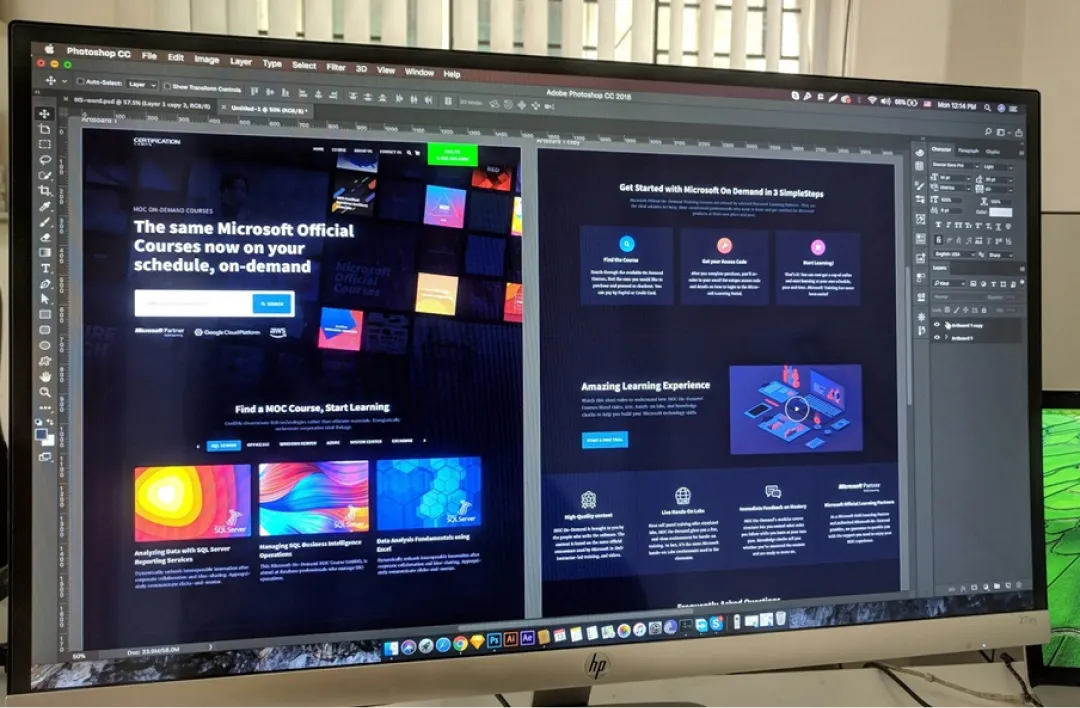
Free to use image sourced from Unsplash
Different Types of Landing Pages
Lead Generation or Lead Capture
This encourages visitors to fill out a specific data capture form in exchange for something, such as a free eBook or access to gated content. (If you’re only grabbing their email address, that’s called a squeeze page.)
Click-through Page
This is about driving visitors to a specific action, such as signing up for a newsletter or making a purchase. They’ll then be taken to another page to complete the conversion.
Sales Landing Page
Here, you’re targeting people who are almost over the line, and helping them take the final step by providing more detailed information. The page can be short-form or long-form, and often includes videos, FAQs, and testimonials.
Splash Page
An intermediary page that appears when someone clicks your social media post, displaying significant information such as an important announcement or promotion. Or you might display an ad that the visitor can skip after a few seconds.
“Coming Soon” Page
If a new product or offer isn’t quite ready yet, you can tease it with this type of landing page. Add a launch date, and invite visitors to provide their email address to receive the latest updates.
With Shopify, you have the possibility to create any of these types of landing pages, depending on your goals and needs. Now, let’s look at what you can expect to achieve with a well-designed Shopify landing page.
How to Create a Landing Page on Shopify in 2026 (With & Without App)
Method 1: With In-Built Customization
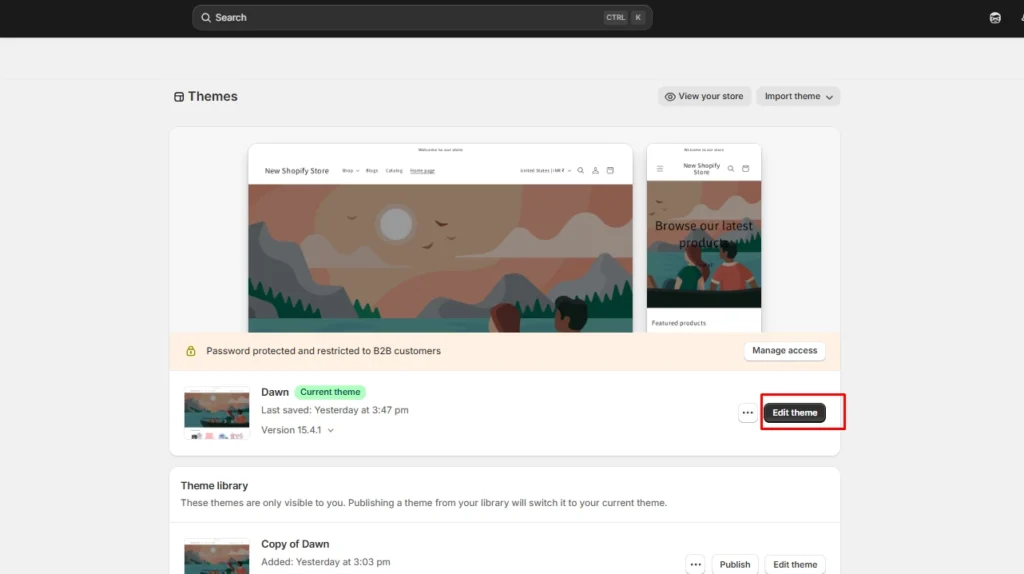
Step 1: First thing you need to do is create a template. Go to Online Store > Themes > Edit theme
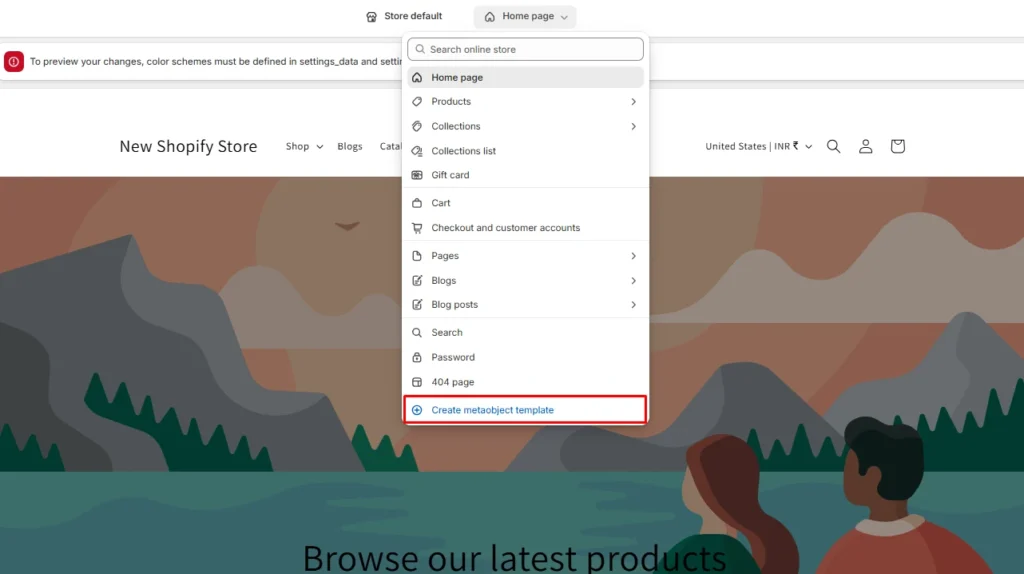
Step 2: Here, there's a dropdown menu at the top. Click on Home page > Create meta object template.
You will be provided with a blank template here. I have created a template for the Winter Sale page. You can add different elements, URL, Title, and description for the pages. Once you are set, click Save.
Step 3: Create a new page. Log in to your Shopify admin panel. Navigate to Online Store > Pages > Add page (Top right corner)
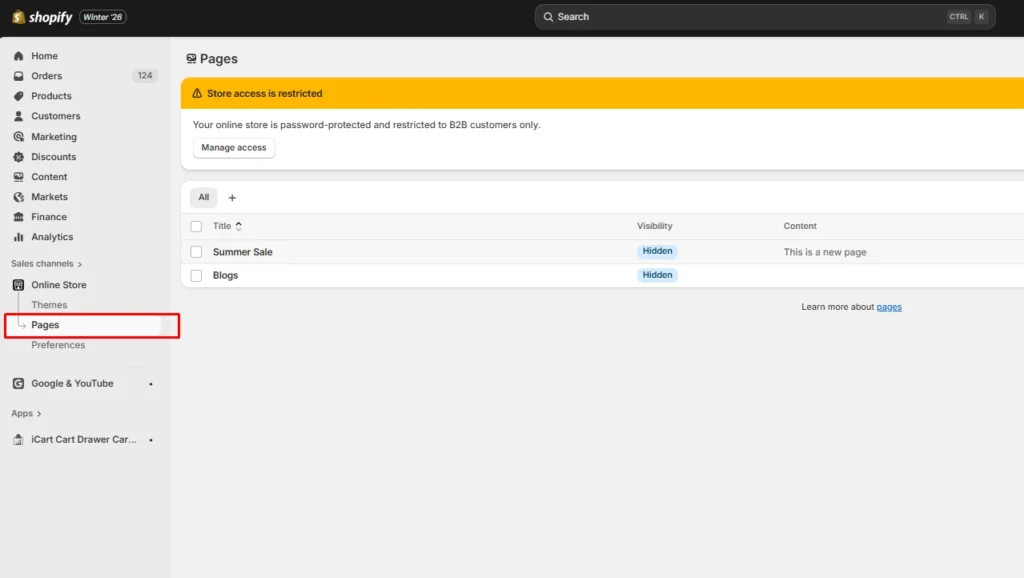
Step 4: Create your landing page. Here you can add a title, images, videos, and CTA buttons to build your landing page. You can also use HTML to customize your Shopify landing page.
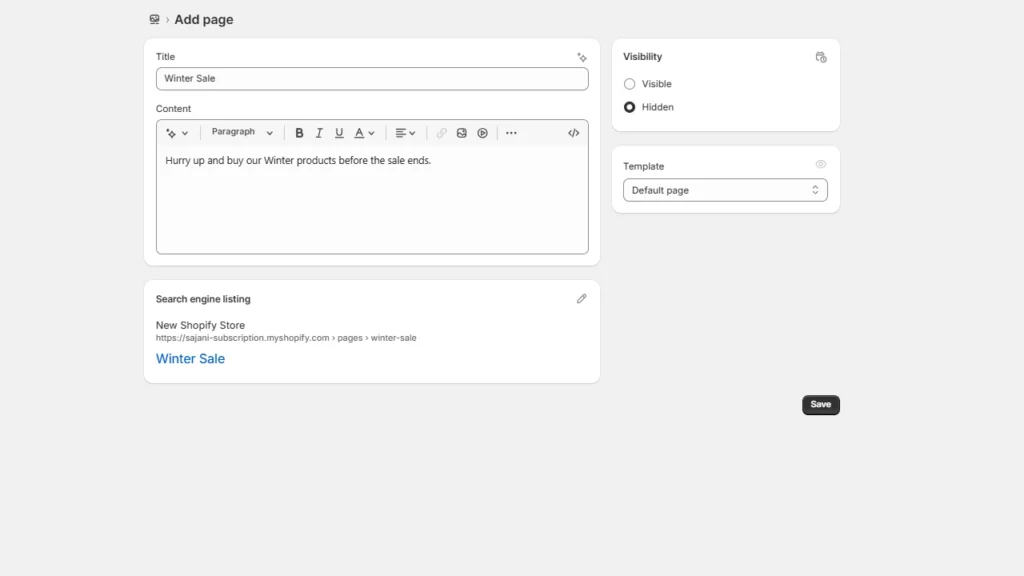
There's also a field of Search engine listing where you can add and optimize content to rank higher on Google.
Step 5: Choose when your page should be published. I would suggest keeping the visibility hidden and making it visible to customers once you publish the landing page.
Method 2: Using a Page Builder App
Step 1: Search for landing page builder apps. Go to the Shopify app store and in the search bar type 'landing page builder'
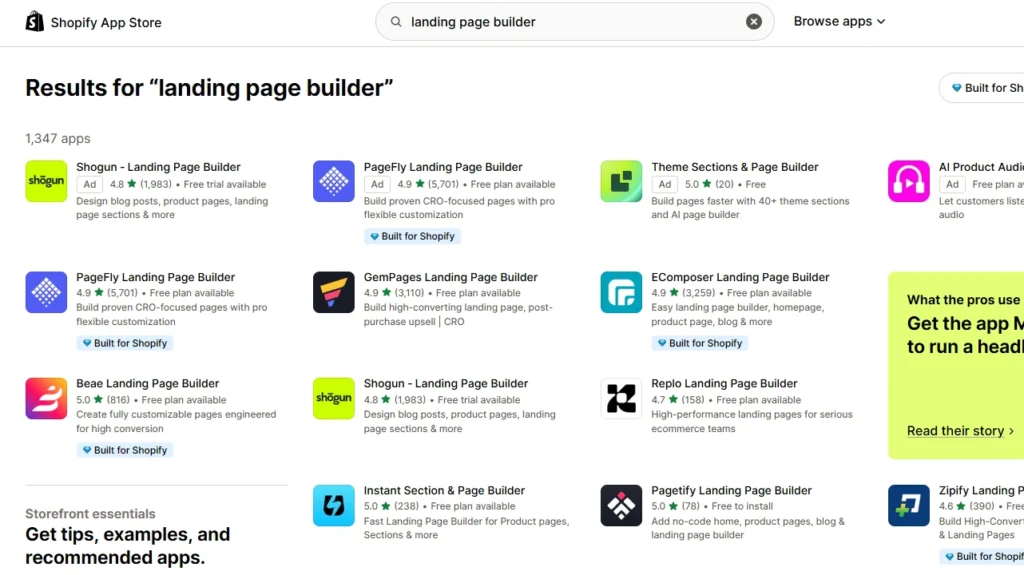
There are many great landing page builder Shopify apps like PageFly & GemPages. You can install these proven Shopify apps.
Step 2: Set up the template. The best landing page builder apps have pre-designed templates that you can choose from. You can start from scratch, but I would suggest picking a built-in template to start.
Step 3: Make sure the app has a drag-and-drop interface to add elements. CTAs, pop-up forms, and product blocks are some important elements you need in the landing page.
Step 4: Review your page and publish it to make your landing page live.
Benefits of Creating Shopify Landing Pages
If you get your Shopify landing pages right, here are some benefits you might be able to reap:
More Quality Leads
Because your Shopify landing page will be specifically designed to attract users who have an interest in your brand and/or product, you will be able to capture more quality leads and increase your conversion rate. And because you’ll get high-quality leads, your advertising campaigns will achieve a better return on investment (ROI).
Higher Brand Awareness
Saying that consumers are spoilt for choice on Shopify would be an understatement. That’s why a well-thought-out landing page is crucial. Through this, you can educate new leads and engage current customers. This is especially important when you’re selling via Shopify, where there are fewer opportunities to establish a unique brand identity.
Better, More Personalized Customer Experiences
With lead-generation landing pages, you can identify your Shopify target audience and build an email list of prospects. You can then use their demographic information in marketing campaigns to provide a more relevant experience, including pairing targeted ads with dedicated landing pages.
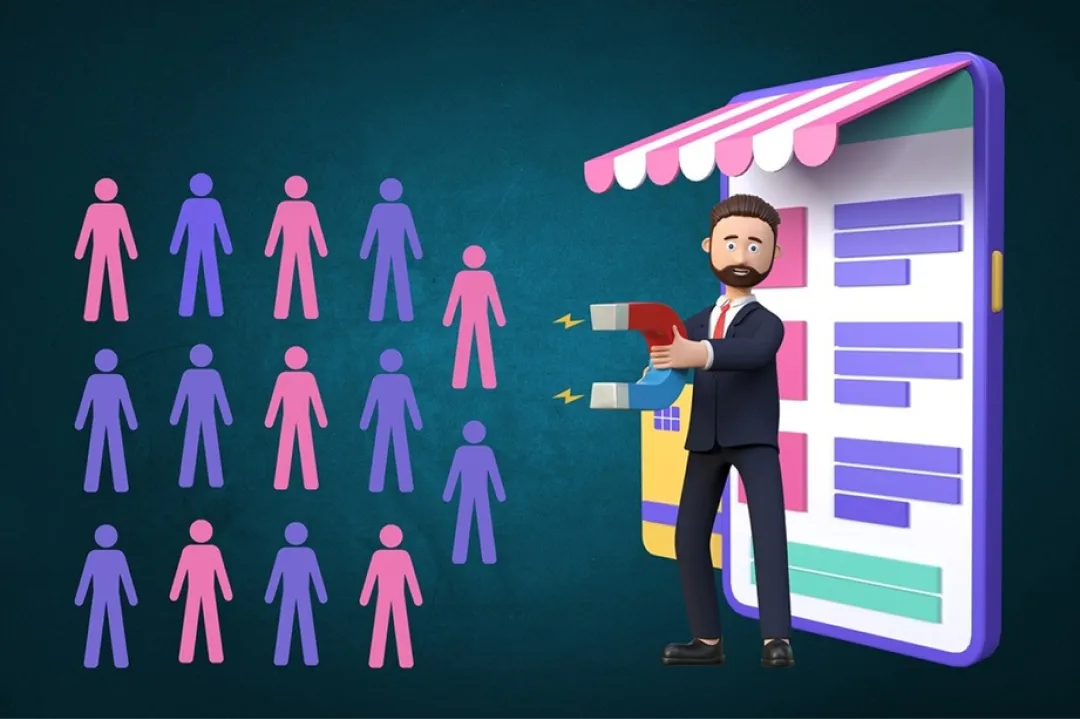
Free to use image sourced from Pixabay
More Effective CTAs
Another benefit of a landing page on Shopify is that visitors have fewer distractions than they would on a homepage, and you can promote very specific calls to action (CTAs).
A well-designed landing page on Shopify is an opportunity to show prospective customers that your business is professional and trustworthy. Fellow businesses will think the same, which might even help you earn partner links and boost link building.
(What is B2B link building? Click to find out more!)
Shopify landing pages: The basics
Landing pages are pretty simple, and this applies to Shopify ones, too. These are some of the main elements you’ll need to put together your Shopify landing page:
A Persuasive Headline
This should introduce the main goal/topic of your landing page, be backed up by a few related subheadings, and a clear CTA telling the visitor what you want them to do. Whether your page offers a new product, a discount code, a free resource, or a link to highly relevant content, make sure you clarify it straight away in your catchy and compelling headline.
A “Hero” Section
Most Shopify landing pages will also include an eye-catching “hero” image of the product, basic form fields to collect visitor information, and examples of social proof such as customer reviews. All of this should appear “above the fold”, which means it’s visible to the user without scrolling.
Attractive, Informative, and Engaging Content
If someone is interested enough to scroll down below the fold, you need to have appealing content ready for them. Convince them further of your value and be proactive in addressing potential objections. Think more product details, customer testimonials, FAQs, and a repeat of the CTA to save them scrolling back up.
Several CTAs
Sticking to a single CTA gives the landing page a sharper focus. But adding a few extra CTAs, strategically placed at specific points of your Shopify landing page, can add a sense of urgency as well as make it much easier for consumers to click through and complete the action you want them to take.
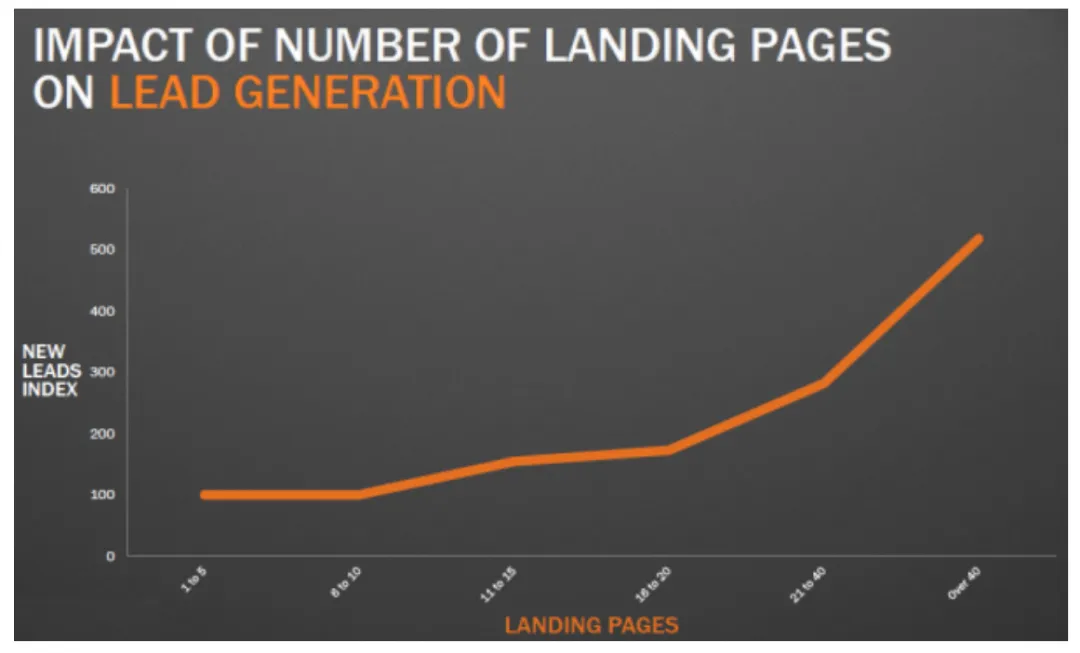
Image sourced from blog.hubspot.com
Strategies to Supercharge Your Shopify Landing Pages
Now, what we have covered in the previous section are just the basics of a Shopify landing page. If you want to skyrocket its performance, though, and turn it into a high-converting tool, then these are the tactics you should employ.
Establish a Primary Goal
The first step is to set a clear primary goal for your landing page. Decide exactly what you want to achieve with it and plan the CTA, the copy, and the design around this aim. The messaging should be aligned with the overall campaign for brand consistency.
Understand Your Audience
Consider the search intent and pain points of your prospective customers, and demonstrate value to them by describing the benefits of the product instead of just the features. You also need to understand where your visitors are coming from, whether they’ve clicked through from an email, a paid ad, social media, or a blog post.
Keep it Clear and Simple
Keep the text really simple, and use succinct copy for your CTA button (such as “Buy Now” or “Sign Up”). However, the whole landing page should be attention-grabbing—so use visual elements like product screenshots, illustrations of concepts, and videos of your product in action alongside the hero image.
Optimize for SEO
It’s essential that you optimize your Shopify landing page for search engines, so that people can find it easily when they search for one of the products or services that you sell. Search engine optimization (SEO) involves using relevant keywords in your headlines and other copy.
It’s similar to what you’d do for a SaaS content marketing strategy, only this time you’re using words and phrases related to e-commerce and, specifically, to Shopify. Come up with a list that matches your target audience’s needs and your value proposition, and don’t forget to add keywords to the page title, meta description, and URL.
Another aspect of SEO is the technical performance of your landing pages. Page loading speed is important to visitors, who expect all the elements to appear within a few seconds. You can improve this by compressing images, avoiding carousels, and minimizing plug-ins.
Leverage Responsive Design
Your Shopify landing page must also have a responsive design that’s optimized for mobile users. In both cases, you’ll create a seamless user experience and reduce your bounce rate.
To check that your design, copy, and CTA will be effective, A/B testing is a good idea. Set up two different versions of the landing page with key differences between the elements, and measure which gets the most visits and conversions.
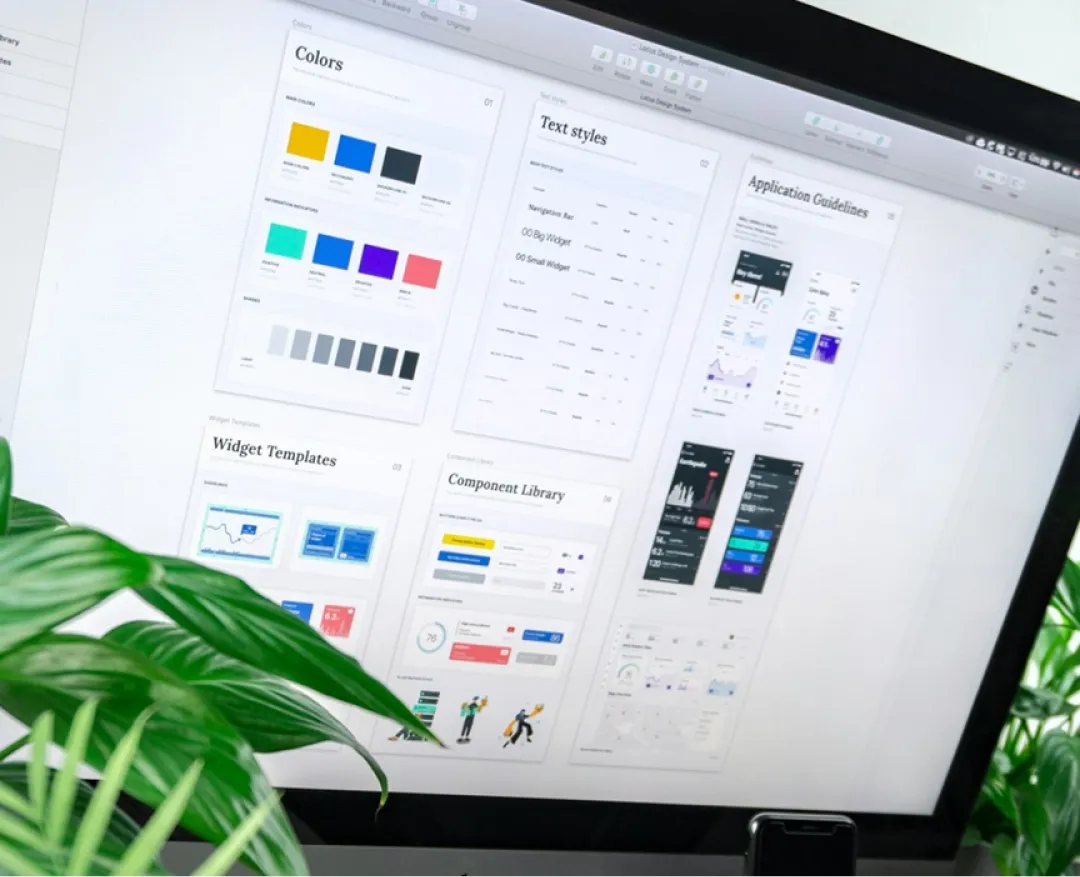
Free to use image sourced from Unsplash
Final Thoughts
E-commerce landing pages, such as those you can create on Shopify, are ideal if you want to launch a specific product or range, promote a limited-time offer, or increase sign-ups for your newsletter. You can use them to collect details from prospective customers for lead generation and guide visitors along your sales funnel.
Make sure you create an appealing, well-optimized landing page design with a clear value proposition and CTA, plus social proof. These are the key elements of a high-converting Shopify landing page that will do its job of turning browsers into buyers.
FAQs for How to Create a Landing Page on Shopify
1. How to create a coming soon landing page on Shopify?
Shopify’s simplest “coming soon” setup is the built-in Password page: go to Online Store > Preferences, turn on Password protection, and add your message (so visitors see an “opening soon” screen instead of your store).
2. Is Shopify good for landing pages?
Yes. Shopify works well for landing pages because you can create store pages without coding, or with apps & then publish them.
3. Which is the best landing page builder app on Shopify?
Popular, dedicated page builders on the Shopify App Store include PageFly, Shogun, & GemPages. Pick based on your budget, templates, and how much design control you want.
4. Can you make a landing page on Shopify?
Yes, you can create a landing page by going to Online Store > Pages > Add page, then adding your content and choosing whether it’s published.
5. Does Shopify have landing pages?
Shopify doesn’t call them “landing pages” as a special feature, but it does let you create pages that you can use as campaign landing pages.
6. How to add a landing page to Shopify?
Create it in Online Store > Pages > Add page, save it, then add it to your store navigation from the menus so customers can reach it easily.

![Best ChatGPT Prompts for Shopify You Can Copy-paste [+Tips to Write Prompts]](https://www.identixweb.com/wp-content/uploads/2026/03/13-03-Fri-Blog-AI-Prompts-for-Shopify-That-Grow-Your-Store-1.webp "Best ChatGPT Prompts for Shopify You Can Copy-paste [+Tips to Write Prompts]")

About the author
Nick Brown
Nick Brown is the founder & CEO of accelerate agency, the SaaS SEO agency. Nick has launched several successful online businesses, writes for Forbes, published a book and has grown accelerate from a UK-based agency to a company that now operates across US, APAC and EMEA.