Shopify Themes
Gather knowledge about the latest insights, updates, tips, and tricks in the Ecommerce industry.

5 Min • 29 April 2026
How Anua Unlocked 5X AOV Growth with iCart’s Smart Cart Features
delivery customization Challenges Solutions drive results Scale business delivery customization Challenges Solutions drive results Scale business delivery customization Challenges Solutions drive results Scale business delivery customization Challenges Solutions drive results Scale business Anua is a globally recognized Korean skincare brand known for its minimalist philosophy and focus on gentle yet effective formulations. Built on the idea of simplifying skincare routines, Anua develops products that deliver visible results while avoiding harsh or irritating components, making them suitable for sensitive skin types. Initially using a traditional full cart experience, Anua transitioned to iCart’s side cart solution in August 2025, to create a more seamless and engaging shopping journey. This shift allowed customers to easily explore complementary skincare products without disrupting their browsing flow, making it more intuitive to discover items that fit into a complete routine. By surfacing relevant recommendations directly within the cart, the brand enhanced product visibility across its range. Challenges Before implementing iCart’s side cart solution, Anua faced limitations with their existing full cart experience, which created friction in the customer journey. The traditional cart setup redirected users away from product pages, interrupting their browsing flow and reducing opportunities to explore additional products. As a skincare brand built around routines rather than single-item purchases, this made it difficult to effectively showcase complementary products and encourage customers to build complete regimens. Additionally, the lack of in-cart personalization and strategic upsell opportunities meant that customers were often unaware of related products that could enhance their skincare results. This limited the brand’s ability to increase average order value (AOV) and fully leverage its diverse product range. Anua needed a more dynamic and intuitive cart experience that could seamlessly introduce relevant recommendations while maintaining a smooth and engaging shopping journey. ❌ Cart Value Barriers Low average order value (AOV) due to single-item focus Most customers completed purchases with one primary product instead of building multi-step routines. Cart abandonment near shipping thresholds Customers were not clearly informed or motivated to reach free shipping or discount thresholds. Missed savings opportunities Customers were unaware of potential value in purchasing bundled routines or multiple complementary products. ❌ Absence of Progress-Based Incentives No free shipping or discount progress bar Customers were not motivated to increase their cart value due to lack of visible incentives. Missing tiered rewards system There were no structured milestones (e.g., “Spend more to unlock offers”), reducing upsell opportunities. ❌ Ineffective Cart UI/UX (Pre-Side Cart) Full-page cart disrupted shopping flowCustomers had to leave their browsing journey, increasing friction and drop-offs. No quick add/remove functionality Users couldn’t easily modify their cart or add suggested products without navigating away. Solution To overcome these challenges, Anua implemented iCart’s side cart solution to transform their traditional cart into a high-converting, interactive experience. By replacing the full-page cart with a seamless side cart, the brand ensured that customers could continue browsing while viewing their cart, significantly reducing friction in the shopping journey. Additionally, features like product recommendations & progress bars for free shipping and discounts motivated customers to increase their cart value. By combining personalization, incentive-driven messaging, and a user-friendly interface, Anua successfully turned their cart into a powerful revenue-driving touchpoint rather than just a checkout step. To maximize their cart effectiveness, they implemented two powerful features: ✅ Progress Bar with Multi-Reward Incentives Implemented a tiered progress bar to encourage higher cart value Customers are guided with a clear message like “Add $3.10 to unlock secret offer,” motivating them to continue adding products. Generated over $5M+ in revenue through incentive-driven cart progression Used product-based rewards to align with customer intent Instead of generic discounts, Anua incentivized purchases with relevant skincare items like Dark Spot Pads and mini serums. Built visual motivation for routine expansion As customers add products, they can clearly track progress toward unlocking multiple rewards, encouraging them to build a complete skincare routine. ✅ Product Recommendations Implemented “Frequently Bought Together” recommendations Customers adding a single product (e.g., toner) are shown complementary items like serums, moisturizers, or pads to complete their routine. Generated over 275K revenue through in-cart recommendations Encouraged full skincare regimen building Instead of isolated purchases, the cart suggests step-by-step product combinations aligned with common skincare routines. Increased product discovery at the final stage By surfacing relevant items directly in the cart, Anua ensured customers explore more of their catalog without leaving the checkout flow. Results Achieved in Last 180 Days 22932 Total Store Orders 45101 Total iCart Orders 5X iCart Generated AOV 65.70% Upsell Affected Conversion Rate These improvements reflect a clear shift in customer behavior on Anua’s store. Cart abandonment reduced as shoppers discovered complementary skincare products and felt encouraged to build complete routines. Engagement also increased, with customers interacting more with in-cart recommendations and exploring relevant product pairings. Results & Impact And...Results is Our Main Clarification By implementing iCart’s cart drawer, product recommendations, and progress bar, Anua transformed its cart into a high-performing conversion touchpoint. Shopping Experience Enhancement The improved cart experience encouraged customers to discover complementary products and understand the value of sustainable beauty routines. For instance, the clear presentation of subscription savings alongside one-time purchase options helped customers make more informed decisions about their long-term hair care needs. As Anua continues to optimize its cart experience, the brand is closely monitoring: Routine-based purchasing behavior - tracking how customers move from single items to multi-step regimens Engagement with in-cart recommendations - measuring interaction with suggested products Cart value progression - analyzing how incentives influence higher spending [related_cases_slider] Ready to Write Your Success Story? Try icart App Join successful businesses like Anua and Master your delivery scheduling Delight customers with precise timing Grow your special occasion orders Expand your delivery reach
Read Blog
![Small Businesses Need These Cheap Shopify Themes [Low Cost Themes for 2026]](https://www.identixweb.com/wp-content/uploads/2026/03/03-03-Tue-Blog-Best-Budget-friendly-Shopify-Themes-for-Startups.webp)
6 Min • 5 March 2026
Small Businesses Need These Cheap Shopify Themes [Low Cost Themes for 2026]
Do you want your Shopify store to look professional, but also do not want to spend a big chunk of your startup budget? Here’s the good news. Shopify has cheap Shopify themes available that are budget-friendly. These do not automatically mean cheap-looking. These themes come with a solid layout, flexible sections you can edit without a developer, and a mobile-first design that makes buying easy. While free themes are amazing, as a Shopify expert, I would strongly advise checking out these themes that are great for small businesses. List of Cheap Shopify Themes for Small Businesses ThemePriceRating (% positive)ReviewsBest features HorizonFree39%140Slide-out cart, quick buy, pre-order; cross-selling, quick view, product badges, promo banners; mega menu, filtering/sorting, enhanced searchDawnFree36%269Product-first design; strong for large imagery and media-forward product presentationXtra$100 USD99%375 50+ built-in features to reduce apps; bulk upsells to lift AOV; quick-view and promo-style conversion toolsStartup$100 USD82%102 Built for single products and small catalogs; customizable testimonials; clean DTC layoutXclusive$100 USD98%142 Editorial visual storytelling; shoppable images; mega menu and brand-first layoutsBlum$170 USD99%242 Media-rich layouts; quick buy, countdown timer, product siblings, promos; flexible custom sections for lookbooksDistrict$220 USD100%702 Sticky cart, slide-out cart, quick buy; cart notes, in-store pickup, Shop sign-inShine$210 USD96%23 28+ custom sections; transparency blocks (ingredients/usage/testimonials/certifications style); strong wellness/beauty brand vibe Low-cost Shopify Themes for Startups Horizon Horizen is the latest set of free themes by Shopify. This theme is good for brands that want a clean and modern look without losing key commerce features. It also fits stores that want a cart drawer and product discovery tools out of the box. Best-fit industries: Works well for product-led brands like jewelry/accessories and food/drink that rely on strong product presentation and browsing. Standout features: Slide-out cart, quick buy, pre-order, product badges, promo banners, mega menu, enhanced search, filtering/sorting. Rating & reviews: 39% positive, 140 reviews. Dawn Everyone loves the Dawn theme, and why not? It's the default starter theme that’s completely free and comes with many features. Best-fit industries: This theme is versatile across niches, especially brands that lean on visuals (fashion, beauty, accessories, home). Standout features: Quick buy, cross-selling, promo banners, plus product discovery tools like enhanced search, mega menu, and filtering/sorting. Rating & reviews: 36% positive, 269 reviews. Pick and choose from our list of more free Shopify themes to upgrade your store. Xtra Price: $100 This theme is great for startups that want more built-in selling tools, especially upsells, without installing more apps. Best-fit industries: General ecommerce across categories, especially stores that want to push bundles or multi-item carts. Standout features: Bulk upsell (encourages buying related products), plus a feature-heavy setup aimed at conversion. Rating & reviews: 99% positive, 375 reviews Startup Price: $100 A great theme for single-product brands and small catalogs that want a sleek DTC feel. Best-fit industries: DTC startups, niche brands, curated product lines with small catalogs. Standout features: I love this theme’s testimonials-focused trust building, streamlined shopping experience for small catalogs, and DTC-friendly structure. Rating & reviews: 82% positive, 102 reviews Xclusive Price: $100 This is an excellent theme for brands that sell with visuals and want a “lookbook” style experience. Best-fit industries: Fashion, accessories, lifestyle, home decor, or any brand where images drive discovery. Standout features: Tagging products in photos (shoppable images) to push conversions from image-led browsing and buying. Rating & reviews: 98% positive, 142 reviews Blum Price: $100 This is another great low cost theme for fashion and accessories stores that want a high-end look and built-in conversion boosters. Best-fit industries: This is built especially for fashion and accessories stores. Standout features: Quick buy, countdown timer, product siblings, and other promotional tools. Rating & reviews: 99% positive, 242 reviews Fashion stores are the most popular category. Check out the top paid Shopify themes for clothing stores in 2026. Electro Price: $200 A fantastic theme for electronics and tech-heavy catalogs where shoppers compare specs and variants. Best-fit industries: Electronics, gadgets, accessories, and any store that needs strong filtering + search (think mobile accessories, smart home, gaming gear, cameras). Standout features: Cart notes, in-store pickups, quick buy, and slide-out cart, color swatches, image zoom/video, lookbooks, product tabs, enhanced search, and mega menu. Rating & reviews: 99% positive, 85 reviews District Price: $220 This is a good theme for brands that are looking for some serious UI/UX cart experience. This is a great theme if you want an easy checkout experience. Best-fit industries: Versatile across categories, especially stores that care about fast browsing and a smooth cart experience. Standout features: Sticky cart, slide-out cart, quick buy, sign in with Shop, in-store pickups, cart notes. Rating & reviews: 100% positive, 702 reviews Shine Price: $210 I love this theme’s built-in promo tools and trust elements. You do not need extra apps to add these features. Best-fit industries: Strong fit for beauty/wellness and product brands that benefit from trust badges, FAQs, and promo timers. Standout features: Countdown timer, trust badges, stock counter, promo popups, quick view, cross-selling, plus sticky cart Rating & reviews: 96% positive, 23 reviews Should I Choose a Free or Paid Shopify Theme for My Store? If you’re a new store, the best theme is the one that helps people build trust. Go with a free theme if you are launching with a small catalog. You have a small catalog (say 1–20 products). You are not running heavy promos yet You want a simple layout and a few built-in features. Go with a paid theme if you want built-in selling tools Upgrade to start with a paid theme if you want the store to do more work for you. A paid theme makes sense when: You have a larger catalog (50–500+) and product discovery matters. You need better collection filters, mega menus, and faster browsing. You want conversion features without adding 3–5 extra apps. You run promos often and want built-in blocks for trust, urgency, and upsells. Cheap Shopify Themes Work for Small Businesses If you’re launching your first Shopify store, start simple. A free theme can look premium and sell well when you have a small catalog. Move to a paid theme when you want to run offers and have more products to sell. Pick the option that matches the stage your business is in, not the version of your store you hope to have six months from now. FAQs for Cheap Shopify Themes 1. Is it worth buying a theme on Shopify? Yes. Paid Shopify themes include more built-in sections and conversion features, plus ongoing updates and developer support. 2. Should I use apps or paid Shopify themes for conversions? Use a paid theme to cover conversion basics like navigation, product pages, cart UX, and promo sections. Only install apps for features your theme cannot do. 3. Which is better: Free or paid Shopify theme? Free is better when you’re launching and have a small catalog. Paid is better once your catalog is growing, or you need advanced features like mega menus, filters, quick view, and stronger promo tooling built in. 4. Are Shopify themes a one-time purchase? Yes. Shopify themes are a one-time purchase.
7 Min • 6 March 2026
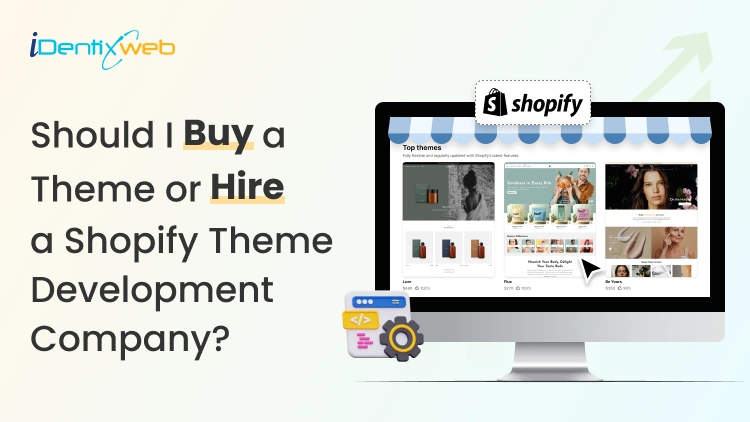
Should I Buy a Theme or Hire a Shopify Theme Development Company? The Real Answer
If you want to launch your Shopify store quickly with built-in features of the theme, buy a Shopify theme that fits your product category. For deeper customization that is not available in themes but is unique to your brand, hire a Shopify theme development company. You’re ready to launch your Shopify store. Now you’re stuck on one decision that feels way bigger than it should: "Should I buy a theme or hire a Shopify theme development company?" One option feels affordable. The other sounds “more professional,” but also risky if you don’t know what you’re paying for. Here’s the truth. Most new stores don’t need custom theme development on day one. But some stores do, and picking the wrong company can cost you more money. In this guide, you’ll learn when you should buy a theme and when you should hire a company for theme development. Buying themes vs hiring a theme development agency If you want to get your store live this week, buy a theme. You’ll pick a layout, swap in your branding, load products, and start selling. For most new stores, this works 100%. But what if your store needs custom sections that match how you sell This is where you hire a Shopify theme development company. Here’s a checklist for you to decide. Buy a Shopify theme when…. You want to launch fast and start selling without deeper customization. You have a small catalog and you’re fine with a proven layout that works for thousands of stores. You’d rather spend your budget on product photos, reviews, and marketing than custom code. You also don’t want to maintain custom changes in your store. Hire a Shopify theme development company when... You need custom layouts that match how you sell. This includes custom sections for landing pages, collections, or product pages. You want a unique UX that helps customers for better conversion. Your store feels slow after basic fixes. Your business is scaling, and you need a team to constantly customize your store. What features should I look for in a Shopify theme? (Things you get) Shopify’s Theme Store lists 1000+ free and paid themes, and you can filter them by industry, catalog size, and features. You can install free themes like Dawn, which is a great theme for beginners. Paid themes start from $100 and go to $500. Pricing depends on features and presets. You can also test a paid theme before you buy it. Shopify lets you preview and customize it in your admin, and your changes carry over if you purchase it. Are Shopify themes a one time purchase? Yes. Shopify themes are a one time purchase. A paid theme can only be used on one store at a time, and if you move it to another store, you need to follow licensing rules. So if you’re thinking, “I’ll buy it once and use it on two stores,” don’t plan on that. What’s included in Shopify’s theme updates and support If you buy a Shopify theme, you can receive theme updates. Updates matter because Shopify adds new storefront features regularly. Theme support depends on the theme maker, and for third-party themes, support comes from the theme developer, not Shopify. Shopify warns that unlicensed themes aren’t eligible for updates. If you didn’t buy it properly, you don’t get the benefits that make paid themes worth it in the first place. Wondering which Shopify theme to buy? Here’s a complete guide on how to choose a Shopify theme for online store in 2026. How to hire a Shopify theme development agency? A Shopify theme development company does their best work when you give them clear outcomes. 1) Decide what you need: customization vs full build In my experience as a Shopify expert, most projects are theme customization, not a theme built from scratch. If you’re new, this is usually the best choice because you keep the theme’s structure and still get custom sections. 2) Find agencies in the right place Use Shopify’s Partner Directory. It’s built for merchants who want to hire vetted Shopify partners. They offer 30+ service categories, including theme customization. 3) Send a brief that explains exactly what you want Keep it short, but include all the necessary information. Your store URL 3 reference stores you like (say what you like about each) Pages in scope (home, product, or collection) Must-have features (custom sections, filters, bundles, upsell placements) Deadline and budget range What you want after launch (support window, training, documentation) 4) Ask questions to the company This is standard for anyone who wants a service. If you are hiring a Shopify theme development company, ask the following questions. “Show me 2–3 stores you built that feel like mine.” “Are you customizing an existing theme or building from scratch?” “How do you handle performance?” “How will you protect SEO during the redesign?” “How do you test changes before pushing live?” “What happens after launch if something crashes?” 5) Take care of ownership and handover Before you pay the final invoice, make sure you get: Theme files and full access A short walkthrough of your customized sections A list of what they changed and where A support plan after launch for a certain amount of duration. 6) Red flags you need to watch out for If they promise a custom theme in just 3 days. Their proposal has no milestones, no deliverables, and no timeline. They push an unlicensed theme. You can lose support when you go with this. They can’t explain what happens when Shopify or the theme updates. Should you build your store or hire? Get a breakdown on how much does Shopify cost to plan your business. Buying a theme vs hiring a theme development agency? Cost breakdown If you buy a Shopify theme Free theme: $0 Paid Theme Store theme: Between $100–$500 + one-time. Setup cost $0, but you spend time configuring sections, menus, product pages, and templates. Hidden costs to watch Apps you add to fill gaps (bundles, upsells, reviews) if your theme doesn't have that feature. This will add up to your monthly costs. If you hire a Shopify theme development company Option A: Customize the theme Here you still buy a theme, but the agency upgrades it to match your brand and UX. Typical cost ranges: Minor changes: $500–$2,000 Extensive premium theme customization: $2,000–$10,000 Note: These prices may vary depending on various factors. Option B: Fully customized theme In this scenario, the company developed a fully customized theme. Many market estimates put fully custom theme design + development around $10,000–$30,000+. Note: These prices may vary depending on various factors. So what have you decided? If your goal is to launch a store quickly, buy a solid Shopify theme that matches your products. Work on product photos, clear copy, and a clean product page. You can always upgrade later, once you know what people actually click. This will cost you less. But if you need custom sections, hiring a Shopify theme development company is the smarter move. You’ll spend more up front, but you’ll avoid wasting time on changes required in your store. FAQs for Shopify theme development company 1. How much does a Shopify theme cost? Shopify has free themes and paid themes. Themes commonly range from about $100 to $500+ USD, depending on the theme. 2. Is it better to buy a Shopify theme or hire a Shopify theme development company? You should buy a theme if you want to launch fast and your store fits a standard layout. Hire a Shopify theme developer when you need custom sections that a theme cannot build. 3. Can I pay someone to make me a Shopify theme? Yes. You can hire a freelancer or agency to build or customize a theme. Shopify’s Partner Directory is a common place to find vetted service partners. 4. How much does Shopify theme development cost? It depends on the scope. Many agencies price theme customization in the low thousands. It typically lands between $2,500 to $10,000+. All these prices vary depending on various factors.
6 Min • 22 September 2025
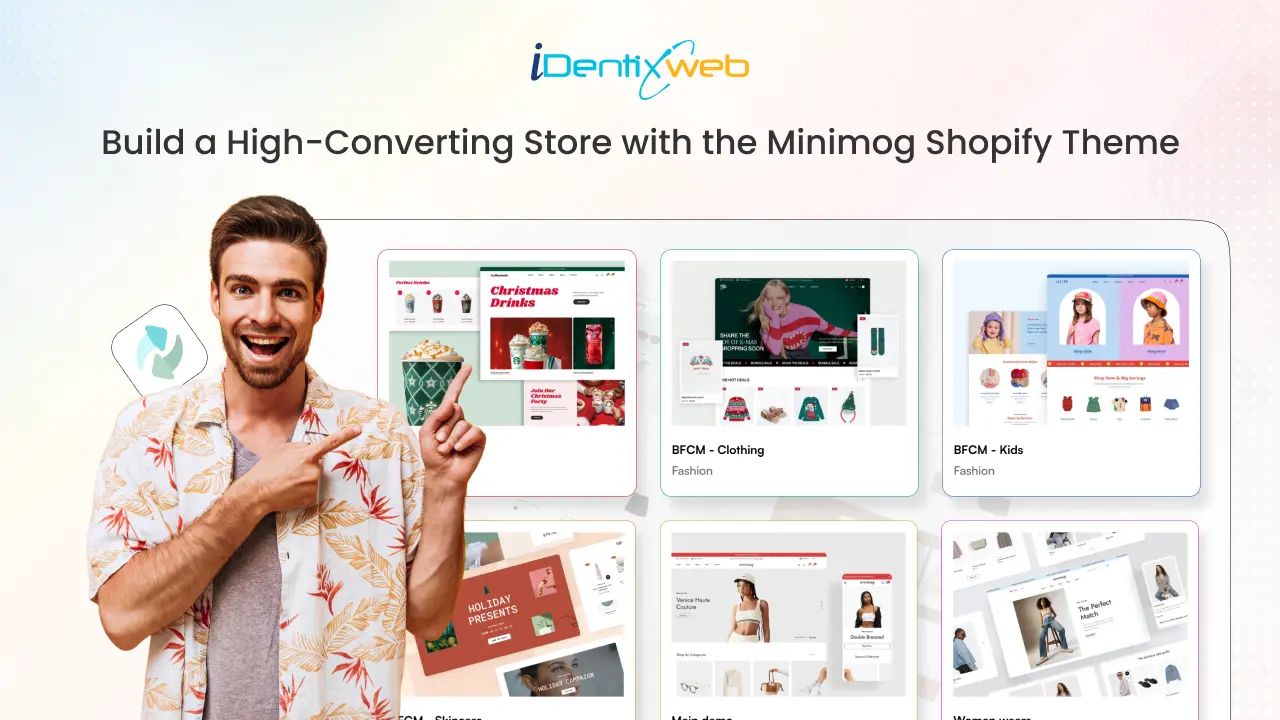
Minimog Shopify Theme Review: Features, Pros, and Cons
As more businesses transition online, store owners are constantly looking for a theme that offers both flexibility and the functionality needed to manage their stores efficiently. The Minimog Shopify theme has emerged as a go-to option for many merchants due to its sleek design, powerful features, and flexibility. If you're considering the Minimog theme for your ecommerce store, let’s dive into its features, key benefits, and potential downsides to help you decide if it's the right choice for your business. What You Need to Know About the Minimog Shopify Theme The Minimog Shopify theme is designed to meet the needs of a variety of businesses. Its clean and modern design makes it ideal for e-commerce stores across multiple industries, including fashion, electronics, furniture, beauty, and more. The theme offers extensive customization options, allowing store owners to tailor the store's appearance and functionality to their specific needs. Minimog provides over 85+ high-converting demos, allowing you to launch your store quickly and efficiently. Whether you're in clothing, fashion, art, or photography, Minimog has a demo tailored to your industry, ensuring you get the perfect start for your online business. Why Minimog is a Great Choice: 12,000+ sales 4.97 star rating with over 700+ reviews Trusted by 4,000+ Shopify merchants Minimog Shopify Theme Pricing & What’s Included The Minimog Shopify theme is priced at $88, a reasonable price for businesses looking to take their online stores to the next level without breaking the bank. The price includes: The theme file 6 months of support (extendable for an additional $27.38 for another 12 months) Access to demo content Lifetime updates Note: The Minimog theme is fully responsive, ensuring that your store performs well on all devices, including desktop, mobile, and tablets. It’s compatible with all major browsers like Chrome, Safari, and Firefox. Who Should Use the Minimog Shopify Theme? Fashion & Apparel Retailer If you're running a fashion or clothing store, Minimog provides modern, stylish layouts that can showcase your products beautifully. It’s designed to display your apparel and accessories in a visually appealing way. Want to start your own online clothing business? Our step-by-step guide will walk you through everything you need to know. Start an Online Clothing Business. Electronics & Gadgets Retailers With its product image zoom and detailed product pages, Minimog is an excellent choice for electronics stores where high-quality visuals and product information are crucial. Beauty & Health The theme’s clean design, product pages, and stunning imagery make it a great choice for beauty, skincare, and wellness brands that want to engage customers with their products. Home Decor & Furniture For stores selling furniture and home goods, the ability to display large images and detailed product descriptions makes Minimog a solid choice for showcasing your offerings. Key Features of the Minimog Shopify Theme Minimog comes packed with features that enhance both the user and store owner experience: Responsive DesignEnsures that your store is mobile-friendly and looks great on any device. Multiple Layout OptionsChoose between grid, list, or masonry layouts to match your brand's aesthetic. Advanced Product Filtering Allows customers to filter products by price, size, color, and more, making it easier to navigate through your inventory. Customizable Mega MenuA dynamic navigation menu that can display dropdowns with images, labels, and links for better navigation. Product SwatchesDisplay product variations (color, size) in an engaging way with product swatches. Product Quick ViewLet customers quickly view product details without leaving the current page. AJAX Add to CartQuick, seamless addition of products to the cart without reloading the page. Customizable Homepage SectionsEasily modify the homepage layout to feature your products, promotions, and other important content. SEO OptimizedBuilt with SEO best practices to help your store rank higher in search engines. Customizable Color SchemesChange the theme's colors to align with your brand’s visual identity. Product ReviewsIntegrates product reviews directly on the product page, helping build customer trust and boost conversion rates. Social Media IntegrationConnect your store with social media platforms to drive more traffic and increase your store's visibility. Newsletter PopupGather leads and build your email list with a customizable newsletter popup. Advanced BloggingEngage your audience and improve SEO through the built-in blogging platform. Looking to boost sales on your Shopify store? Discover our guide on building a high-converting Shopify store that transforms visitors into loyal customers. How to Install the Minimog Theme on Your Shopify Store Here’s how you can quickly get the Minimog theme up and running on your Shopify store: 1. Purchase the Minimog Theme Go to ThemeForest: Visit the ThemeForest website. Search for Minimog Shopify Theme: In the search bar, type “Minimog Shopify theme” and select it from the results. Choose the License: Pick the regular license (priced at $88), which includes the theme file, 12 months of support, and lifetime updates. Finalize Your Purchase: Create an account (if you don't have one) and follow the steps to complete your purchase. Download the Theme: After purchasing, go to your ThemeForest account, find the Downloads section, and download the theme file. 2. Install the Theme Log into your Shopify account. Go to Online Store > Themes in your dashboard. Click Upload Theme and select the downloaded theme file. After the upload, click Actions > Publish to make the theme live on your store. Pros and Cons of the Minimog Shopify Theme Pros Fully responsive, works across all devices Multiple layout and customization options Built-in product swatches, quick view, and advanced filtering SEO optimized for better search engine rankings User-friendly for both beginners and experienced developers Regular updates and excellent support Cons As a premium theme, it comes at a higher cost compared to free or basic paid themes Some advanced customization features may require knowledge of CSS or coding Limited support for third-party app integrations (though this is being improved) Conclusion: Should You Choose the Minimog Shopify Theme? The Minimog Shopify theme is a fantastic option for merchants who need a flexible, feature-rich theme that doesn’t compromise on aesthetics. It’s perfect for a wide range of industries, including fashion, electronics, beauty, and home decor. With its customization options, user-friendly interface, and strong performance, Minimog is ideal for those looking to create a professional, high-performing Shopify store. Explore More Shopify theme options to grow your online store below. Prestige Shopify theme review Empire Shopify theme review Impact Shopify theme review Impulse Shopify theme review Ella Shopify theme review Symmetry Shopify theme review Warehouse Shopify Theme Focal Shopify Theme Shopify Pipeline Theme FAQs Minimog Shopify Theme 1. What industries is the Minimog theme best suited for?Minimog is perfect for a variety of industries, including fashion, beauty, electronics, and home decor, thanks to its modern design and customizable features. 2. Is customer support included in the Minimog theme?Yes, the theme comes with 6 months of support included. Additional support can be purchased if needed. 3. Can I customize the Minimog theme?Yes, you can fully customize the theme, including layout changes, color schemes, fonts, and advanced options like custom CSS. 4. Is the Minimog Shopify theme responsive?Yes, Minimog is fully responsive, ensuring that your store looks great on any device. 5. Is Minimog theme free?No, Minimog is a premium Shopify theme available for purchase.
Sagarika Das
16 Min • 16 January 2026
25784 Views
Sajini Annie John
5 Min • 10 February 2026
15495 Views
Sagarika Das
12 Min • 9 February 2026
12700 Views
Sajini Annie John
2 Min • 9 January 2026
19183 Views
Sagarika Das
18 Min • 21 May 2026
90439 Views
Sagarika Das
6 Min • 26 November 2025
22599 Views
Sajini Annie John
3 Min • 14 October 2025
10269 Views
Sajini Annie John
6 Min • 10 February 2026
18636 Views
Sajini Annie John
6 Min • 12 February 2026
18326 Views
Sajini Annie John
10 Min • 7 July 2026
24505 Views
Sajini Annie John
4 Min • 10 October 2019
13826 Views