Shopify Themes
Gather knowledge about the latest insights, updates, tips, and tricks in the Ecommerce industry.

5 Min • 29 April 2026
How Anua Unlocked 5X AOV Growth with iCart’s Smart Cart Features
delivery customization Challenges Solutions drive results Scale business delivery customization Challenges Solutions drive results Scale business delivery customization Challenges Solutions drive results Scale business delivery customization Challenges Solutions drive results Scale business Anua is a globally recognized Korean skincare brand known for its minimalist philosophy and focus on gentle yet effective formulations. Built on the idea of simplifying skincare routines, Anua develops products that deliver visible results while avoiding harsh or irritating components, making them suitable for sensitive skin types. Initially using a traditional full cart experience, Anua transitioned to iCart’s side cart solution in August 2025, to create a more seamless and engaging shopping journey. This shift allowed customers to easily explore complementary skincare products without disrupting their browsing flow, making it more intuitive to discover items that fit into a complete routine. By surfacing relevant recommendations directly within the cart, the brand enhanced product visibility across its range. Challenges Before implementing iCart’s side cart solution, Anua faced limitations with their existing full cart experience, which created friction in the customer journey. The traditional cart setup redirected users away from product pages, interrupting their browsing flow and reducing opportunities to explore additional products. As a skincare brand built around routines rather than single-item purchases, this made it difficult to effectively showcase complementary products and encourage customers to build complete regimens. Additionally, the lack of in-cart personalization and strategic upsell opportunities meant that customers were often unaware of related products that could enhance their skincare results. This limited the brand’s ability to increase average order value (AOV) and fully leverage its diverse product range. Anua needed a more dynamic and intuitive cart experience that could seamlessly introduce relevant recommendations while maintaining a smooth and engaging shopping journey. ❌ Cart Value Barriers Low average order value (AOV) due to single-item focus Most customers completed purchases with one primary product instead of building multi-step routines. Cart abandonment near shipping thresholds Customers were not clearly informed or motivated to reach free shipping or discount thresholds. Missed savings opportunities Customers were unaware of potential value in purchasing bundled routines or multiple complementary products. ❌ Absence of Progress-Based Incentives No free shipping or discount progress bar Customers were not motivated to increase their cart value due to lack of visible incentives. Missing tiered rewards system There were no structured milestones (e.g., “Spend more to unlock offers”), reducing upsell opportunities. ❌ Ineffective Cart UI/UX (Pre-Side Cart) Full-page cart disrupted shopping flowCustomers had to leave their browsing journey, increasing friction and drop-offs. No quick add/remove functionality Users couldn’t easily modify their cart or add suggested products without navigating away. Solution To overcome these challenges, Anua implemented iCart’s side cart solution to transform their traditional cart into a high-converting, interactive experience. By replacing the full-page cart with a seamless side cart, the brand ensured that customers could continue browsing while viewing their cart, significantly reducing friction in the shopping journey. Additionally, features like product recommendations & progress bars for free shipping and discounts motivated customers to increase their cart value. By combining personalization, incentive-driven messaging, and a user-friendly interface, Anua successfully turned their cart into a powerful revenue-driving touchpoint rather than just a checkout step. To maximize their cart effectiveness, they implemented two powerful features: ✅ Progress Bar with Multi-Reward Incentives Implemented a tiered progress bar to encourage higher cart value Customers are guided with a clear message like “Add $3.10 to unlock secret offer,” motivating them to continue adding products. Generated over $5M+ in revenue through incentive-driven cart progression Used product-based rewards to align with customer intent Instead of generic discounts, Anua incentivized purchases with relevant skincare items like Dark Spot Pads and mini serums. Built visual motivation for routine expansion As customers add products, they can clearly track progress toward unlocking multiple rewards, encouraging them to build a complete skincare routine. ✅ Product Recommendations Implemented “Frequently Bought Together” recommendations Customers adding a single product (e.g., toner) are shown complementary items like serums, moisturizers, or pads to complete their routine. Generated over 275K revenue through in-cart recommendations Encouraged full skincare regimen building Instead of isolated purchases, the cart suggests step-by-step product combinations aligned with common skincare routines. Increased product discovery at the final stage By surfacing relevant items directly in the cart, Anua ensured customers explore more of their catalog without leaving the checkout flow. Results Achieved in Last 180 Days 22932 Total Store Orders 45101 Total iCart Orders 5X iCart Generated AOV 65.70% Upsell Affected Conversion Rate These improvements reflect a clear shift in customer behavior on Anua’s store. Cart abandonment reduced as shoppers discovered complementary skincare products and felt encouraged to build complete routines. Engagement also increased, with customers interacting more with in-cart recommendations and exploring relevant product pairings. Results & Impact And...Results is Our Main Clarification By implementing iCart’s cart drawer, product recommendations, and progress bar, Anua transformed its cart into a high-performing conversion touchpoint. Shopping Experience Enhancement The improved cart experience encouraged customers to discover complementary products and understand the value of sustainable beauty routines. For instance, the clear presentation of subscription savings alongside one-time purchase options helped customers make more informed decisions about their long-term hair care needs. As Anua continues to optimize its cart experience, the brand is closely monitoring: Routine-based purchasing behavior - tracking how customers move from single items to multi-step regimens Engagement with in-cart recommendations - measuring interaction with suggested products Cart value progression - analyzing how incentives influence higher spending [related_cases_slider] Ready to Write Your Success Story? Try icart App Join successful businesses like Anua and Master your delivery scheduling Delight customers with precise timing Grow your special occasion orders Expand your delivery reach
Read Blog
8 Min • 27 March 2026
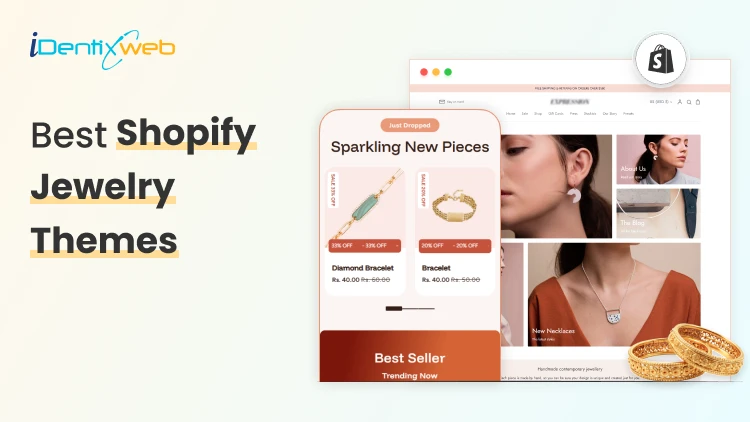
Best Shopify Jewelry Themes for Small vs Large Product Catalogs
Jewelry is one of the most visually competitive niches in ecommerce. Customers do not just buy a ring or necklace; they buy the feeling of luxury, trust, and desire that your store creates before they ever click 'Add to Cart.' That means choosing the right theme from Shopify jewelry themes category itself matters. The wrong theme wastes your budget, frustrates your customers, and tanks your conversion rate. The right theme makes every photo shine and every checkout feel effortless. This guide covers 10 of the best Shopify jewelry themes available on the Shopify Theme Store right now. Whether you are just launching or scaling an established brand, you will find the right fit here. What to Look for in a Shopify Jewelry Theme Before diving into specific recommendations, it helps to understand what separates a good jewelry theme from a great one among other Shopify jewelry themes. Here are the six factors that matter most: 1. Image Quality and Presentation Jewelry photography is everything. Your theme must support high-resolution images, image zoom, multiple product angles, and ideally image rollover (hover-to-change-photo). Anything that lets your product shine without distraction is a win. 2. Catalog Navigation Small catalogs need simple, elegant browsing. Large catalogs need mega menus, advanced filtering, and infinite scroll or pagination so customers can find what they want without bouncing. Mismatching these to your catalog size is the most common theme mistake jewelry sellers make. 3. Conversion Tools Look for themes with built-in countdown timers, back-in-stock alerts, quick buy, sticky carts, trust badges, and cross-selling sections. Every one of these features can be the difference between a browser and a buyer. 4. Mobile Experience More than 70% of jewelry shoppers browse on mobile. A theme that looks breathtaking on desktop but clunky on a phone will cost you. Always check mobile responsiveness, touch-friendly navigation, and fast load speeds. 5. Customisation Depth You want a theme with enough sections, blocks, and settings to build your ideal storefront without hiring a developer. Look for themes that advertise 20+ custom sections, flexible layouts, and intuitive drag-and-drop editors. Top 10 Shopify Jewelry Themes 1. Atlantic Atlantic is one of the most reliable and well-established themes on the Shopify store. It is made for merchants who want their products to look great without overcomplicating the shopping experience. The design is clean and familiar shoppers feel comfortable navigating it, but it still looks visually impressive. What makes it stand out is how well it handles product discovery. Features like image zoom, live search, and multi-column menus make it easy for customers to find exactly what they are looking for. It is built to handle medium to large catalogs, so if your jewelry store is growing, Atlantic grows with you. 5 Presets: Atlantic, Plush, Cotton, Atrium, Parfum 2. Whiff Whiff is the theme you buy when you are tired of paying for a dozen different Shopify apps every month. It packs 52+ built-in sections that cover almost everything a growing jewelry store needs upsells, bundles, cross-selling, back-in-stock alerts, pre-order, countdown timers, and a lot more. All of it comes included in the one-time price. The design feels luxurious and warm, which works really well for fine jewelry and accessories. It is the kind of store that makes visitors feel like they are shopping somewhere premium, even if you are just starting out. 5 Presets: Whiff, Eurus, Breeze, Breath, Swirl 3. Broadcast Broadcast is the theme built for serious, high-volume stores. If you are managing hundreds of jewelry SKUs across many collections, this is the theme that keeps everything organized and shoppable without overwhelming your customers. It comes with 30+ fully customizable sections and some genuinely unique features like 1-click add to cart and advanced product upsell tools that most themes simply do not offer. The mobile experience is fast and clean, which matters a lot when most of your shoppers are browsing on their phones. 5 Presets: Broadcast, Relay, Airwave, Signal, Amplify 4. Vivid Vivid is for jewelry brands that want their store to look genuinely unique not like every other Shopify store out there. The theme is built with SEO baked into its foundation, which means your products have a better chance of showing up in Google searches without you doing extra technical work. It gives you 20+ sections to customize, so you can build a store that actually reflects your brand identity rather than looking like a template. The before/after image slider is a nice touch for jewelers who want to show custom work or engraving transformations. 4 Presets: Vivid, Beachly, Pure, Aero 5. Lyra Lyra was clearly designed with jewelry stores in mind from the very beginning. The mobile experience is especially refined layouts are built specifically for how jewelry shoppers actually browse on their phones, which is how most of your customers will find you. The standout feature is its 31+ custom sections. The mega menu is also smartly designed for jewelry navigation, letting customers browse by metal type, stone shape, or collection style. 5 Presets: Lyra, Thread, Pixel, Glossy, Bonsai 6. Dazzle Dazzle is the best-value theme in this roundup. At just $160, it gives you a polished, professional jewelry store look that genuinely punches above its price. The design is elegant and refined nothing about it looks cheap or templated. It has all the core features a jewelry seller needs: image zoom and rollover for showcasing product detail, mega menu for collection navigation, quick view, product videos, and a clean slide-out cart experience. Pre-order support is a nice bonus for made-to-order or limited edition pieces. 5 Presets: Dazzle, Cello, Strings, Snitch, Crescendo 7. Oldmoney Oldmoney is the most affordable theme on this list and it earns its name well. The entire design philosophy is about understated luxury; clean layouts, refined typography, and a fast-loading experience that makes your brand feel credible and high-end from the first click. Speed is a real priority here. Swissuplabs built this theme with performance at its core, and a fast store genuinely reinforces a premium brand perception for jewelry buyers. It works best for small, curated jewelry catalogs where you want every product to feel special. 3 Presets: Oldmoney, Divine, Enduro 8. Shimmer Shimmer is built around one idea: making your products look as stunning as possible while keeping your store lightning fast. Brickspace Lab made performance a core part of the Space theme family, and Shimmer reflects that it handles image-heavy jewelry stores without slowing down. Like Whiff, it takes a "replace your apps" approach. The built-in features cover enough ground that most jewelry stores will not need to add extra paid apps to handle upsells, promotions, and merchandising. That saves you real money every month. 5 Presets: Shimmer, Space, Silk, Spice, Saga 9. Aurum Aurum is a hidden gem in the Shopify Theme Store. For $160 you get a theme that looks and performs like something that should cost twice as much. The design feels genuinely boutique soft transitions, elegant typography, and a warmth that jewelry buyers respond well to. But it is not just pretty. Aurum is specifically built to convert upsell sections, cross-selling, countdown timers, back-in-stock alerts, and a smooth checkout experience are all baked in. The UTD team from Belgium is also consistently praised for fast, technically strong support, which makes it a safe choice if you are not a confident Shopify developer. 5 Presets: Aurum, Noom, Reflections, Jade, Boutique 10. Edge Edge is for the jewelry merchant who wants it all-in-one theme. The feature list is one of the longest in this guide back-in-stock alerts, preorder, gift wrapping, quick order list, before/after image slider, lookbooks, countdown timers, press coverage sections, RTL support it is all there from day one. The design is elegant and adaptable. Unlike some feature-heavy themes that look cluttered, Edge keeps things visually clean while packing in serious functionality underneath. Mobile performance is fast and the navigation is smart the mega menu and swatch filters make even a large catalog feel easy to browse. 5 Presets: Edge, Layer, Sundown, Step, Linea Conclusion Choosing the right Shopify theme for your jewelry store is not just a design decision; it is a business decision. The wrong theme can make even the most beautiful pieces look average. The right one can turn a first-time visitor into a loyal customer before they ever reach the checkout page. The most important thing to remember is that every single theme on this list offers a free trial. You can install it, customise it with your real products and branding, test it on mobile, and see exactly how it looks before spending anything. Take full advantage of that. A theme is a long-term investment in your brand - it deserves a proper test drive before you commit. Frequently Asked Questions 1. Which Shopify theme is best for jewellery? There are many Shopify Jewelry Themes. It depends on your store size and budget. For overall performance, Whiff is the top pick with a 99% rating across 495+ reviews. For small boutique catalogs, Lyra and Dazzle are excellent. For large collections with hundreds of products, Broadcast is the most powerful option available right now. 2. Does jewelry sell well on Shopify? Yes, jewelry is one of the best-performing niches on Shopify. It is a high-margin, visually driven product category that translates extremely well to ecommerce. 3. Which Shopify jewelry theme is best for beginners? Dazzle and Aurum are the easiest to get started with. Both look professional right out of the box, work with Shopify's drag-and-drop editor, and come with support teams that are consistently praised for helping beginners. Oldmoney is also a great pick if you want the most affordable entry point.
6 Min • 27 March 2026
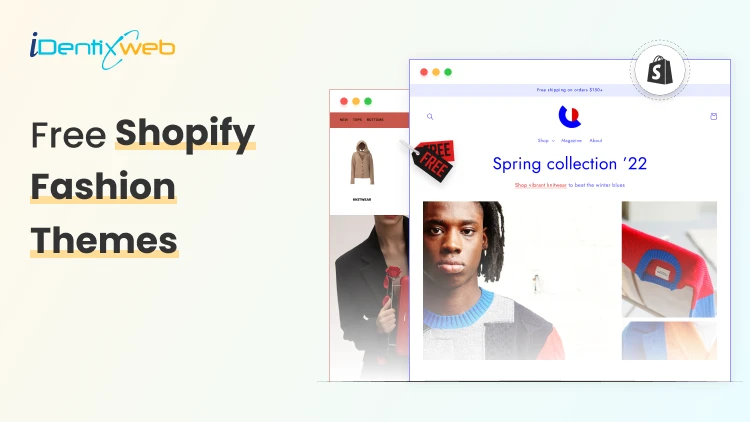
7 Free Shopify Fashion Themes For Modern Clothing Stores
If you’re launching or redesigning a fashion brand, choosing the right theme is one of the most critical UX and conversion decisions you will make. The right Shopify fashion themes combine strong visual storytelling, mobile-first layouts, and high-performance architecture. Powered by Shopify, modern clothing brands can access several high-quality free themes that rival premium templates in design and flexibility. Why Shopify Fashion Themes Matter for Modern Apparel Brands Fashion Shopify themes play a critical role in shaping how customers experience your brand, browse collections, and ultimately make purchasing decisions. Modern apparel brands operate in a highly visual and competitive market. Unlike generic eCommerce templates, purpose-built fashion Shopify themes are designed to highlight high-resolution imagery, support lookbooks, showcase seasonal collections, and tell a cohesive brand story. For clothing stores on Shopify, the right theme influences: Brand credibility and perceived value User experience and site navigation Mobile shopping performance Conversion rates and average order value Top Features to Look for in Shopify Clothing Themes When comparing Shopify Fashion Themes, certain features directly impact performance and conversions. Selecting a theme isn’t just a design decision; it’s a strategic move that directly influences how modern apparel brands attract, engage, and convert customers online. 1. High-Impact Visual Layouts 2. Advanced Product Filtering 3. Mobile-First Design 4. Conversion-Boosting Features 5. Customization Without Code 6. Speed & Performance Optimization 7 Free Fashion Shopify Themes 1. Fabric Fabric is part of Shopify’s new Horizon theme suite built with large image grids and media blocks that spotlight products and lifestyle visuals. It’s ideal for modern shopify fashion themes where visual storytelling is central, and product photography is a competitive advantage. Best for: Apparel brands that rely heavily on product imagery and lifestyle visuals. Why it stands out: Edge-to-edge media blocks that make products pop. Large image grids for visual storytelling. Mega-menu support for easy catalog navigation. Flexible layout blocks (no coding needed). Built to handle diverse product categories. 2. Spotlight Spotlight is a free, stylish theme designed to “shine a light” on your products with a clean layout and efficient buyer journey. It supports flexible sections, enhanced navigation (mega menus, sticky headers), filtering, and other merchandising elements that help clothing stores present items clearly and convert more visitors into buyers. Best for: Fashion brands that want a simple but compelling storefront that gets started fast. Why it works: Designed for clear product display and browsing. Clean layout with emphasis on shoppability. Great support for medium to large catalogs. Works well with product filters and navigation. Good compatibility with Shopify’s visual editor. 3. Colorblock Colorblock is another free Shopify theme focused on strong contrasts, modern typography, and graphic layouts. It’s visually expressive and works especially well for fashion shopify themes targeting a younger audience or brands with bold product ranges. Best for: Trendy apparel brands and streetwear stores aiming for high-energy, visually striking layouts. Key points: Graphic, high-contrast sections that draw attention. Strong typography and color swatches. Great visual merchandising tools for lookbooks. Works especially well with large catalogs. Customization without code. 4. Ritual Ritual comes from the Horizon collection and offers a more editorial, magazine-inspired aesthetic with refined typography and luxury-leaning design elements. It includes advanced merchandising features like product badges, swatches, lookbooks, and enhanced filtering, useful for boutique or high-end fashion stores. Best for: Premium clothing brands and curated fashion labels that emphasize storytelling and refined visuals. Notable features: Editorial magazine-like layouts. High-impact visuals with refined section styling. Product badges & promo banners to boost marketing. Enhanced product discovery (filtering, sorting). Lookbook and storytelling elements included. 5. Horizon Horizon itself (the base theme in the new series) provides a minimalist yet powerful framework that’s highly flexible for customization. Its clean layouts and modular structure make it a solid choice for almost any shopify clothing themes use case from apparel startups to niche fashion boutiques. Best for: Brands seeking a blank-canvas, performance-optimized theme that can be tailored to fit any style. Why choose it: Clean, flexible layout that suits many brand aesthetics. Designed for performance and speed. Bold imagery and typography that elevate product visuals. Easy to customize via block-based editor. Built for scalability across store sizes. 6. Heritage Heritage blends editorial storytelling with tactile visual layouts. Its asymmetrical galleries and immersive sections are designed to help brands convey brand philosophy and craftsmanship, making it suitable for clothing stores that sell heritage-inspired or artisanal apparel. Best for: Fashion shops emphasizing craftsmanship, brand narrative, and rich imagery. Standout elements: Asymmetrical galleries for editorial style. Strong immersive storytelling sections. Highlight product texture and craftsmanship. Enhanced filtering and navigation. Works well for boutique and artisan clothing stores. 7. Rise Rise is a free, versatile theme that scales well with both small and large catalogs. It supports rich brand storytelling sections, slideshows, and user-friendly features like product filtering and recommended products all while maintaining a simple, uncluttered user experience. Best for: Clothing stores on Shopify that need a balance of clarity, ease of use, and catalog flexibility. Why it’s popular: Clean and readable product pages. Flexible layout options for collections. Easy to navigate across multiple categories. Great for stores with varied clothing lines. Polished look without heavy custom work. Conclusion Your website is often the first impression customers have of your brand. A well-designed theme helps you present your products clearly, build trust, and make shopping easy. For fashion brands, strong visuals, smooth navigation, and fast performance are essential. When selecting a theme, focus on what fits your brand style, product range, and future growth plans. Look for layouts that highlight your collections, work well on mobile devices, and offer simple customization options. The right choice will not only make your store look professional but also create a better shopping experience that encourages customers to explore and buy. Frequently Asked Questions 1. What are Shopify fashion themes? Shopify fashion themes are website templates designed specifically for apparel and clothing brands. They focus on strong visuals, clean layouts, and features that make it easier to showcase collections and sell fashion products online. 2. Are free Shopify themes good for clothing stores? Yes, many free themes offer professional design, mobile responsiveness, and essential selling features. They are a great option for new or small clothing stores starting out. 3. How do I choose the right theme for my fashion brand? Consider your brand style, product range, and target audience. If you sell bold streetwear, choose a theme with strong typography and large visuals. If you run a luxury boutique, go for a clean and elegant layout. 4. Can I customize a Shopify theme without coding? Yes. Shopify provides a drag-and-drop editor that allows you to change colors, fonts, sections, banners, and layouts without technical skills.
7 Min • 18 September 2025
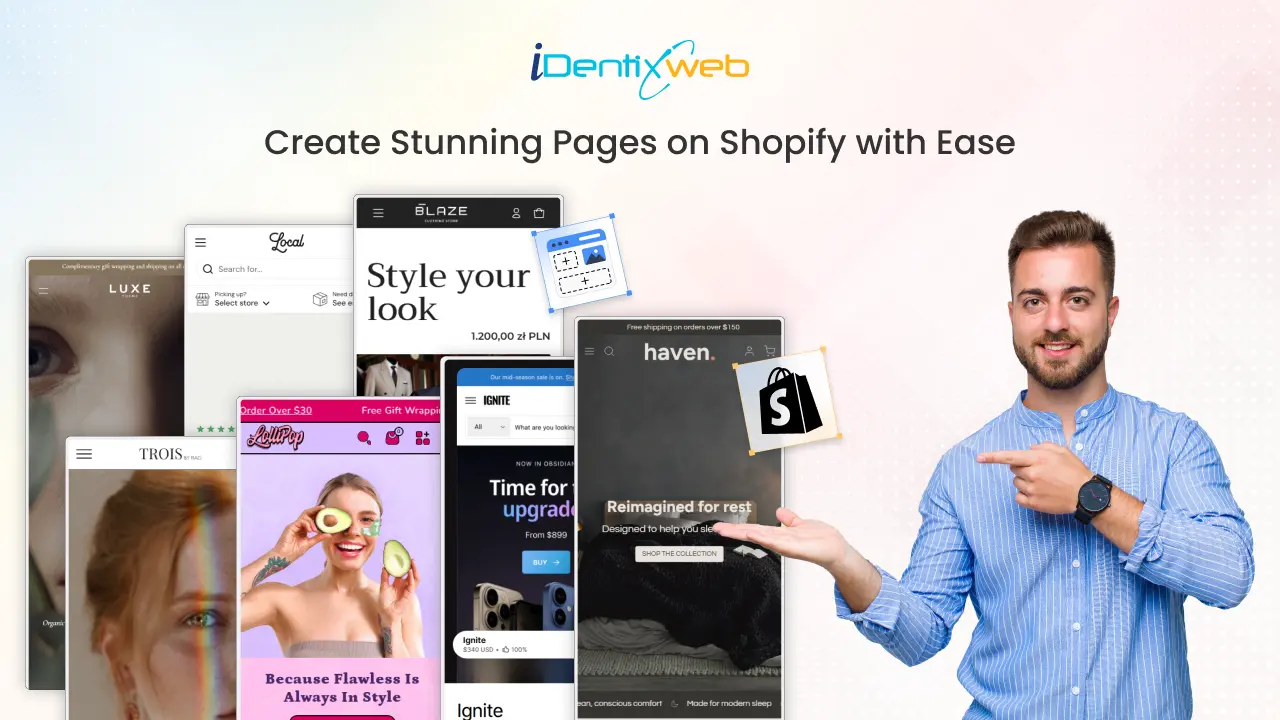
How to Add Pages in Shopify: Guide to Building and Optimizing Your Store
Creating custom pages for your Shopify store is just as important as adding products. Pages like About Us, FAQ, Shipping Policy, and Contact help build trust, share useful information, and create a smoother shopping experience. The best part is? Shopify makes it super easy to add these pages with no technical skills required! Even if you’re starting with a Shopify blank store page, you can quickly turn it into a professional-looking store by adding the right pages. In this guide, we’ll walk you step by step through how to create a new page in Shopify. What Are Shopify Pages? Shopify pages are static content areas that live alongside your product and collection pages. They serve different purposes: some tell your brand story, others provide essential policies, while some are purely designed to drive conversions. Unlike product pages (which are generated automatically when you add products), pages like About, Contact, or FAQ must be created manually in your Shopify admin. Looking for ways to add customization on your Shopify product page? Explore this guide that explains the steps, benefits, and best practices for adding custom product options Why Shopify Pages Matter Shopify makes sure every store comes with responsive, ready-to-use page templates. That means even if you’re new to ecommerce, you already have all the building blocks to create a complete website. Here’s why they’re valuable: Instant Access: No coding required, everything is ready inside Shopify admin. Responsive Design: Pages adapt to mobile, tablet, and desktop automatically. Customizable: Change layouts, fonts, and colors through the theme editor. SEO-Friendly: Each page comes with fields for search engine optimization. With the right mix of pages, your store looks professional, builds trust, and guides customers smoothly toward checkout. Looking for Shopify product page optimization tips? Summarize the key strategies and best practices from this guide to help increase conversions and improve user experience Types of Shopify Pages for Your Store You can create many types of pages in Shopify, and each serves a unique purpose. Together, they improve user experience, provide information, and build customer trust. Here are the most common ones: Shopify Page TypeDescriptionHomepageThe first impression of your store, showcasing products and branding.Collection PagesGroup products into categories for easier browsing.Product PagesHighlight individual products with details, images, and pricing.About Us PageShare your brand story and values to connect with customers.Blog PagesPublish content that educates or inspires shoppers.Contact Us PageGive customers a way to reach you easily.Checkout PagesWhere customers complete their purchases securely.Password PageProtect your store while it’s under construction or invite-only.Landing PagesCreate focused pages for campaigns or promotions.Promotion PagesHighlight special deals, discounts, or seasonal offers.FAQ PageAnswer common customer questions to save time and build trust.Policy PagesClearly state shipping, return, privacy, and other store policies.Blog List PagesDisplay all your blog articles in one place.Login/Account PagesLet customers access their accounts and order history. Creating a new page in Shopify is simple and doesn’t require any technical skills. Whether you need an About Us, FAQ, Contact, or Policy page, you can set it up in just a few clicks. Follow these steps: Step-by-Step: How to Add a Pages in Shopify Step 1: Log in to Your Shopify Admin Go to Shopify.com and sign in with your account details. Once logged in, you’ll land on the Admin Dashboard, where you can manage your store. Step 2: Go to Online Store > Pages From the left-hand navigation menu, select: Online Store → Pages This section lists all your store pages. If you’re just starting, the list may be empty, but you’ll soon add your first page. Step 3: Click on “Add Page” In the top right corner, click the Add Page button. This opens the page editor, where you can design your new page. Step 4: Enter Page Title and Content Now it’s time to add details: Page Title – The name of the page (e.g., Our Story, Shipping Policy). Content Area – Use the editor to add text, images, videos, links, or lists. The editor also includes formatting tools to add headings, bold text, or even HTML code for advanced customization. Step 5: Optimize for SEO (Optional but Recommended) How to Get Your Shopify Page on the First Page of Google? These steps help your page rank better on Google and makes it more appealing in search results. Scroll down to the Search Engine Listing Preview and click Edit Website SEO. Here you can: Add a unique Meta Title Write a clear, engaging Meta Description Customize the URL handle Step 6: Adjust Page Visibility On the right side of the editor, you’ll see Visibility settings: Visible – Publish the page immediately. Hidden – Save it as a draft for later. Schedule – Choose a date and time for it to go live automatically. Step 7: Save Your Page Once you’re satisfied, click the Save button. Your new page will now be live or scheduled based on your settings. How to Customize Shopify Pages You have main options to customize Shopify pages: 1. Using Shopify Themes Go to Online Store > Themes > Customize. Use the Theme Editor to change layout, text, and design. Shopify’s free and paid themes offer different levels of flexibility. 2. Editing the Code (Advanced) Go to Online Store > Themes > Actions > Edit Code. Modify page templates directly (requires coding knowledge). Want to create custom product templates in Shopify themes? Outline how to build and apply custom templates, including step-by-step instructions and theme best practices. Wrapping Up: Enhance Your Store with Powerful Pages Creating custom pages in your Shopify store is more than just an add-on it’s an essential step toward building credibility, guiding shoppers smoothly, and addressing their questions upfront. Pages like About Us, Contact, FAQs, and Policies work together to provide a seamless shopping journey that keeps customers coming back. As a Shopify Expert, we help you create professional pages that build trust and improve customer experience.From About Us and FAQs to custom landing pages, we design them to match your brand perfectly. Let us craft the right pages to elevate your Shopify store and boost conversions. FAQs 1. How many pages can I create in Shopify? There’s no strict limit you can create as many pages as your store needs, such as About Us, FAQs, policies, or landing pages. However, it’s best to keep your navigation simple and user-friendly. 2. Can I delete pages in Shopify?Yes. Go to Online Store → Pages, open the page you want to remove, and click Delete Page. Keep in mind that deleted pages can’t be recovered unless you recreate them. 3. How do I edit page SEO in Shopify?Open the page in your Shopify admin and scroll to Search Engine Listing Preview. Click Edit Website SEO to update the meta title, description, and URL handle. 4. How to optimize a Shopify product page?Focus on clear product titles, keyword-rich descriptions, quality images, reviews, and fast loading speed. A well-optimized page improves both SEO and conversions. 5. How to make sub pages in shopify?You can’t create true sub-pages in Shopify, but you can organize pages under dropdown menus in your navigation. Go to Online Store → Navigation → Main Menu, add your page, then drag it under another menu item to create a “sub-page” effect.
Sajini Annie John
6 Min • 27 January 2026
5899 Views
Sajini Annie John
5 Min • 10 February 2026
7100 Views
Sajini Annie John
6 Min • 10 February 2026
5946 Views

Sajini Annie John
5 Min • 10 February 2026
6225 Views
Katherine Crayon
5 Min • 10 February 2026
5992 Views
Sajini Annie John
3 Min • 12 February 2026
6329 Views
Sajini Annie John
3 Min • 27 January 2026
7171 Views
Sajini Annie John
5 Min • 10 February 2026
11026 Views
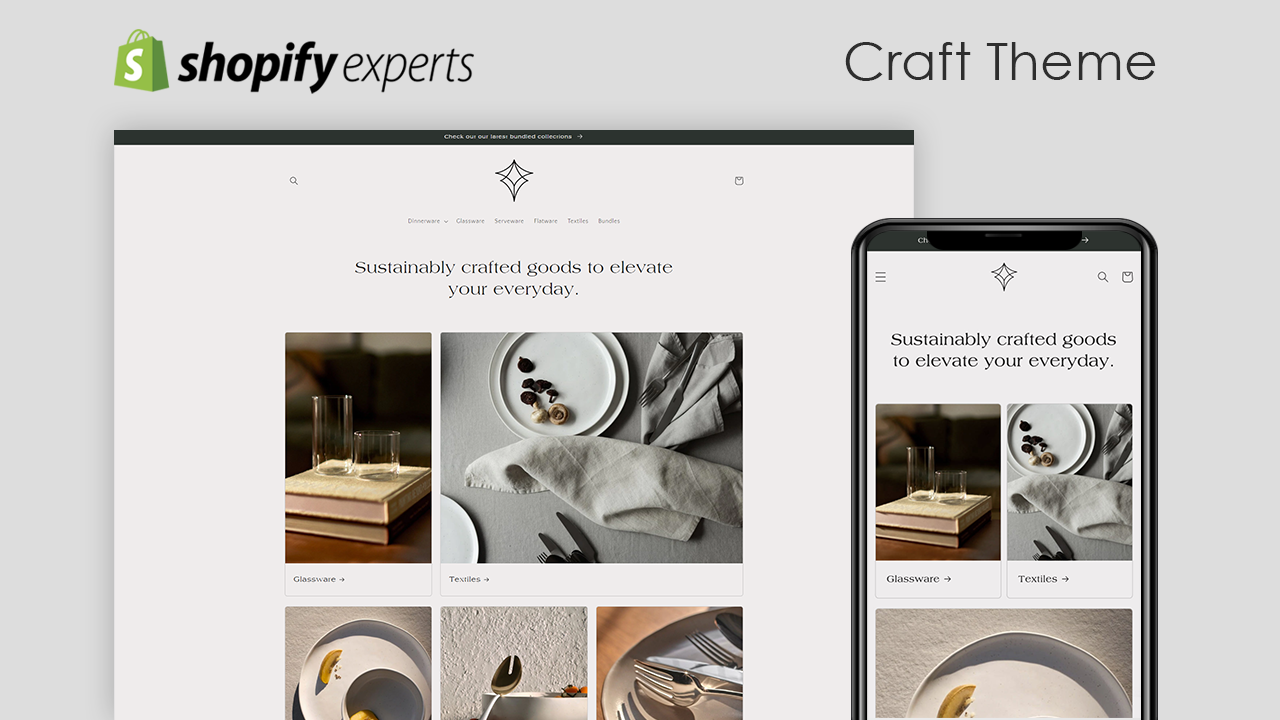
Sajini Annie John
5 Min • 15 August 2025
7544 Views
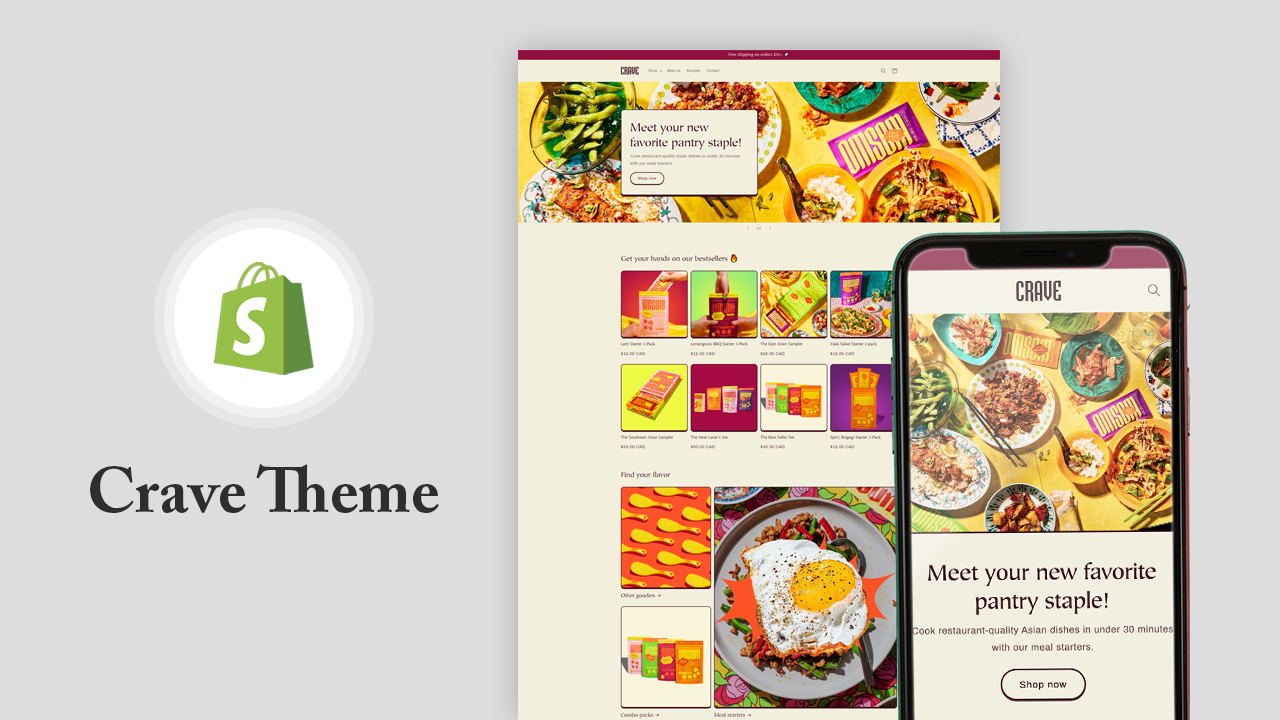
Sajini Annie John
17 Min • 27 November 2025
8194 Views
Sagarika Das
5 Min • 15 August 2025
19880 Views
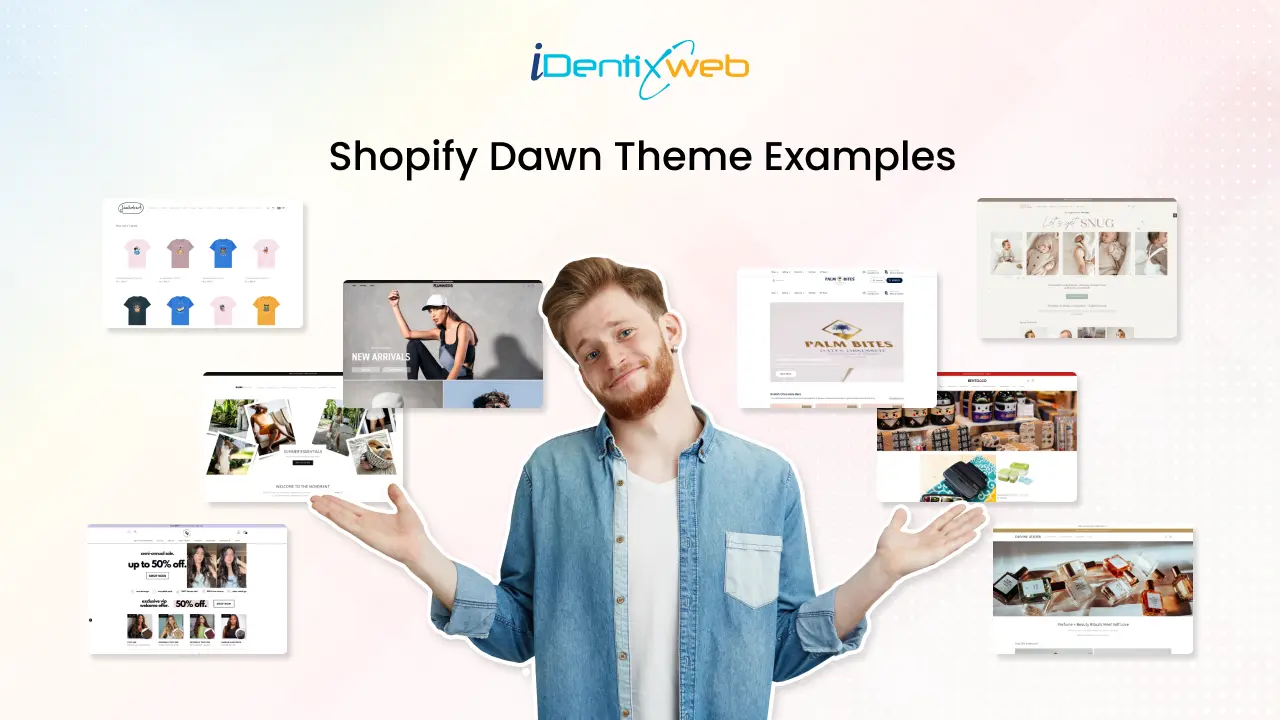
Sagarika Das
11 Min • 21 May 2026
31438 Views