

Shopify Apps
Gather knowledge about the latest insights, updates, tips, and tricks in the Ecommerce industry.

5 Min • 29 April 2026
How Anua Unlocked 5X AOV Growth with iCart’s Smart Cart Features
delivery customization Challenges Solutions drive results Scale business delivery customization Challenges Solutions drive results Scale business delivery customization Challenges Solutions drive results Scale business delivery customization Challenges Solutions drive results Scale business Anua is a globally recognized Korean skincare brand known for its minimalist philosophy and focus on gentle yet effective formulations. Built on the idea of simplifying skincare routines, Anua develops products that deliver visible results while avoiding harsh or irritating components, making them suitable for sensitive skin types. Initially using a traditional full cart experience, Anua transitioned to iCart’s side cart solution in August 2025, to create a more seamless and engaging shopping journey. This shift allowed customers to easily explore complementary skincare products without disrupting their browsing flow, making it more intuitive to discover items that fit into a complete routine. By surfacing relevant recommendations directly within the cart, the brand enhanced product visibility across its range. Challenges Before implementing iCart’s side cart solution, Anua faced limitations with their existing full cart experience, which created friction in the customer journey. The traditional cart setup redirected users away from product pages, interrupting their browsing flow and reducing opportunities to explore additional products. As a skincare brand built around routines rather than single-item purchases, this made it difficult to effectively showcase complementary products and encourage customers to build complete regimens. Additionally, the lack of in-cart personalization and strategic upsell opportunities meant that customers were often unaware of related products that could enhance their skincare results. This limited the brand’s ability to increase average order value (AOV) and fully leverage its diverse product range. Anua needed a more dynamic and intuitive cart experience that could seamlessly introduce relevant recommendations while maintaining a smooth and engaging shopping journey. ❌ Cart Value Barriers Low average order value (AOV) due to single-item focus Most customers completed purchases with one primary product instead of building multi-step routines. Cart abandonment near shipping thresholds Customers were not clearly informed or motivated to reach free shipping or discount thresholds. Missed savings opportunities Customers were unaware of potential value in purchasing bundled routines or multiple complementary products. ❌ Absence of Progress-Based Incentives No free shipping or discount progress bar Customers were not motivated to increase their cart value due to lack of visible incentives. Missing tiered rewards system There were no structured milestones (e.g., “Spend more to unlock offers”), reducing upsell opportunities. ❌ Ineffective Cart UI/UX (Pre-Side Cart) Full-page cart disrupted shopping flowCustomers had to leave their browsing journey, increasing friction and drop-offs. No quick add/remove functionality Users couldn’t easily modify their cart or add suggested products without navigating away. Solution To overcome these challenges, Anua implemented iCart’s side cart solution to transform their traditional cart into a high-converting, interactive experience. By replacing the full-page cart with a seamless side cart, the brand ensured that customers could continue browsing while viewing their cart, significantly reducing friction in the shopping journey. Additionally, features like product recommendations & progress bars for free shipping and discounts motivated customers to increase their cart value. By combining personalization, incentive-driven messaging, and a user-friendly interface, Anua successfully turned their cart into a powerful revenue-driving touchpoint rather than just a checkout step. To maximize their cart effectiveness, they implemented two powerful features: ✅ Progress Bar with Multi-Reward Incentives Implemented a tiered progress bar to encourage higher cart value Customers are guided with a clear message like “Add $3.10 to unlock secret offer,” motivating them to continue adding products. Generated over $5M+ in revenue through incentive-driven cart progression Used product-based rewards to align with customer intent Instead of generic discounts, Anua incentivized purchases with relevant skincare items like Dark Spot Pads and mini serums. Built visual motivation for routine expansion As customers add products, they can clearly track progress toward unlocking multiple rewards, encouraging them to build a complete skincare routine. ✅ Product Recommendations Implemented “Frequently Bought Together” recommendations Customers adding a single product (e.g., toner) are shown complementary items like serums, moisturizers, or pads to complete their routine. Generated over 275K revenue through in-cart recommendations Encouraged full skincare regimen building Instead of isolated purchases, the cart suggests step-by-step product combinations aligned with common skincare routines. Increased product discovery at the final stage By surfacing relevant items directly in the cart, Anua ensured customers explore more of their catalog without leaving the checkout flow. Results Achieved in Last 180 Days 22932 Total Store Orders 45101 Total iCart Orders 5X iCart Generated AOV 65.70% Upsell Affected Conversion Rate These improvements reflect a clear shift in customer behavior on Anua’s store. Cart abandonment reduced as shoppers discovered complementary skincare products and felt encouraged to build complete routines. Engagement also increased, with customers interacting more with in-cart recommendations and exploring relevant product pairings. Results & Impact And...Results is Our Main Clarification By implementing iCart’s cart drawer, product recommendations, and progress bar, Anua transformed its cart into a high-performing conversion touchpoint. Shopping Experience Enhancement The improved cart experience encouraged customers to discover complementary products and understand the value of sustainable beauty routines. For instance, the clear presentation of subscription savings alongside one-time purchase options helped customers make more informed decisions about their long-term hair care needs. As Anua continues to optimize its cart experience, the brand is closely monitoring: Routine-based purchasing behavior - tracking how customers move from single items to multi-step regimens Engagement with in-cart recommendations - measuring interaction with suggested products Cart value progression - analyzing how incentives influence higher spending [related_cases_slider] Ready to Write Your Success Story? Try icart App Join successful businesses like Anua and Master your delivery scheduling Delight customers with precise timing Grow your special occasion orders Expand your delivery reach
Read Blog
7 Min • 8 January 2026
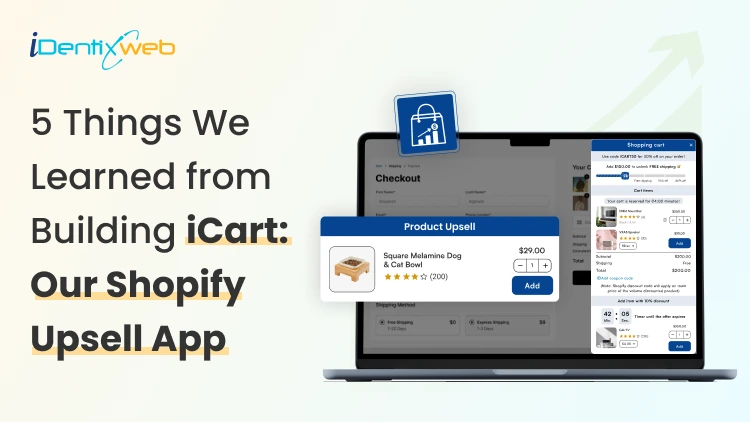
5 Things We Learned from Building iCart: Our Shopify Upsell App
New Shopify merchants usually jump into ads because it feels like the fastest way to get sales. But traffic does not fix a weak cart. If your cart is not optimized, customers will bounce. In fact, the top reason for cart abandonment is that customers are just browsing. But even if that’s the case, they do have an intent to buy. Here’s a simple example. A shopper adds a $40 face moisturizer to their cart. If your cart suggests a discount with a countdown timer, many shoppers add it. This is because they don’t want to miss out on the offer before it runs out, even if they are just browsing. This and many more reasons are why we built iCart. In our experience of shopper behaviour, the cart is one of the elements you need to optimize to increase AOV. You earn more from the same ad spend without changing your products. What does a Shopify upsell app do? A Shopify upsell app like iCart shows relevant add-ons, bundles, or incentives in the cart so customers add more items before checkout. Here’s one of our customers, Swad. It’s a food & beverage store famous for its pickles. Look at how adding an item to the cart suggests their ‘Bestseller products’. The cart also has an incentive at the top (Add X amount for free shopping). Source: Swad This is how you turn window browsers into genuine customers. Features like a progress bar and a frequently bought together section nudge customers to complete their checkout. Progress bar does wonders to your Shopify cart. Learn why you need progress bar in your online store. Where do upsells convert best? There are two places where upsell converts best. Pre-purchase and post-purchase. Upsell typeWhen it showsWhere it showsGoalWhy it convertsPre-purchase upsellBefore paymentProduct page, cart drawer, checkoutIncrease cart value before orderShopper is still deciding and can add in one clickPost-purchase upsellAfter paymentThank-you page, post-checkout offerAdd extra items after the orderPurchase is done, so adding a simple offer feels easy Shopify apps like iCart fall in the pre-purchase category, while apps like SellMore fall in the post-purchase category. 5 Lessons We Learned Building iCart Lesson 1: Shoppers respond to simple goals like free shipping In the recent Statista report on cart abandonment, 40% of customers left their cart because the shipping price was too high. Shoppers love simple goals. “Free shipping at $75” feels clear, and it gives them a reason to add one more item to the cart. That’s why we leaned hard into progress bar tiers and cart milestones in iCart. A progress bar shows how close someone is to unlocking a reward. In iCart, you can set milestones like “Spend $75 to unlock free shipping,” and the cart updates in real time. Here’s how Garb Classics is using iCart’s progress bar to offer free shipping. Source: Garb Classics Lesson 2: One cart UI does not fit every store When we started building iCart, we learned this fast. Merchants want a cart that matches how their shoppers buy. Some stores need a cart drawer because it keeps people shopping without sending them to a new page. Others need a cart pop-up for a quick, clean checkout moment. And some stores still convert best with a full cart page that feels detailed and familiar. That’s why iCart supports multi-cart options. You can add a cart drawer, a cart popup, or replace your default cart with a full cart page. You can even add a cart drawer and a full cart together. Here’s the store Green Room using the full cart feature on their website. Source: Green Room Lesson 3: Upsells only work when they feel helpful A pushy upsell feels like you are interrupting the buyer. A helpful upsell feels like you are guiding them. That difference decides if they add more or abandon the cart. That’s why iCart helps you build your cart with widgets like: Progress Bar Product Upsell AI-powered Recommendations Custom HTML Cart Items Checkout Button Product Bundle A back-end view of iCart’s settings Merchants can enable or disable each feature to customize their cart. Moreover, we also learned that stores need custom HTML features for deeper customization. It was one of the most recommended features when we built the app. Lesson 4: Merchants want AI recommendations We kept hearing the same thing from merchants. “I want upsells, but I don’t want to manually pick products forever.” They wanted the cart to recommend smarter. So we added AI-powered recommendations inside iCart. Our goal was simple: help merchants save time by automating product recommendations in the cart. You can still manually pick products for upsells when you want full control. But AI-powered recommendations help merchants drive sales by showing products based on the customer’s shopping behaviour. Lesson 5: Stores going international need multi-currency A lot of stores start locally, then suddenly get orders from other countries. The storefront may show prices in the shopper’s currency, but if the cart does not match, it feels inconsistent. That mismatch can create doubt right before checkout. A lot of our customers have stores that are multinational. So we made sure iCart supports Shopify’s multi-currency setup in both draft and normal orders. Conclusion If you are running a Shopify store, you just need a cart that is easy to set up with helpful features for your shoppers. That’s what we learned while solving real merchant problems while building iCart. Start simple. Add the features that fit your store (progress bar or product recommendations), then add one clear goal, like free shipping. Use iCart’s analytics to measure the data and customize your cart accordingly. We provide the first 100 orders free for life, with all features included. Your traffic already costs you time and money, so make the cart do more work for you. FAQs 1. How do I add a cart on Shopify? Shopify gives you a cart by default, so you usually do not “add a cart,” you just make sure your theme has an Add to cart button and a working cart page or cart drawer. If you want deeper customization to your cart drawer, install apps like iCart. 2. Why do users add to cart but not checkout? Most of the time, it’s unexpected shipping costs, forced account creation, confusing checkout steps, or trust concerns right before payment. 3. What is the best place to upsell on Shopify? Pre-purchase spots like the product page and cart work well because shoppers are still deciding and can add items before paying. Post-purchase offers work right after checkout on the thank-you page, and Shopify supports adding apps to these pages depending on your setup. 4. How do cart drawers increase AOV? A cart drawer keeps shoppers on the same page, so it’s easier to add a product without breaking the shopping flow. Merchants customize their cart drawer with features like a free shipping bar, which nudges customers to add more items to hit a threshold. 5. Do bundles work better than discounts? Bundles can work better when you want to raise AOV through a curated set, because bundles can increase AOV and provide value through curation. Discounts can convert fast, but they can also hit your margin depending on your pricing and goals. 6. Will an upsell app slow down my store? It can, especially if it loads heavy scripts or adds extra requests. You should monitor storefront performance whenever you install any Shopify app.
6 Min • 13 August 2026
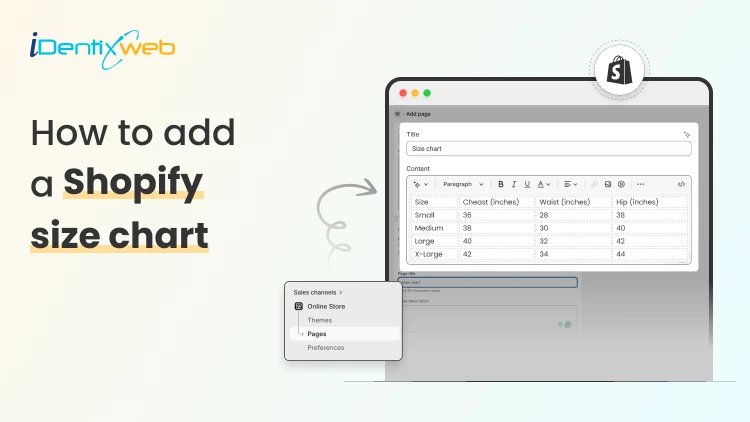
How to Add a Shopify Size Chart Within 5 Minutes
To add a size chart in Shopify under 5 minutes, use Shopify apps like TablePress where you can just select the template, the page on which the tables are to be displayed and add the details. This quick guide is perfect for Shopify store owners who want to reduce returns and boost customer confidence without the technical headache. We will walk you through choosing the right method for your store and show you exactly how to install your solution step-by-step. Plus, you will discover simple tweaks to make your size charts work harder for your business and keep customers happy. What is a Sizing Chart? A sizing chart (or size chart) is a structured reference table that helps customers determine which product size fits them based on body measurements or product dimensions. It translates abstract size labels (S, M, L, 8, 42, etc.) into specific numerical measurements, such as inches or centimeters, so shoppers can choose the correct size before purchasing. Why Every Shopify Store Needs a Size Chart 1. Reduces Costly Returns and Exchanges Sizing issues are one of the leading causes of ecommerce returns, especially in apparel, footwear, and accessories. A clear, accurate size chart minimizes uncertainty and reduces reverse logistics costs, restocking labor, and refund processing fees. 2. Increases Customer Confidence Online shoppers cannot try products before purchasing. A detailed Shopify size chart replaces the in-store fitting room experience with structured measurement guidance. When customers feel confident about fit, hesitation decreases and purchase intent increases. 3. Improves Conversion Rates When sizing information is easy to access, especially near the size selector, customers can make faster decisions. This reduces bounce rates and shortens the buying cycle. For fashion and footwear stores, clear sizing guidance often becomes a decisive conversion factor. 4. Enhances Mobile Shopping Experience The majority of ecommerce traffic comes from mobile devices. On smaller screens, shoppers are even less likely to search through long product descriptions for sizing information. A visible, mobile-optimized size chart (such as a popup or collapsible guide) ensures customers can quickly verify fit without disrupting their browsing flow. 5. Builds Brand Trust and Professionalism Professional stores provide detailed product information. A well-designed size chart signals that your brand is organized, customer-focused, and transparent. 6. Reduces Customer Support Load Without size charts, customers frequently contact support asking: “Does this run small?” “Should I size up?” “What’s the inseam length?” By proactively answering these questions on the product page, you reduce repetitive support tickets and free up operational resources. 7. Supports International Sales If you sell globally, customers may use different sizing systems (US, UK, EU, CM) for scenarios like converting size chart from asian size to US size. A comprehensive size chart that includes measurement conversions removes confusion and expands your international conversion potential. How to Add a Size Chart to Shopify Visit Shopify app store and install Tablepress app in your store. Log in to your Shopify admin account. From the left-hand menu, click on Apps. Select TablePress from the list of installed apps. You will be redirected to the dashboard page and enable the app. Click on Add table. Now, click on the create size chart button. Next, you need to select any one template that you want to create from the available templates. Or else you can create a custom table using the create custom option. To see what each template looks like, you can hover over the templates and click on Preview, where you can see the preview of that particular template. If you liked any template after previewing, you can click on use button and edit the table by adding the details of your choice in the fields given, as shown below: After adding all the details, click on the Save button and that’s it, your size chart will be live on your storefront. How to Test if your Shopify Size Chart is Working A size chart is only effective if it reduces returns, increases confidence, and supports conversions. Testing its performance requires measurable ecommerce metrics not guesswork. Below is a structured evaluation framework. 1. Monitor Return Rate Trends The primary KPI is size-related return rate. Track: Overall return rate (before vs after implementation) Percentage of returns due to “wrong size” Return rate by product category (e.g., dresses vs shoes) Benchmark goal: If sizing was a major issue, you should see measurable improvement within 30–60 days. If returns remain unchanged, the issue may be: Inaccurate measurements Confusing layout Poor chart visibility 2. Track Conversion Rate Changes A good size chart reduces hesitation. Monitor: Product page conversion rate Add-to-cart rate Checkout completion rate Compare data before and after adding or improving the size chart. If conversions improve without increased returns, the chart is functioning properly. 3. Measure Size Chart Click Engagement If you use an app or custom event tracking in Google Analytics, monitor: Size chart click rate Time spent viewing chart Conversion after size chart interaction 4. Analyze Customer Support Data Track how often customers ask: “Does this run small?” “Should I size up?” “What’s the inseam?” Conclusion Getting a size chart up and running on your Shopify store really doesn't have to be complicated. By following these straightforward steps you can have everything working smoothly in just minutes. Once your size charts are live, you will likely see fewer returns and happier customers who feel confident about their purchases.Remember to test everything on mobile devices too, since that's where most of your shoppers are probably browsing. People Also Ask 1. Can I use multiple size charts for different product types in Shopify? Yes. You can create and assign different size charts for categories like tops, bottoms, shoes, and accessories to ensure the right sizing guidance matches each product type. 2. Can I include international sizes in my Shopify size chart? Yes. Including conversions for different sizing systems (e.g., US, UK, EU) makes your size charts useful for global customers and helps them match their usual size more accurately. 3. How do I add a size chart on Shopify? You can add a size chart on Shopify using either built-in features or third-party app to get more additional features. 4. How can I make my size chart more visible on product pages? Place the size chart near the size selector or as a clear “Size Guide” popup so customers can find it easily while making a purchase decision. This increases usability and reduces friction.
12 Min • 30 March 2026
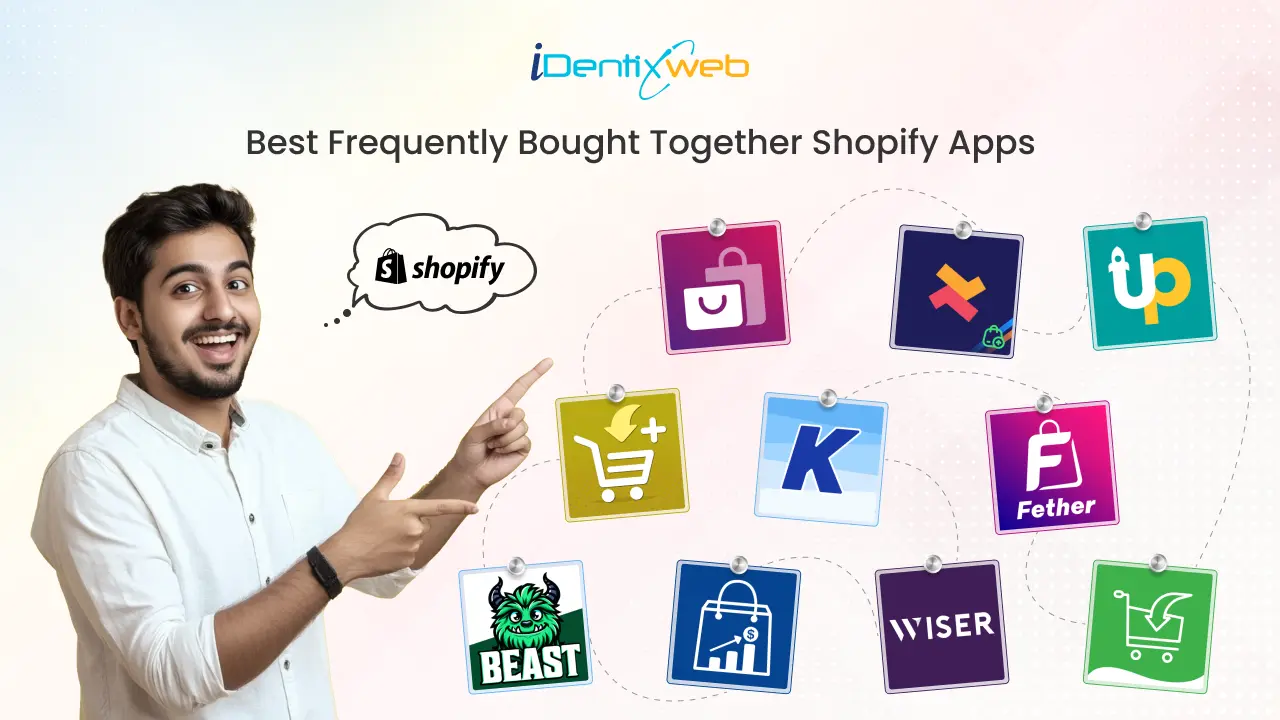
Top Frequently Bought Together Shopify Apps Can Drive More Sales
As a busy ecommerce entrepreneur, finding the best Frequently Bought Together apps for your Shopify store can be time-consuming. To save you the hassle, we’ve curated a list of the top apps that can help increase your Average Order Value (AOV). These apps recommend complementary products, enhance the shopping experience, and drive more sales. By bundling related items and offering smart discounts, they boost revenue while improving customer satisfaction. In this article, we’ll cover the best free and paid Shopify apps for Frequently Bought Together, with details on their features, pricing, and reviews to help you choose the right one for your store. Best frequently bought together apps: A quick view App NameKey FeaturesPricing PlanRatingFrequently Bought Together CBBAI-powered recommendations, customizable design, automatic + manual suggestions$19.99/month4.9 (1000+ reviews)iCart Cart Drawer Cart UpsellIn-cart upsell and cross-sell, sticky cart drawer, no-code drag-and-drop customizationFirst 100 orders free for lifetime, then $9/month, $19/month, $29/month4.7 (400+ reviews)Upsell & Cross Sell — SelleasyAmazon-style FBT bundles, customizable recommendation display, automated upselling and cross-selling rulesFree to install, then $9/month, $19/month, $29/month4.9 (2000+ reviews)Also Bought CBBAI-driven recommendations, customizable widget design, recommendations on product and cart pages$19.99/month4.8 (300+ reviews)Essential Upsell & Cross SellOne-click upsell and cross-sell offers, product + cart page integration, post-purchase upsell optionsFree plan available, then $9.99/month, $19.99/month, $39.99/month5 (2000+ reviews)Frequently Bought Together FTAutomated product recommendations, product bundle builder, auto discounts like quantity breaks and free giftsFree plan available, then $15/month, $45/month4.5 (300+ reviews)GLO Related Products, UpsellSmart recommendations, FBT widget with 3 styles, automatic discountsFree plan available, Pro at $9.904.9 (200+ reviews)Wiser - AI Upsell & Cross SellAI-powered suggestions, post-purchase and checkout upsells, in-cart upsell with progress barFree plan available, then $9/month, $19/month, $49/month4.9 (500+ reviews)BST-Frequently Bought TogetherAI-driven recommendations, manual bundles, in-depth analyticsFree plan available, then $24.99/month, $39/month5 (50+ reviews)Frequently Bought Together ICAutomatic + manual recommendations, related products, four types of automatic discounts$4.99/month, $5.99/month, $6.99/month5 (10+ reviews) What is Frequently Bought Together? Frequently Bought Together is a sales strategy and feature used by ecommerce platforms, including Shopify, to recommend additional products that customers are likely to purchase alongside the item they are currently viewing or adding to their cart. This technique boosts the Average Order Value (AOV) by encouraging customers to purchase complementary products, thereby increasing sales for the store. Typically, these recommendations are based on data-driven insights or AI that analyze previous customer behavior and shopping trends. The feature is often implemented through apps or built-in Shopify tools, showing suggestions such as "Customers also bought" or "Frequently bought with" directly on product pages or at checkout. By offering these product bundles, stores enhance the shopping experience, help customers discover relevant products, and drive more revenue. Top 10 Shopify Apps For Frequently Bought Together Now that we've covered the key features, pricing, and reviews of these apps, let's take a closer look at each one. 1. Frequently Bought Together CBB Frequently Bought Together CBB uses advanced AI to recommend products commonly purchased together, helping increase your store’s Average Order Value (AOV). Displaying these relevant product suggestions at checkout makes it easy for customers to discover and add more items to their cart, driving more sales. Pricing Plans: $19.99/month Key Features AI-powered recommendations that automatically suggest products based on customer purchasing behavior. Seamless integration with Shopify for quick and easy setup. Customizable design to match your store’s theme. Option for both automatic AI-driven suggestions and manually curated recommendations. Real-time product suggestions displayed at checkout to encourage impulse purchases. Rating: 4.9 (1000+ reviews) 2. iCart Cart Drawer Cart Upsell iCart is the best Shopify upsell app designed to enhance your store's sales by increasing conversions and Average Order Value (AOV). It comes with features like a slide cart, a pop-up cart, upsells, product bundles, smart recommendations, and a progress bar, all working together to drive more purchases and improve the overall shopping experience. Pricing Plans: Free trial0-100 orders101-200201-500First 100 orders are free for lifetime$9/month$19/month$29/month Key Features Show a free shipping bar to encourage more items in the cart. Drive additional sales with in-cart upsell and cross-sell options. Enhance cart visibility with a sticky cart drawer that stays in view. Offer enticing discounts, like free gifts with purchase, to boost conversions. Easily customize your store with a no-code, drag-and-drop interface. Rating: 4.7 (400+ reviews) Boost sales with the best Shopify apps for upsells and cross-sells , and increase AOV by recommending relevant products at checkout. 3. Upsell & Cross Sell — Selleasy Selleasy's app helps you easily add upsell and cross-sell offers across your Shopify store, including product pages, the cart, and checkout. By suggesting complementary items based on the customer’s selections, encourages them to purchase more, increasing your store’s revenue. Pricing Plans Freemium Tier IFreemium Tier IIFreemium Tier IIIFreemium Tier IVFree to install$9/ month$19/ month$29/ month Key Features Amazon-style “Frequently Bought Together” product upsell bundles Compatible with both individual and bundled products. Optimized offers that drive higher conversion rates. Customizable display for product recommendations to fit your store’s design. Automated upselling and cross-selling rules for hassle-free promotion. Rating: 4.9 (2000+ reviews) 4. Also Bought CBB The Also Bought app provides a smart recommendation engine that suggests products frequently purchased with the current item. It helps increase sales by showing customers relevant, complementary products, driving higher conversion rates. This app mimics Amazon's successful "Customers Who Bought This Item Also Bought" widget, leveraging advanced AI trained on extensive datasets to provide accurate recommendations for your Shopify store. Pricing Plans: $19.99/month Key Features AI-driven product recommendations based on your store’s sales history, new orders, and product updates in real-time. Easy integration with Shopify for quick setup. Fully customizable widget design to match your store’s branding. Supports upselling and cross-selling with various recommendation types, including automatic, manual, by type, or by collection. One-click install with out-of-the-box style integration for most popular themes. High availability, ensuring seamless operation even during traffic peaks like BFCM. Customizable UI for easy adjustments to text, colors, sizes, and styles. Display recommendations on both product pages and the cart page. Rating: 4.8 (300+ reviews) 5. Essential Upsell & Cross Sell The Essential Upsell & Cross Sell app offers a simple yet powerful way to boost your store's conversions by displaying relevant product recommendations at the right time. This app helps you increase your Average Order Value (AOV) by showcasing upsell and cross-sell offers on product pages and the cart page. It also supports customizable pop-up windows, post-purchase upsell discounts, and automatic promotions to drive more sales. Pricing Plans FreeStarter Essential Professional Plan available $9.99/month$19.99/month $39.99/month Key Features One-click upsell and cross-sell offers for easy customer engagement. Integration with both product pages and cart pages for maximum visibility. Customizable pop-up windows to highlight recommended products. Display frequently bought together (FBT) items, related products, and product add-ons. Post-purchase upsell and cross-sell opportunities with "buy X, get Y" bundles and product add-ons. Automatic discounts on upsell and "also bought" products to encourage purchases. Product page upsell and cross-sell widgets, including one-click add-to-cart and BOGO (Buy One Get One) bundles. Rating: 5 (2000+ reviews) 6. Frequently Bought Together FT Frequently Bought Together FT seamlessly integrates with your Shopify store to suggest products that are often purchased together, automating the recommendation process for a smoother shopping experience. By leveraging AI-driven product suggestions, it boosts Average Order Value (AOV) and enhances customer satisfaction by offering relevant and timely product recommendations. Pricing Plans FreePremium Premium for Plus Plan available $15/month $45/month Key Features Automated product recommendations based on customer behavior and order data. Supports Shopify’s product variants for more accurate recommendations. Customizable widget appearance to match your store’s theme and branding. AI-driven upsell and cross-sell recommendations to increase conversion rates. Frequently bought together (FBT) features like "Buy Together", "Buy With", and product add-ons. Product page and section builders for creating high-converting, sales-driven pages quickly. Product bundle builder to showcase "You May Also Like", recommended, and related products. Auto discounts like quantity breaks, volume discounts, free gifts, and discount combinations to encourage more purchases. Rating: 4.5 (300+ reviews) Explore effective cross-selling examples , to boost your sales and enhance your customer experience. Learn proven strategies to recommend the right products at the right time! 7. GLO Related Products, Upsell GLO Related Products is an intelligent cross-sell and upsell app that provides personalized product recommendations based on customer browsing behavior and past purchases. It helps you increase sales by showing highly relevant product suggestions throughout your store, including the product page, cart, checkout, and thank you page. Pricing Plans FreeProPlan available $9.90 Key Features Smart product recommendations based on customer behavior and previous purchases. Customizable layout to match your store's design. Automated upsell pop-ups that display at key moments. Product recommendations on product pages, cart page, checkout, thank you page, and more. Frequently bought together widget with 3 styles Amazon-style, line, and grid. Manual recommendations based on handpicked products. Upsell options like "You May Also Like," "Also Bought," and trending products. Personalized product recommendations like recently viewed items and a product slider. Automatic discounts for customers who add recommended products to their cart. Rating: 4.9 (200+ reviews) 8. Wiser ‑ AI Upsell & Cross Sell Wiser is an AI-powered upsell and cross-sell app that predicts the best product recommendations for each customer. Designed to increase sales, it showcases personalized suggestions across your Shopify store, from product pages to checkout and post-purchase. Wiser’s intelligent product suggestions help boost Average Order Value (AOV) by presenting items that customers are most likely to buy. Pricing Plans Free 51-100 orders 101-300 orders301-500 ordersPlan Available $9/month$19/month$49/month Key Features AI-powered product suggestions to increase conversions with personalized recommendations.. Advanced targeting options for specific customer groups. Customizable pop-ups and widgets to fit your store’s design. Show frequently bought together product bundles with discounts and best sellers. Boost AOV with post-purchase upsells, checkout upsells, product addons, and collection recommendations. Advanced drawer cart with in-cart upsell options and a progress bar to encourage more purchases. Dynamic email recommendations, search and filters to enhance customer engagement. Create custom quizzes and easily integrate via APIs for personalized experiences. Rating: 4.9 (500+ reviews) Establish lasting customer relationships with effective engagement strategies , Enhance loyalty, improve satisfaction, and boost conversions. 9. BST‑Frequently Bought Together BST’s app provides automatic recommendations for frequently bought together products, designed to increase your store's Average Order Value (AOV). It works seamlessly across product pages and checkout, helping you drive sales by suggesting complementary items to customers. The app is powered by AI, offering both automatic and manual bundle options, along with customizable widgets that seamlessly integrate with your store's branding. Pricing Plans FreeCore plan Pro Plan Plan available $24.99/month $39/month Key Features AI-driven product recommendations based on customer behavior to boost conversions. Customizable widgets that seamlessly integrate with your store's theme. Works with both individual and variant products to provide accurate recommendations. Mobile-first design that ensures an optimized experience for all devices. Manual bundle options for creating curated product recommendations. Bundle discounts to incentivise customers to purchase more items. Seamless Shopify integration for easy setup with your store. In-depth analytics to track performance and monitor customer purchasing trends. Rating: 5 (50+ reviews) 10. Frequently Bought Together IC Frequently Bought Together IC recommends products that are commonly bought with a customer’s current selection, helping increase your store's Average Order Value (AOV). With easy integration and a simple setup, this app shows relevant product suggestions, boosting sales by encouraging customers to add more items to their cart. It also includes features like related products and automatic discounts to enhance the shopping experience. Pricing Plans StaterProfessionalEnterprise$4.99/month$5.99/month$6.99/month Key Features Automatic and manual product recommendations to show relevant products. Customizable widget design to match your store’s theme. Easy Shopify integration for a quick and smooth setup. Increase AOV with upselling and cross-selling recommendations. Related Products feature to display similar items across your store. User-friendly with manual product selector and automatic algorithm. Four types of automatic discounts (percentage, fixed amount, cheapest item for FBT). Advanced customization options, including hiding FBT on product pages and excluding products. Show ratings from popular review apps to build trust. Rating: 5 (10+ reviews) Looking for more free apps? Discover top Shopify apps to enhance your store’s functionality, boost sales, and improve customer experience, all at no cost! Final Thoughts: Best Frequently Bought Together Apps for Shopify Incorporating a "Frequently Bought Together" app into your Shopify store is a powerful way to increase your Average Order Value (AOV) and enhance the overall shopping experience. By offering relevant product recommendations at the right time, you can boost conversions, drive more sales, and keep your customers engaged. Choose the right Frequently Bought Together Shopify app for your store to unlock more sales and grow your business efficiently. Need a Custom Shopify App? We’re experts in Shopify Custom App Development and can create a tailored solution to meet your store’s unique needs. Let us know how we can help you enhance your store’s performance today. FAQs for Best Frequently Bought Together Shopify Apps 1. How does the Frequently Bought Together algorithm work?The algorithm uses data from past customer transactions to identify products commonly bought together. It then suggests these complementary products to customers, either on product pages or at checkout, to encourage additional purchases. 2. What factors influence the product recommendations in the Frequently Bought Together algorithm?The algorithm considers factors like past customer purchase behavior, item popularity, seasonality, customer browsing patterns, and similar product characteristics to make accurate recommendations. 3. Can I manually adjust the product recommendations?Yes, many Frequently Bought Together apps allow you to manually curate product recommendations, giving you control over which items are suggested to customers alongside their purchases. 4. Does the algorithm work for all product types?Yes, the algorithm can be applied to both individual products and product variants. It works effectively across a wide range of categories, from fashion to electronics, as long as there is sufficient transaction data. 5. Can the Frequently Bought Together algorithm increase sales?Absolutely! By suggesting relevant products at key moments, such as checkout, the algorithm encourages customers to add more items to their cart, directly boosting Average Order Value (AOV) and overall sales.

Sajini Annie John
3 Min • 19 July 2022
6656 Views
Sajini Annie John
2 Min • 16 January 2026
6559 Views

Sajini Annie John
10 Min • 24 March 2026
7857 Views

Sajini Annie John
4 Min • 9 January 2026
7460 Views
Sajini Annie John
14 Min • 30 June 2026
6865 Views
Sajini Annie John
7 Min • 15 May 2026
4901 Views

Sajini Annie John
2 Min • 12 February 2026
7898 Views
Sajini Annie John
4 Min • 18 March 2026
7154 Views
Sagarika Das
9 Min • 14 August 2025
9489 Views
Sagarika Das
11 Min • 10 February 2026
8941 Views
Sagarika Das
8 Min • 3 April 2026
7876 Views
Sagarika Das
4 Min • 10 February 2026
8184 Views