







Shopify currently offers a 3-day free trial, which you can extend for 3 months for just 1$/month. This means Shopify offers a 90-day trial for just $3.
Most store owners do not know that Shopify provides a 3-day free trial. Once they get to know this, all they do is pick a theme, add a few products, and suddenly, they’re thinking about ads and sales.
But the free trial works best when you make the best use of it.
I will walk you through what to test during the trial period so you don’t guess. You’ll validate store settings, theme performance, apps, and payments configuration to take advantage of the Shopify 3-month trial period.
How long is the Shopify free Trial?
Currently, Shopify is offering a 3-day free trial where you can check out all the core features.
Once the trial period ends, Shopify charges a monthly fee of $1/month for 90 days.
How to activate the Shopify free trial?
Step 1: Go to the free trial offer page
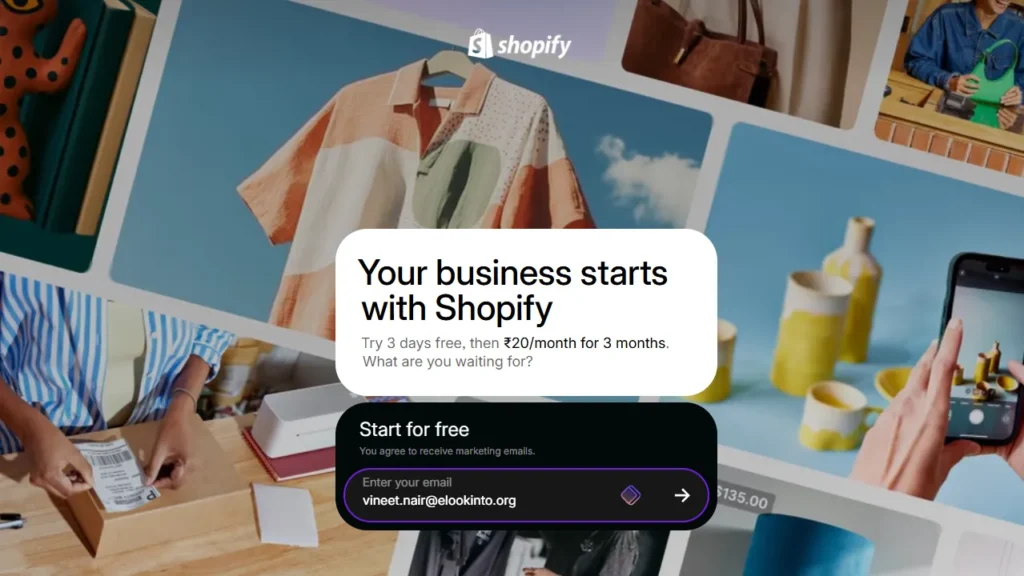
Visit the official free trial offer page of Shopify and enter the email ID you want for your business. You can also choose your signup method with any existing Google, Facebook, or Apple accounts.
Step 2: Add payment details or skip
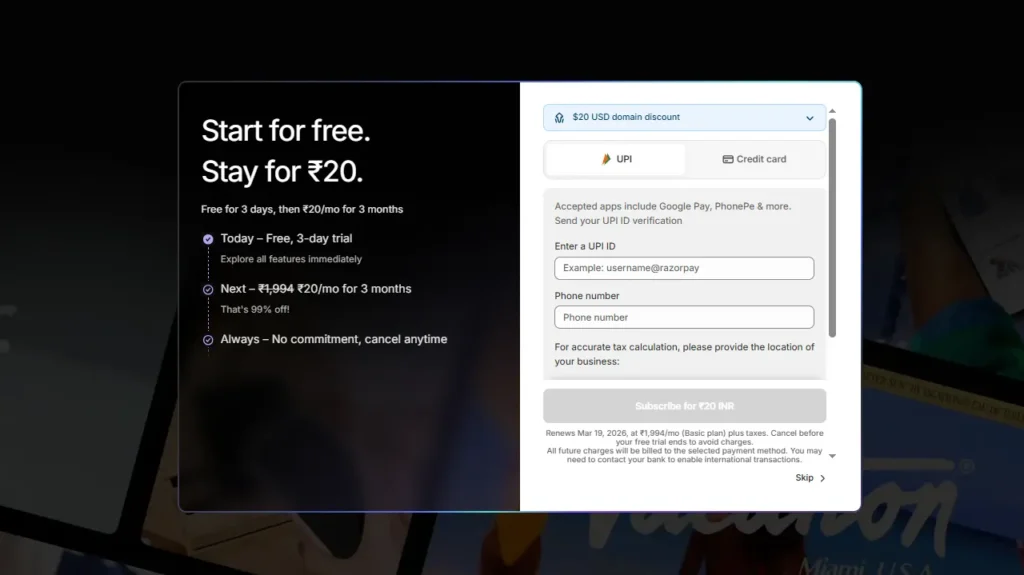
Here, you can add the payment details for your store to continue after the 3-day trial period. You can also skip this step and add the details later.
Step 3: Answer questions
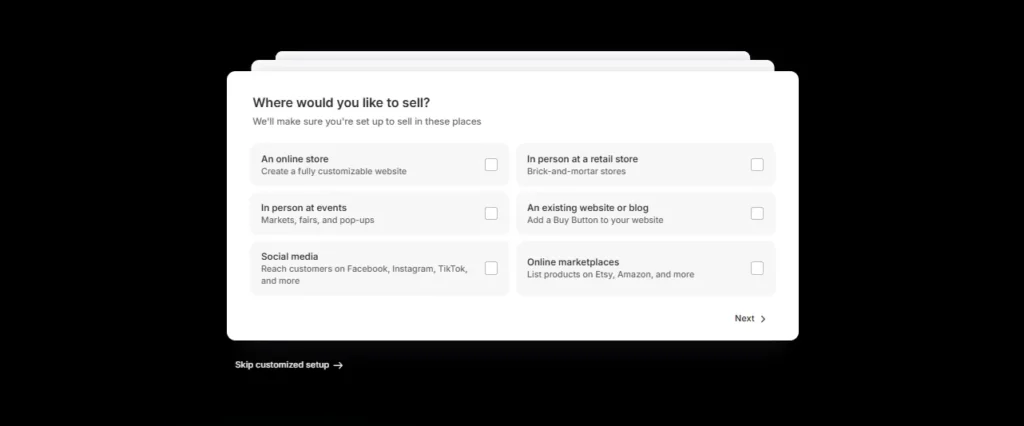
Here, Shopify will ask you certain questions regarding your store. This is related to your ‘Business goals’ or ‘Type of products you like to sell’. You can skip these as well to access your store.
Step 4: Access your store
You will be redirected to the admin panel of your store. Here you can start building your store by adding products, customize your theme, setting up a payment provider, shipping rates, and more.
Step 5: After the 3-day trial ends
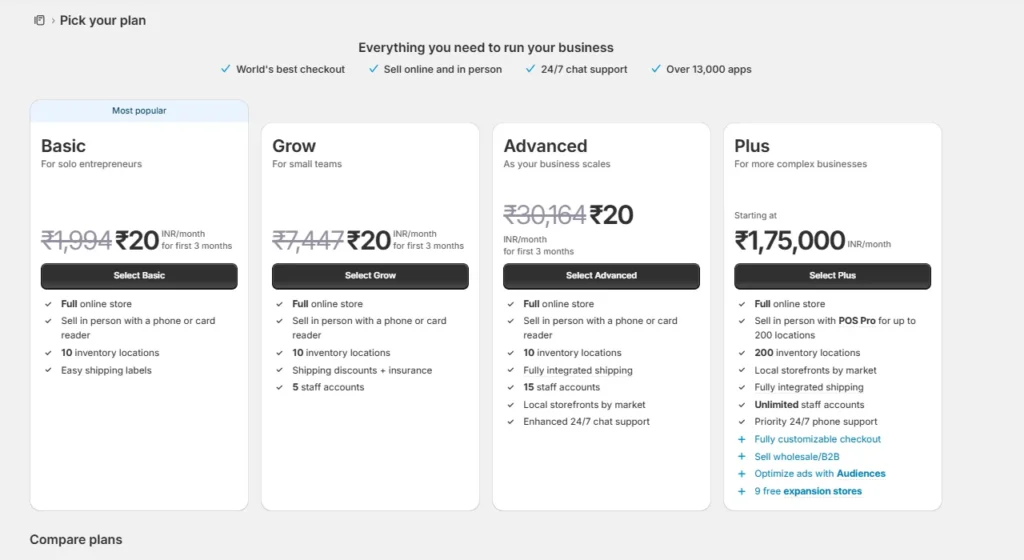
Once the trial period ends, you get a monthly fee of 1$ per month for the next 3 months. This means the Shopify trial period is 3 months.
This is applicable only for Basic, Grow, and Advanced plans.
Which core features should you test during the trial period?
1. Product catalog setup
- Add your store products. Go to Products > Add product and edit the title, description, images, videos, category, price, and more.
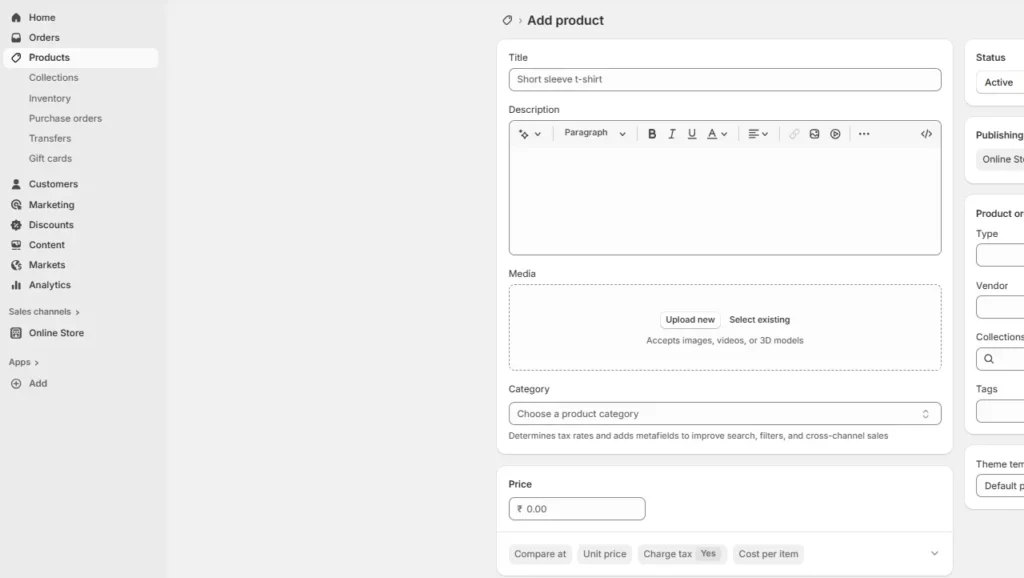
- Also, test variants like the size and color of your products.
- Make sure to follow the SEO guidelines when writing descriptions for products. Click ‘Save’ once you have added the products to your catalogue.
2. Test Shopify themes
- Go to Online store > Themes to pick and choose a Shopify theme that goes with your brand.
- Install 1–2 themes to test the look of your store: Pick and test a few themes that match your catalog and brand vibe. Shopify’s theme editor lets you preview and rearrange content without touching code.
- Choose the perfect theme: Shopify helps you choose themes based on your category. For example, if you own a clothing store, themes like Prestige and Mavon are great choices. You can also get started with free themes like Dawn.
3. Install Shopify apps
- Apps add features Shopify does not include by default. From your admin panel, click on Apps to see the list of apps in your store.
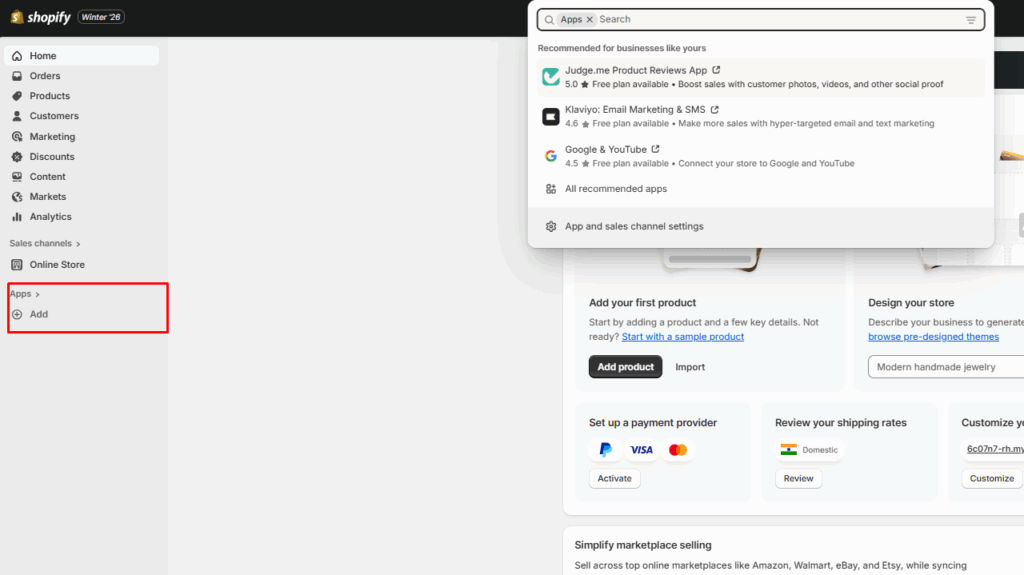
- For example, if you want to upsell products in your cart, apps like iCart Cart Drawer Cart Upsell can help you. iCart shows AI-powered product recommendations when customers add products to their cart.
- Confirm billing and trial period before installing: Check if the Shopify app is paid or free. If it's paid, confirm its billing cycle. Many Shopify apps still charge you even if you do not use them.
- Alternatively, you can also visit the Shopify app store and search for apps to help you sell.
4. Basic store settings
Set the store details (name, email ID, phone number, and billing address), store currency and time zone in Settings > General.
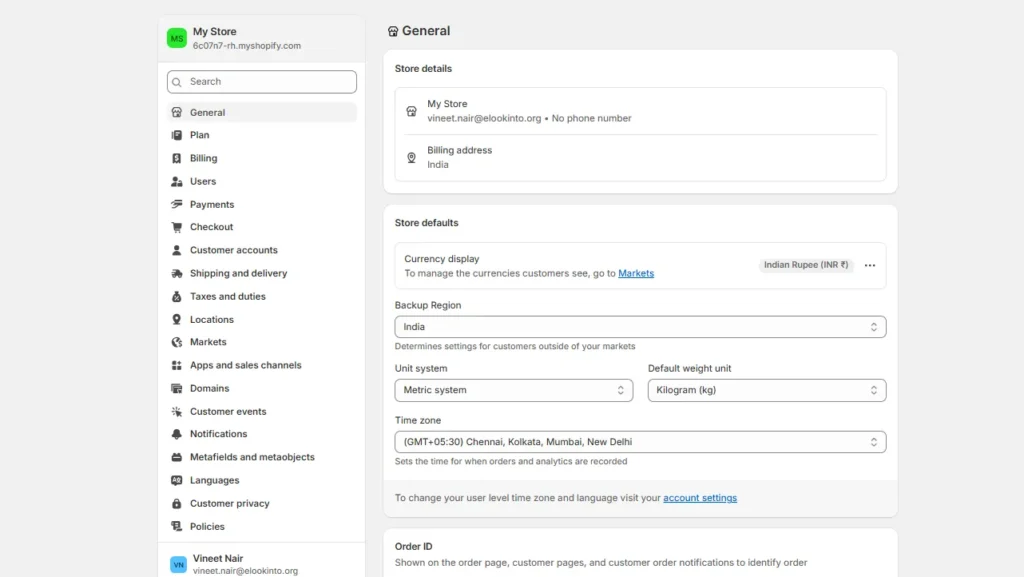
Set your shipping origin by confirming the fulfillment location that ships online orders and the shipping origins used in your shipping profiles, because this choice affects rates and delivery expectations.
5. Set up your payment configuration.
- Choose your gateway: Go to Settings > Payments and enable Shopify Payments or activate payment methods like PayPal if you need one.
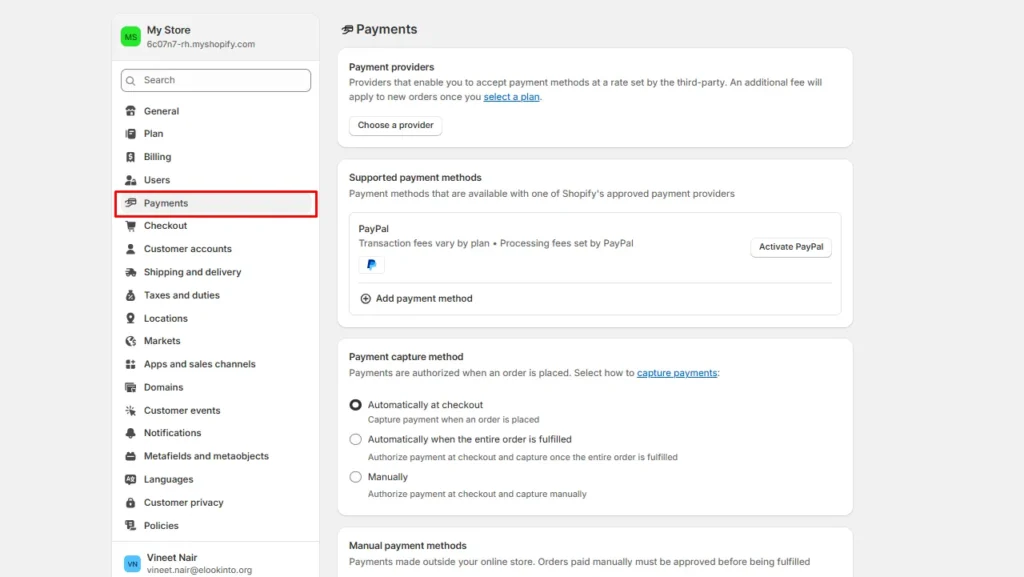
- Place real test orders. Use Bogus Gateway, Shopify Payments test mode, or a third-party test mode to simulate success and failure scenarios.
What Happens Once the 3-day Free Trial Ends?
Once you have tested everything using the free trial, you can either cancel the trial or choose a plan.
Go to Settings > Plan to view these options.
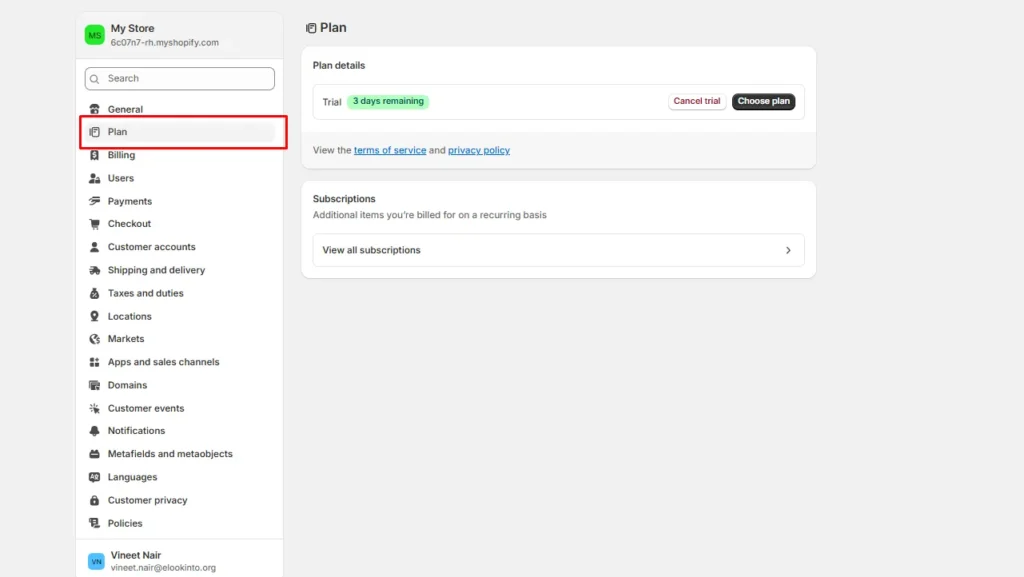
When you choose a plan during the trial period, Shopify charges $1/ month for 90 days. You will be charged just $3 for a 3-month period.
Final Words: Make Use of the Shopify Free Trial
The 3-day free trial in Shopify is a great opportunity to build your real catalog, set up collections, and make your store look close to “launch ready.”
Before your trial ends, decide. If you don’t upgrade, Shopify pauses the store until you pick a plan. What’s amazing is that after the trial period, you will be charged just 3$ for the next 90 days to run your store.
FAQs
1. How long is the Shopify free trial?
Shopify currently offers a 3-day free trial. After the trial ends, Shopify charges $1/month for the next 90 days.
2. Can you extend the Shopify free trial?
No. You cannot extend the 3-day free trial period set up by Shopify.
3. Can you make sales on a free trial in Shopify?
Yes. But you must choose a paid plan (so you can remove the password/activate checkout) and set up a payment provider to let the customers buy your products.
4. How does the Shopify free trial work?
During the trial period, you can build your store and test features, and even pick a plan without being charged until the trial ends. Your online store is password-protected by default. You need to enable public selling by selecting a paid plan and setting up payments.
5. How to cancel a free trial in Shopify?
Go to Settings > Plan and select Cancel trial.
6. How much does it cost after the free trials end in Shopify?
After the trial ends, you must choose a paid plan to keep using Shopify. It’s $1/month for the next 90 days.


About the author
Vineet Nair
Vineet is an experienced content strategist with expertise in the ecommerce domain and a keen interest in Shopify. He aims to help Shopify merchants thrive in this competitive environment with technical solutions and thoughtfully structured content.