






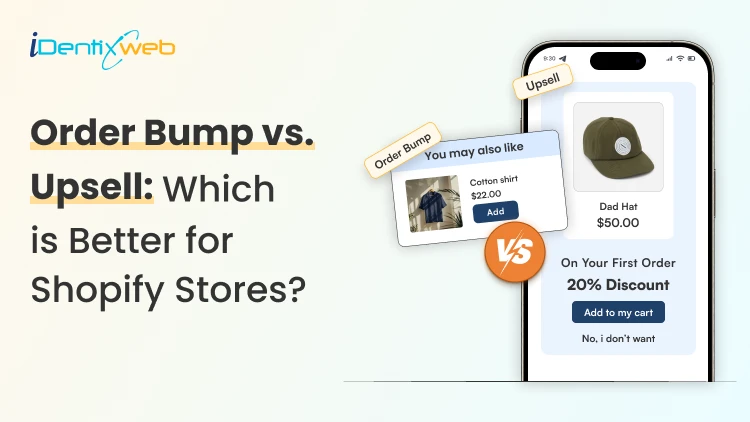

Understanding order bump vs upsell is important because both can increase AOV, but they work in different ways. An order bump is a small, low-risk add-on shown close to checkout, while an upsell encourages the customer to choose a better, bigger, or higher-value option at different stages of the buying journey. Order bumps are usually easier to test first, while upsells tend to work better once you have clearer product data and stronger buying patterns.
Most Shopify store owners put all their energy into getting the first sale.
But they miss one thing…
Simple ways to increase AOV once a shopper is already ready to buy.
That is where the difference between order bump vs upsell becomes an important decision.
I have worked with Shopify stores that use both. The better option depends on when the offer shows up and how easy it feels for the customer to accept it.
In this guide, I will break down what an order bump and upsell are, share a few practical examples, and explain the real difference between the two.
What is an order bump?
It is a small extra offer shown when a customer is close to completing a purchase.
Order bumps are a quick add-on that appears near checkout and gives the buyer a chance to include one more related item before paying.
It works best right before payment, because that is the moment when the customer has already decided to buy. For new stores, I can guarantee this is one of the easiest ways to increase AOV.
Order bump examples for Shopify stores
Order bump examples can be best seen in electronics stores, for example, if someone is buying a phone, offering a phone case near checkout makes sense. If they are buying a gift item, a wrap is an easy add-on.
In apparel, stain protection can feel like a useful add-on. For fragile items, shipping protection is another common order bump because it matches the buyer’s concern right before payment.
These offers work because they do not ask the customer to rethink the whole purchase.
What makes an order bump effective?
- Keeps the decision simple for the customer
- Has a low price compared to the main purchase
- Feels closely related to the product already in the cart
- Does not create extra decision fatigue
Apps to add order bump in your store

SellMore Post Purchase Upsell is one option that supports checkout upsells, one-click add-ons, bundles, and post-purchase offers, which makes it useful for stores that want to test different ways to lift AOV.
What I like here is that it is not limited to just one placement. SellMore can show offers on checkout, post-purchase, thank you, and order status pages. The best part is that it also includes analytics, which helps when I want to see which offers are actually working instead of guessing.
What is an upsell?
An upsell is an offer that encourages a customer to choose a better, bigger, or more valuable version of the product.
Instead of adding a small extra item, an upsell tries to increase the value of the main purchase itself.
Upsells can appear at different stages of the buying journey. I've seen them work on the product page, cart, checkout, and the thank-you page.
Common upsell examples in Shopify
Someone viewing a standard smartphone can be offered a premium version with added features. A single product can be turned into a bundle upgrade with related items included.
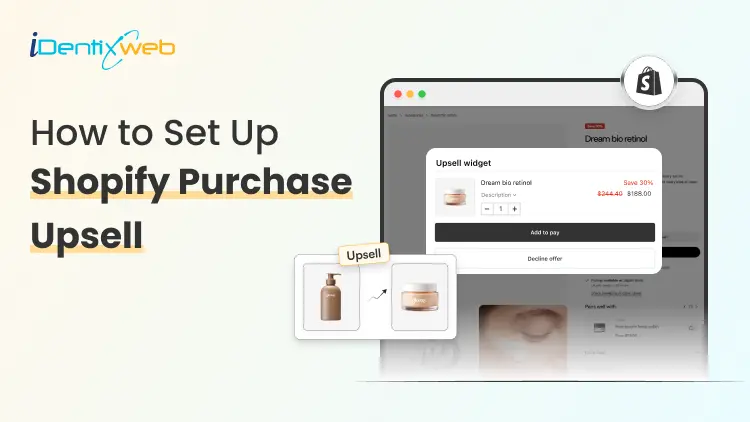
Some stores also use BOGO offers to increase quantity. Post-purchase one-click add-ons are another strong example, because they let the customer accept an extra offer without going through the full checkout again.
Best apps to add upsells in your store
When I want to add upsells before checkout, iCart Cart Drawer Cart Upsell is one of the apps I would look at.
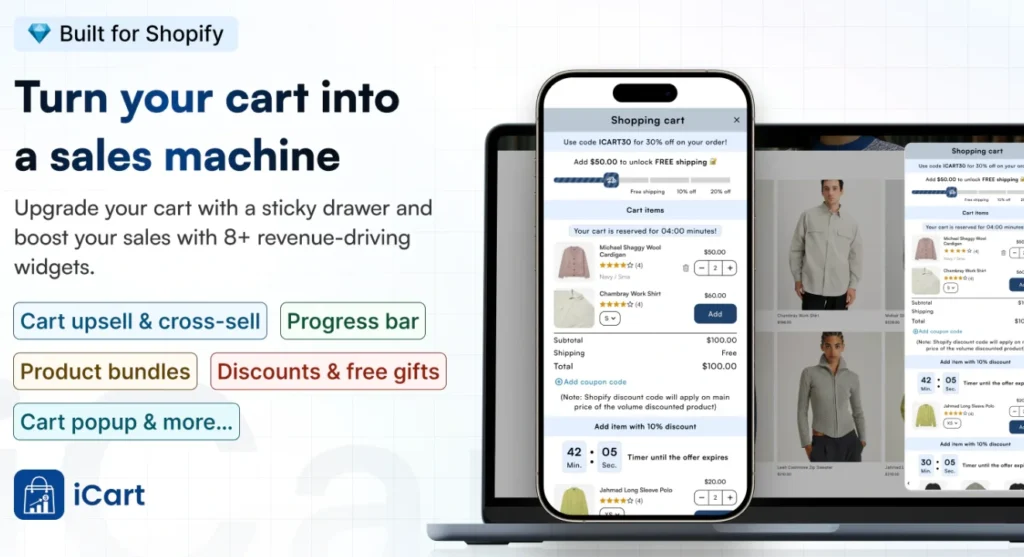
It supports cart upsells, checkout upsells, product page upsells, one-click add-ons, bundles, and product recommendations. What makes it useful for upsell testing is the flexibility around placement and offer type.
Order bump vs upsell: Key differences
Difference #1: Timing in the buying journey
The biggest difference in order bump vs upsell starts with timing. An order bump usually appears right before the customer completes checkout.
An upsell can appear earlier or later in the journey. Upsells work best in the cart, but you can also add them at the product page, at checkout, and after the purchase. That gives more flexibility, but it also changes how the customer responds to the offer.
Difference #2: Offer size and price point
Order bumps are small and low-risk. They are meant to feel like a light add-on that does not make the customer pause.
Upsells are bigger-value offers compared to the main item. They can involve a premium version, a larger pack, a bundle, or a higher-spend option.
Difference #3: Goal of the offer
The goal of an order bump is to add one extra item to the order without changing the main purchase too much.
The goal of an upsell is to try to increase the value of the main purchase itself. Instead of adding a side item, it pushes the customer toward a better or bigger buying decision.
Difference #4: Impact on conversions
Order bumps do not work if the offer feels too expensive, unrelated, or distracting. It can slow the checkout flow and hurt the buying experience.
Upsells can also create friction if they appear at the wrong moment. Test upsells at different parts of the customer buying process and stick to the one that gives you the most conversions.
Difference #5: Best-fit products
Order bumps are best for products like accessories, simple add-ons, warranties, gift wrap, or protection offers. These are items that support the main purchase without changing it too much.
Upsells fit products where the customer can move to a better version. That includes premium products, bundles, larger quantities, and upgraded options.
Order bump vs upsell: Overview
| Difference | Order Bump | Upsell |
| Timing | Appears right before the customer completes checkout | Can appear earlier or later in the journey, including the product page, cart, checkout, and after purchase |
| Offer size and price point | Small and low-risk add-ons like complementary products or warranties | A bigger-value offer, such as a premium version or bundles |
| Goal | Adds one extra item to the order without changing the main purchase. | Increases the value of the main purchase by pushing a better or bigger option |
| Impact on conversions | Works only when the offer feels relevant, affordable, and easy to accept. | Needs the right placement and testing, because the wrong moment can reduce conversions |
| Best-fit products | Accessories, simple add-ons, warranties, gift wrap, and protection offers | Premium products, bundles, larger quantities, and upgraded versions |
So, in the end, which one is better?
For new Shopify stores, I think an order bump is often easier to test first. It is simpler to set up, easier for customers to understand, and usually carries less risk.
I would choose upsell if your store has more product data and clearer buying patterns. When I know which products pair well and where shoppers are willing to spend more, I can build upsells that feel much more natural and effective.
My simple advice here is to install apps and test both options and pick which one suits your brand.
FAQs
1. What is an order bump?
An order bump is a small, relevant add-on shown at checkout, right before the customer pays. It's a low-friction way to increase AOV because the shopper can add it quickly without rethinking the main purchase.
2. What is the difference between an order bump vs upsell?
The main difference is the role each offers. An order bump adds a small extra to the order, while an upsell pushes the customer toward a better, bigger, or higher-value version of what they already plan to buy.
3. What is the best upsell app for Shopify?
If I want flexible upsell placement before checkout, iCart Cart Drawer Cart Upsell is a great option. For post-purchase upsells, I would go with SellMore.
4. Which app is the best to add an order bump to your Shopify store?
If your goal is to add order bumps through checkout and post-purchase flows, I would look at SellMore Post Purchase Upsell. It supports checkout offers like order bumps and checkout upsells for Shopify Plus, along with post-purchase, thank you page, and order status page offers.


About the author
Vineet Nair
Vineet is an experienced content strategist with expertise in the ecommerce domain and a keen interest in Shopify. He aims to help Shopify merchants thrive in this competitive environment with technical solutions and thoughtfully structured content.