





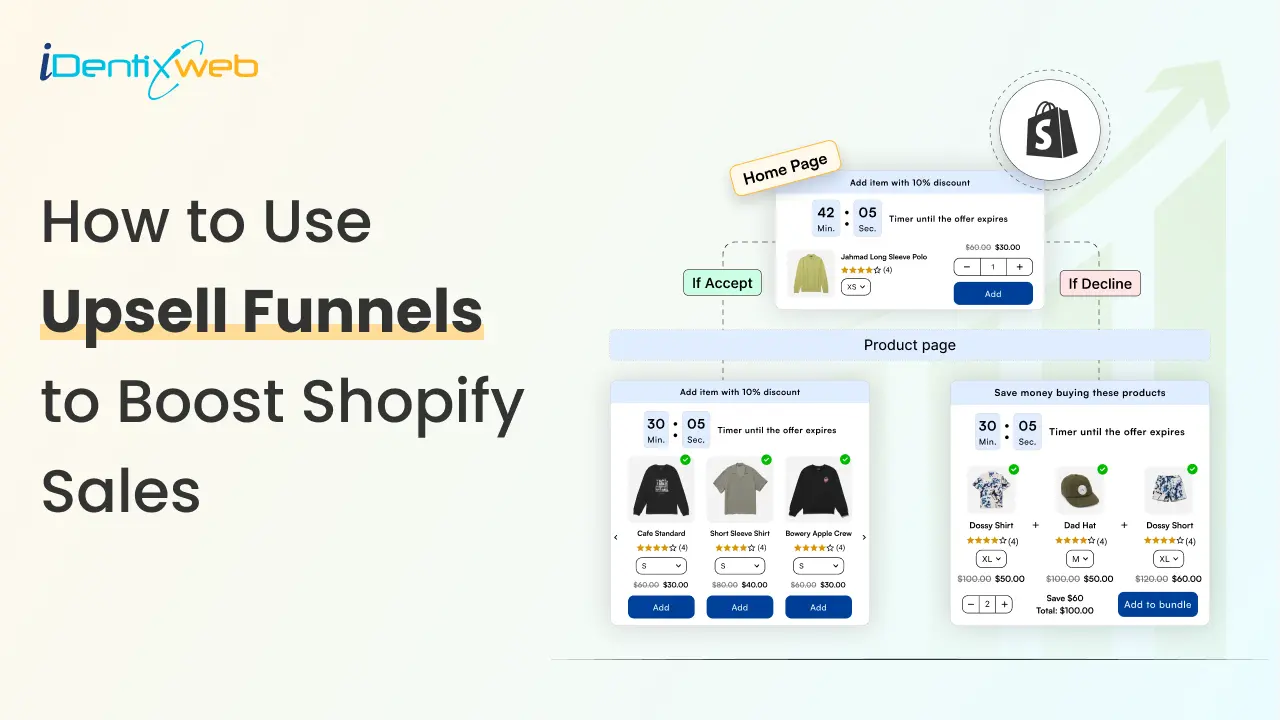
An upsell funnel refers to a strategic marketing approach used by Shopify merchants to increase their revenue by offering customers a higher-priced product or service after they have made an initial purchase.
It typically consists of a series of steps designed to guide the customer towards upgrading their purchase. Shopify store owners have been using this strategy for many years. They are leveraging a well-designed upsell funnel to boost sales on Shopify.
The funnel typically starts with the initial purchase, where the customer completes a transaction for a product. The customer is presented with additional offers, known as upsells, which are related to their initial purchase after the purchase is made.
These upsells are designed to provide additional value to the customer and are often offered at a discounted or promotional price to entice the customer to upgrade.
It will not only increase Shopify sales but will also maximize customer lifetime value and improve customer satisfaction as customers receive more value from their purchases.
It can also help businesses optimize their sales process and increase their revenue without acquiring new customers.
Let’s Gear Up and Scroll Down to the Upsell Funnel!
Guidelines for Shopify Store Owners to Design the Upsell Funnel!
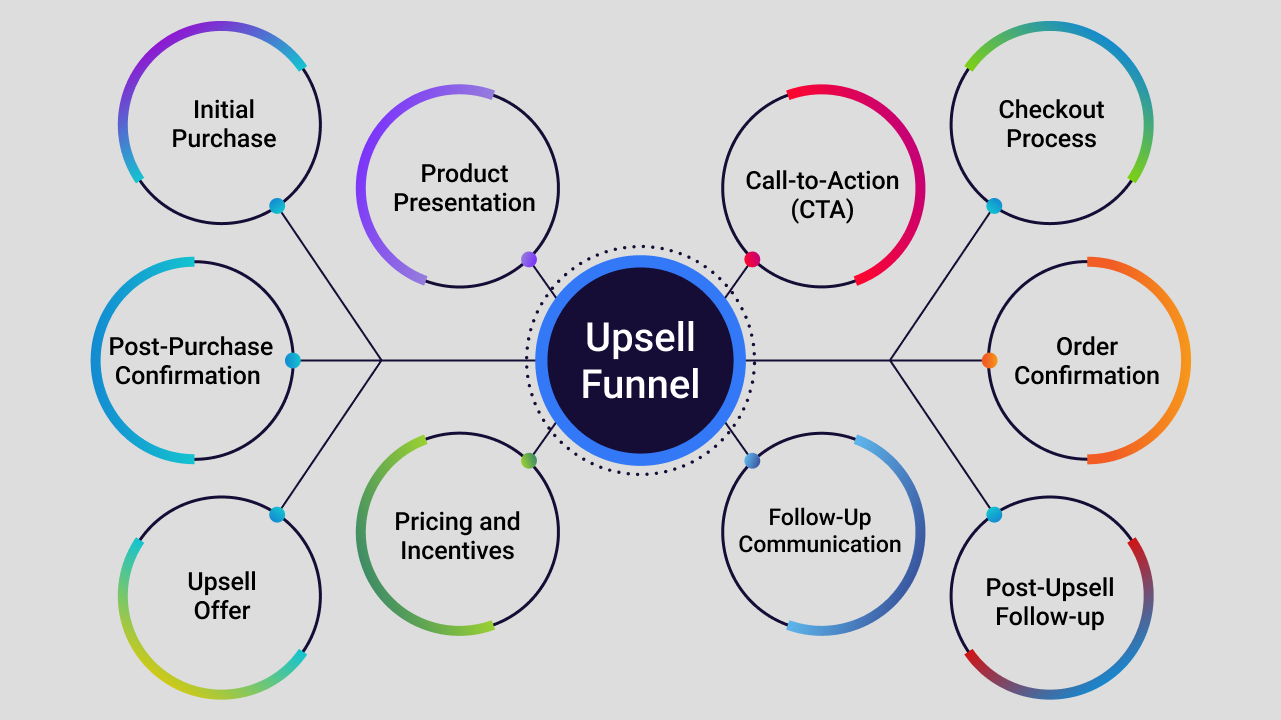
Initial Purchase
The initial step in an upsell funnel is the first purchase made by the customer. This can be a product or service that the Shopify customers have already expressed interest in and decided to buy.
Post-Purchase Confirmation
After the customer completes the initial purchase, they will receive a confirmation or a thank-you page that confirms their purchase and sets the stage for the upsell offer.
Upsell Offer
The upsell offer is a higher-priced product or service that is presented to the customer after they have made their initial purchase.
The Shopify store owners should offer relevant deals to the customers that match their needs and interests, presenting an additional value compared to the initial purchase. This will persuade customers to buy the upsell products and boost sales on Shopify.
Product Presentation
The upsell offer should be presented clearly and prominently to the customer, showcasing its features, benefits, and value proposition. It should be compelling and persuasive, highlighting why the customer should consider upgrading or adding on to their initial purchase.
Pricing and Incentives
The pricing and incentives of the upsell offer are important elements of the upsell funnel. The offer should be priced competitively and should include special discounts, limited-time promotions, or other incentives to entice the customer to take advantage of.
Call-to-Action (CTA)
A clear and compelling call-to-action (CTA) should be included in the upsell offer, instructing the Shopify customers on how to take advantage of the offer, such as "Upgrade now," "Add to cart," or "Get this deal." The CTA should be prominent and easily clickable, which persuades customers to buy from your Shopify store.
Follow-Up Communication
If the customer does not immediately take advantage of the upsell offer, follow-up communication should be sent via email, SMS, or other means to remind them of the offer and highlight its benefits. This can be done through automated email sequences or targeted remarketing campaigns.
Checkout Process
The checkout process for the upsell offer should be seamless and user-friendly, with minimal friction. It should be easy for the customer to complete the upsell transaction and move through the payment process.
Order Confirmation
Once the upsell purchase is done, the customers should receive an order confirmation that provides details of the upsell offer, along with any relevant information, such as delivery or access instructions.
Post-Upsell Follow-up
After the upsell purchase, it's important to continue providing excellent customer service and support. This can include follow-up communication, post-purchase surveys, or additional upsell opportunities in the future.
A 6-Step Process to Boost Shopify Sales Through the Upsell Funnel!
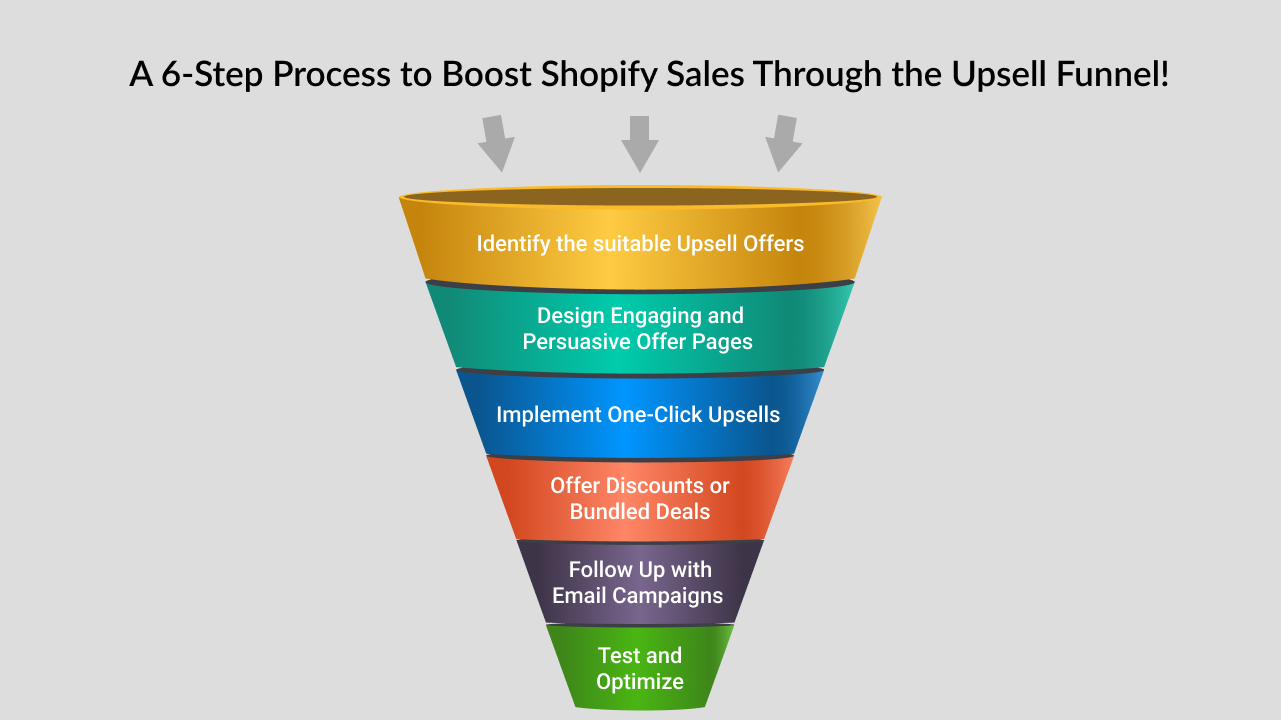
Identify the Suitable Upsell Offers
Determine which products or services in your Shopify store are suitable for upselling offers. Look for complementary or higher-priced items that are relevant to the customer's original purchase. Packaging appropriate products together can instigate the customers to buy the bundle and increase sales on Shopify.
Design Engaging and Persuasive Offer Pages
Visually appealing and compelling offer page designs for each upsell will attract an audience to your store. Highlight the benefits and value of the upsell product or service, and use persuasive language to encourage customers to take advantage of the offer. Include clear and prominent CTA buttons that make it easy for customers to add the upsell to their cart.
Implement One-Click Upsells
Consider using one-click upsell apps or plugins that enable customers to add the upsell item to their cart with just one click, without having to re-enter their payment information. This frictionless process can significantly increase upsell conversion rates.
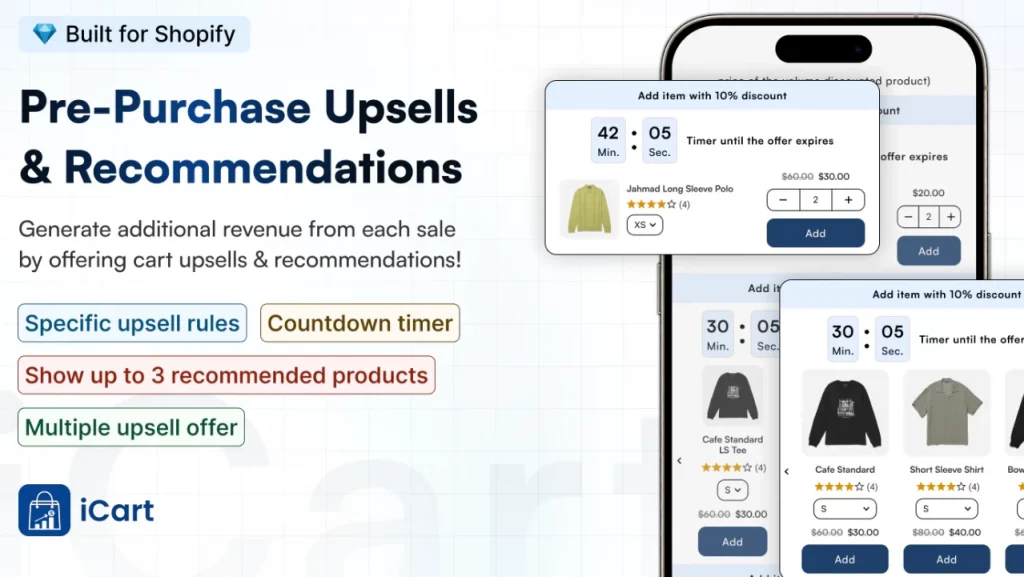
iCart is a one-click Shopify solution that ensures easier upselling of your cart and product bundles. Shopify merchants love how easy it is to add upsell offers because of its simple drag-and-drop functionality.
Offer Discounts or Bundled Deals
Incentivize customers to accept the upsell offer by providing discounts or bundled deals. For example, you can offer a percentage off the upsell item's regular price, or create a bundle that includes the original purchase and the upsell item at a discounted rate.
Follow Up with Email Campaigns
Implement a strategic email campaign to follow up with customers who have made a purchase but did not accept the upsell offer.
Use personalized and persuasive emails to remind them of the benefits of the upsell item and offer additional incentives, such as limited-time discounts, to encourage them to take advantage of the offer.
Test and Optimize
Continuously monitor and analyze the performance of your upsell funnel, and make data-driven decisions to optimize its effectiveness. Test different upsell offers, pricing, messaging, and call-to-action buttons to identify what works best for your specific audience and store.
Wrap Up
Hopefully, the blog has enlightened your knowledge of the upsell funnel and how Shopify store owners can leverage it to get sales on Shopify. If you have any queries, shoot them in the comment section below. We will surely try to answer them.
Upsell Funnel FAQs
1. Does Shopify have a sales funnel?
Yes. Shopify supports building full sales funnels: you can map and optimize the customer journey from awareness → product discovery → cart → checkout → post-purchase using built-in pages, apps (funnel builders, landing pages, popups) and analytics
2. What is an upsell funnel in Shopify?
An upsell funnel on Shopify is a deliberate sequence of touchpoints (product page, cart, checkout, post-purchase/thank-you) that presents relevant higher-value or add-on offers to increase AOV while preserving the buying flow.
3. Which is the best upsell app for Shopify?
Shopify merchants frequently use Shopify apps like iCart for pre-purchase upsell and SellMore for post-purchase upsell.
4. What is a click-up sell in Shopify?
A one-click upsell is an offer in which the customers can add an extra item or upgrade to their just-completed order with a single click.
5. How to include upsell and cross-sell in a funnel model?
Place upsells where purchase intent and momentum are highest. Offer premium/upgrade options on product pages and in cart, then use one-click post-purchase offers for time-sensitive add-ons; layer cross-sells in product recommendations, cart popups, and follow-up emails. A/B test placement, price, and messaging to maximize AOV without increasing abandonment.


About the author
Priyanka Chaudhari
Priyanka Chaudhari is an enthusiastic tech writer with a horizon of experience in multiple domains. She loves writing about marketing, e-commerce, and technology. Currently, she is employed with Identixweb as a senior content writer.