



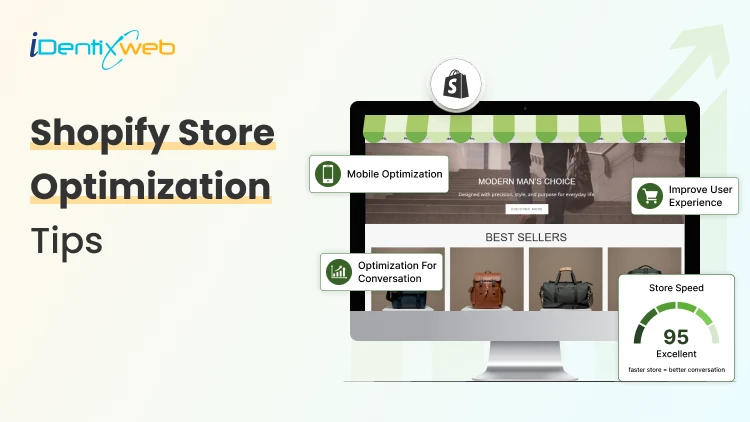
Your Shopify store is open. But is it actually optimized to sell? You might have started thinking about it now, right?
Don’t worry you are not alone! Most Shopify merchants are sitting on a store full of hidden leaks. A slow-loading page here. A confusing checkout there. A cart that lets customers walk away without a single nudge. Each one is silently bleeding revenue every single day.
The good news? These are fixable. And you don't need to rebuild your store from scratch to fix them.
This guide covers the 10 most important elements of Shopify store optimization. Let’s get into it.
What Is Shopify Store Optimization
Shopify store optimization is the process of improving every part of your online store from speed and design to product pages and checkout so that more visitors actually buy from you.
It's not just about looking good. It's about removing every possible reason a customer might leave without purchasing.
Element #1: Site Speed
The Bottleneck
Your store is slow. Maybe not "broken" slow but slow enough that customers leave before they even see your products.
A 1-second delay in page load time can reduce conversions by up to 7%. On mobile, where most Shopify traffic comes from, this number is even worse.
What You Lose
Every second your store takes to load, you're losing real money. A customer who waited 4 seconds on your site? They're already on your competitor's page.
What Upgrading It Looks Like
Shopify store speed optimization is one of the highest-ROI things you can do. This includes:
- Compressing and converting images to WebP format
- Removing unused apps (each app adds JavaScript that slows your store)
- Using a lightweight, fast-loading theme
- Enabling lazy loading for images
- Minimizing third-party scripts
💡 Expert Tip: If speed optimization feels overwhelming, investing in Shopify store speed optimization services from a certified Shopify expert can deliver measurable ROI within weeks especially if your store has grown to hundreds of products.
Element #2: Product Page Optimization
The Bottleneck
Your product page is doing the job your sales rep would do in a physical store. If it's vague, cluttered, or unconvincing, it's a bad salesperson costing you money.
What You Lose
Customers who land on weak product pages leave with unanswered questions. And confused customers don't buy. To further improve the shopping experience, many merchants are turning to smart features that bring the cart closer to the customer. For example, adding a sticky cart icon or cart drawer that follows the user as they scroll through the product page can significantly increase engagement. This not only keeps the cart easily accessible but also encourages customers to add more items to their cart before checkout. To implement this in your store, you can try apps like iCart Cart Drawer Cart Upsell that does the job easy for you.
What Upgrading It Looks Like
A high-converting product page has:
- Clear, benefit-driven product titles (not just "Blue T-Shirt")
- Scannable descriptions with bullet points highlighting key benefits
- High-quality images from multiple angles, including lifestyle shots
- Social proof like reviews, ratings, and user-generated content
- Urgency triggers like low stock alerts, limited-time offers
- Clear, prominent CTA like "Add to Cart" button above the fold
Fix You Can Apply Today
Pick your top 3 best-selling products and rewrite their descriptions using this formula: Problem Solution - Benefit - Proof - CTA.
Element #3: Mobile Experience
The Bottleneck
Majority of Shopify store traffic comes from mobile devices. Yet most store owners design on desktop and "check" on mobile as an afterthought.
What You Lose
A poor mobile experience means customers can't read your text, buttons are too small to tap, and images don't load correctly. They leave. And they don't come back.
What Upgrading It Looks Like
When you optimize Shopify store for mobile, you're looking at:
- Tap-friendly buttons (minimum 44x44px)
- Single-column layouts that scroll naturally
- Mobile-optimized navigation (hamburger menus done right)
- Fast-loading, compressed images
- Sticky "Add to Cart" buttons that follow the scroll
Fix You Can Apply Today
Open your store on your phone and try to buy something. Actually go through the full process. Note every moment of frustration, those are your conversion leaks.
Element #4: Site Navigation & Search
The Bottleneck
If a customer can't find a product within 3 clicks, they're gone. Confusing menus, poor category structure, and a broken search bar are silent revenue killers.
What You Lose
Customers who can't find what they're looking for don't ask for help they leave.
What Upgrading It Looks Like
- Simplified top navigation
- Smart search with autocomplete and typo tolerance
- Filters and sorting on collection pages
- A clear path from homepage - category - product - checkout
- Breadcrumbs for easy back-navigation
Fix You Can Apply Today
Install Shopify Search & Discovery (free app by Shopify) to dramatically improve your store's search functionality.
Final Result
Better navigation = longer sessions, more pages viewed, and higher average order value (AOV).
Element #5: Checkout Optimization
The Bottleneck
The checkout process is where most of this happens. Unnecessary steps, forced account creation, and limited payment options are the main culprits.
What You Lose
A customer who reaches checkout is ready to buy. Losing them here is the most expensive conversion failure in your store.
What Upgrading It Looks Like
Part of any serious shopify store optimization strategy is a streamlined checkout:
- Enable Shopify Payments for a native, frictionless experience
- Offer Shop Pay for one-click returning customers
- Add multiple payment options like credit cards, PayPal, UPI, Buy Now Pay Later
- Enable guest checkout
- Reduce the number of form fields
- Add trust badges (SSL, money-back guarantee, secure payment icons)
Fix You Can Apply Today
Enable Shop Pay in your Shopify Payments settings.
Element #6: Page SEO
The Bottleneck
You can't sell to customers who can't find you. Shopify store optimization isn't just about your existing visitors, it's about bringing in new ones organically.
What You Lose
Without SEO, you're 100% dependent on paid ads for traffic. That's expensive and unsustainable.
What Upgrading It Looks Like
To optimize Shopify store pages for SEO:
- Add your primary keyword (e.g., shopify store optimization) in your title tag, meta description, H1, and first 100 words
- Write unique meta descriptions for every product and collection page
- Use descriptive, keyword-rich alt text for all images
- Create long-form, helpful content on your blog (like this one!)
- Build internal links between related products and pages
Fix You Can Apply Today
Audit your top 5 collection pages. Make sure each has a unique title tag, meta description, and at least one paragraph of on-page copy.
Element #7: Trust Signals
The Bottleneck
First-time visitors to your store don't know you. They have no reason to trust you with their money unless you give them one.
What You Lose
Without trust, even great products don't sell. Customers click away to Amazon or a brand they recognize.
What Upgrading It Looks Like
Trust signals are the silent conversion boosters of Shopify store optimization:
- Customer reviews with photos (use Judge.me or Loox)
- Money-back guarantee prominently displayed
- Secure payment badges
- Real contact information (address, email, phone)
- About Us page with your actual story and faces
- Press mentions ("As seen in...")
- Social proof counters ("2,400+ happy customers")
Fix You Can Apply Today
Add a simple trust bar below your header with icons for: Free Shipping | Secure Checkout | Easy Returns | 5-Star Reviews.
Element #8: Homepage Optimization
The Bottleneck
Your homepage has one job: get visitors to keep going. If it's cluttered, confusing, or doesn't immediately communicate what you sell and why it matters beacuse people leave.
What You Lose
A homepage that doesn't convert is like a brick-and-mortar store with a confusing storefront. Foot traffic walks right past.
What Upgrading It Looks Like
A conversion-optimized homepage includes:
- A powerful hero section with a clear headline, subheadline, and CTA
- Your value proposition front and center (what you sell + why you're different)
- Featured collections to guide navigation
- Social proof (reviews, press logos, customer count)
- Bestsellers showcased prominently
- A sense of trust - clear policies, easy returns, secure checkout
Fix You Can Apply Today
Test your homepage with someone who's never seen it. Give them 5 seconds, then ask: "What does this store sell? Would you buy here?" Their honest answer tells you everything.
Final Thoughts
You don't need to tackle all the above elements at once. Start with the one that feels most broken in your store right now. Fix it. Measure the result. Move to the next.
That's how you build a Shopify store that doesn't just look good; it consistently, predictably drives more sales.



About the author
Sajini Annie John
Meet Sajini, a seasoned technical content writer with a passion for e-commerce and expertise in Shopify. She is committed to helping online businesses to thrive through the power of well-crafted content.