

Uncategorized
Gather knowledge about the latest insights, updates, tips, and tricks in the Ecommerce industry.

5 Min • 29 April 2026
How Anua Unlocked 5X AOV Growth with iCart’s Smart Cart Features
delivery customization Challenges Solutions drive results Scale business delivery customization Challenges Solutions drive results Scale business delivery customization Challenges Solutions drive results Scale business delivery customization Challenges Solutions drive results Scale business Anua is a globally recognized Korean skincare brand known for its minimalist philosophy and focus on gentle yet effective formulations. Built on the idea of simplifying skincare routines, Anua develops products that deliver visible results while avoiding harsh or irritating components, making them suitable for sensitive skin types. Initially using a traditional full cart experience, Anua transitioned to iCart’s side cart solution in August 2025, to create a more seamless and engaging shopping journey. This shift allowed customers to easily explore complementary skincare products without disrupting their browsing flow, making it more intuitive to discover items that fit into a complete routine. By surfacing relevant recommendations directly within the cart, the brand enhanced product visibility across its range. Challenges Before implementing iCart’s side cart solution, Anua faced limitations with their existing full cart experience, which created friction in the customer journey. The traditional cart setup redirected users away from product pages, interrupting their browsing flow and reducing opportunities to explore additional products. As a skincare brand built around routines rather than single-item purchases, this made it difficult to effectively showcase complementary products and encourage customers to build complete regimens. Additionally, the lack of in-cart personalization and strategic upsell opportunities meant that customers were often unaware of related products that could enhance their skincare results. This limited the brand’s ability to increase average order value (AOV) and fully leverage its diverse product range. Anua needed a more dynamic and intuitive cart experience that could seamlessly introduce relevant recommendations while maintaining a smooth and engaging shopping journey. ❌ Cart Value Barriers Low average order value (AOV) due to single-item focus Most customers completed purchases with one primary product instead of building multi-step routines. Cart abandonment near shipping thresholds Customers were not clearly informed or motivated to reach free shipping or discount thresholds. Missed savings opportunities Customers were unaware of potential value in purchasing bundled routines or multiple complementary products. ❌ Absence of Progress-Based Incentives No free shipping or discount progress bar Customers were not motivated to increase their cart value due to lack of visible incentives. Missing tiered rewards system There were no structured milestones (e.g., “Spend more to unlock offers”), reducing upsell opportunities. ❌ Ineffective Cart UI/UX (Pre-Side Cart) Full-page cart disrupted shopping flowCustomers had to leave their browsing journey, increasing friction and drop-offs. No quick add/remove functionality Users couldn’t easily modify their cart or add suggested products without navigating away. Solution To overcome these challenges, Anua implemented iCart’s side cart solution to transform their traditional cart into a high-converting, interactive experience. By replacing the full-page cart with a seamless side cart, the brand ensured that customers could continue browsing while viewing their cart, significantly reducing friction in the shopping journey. Additionally, features like product recommendations & progress bars for free shipping and discounts motivated customers to increase their cart value. By combining personalization, incentive-driven messaging, and a user-friendly interface, Anua successfully turned their cart into a powerful revenue-driving touchpoint rather than just a checkout step. To maximize their cart effectiveness, they implemented two powerful features: ✅ Progress Bar with Multi-Reward Incentives Implemented a tiered progress bar to encourage higher cart value Customers are guided with a clear message like “Add $3.10 to unlock secret offer,” motivating them to continue adding products. Generated over $5M+ in revenue through incentive-driven cart progression Used product-based rewards to align with customer intent Instead of generic discounts, Anua incentivized purchases with relevant skincare items like Dark Spot Pads and mini serums. Built visual motivation for routine expansion As customers add products, they can clearly track progress toward unlocking multiple rewards, encouraging them to build a complete skincare routine. ✅ Product Recommendations Implemented “Frequently Bought Together” recommendations Customers adding a single product (e.g., toner) are shown complementary items like serums, moisturizers, or pads to complete their routine. Generated over 275K revenue through in-cart recommendations Encouraged full skincare regimen building Instead of isolated purchases, the cart suggests step-by-step product combinations aligned with common skincare routines. Increased product discovery at the final stage By surfacing relevant items directly in the cart, Anua ensured customers explore more of their catalog without leaving the checkout flow. Results Achieved in Last 180 Days 22932 Total Store Orders 45101 Total iCart Orders 5X iCart Generated AOV 65.70% Upsell Affected Conversion Rate These improvements reflect a clear shift in customer behavior on Anua’s store. Cart abandonment reduced as shoppers discovered complementary skincare products and felt encouraged to build complete routines. Engagement also increased, with customers interacting more with in-cart recommendations and exploring relevant product pairings. Results & Impact And...Results is Our Main Clarification By implementing iCart’s cart drawer, product recommendations, and progress bar, Anua transformed its cart into a high-performing conversion touchpoint. Shopping Experience Enhancement The improved cart experience encouraged customers to discover complementary products and understand the value of sustainable beauty routines. For instance, the clear presentation of subscription savings alongside one-time purchase options helped customers make more informed decisions about their long-term hair care needs. As Anua continues to optimize its cart experience, the brand is closely monitoring: Routine-based purchasing behavior - tracking how customers move from single items to multi-step regimens Engagement with in-cart recommendations - measuring interaction with suggested products Cart value progression - analyzing how incentives influence higher spending [related_cases_slider] Ready to Write Your Success Story? Try icart App Join successful businesses like Anua and Master your delivery scheduling Delight customers with precise timing Grow your special occasion orders Expand your delivery reach
Read Blog
9 Min • 25 August 2025
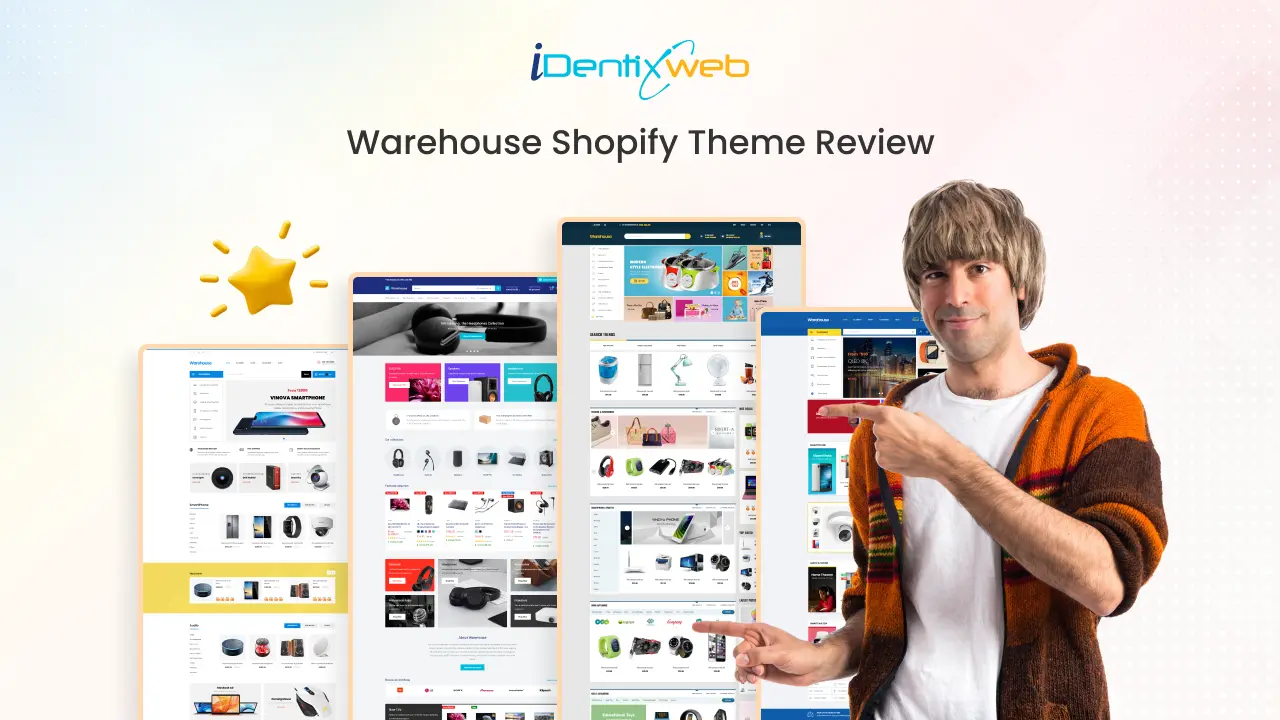
Warehouse Shopify Theme Review: Features, Pros & Cons
Your store's design is one of the first things that potential customers will notice. The right theme can make a significant difference in both the aesthetic appeal and functionality of your store. If you run a business that involves extensive inventories, shipping, or even warehouse-related products, selecting the right theme becomes crucial. One such option is the Warehouse Shopify theme. It is specifically tailored for businesses dealing with extensive catalogs and inventory-heavy operations. This guide will walk you through why the Warehouse theme is an ideal choice, the features it offers, and how it can boost your store’s performance. Warehouse Shopify Theme Overview The Warehouse Shopify theme is a robust, customizable theme designed to help businesses with extensive product catalogs or warehouses efficiently showcase their inventory. It’s an ideal solution for companies that need a clean, easy-to-navigate interface while still showcasing a wide range of products. The Warehouse Shopify Theme offers over 25+ customizable sections, providing a robust and feature-rich design that encourages higher sales and a seamless shopping experience Developed by Maestrooo, a renowned Shopify theme developer with a strong portfolio including themes like Prestige and Symmetry, the Warehouse theme is actively maintained and supported. Maestrooo provides comprehensive release notes and detailed documentation for users, ensuring smooth setup, customization, and ongoing support. Are you in search of the best free Shopify theme? Here’s a comprehensive guide to the Dawn Shopify theme, along with real store examples to help you understand its potential. Warehouse Shopify Theme Pricing The Warehouse Shopify Theme is a premium theme designed for stores with extensive product catalogs. One-Time Purchase: $320USD (via the Shopify Theme Store) Includes: Full access to all theme features, responsive design, advanced customization options, and support from Shopify. Additional Costs: Optional apps or third-party integrations may have extra charges depending on your store’s needs. Who Should Use the Warehouse Shopify Theme? The Warehouse Shopify Theme is ideal for merchants with large inventories who need a clean, organized, and highly navigable store. Here’s a breakdown of who can benefit the most: Promotion-Focused Stores Stores that specialize in flash sales or frequent promotions will find the Warehouse theme incredibly useful. It offers features such as in-menu promotions and prominent promo banners, making it easy to highlight discounts, limited-time offers, or special deals right on the homepage. This functionality is perfect for merchants aiming to boost urgency and drive immediate sales. High-Volume Stores For businesses with large product catalogs and a significant volume of transactions, the Warehouse theme provides an efficient and smooth browsing experience. It ensures that products are neatly organized, and the site performs optimally even under high traffic and multiple transactions. This makes it an excellent choice for high-volume stores that prioritize speed and reliability, ensuring that the customer experience remains seamless. Electronics Retailers The Warehouse theme is perfectly suited for electronic retailers who need to showcase tech gadgets in a visually appealing and detailed manner. With support for high-resolution images and product videos, this theme helps merchants display their electronics in a way that captures attention, ensuring that potential customers get a clear view of the products' features and quality. Homeware Stores Homeware stores dealing with large inventories of furniture, decor, and kitchenware will find the Warehouse theme ideal for clean and organized presentation. Its ability to categorize and display a vast array of products in an orderly, easily navigable way ensures that customers can browse your collections without feeling overwhelmed. This is especially helpful for stores that carry a wide variety of home goods. Multi-Category Clothing Stores Stores offering a diverse range of apparel categories can greatly benefit from the Warehouse theme’s robust navigation and advanced filtering options. Whether selling men’s, women’s, or children’s clothing, or offering accessories, shoes, and other apparel-related items, the theme helps customers easily navigate through various categories, making shopping convenient and efficient. Looking for the best Shopify themes for your clothing store? Explore our top picks for Shopify clothing store themes that are optimized for style, functionality, and customer experience. Dropshippers The Warehouse Shopify Theme is ideal for dropshippers, offering a fast-loading, mobile-responsive design that ensures a smooth shopping experience for customers on any device. Starting a dropshipping business? Dive into our in-depth guide for dropshipping beginners and learn everything you need to know to succeed in the world! The Warehouse Shopify Theme comes with three beautifully designed presets, each tailored to help merchants uniquely present their products and promotions. Explore the 3 Presets of the Warehouse Shopify Theme These presets give you flexibility in layout and design without needing extensive customization, making it easier to launch your store quickly. 1. Mesh The Mesh preset is ideal for stores with a modern and clean aesthetic. It features a minimalist grid layout that highlights products efficiently, allowing customers to focus on what matters most: your catalog. Its smart use of white space and subtle typography ensures a professional look, perfect for tech, lifestyle, or accessory stores. 2. Wood The Wood preset brings a warm, organic feel to your store. With earthy tones and natural textures, it’s perfect for stores selling home goods, furniture, or artisanal products. The design emphasizes product storytelling, helping customers connect with your brand’s personality and quality craftsmanship. 3. Warehouse The Warehouse preset is tailored for extensive catalogs and inventory-heavy stores. It focuses on product organization, advanced filtering, and clear navigation, ensuring customers can browse hundreds of products effortlessly. This preset is ideal for retailers with extensive inventories who want a professional, no-nonsense shopping experience. Features of the Warehouse Shopify Theme The Warehouse Shopify Theme is packed with powerful features designed to help merchants manage large inventories while providing an engaging and seamless shopping experience. 1. Tailored for Large Catalogs The Warehouse Theme is specifically built to handle extensive product catalogs efficiently. Its advanced collection pages allow you to organize, display, and filter thousands of products, making it easy for customers to browse without feeling overwhelmed. 2. Predictive Search Enhance navigation and conversions with predictive search functionality. As customers type in the search bar, the theme suggests relevant products instantly, helping users find what they’re looking for faster. 3. Adaptable Layout The theme’s flexible layout allows it to suit any type of store, whether you sell clothing, electronics, home decor, or niche products. You can customize homepage sections, product grids, and collection layouts to match your brand’s style. 4. Optimized for Performance Speed and efficiency are built into the Warehouse Theme. With expertly-written, lightweight code, your store loads quickly across all devices, reducing bounce rates and improving customer satisfaction. 5. Trust Badge Cards Build credibility with trust badges that reassure customers about security and reliability. These visual indicators help boost customer confidence and increase conversions. 6. Custom Promotion Tiles Highlight discounts, deals, and limited-time offers with custom promotion tiles. These visually prominent sections encourage shoppers to take advantage of your special promotions. 7. Stock Level Indicator Keep customers informed about product availability. Visual cues indicate whether items are in stock, running low, or out of stock, reducing frustration and increasing trust. 8. Mega Menu Improve navigation for large stores with a robust mega menu. Organize product categories and subcategories in a clean, visually appealing way for a better shopping experience. 9. Speed-Tested and Approved The Warehouse Theme undergoes rigorous speed testing across devices and networks, ensuring optimal performance and fast browsing for all visitors. 10. Multi-Lingual Support Expand your global reach by creating a multilingual storefront. The Warehouse Theme supports multiple languages, catering to customers from different regions seamlessly. Warehouse Shopify Theme: Pros and Cons Pros Handles large product catalogs efficiently with advanced filtering and collection layouts. Fast-loading and optimized for performance across all devices. Predictive search improves navigation and helps customers find products quickly. Flexible and customizable layouts for homepage, product pages, and collections. Trust badge cards and promotion tiles boost credibility and sales. Mega menu support simplifies navigation for stores with many categories. Multi-lingual support allows reaching global audiences. Cons Premium pricing at $320, which may be high for small or new stores. Advanced features may have a learning curve for beginners. Some functionalities require additional paid apps. Features available in this theme are not typically found in Shopify free themes. How to Install the Warehouse Shopify Theme Step 1. Visit the Shopify Theme Store and search for Warehouse. Step 2. If you don’t have a Shopify account, register one.Step 3. Click Try theme to preview it and install it on your Shopify admin panel. Step 4. In your Shopify admin, go to Online Store > Themes.Step 5. Find the Warehouse theme and click Customize to open the Theme Editor.Step 6. Adjust layouts, colors, fonts, and homepage sections to match your brand.Step 7. Preview the changes to ensure everything looks perfect on desktop and mobile.Step 8. Once satisfied, purchase the theme for $320 (one-time fee) to unlock full access.Step 9. Click Publish to make your customized Warehouse theme live on your store. As Shopify experts we can help you launch a store with the Warehouse theme, ensuring a high-performing and user-friendly experience. Conclusion: Why Choose the Warehouse Shopify Theme Choosing the right warehouse Shopify theme is essential to ensuring that your store is functional, attractive, and capable of handling large inventories. Whether you choose a Shopify Warehouse theme or a free Shopify theme, you can be confident that both offer excellent user experience and performance for your online store. For businesses looking to scale and manage a significant inventory, the Warehouse theme Shopify is a top contender, offering the best balance of design, performance, and customization. Explore our reviews on top Shopify themes, Prestige Shopify theme review Empire Shopify theme review Impact Shopify theme review Impulse Shopify theme review Ella Shopify theme review Symmetry Shopify theme review FAQs Warehouse Shopify Theme 1. Is the Warehouse theme mobile-friendly? Yes, the Warehouse Shopify Theme is fully responsive, meaning it’s optimized for mobile devices and ensures a smooth browsing experience on smartphones and tablets. 2. Can I customize the Warehouse Shopify Theme?Absolutely! The Warehouse Shopify Theme offers flexible customization options through the Theme Editor, allowing you to adjust layouts, colors, fonts, and product displays to match your brand's style. 3. Does the Warehouse theme support multi-lingual stores?Yes, the Warehouse Shopify Theme supports multi-lingual capabilities, making it easy to cater to international audiences by offering multiple language options. 4. Is the Warehouse Shopify Theme SEO-friendly?Yes, the Warehouse theme is built with SEO best practices in mind, including clean code, optimized images, and structured data to help improve your store’s visibility in search engine results. 5. Does the Warehouse theme include support?Yes, when you purchase the Warehouse Shopify Theme, you get access to Shopify support, and you can also get assistance with customization and theme setup.
12 Min • 12 February 2026
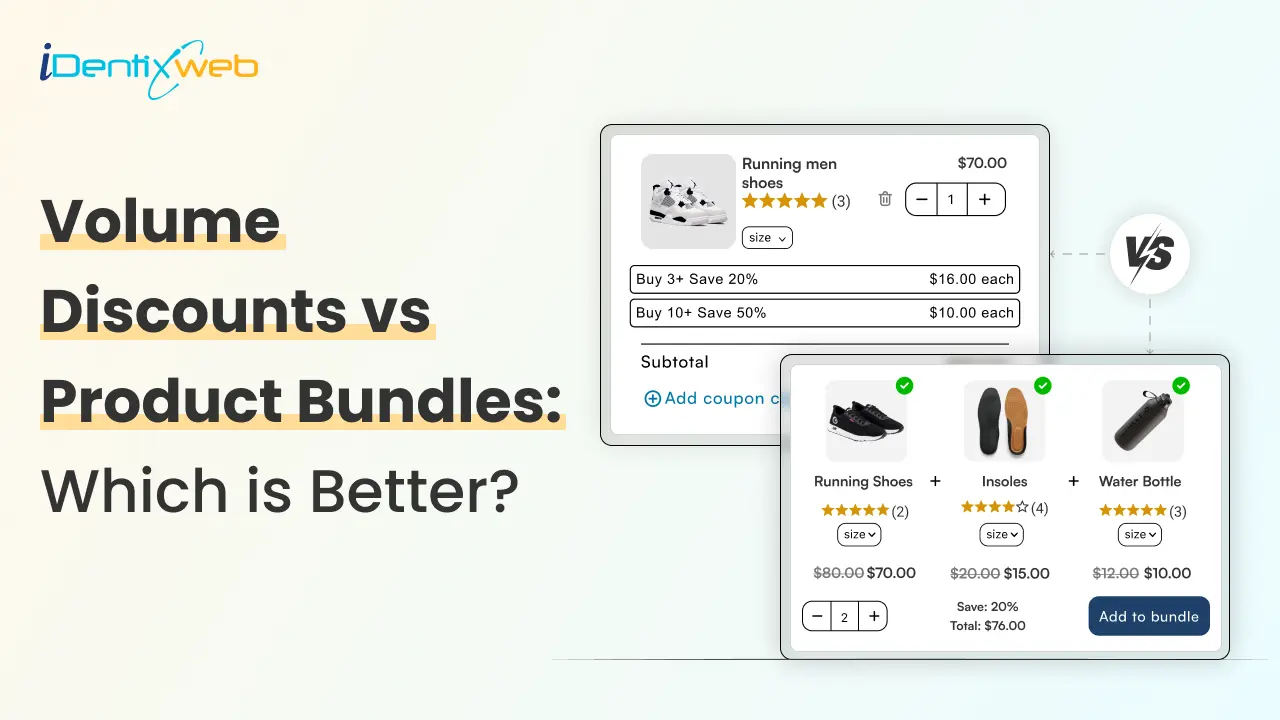
Volume Discounts vs Product Bundle: Which Converts Better For Shopify?
If you’re trying to choose between volume discounts and product bundles, as a Shopify expert, we can conclude volume discounts convert better. This is because when your customers already buy multiples items, the savings feel instant and straightforward. Bundles, on the other hand, shine when you want to increase AOV by pairing complementary products shoppers want to buy together. Upselling and cross-selling are two of the most popular techniques used by Shopify store owners to increase conversions. In this article, we will learn about two main techniques that businesses use when they upsell in Shopify: Volume discounts and Bundling. However, for a majority of companies, it gets a bit tricky to decide when and where they should adapt to upsell on Shopify. Comparison of Key Differences Between Discounting and Bundling Both discounting and bundling are effective upselling strategies, but they serve different purposes and impact revenue in distinct ways. Here’s a quick comparison of their key differences: FeaturesDiscountingBundlingDefinitionReducing the cost of a single item or service.Combining multiple products/services in a bundle and selling at a single cost.GoalIncrease sales and revenue by attracting new and loyal customers.Encourage bulk purchases and increase the perceived value of the offer.Impact on RevenueProfit per unit may decline, but more sales can increase overall income.Encourages customers to buy more products at once, increasing total sales.RisksIt can make the thing less valuable for the customer if it is always on discount.Consumers may not desire every item in the bundle, leading to a loss of sales. Understanding Volume Discounts You might already know, discounting means reducing an item’s price. But what do volume discounts mean? Definition of Volume Discount A volume discount is a pricing strategy where customers pay a lower price per unit when they buy products in larger quantities. It encourages bulk purchases and helps Shopify stores increase overall sales and average order value. Types of Volume Discounts There are numerous discount types available to tempt shoppers to make purchases. Let’s explore the top three types of discounts: 1. Tiered Volume Discounts (Tiered Pricing) This model applies different prices to different portions of the quantity purchased. Customers climb through tiers, and each tier has its own price. Meaning: The discount is applied incrementally, not to the whole order. Example: 1–4 units → $20 each 5–9 units → $18 each 10+ units → $16 each 2. Volume (Quantity-Based) Discounts Once the customer hits a threshold, the lower price applies to every unit purchased, not just the extras. Meaning: The discount applies uniformly across the whole order once the minimum quantity is met. Example: Buy 10 units → $15 each If a customer buys 12 units, each unit will cost $14 3. Wholesale Discounts These are exclusive discounts for business buyers who purchase large quantities regularly. Meaning: Wholesale buyers get special negotiated lower prices that differ from retail customers. Example: A retailer ordering 500 units of a product gets a 35% discount off the MSRP (manufacturer’s suggested retail price). This is essential for B2B selling and bulk transactions. 4. Flat-Rate Discount (Flat Discount) A fixed discount amount or percentage is applied when the customer buys in bulk, regardless of how many units exceed the minimum threshold. Meaning: One fixed discount applies once the buyer reaches the required quantity—no tiers, no gradual increases. Example: Buy 5+ units → Get $10 off the total orderor Buy 10+ units → Flat 20% off the entire purchase Advantages of Volume Discounts Attract New and Loyal Customers Limited-time discounts help businesses gain new buyers while fostering loyalty. Loyal customers spend 67% more than new customers, so promoting customer loyalty discount programs further helps increase ROI and MER. Clear Out Unsold Stock Reducing the price of an unsold product might be the only way to generate customers' interest in buying it. Improve Average Order Value Discounts urge customers to check out additional products, thereby improving the average order value (AOU) and sales. Disadvantages of Discounting Decreased Brand Value With regular discounts, customers might perceive your products as of poor quality. This can soon create a negative impact on the brand image. Loss of Revenue When a company routinely gives discounts, it might have to increase its advertising and promotional efforts, which could impact the company's budget, especially if the discounts are insignificant or are offered regularly. Price-sensitive Buyers Many discount-driven customers only shop during sales, making them less likely to purchase at full price. When discounts are removed, they may switch to competitors. Choosing the right eCommerce platform can be a game-changer for integrating smart upselling techniques, as it unifies inventory, marketing, and customer experience tools under one roof. By leveraging the unique features of a well-suited platform, you’ll create streamlined discounting and bundling campaigns that keep customers engaged and drive repeat sales. Understanding Product Bundling Product bundling can be an effective strategy to upsell in shopify. It’s all about crafting combinations that are compelling to your customers. One great example is using the best Shopify bundle apps to combine complementary items and offer them at an attractive price, encouraging customers to add more to their carts without hesitation. Definition of Bundling Bundling is a marketing approach in which a seller combines various items or services and sells them together as a single bundle, usually at discounted rates. This strategy is also applicable to an LMS platform, where various learning resources or services can be packaged together. In most cases, the price of an LMS platform bundle is less than the cost of purchasing all items separately. Types of Bundling Pure Bundling Pure bundling is a practice of combining several items into one cohesive package that is offered for sale as a single item with no choice for a separate purchase. Example: The Philips Multi-Styler only sells the straight, curl, and crimp detachables as a part of the multi-styler pack. Individual sale of these detachments is not possible. Mixed Bundling Mixed bundling gives customers the option to buy things separately while also providing a bundled product. Example: A laptop search result on ‘Amazon’ also shows a bundled option including a laptop, a laptop bag, and a keyboard protection film. Advantages of Bundling Promote New Items in a Bundle Bundling a new product with a best-seller increases its exposure. Customers who trust the popular item may be more inclined to try the new one. A Higher Average Order Value By encouraging customers to purchase multiple items once, bundling boosts AOV and overall revenue. Minimized Marketing Costs When you bundle products in Shopify, you pay for the entire package rather than each item separately, which increases sales and lowers marketing and distribution expenses like storage, packing, and shipping. Disadvantages of Bundling Product Cannibalization If a high-margin product is sold in a bundle at a discount, it may reduce overall profitability compared to selling it individually at full price. Negative Customer Opinion Customers could perceive bundled items as low-quality and might think that the company intentionally bundles them to get rid of outdated or extra products. When to use Volume Discounts? While discounting can be an effective strategy, offering discounts too frequently may harm your brand’s value. So, when is the right time to offer discounts? Here are some ideal scenarios: Minimum Order Discounts Discounts can be applied when the customer reaches a specific threshold order amount. This way, you can encourage customers to buy more. First-order or Signup Discounts To attract new customers, many businesses offer first-time discounts or exclusive deals upon sign-up to encourage conversions. Example: Adidas offers a 10% discount to customers upon sign-up. Clearance Discounts In case you have large inventories left or need to clear old/extra stock, then you can apply stock clearance discounts, which are one of the most effective strategies to attract customers. For such scenarios, Shopify offers ‘Shopify automatic discounts’ that apply automatically at checkout or when the items are in the cart. Discounts on Special Occasions Special occasions such as your store anniversary, Women’s Day, or even your customer’s birthday/anniversary could be made special by offering discounts to celebrate with customers. Using email template creators, you can easily design and personalize engaging emails to inform customers about these exclusive offers. Example: Artfelt, a website for art therapy and counseling, offers a 20% discount on its first anniversary. Best Practices for Volume Discounts Use Limited-Time Deals Adding a time limit to your discounts creates a sense of urgency and drives conversions. 60% of millennial customers admit to making impulse purchases due to FOMO (Fear of Missing Out). Leverage Product Bundling Instead of simply reducing prices, offer discounted bundles to increase perceived value and encourage multiple purchases. Offering Tiered Discounts Encouraging higher spending with tiered discounts may incentivize customers to spend more to receive a larger discount. A 10% on a purchase of $50 and a 20% discount on a purchase of $100 or above could motivate customers to add more items to their cart. When to Use Bundling? Bundling works best when it provides added value to customers while increasing sales. Here are the ideal scenarios where you can consider bundling products in Shopify to be most effective: Complementary Products The complementary items in your product line can be bundled together to guarantee sales, like shoes and socks, or a burger with fries. Introducing New Products Launching a new product? Bundle it with an existing, popular product at a slight discount to encourage trial and boost sales. A new smartwatch bundled with a wireless charger is being offered to encourage customers to try the new accessory. Enhancing Customer Experience A seamless and personalized shopping experience isn’t just great for customer satisfaction—it’s also a powerful upselling tool. By recommending smart product bundles based on past purchases or browsing behavior, you can subtly guide customers toward higher-value options without seeming pushy. To make these recommendations even more accessible and engaging, consider integrating text to speech (TTS) technology into your Shopify store. TTS can read out bundle descriptions, assisting visually impaired shoppers and offering a hands-free browsing experience on mobile—both of which encourage deeper product exploration and increase the likelihood of add-on purchases. Additionally, using QR codes on product packaging, in-store displays, or order receipts can create interactive touchpoints. Customers can scan the QR code to discover curated bundles, how-to guides, or exclusive upsell offers—bridging offline and online shopping journeys while keeping the experience personalized and conversion-focused. Best Practices for Bundling Create a Bundle Based on Marketing Strategy Consider factors like seasonal demand, product sales performance, and promotional campaigns when designing bundles. Determine the Interests of the Audience Segment customers based on spending habits and purchase behavior to create bundles that resonate with their needs. One approach is to offer a product quiz, built with a tool like Youform, that helps shoppers find the best bundle for them and rewards completion with a discount code. To maximize the effectiveness of discounting and bundling strategies, businesses should consider localization and translations to ensure their offers resonate with customers across different regions and languages. Promote Customer Savings For most customers, finding a product that matches their budget is the first priority. Therefore, promote and highlight the customer savings from bundled products. Effectively Market Your Bundles Use social media, free email marketing campaigns, and website promotions to highlight the benefits of your bundles. Online retailers with an active social media presence attract 32% more sales than those without. To further boost your online engagement, consider integrating social media automation tools that can streamline your marketing efforts and enhance your reach. Ready to Upsell Your Business? Using discounts and bundling strategies could enhance your key motive to upsell. But when creating upsell opportunities, it’s always crucial to take customer experience into account. Knowing your consumers well, gaining their confidence, and providing the right recommendations play a crucial role in enhancing customer experience. FAQs 1. How do volume discounts work? Volume discounts let you lower the price per unit when customers buy more of the same product or spend above a certain quantity threshold. You can structure them as simple quantity breaks (e.g., 5+ units = 10% off) or more advanced tiered pricing where bigger orders unlock better rates. 2. How to do volume discounts on Shopify? On Shopify, you can set up basic volume pricing from the product admin using the Volume pricing/quantity breaks feature or by using Shopify apps. Most merchants use specialized apps that handle complex quantity rules and display the discounts clearly in the storefront. 3. What is a product bundle in Shopify? A product bundle is a group of two or more products sold together as a single offer, often at a lower combined price than buying each item separately. Bundles are used to increase AOV, clear inventory, and help customers discover complementary products in one curated package. 4. How to combine products in Shopify? You can combine products in Shopify by creating bundles, where multiple items are sold through one listing, or by using variants/collections to link related items in a structured way. Many merchants rely on bundle apps to automate inventory syncing, discounts, and “build-a-box” or mix-and-match flows instead of managing everything manually. 5. Which is the best Shopify product bundle app to increase AOV? Top performers for boosting AOV include iCart Cart Drawer Cart Upsell, Fast Bundle, Bundler – Product Bundles, and Wide Bundles, which all support fixed bundles, mix-and-match, BOGO, and frequently-bought-together style offers. 6. Which is the best app to add volume discounts on Shopify? For volume discounts and quantity breaks, leading options include iCart Cart Drawer Cart Upsell, Kaching Bundle Quantity Breaks, Qikify Quantity Breaks Volume, and Koala Bundles / Volume Discounts, all of which specialize in tiered pricing and “buy more, save more” structures.

11 Min • 12 February 2026
Subscription Business Model: Types, Benefits, & Real-World Examples
In today's digital world, subscription based business models have become a cornerstone across various industries, including technology, entertainment, food delivery, and ecommerce. This approach allows companies to offer continuous value to customers while ensuring a steady revenue stream. This guide delves into subscription models, highlighting their benefits and providing real-world examples to illustrate their effectiveness. What is a Subscription Based Business Model? This model involves customers paying a recurring fee to access a product or service, typically monthly, quarterly, or annually. Instead of making a one-time purchase, customers subscribe to receive ongoing access to the offering. This model is commonly used by digital platforms, content providers, SaaS companies, and even physical goods providers like subscription boxes. Ready to start your own subscription journey? Let’s look for the most popular types of subscription based ecommerce models that drive success across industries. Top Benefits of the Subscription Business Model Many businesses prefer subscription models over one-time sales because they offer several key advantages: Predictable and Consistent Revenue A model offers a steady and predictable income stream, a significant advantage over traditional one-time sales models. This consistency allows businesses to plan their finances more effectively, set realistic goals, and invest confidently in marketing, product development, or hiring. By analyzing customer acquisition and retention data over time, companies can forecast their monthly or annual revenue more accurately, leading to improved cash flow management and long-term stability. Long-Term Customer Relationships Subscriptions shift the focus from one-time transactions to ongoing engagement. This model encourages businesses to prioritize customer satisfaction because every month is a new opportunity to deliver value. When customers stay subscribed, it often means: They trust your brand. They feel satisfied with your service or product. They are likely to recommend you to others. Increased Customer Lifetime Value (CLV) A subscription model boosts Customer Lifetime Value by turning one‑off buyers into long‑term subscribers. Because they pay regularly, subscribers often spend more over time than they would on occasional purchases. When customers stay subscribed, it usually means they: Trust your brand and feel confident in what you offer. Enjoy the ongoing value and convenience you provide. Are open to upgrading to premium plans or adding extras. Reduced Customer Acquisition Costs Over Time Getting a new customer can be expensive, with ads, promotions, discounts, etc. But once someone subscribes, you no longer have to spend heavily to win them back every time. With high retention rates, subscription models become more cost-effective in the long run. You can allocate more of your budget toward improving products or growing your brand rather than constantly hunting for new buyers. Want to keep your customers coming back? Explore proven tactics in our complete guide on Customer Retention Strategies to boost loyalty and lifetime value. Scalability Without Proportional Costs With subscription models, adding more users usually doesn’t cost much extra. For digital products, like software, streaming services, or online memberships, serving each additional subscriber is almost free once your platform is built. Even for physical subscriptions, you gain economies of scale: Buying in bulk cuts your product costs. Packing and fulfillment become more efficient. Shipping routes can be optimized to save time and money. Valuable Customer Insights Through Data Every interaction with your subscribers, whether they are logging in, making choices, or giving feedback, creates data you can learn from. By analyzing this information, you can: Discover which features or products your audience values most. Track usage patterns to see what’s used regularly and what’s ignored. Pinpoint areas for improvement or innovation based on real customer behavior. Opportunity to Build a Community A subscription is more than just a payment plan; it is a connection. Many successful subscription brands go beyond products and services to create communities around their offerings. Examples: Fitness apps offering group classes and social features. Learning platforms with member forums and events. Niche boxes that connect like-minded enthusiasts. How to Start a Subscription Based Business Here is a step-by-step guide to help you scale your own subscription venture. Step 1: Identify Your Niche Every successful subscription business starts with a clear, in-demand niche. Focus on a target market with a recurring need, passion, or problem that your product or service can solve consistently. Conduct market research to: Understand customer behavior and preferences. Discover gaps in existing offerings. Analyze competitors. Identify trends and seasonal demands. Step 2: Choose Your Subscription Model You may have noticed that not all subscription models are created equal. Choose the one that aligns best with your business goals, audience expectations, and operational capabilities. Popular models include: Product-based subscriptions (e.g., monthly boxes, replenishment services) Service subscriptions (e.g., access to premium support or community) Membership models (e.g., educational content, exclusive offers) Hybrid models (a mix of one-time purchases and subscriptions) Step 3: Create a Strong Value Proposition Your value proposition should always be clear, compelling, and customer-centric. There is a need to highlight what makes your subscription irresistible, such as: Cost savings over time Exclusive access to content or products Personalized experiences Time-saving convenience Surprise and delight (especially in curated boxes) Step 4: Develop Your Offer Design your subscription package to meet customer needs and business goals. This includes: What’s included in the subscription (products, services, bonuses, etc) Pricing tiers to accommodate different budgets and increase upsell potential Billing frequency (monthly, quarterly, annually) Cancellation or pause options to reduce churn Step 5: Build the Right Infrastructure To run smoothly, your subscription business needs a reliable tech and operational backbone: A professional website or app with user-friendly navigation and secure billing Subscription management tools (e.g., Recharge, Bold Subscriptions, or WooCommerce Subscriptions) CRM systems to manage customer relationships and segment communications Fulfillment and logistics systems (for product-based models) Integration with payment gateways like Stripe, PayPal, or Square Step 6: Launch and Market Your Subscription Once your foundation is ready, start with a soft launch to test pricing, user experience, and product delivery. Collect early feedback to make quick adjustments. Then, shift into marketing mode: Email marketing to build anticipation and nurture leads Influencer partnerships to tap into niche audiences Social media advertising to drive traffic and conversions Referral programs to reward loyal customers for spreading the word Step 7: Retain Subscribers and Optimize Continuously Launching is just the beginning—retention is where the magic (and profit) happens. Use customer data and behavior analytics to: Improve your product or content regularly Identify drop-off points and reduce churn Personalize communication and recommendation Reward long-term subscribers with perks or loyalty benefits A/B test features, pricing, and campaigns Curious if your product page design really works? Run smarter experiments with our step-by-step guide on A/B Testing on Shopify and find out what converts best! Key Tools and Platforms for Running a Subscription Business Here is a breakdown of the key categories and the top platforms in each: Subscription Platforms These platforms help you manage your products, customers, and recurring orders seamlessly: Shopify + Subscription Apps (e.g., Recharge, Loop Subscriptions): This is ideal for ecommerce brands looking to add subscription functionality to their Shopify stores. These tools are built specifically for DTC brands and are often considered among the best Shopify subscriptions apps. Thanks to their flexibility, customer portal features, and seamless integration with Shopify. WooCommerce Subscriptions: This is best for Wordpress users. It allows recurring billing, free trials, and subscription options integrated directly into your WooCommerce store. Payment Gateways This means reliable and secure payment gateways, which are essential for processing recurring transactions smoothly: Stripe: This is used to handle subscriptions. It also supports recurring billing, advanced invoicing, and integration with most ecommerce platforms. PayPal: This is a trusted payment method for many customers. It also supports recurring payments and integrates easily with platforms like Shopify and WooCommerce. Analytics & Retention Tools These are necessary to monitor subscription metrics like churn rate, Monthly Recurring Revenue, and customer lifetime value to help you grow and retain your subscriber base: Baremetrics: This could provide real-time insights into key subscription metrics and customer behavior. It integrates directly with Stripe and helps track churn, upgrades, downgrades, and more. ProfitWell: It is a free tool for subscription analytics that tracks revenue, churn, and engagement. It also offers features for improving retention through pricing optimization and customer segmentation. Churn Buster: This tool helps reduce involuntary churn caused by failed payments. It automates retry logic and notifies customers to update their payment details before their subscription lapses. Marketing & Communication Tools This kind of tool focuses on keeping subscribers engaged and attracting new ones, which requires a strong marketing stack: Klaviyo: This is a powerful email marketing tool for ecommerce. It has robust automation, segmentation, and personalization features, it helps you drive repeat purchases and reduce churn. HubSpot: This is a detailed CRM and marketing automation platform that is perfect for managing leads, nurturing relationships, and running email campaigns. Buffer or Hootsuite: These social media management tools help you schedule content, engage with your audience, and track performance across multiple platforms, all in one place. Subscription Business Model Examples Across Industries Here is a look at subscription based business model examples: Streaming Services: Netflix Streaming services allow users to access a vast library of content, such as movies, TV shows, music, and podcasts, without downloading files. These services offer on-demand entertainment, enabling users to enjoy content anytime and anywhere, provided they have an internet connection. Netflix: A leading video streaming service offering a wide range of movies, TV series, documentaries, and original content across various genres. Home Maintenance: Latitude Home Maintenance Home maintenance subscriptions offer homeowners a convenient way to manage routine upkeep tasks through regular, scheduled services. These subscriptions typically include services like HVAC inspections, gutter cleaning, appliance maintenance, and minor repairs, helping to prevent costly issues and maintain the home's value. Latitude Home Maintenance provides a monthly subscription service where a dedicated handyman visits your home to perform tasks from your personalized to-do list. This concierge approach allows homeowners to address specific maintenance needs regularly, ensuring their home remains in optimal condition. Subscription Boxes: The "Surprise and Delight" Model Subscription boxes are a popular business model where customers receive curated packages of products regularly, such as monthly or quarterly. These boxes are tailored to specific interests or themes, offering a personalized experience that introduces customers to new products they might not discover otherwise. Each box is thoughtfully assembled around a particular theme or customer preference, such as beauty, snacks, pet toys, or home goods. Subscribers enjoy the ease of receiving products delivered directly to their doorstep, eliminating the need to shop for these items individually. The model provides an element of surprise, allowing customers to explore new products and brands regularly. SaaS Subscription: HubSpot This model is ideal for businesses that need flexible, up-to-date solutions without the hassle of managing infrastructure. HubSpot's Commerce Hub is a suite of tools integrated into their CRM platform, designed to streamline businesses' sales and payment processes. It allows users to: Create and manage subscription plans. Send recurring invoices and automate payment reminders. Track monthly recurring revenue and customer interactions. Health & Wellness Subscription: Yoga International A health and wellness subscription allows you to skip the gym commute and get access to expert-led classes, coaching, and tools for one monthly fee. Yoga International is an online yoga studio offering over 4,000 on‑demand yoga, meditation, and breathwork sessions. You can: Stream or download classes to practice anytime, anywhere Filter by style (Vinyasa, Hatha, Yin), level, instructor, or duration Access tutorials, guided meditations, and breathwork exercises Enjoy new classes and challenges delivered to your inbox The future of subscription based ecommerce is set for significant growth, driven by consumers' increasing desire for convenience and personalized experiences. Key trends to watch include: Wrap Up Having explained and learned from successful examples and selecting the right platforms, you can position yourself for success, whether you offer monthly boxes, digital memberships, or software services. When expanded, this model offers a smart way to grow your business and extend customer relationships. Now is a good time to get started here. FAQs 1. Why are subscription models becoming popular?They offer a steady income for businesses and convenience for customers, leading to loyalty and better demand forecasting. 2. What pricing strategies are common in subscription models?Common subscription pricing strategies include flat-rate, tiered, and usage-based. 3. How do businesses handle cancellations and refunds?It can be easily handled by having clear policies, easy cancellation, and offering pro-rated refunds to create trust. 4. Can traditional businesses transition to a subscription model?Yes! Many do it by offering ongoing value, like car companies offering feature subscriptions. 5. How do subscription businesses retain customers?Subscription businesses retain customers by delivering consistent value, personalizing experiences, providing exceptional customer support, and offering flexible subscription options.
Bhavesha Ghatode
12 Min • 12 February 2026
1803 Views
Bhavesha Ghatode
7 Min • 12 February 2026
1936 Views

Bhavesha Ghatode
10 Min • 12 February 2026
1780 Views

Bhavesha Ghatode
11 Min • 9 January 2026
1804 Views
Bhavesha Ghatode
4 Min • 12 February 2026
1776 Views
Ritika Tyagi
8 Min • 27 March 2025
1390 Views

Bhavesha Ghatode
5 Min • 12 February 2026
1850 Views
Ritika Tyagi
8 Min • 12 February 2026
1833 Views
Mehul Jagwani
6 Min • 12 February 2026
5916 Views