

Shopify Insights for Smarter Ecommerce Growth
Explore actionable ecommerce tips, Shopify how-to guides, industry trends, and proven strategies built around the challenges merchants face every day.
8 Min • 27 March 2026
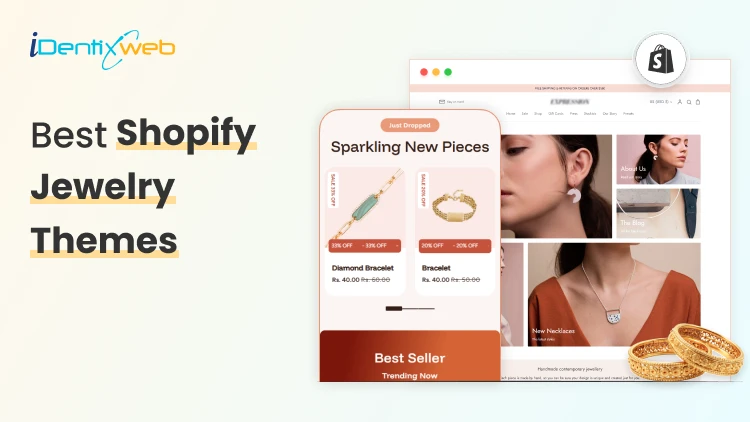
Best Shopify Jewelry Themes for Small vs Large Product Catalogs
Jewelry is one of the most visually competitive niches in ecommerce. Customers do not just buy a ring or necklace; they buy the feeling of luxury, trust, and desire that your store creates before they ever click 'Add to Cart.' That means choosing the right theme from Shopify jewelry themes category itself matters. The wrong theme wastes your budget, frustrates your customers, and tanks your conversion rate. The right theme makes every photo shine and every checkout feel effortless. This guide covers 10 of the best Shopify jewelry themes available on the Shopify Theme Store right now. Whether you are just launching or scaling an established brand, you will find the right fit here. What to Look for in a Shopify Jewelry Theme Before diving into specific recommendations, it helps to understand what separates a good jewelry theme from a great one among other Shopify jewelry themes. Here are the six factors that matter most: 1. Image Quality and Presentation Jewelry photography is everything. Your theme must support high-resolution images, image zoom, multiple product angles, and ideally image rollover (hover-to-change-photo). Anything that lets your product shine without distraction is a win. 2. Catalog Navigation Small catalogs need simple, elegant browsing. Large catalogs need mega menus, advanced filtering, and infinite scroll or pagination so customers can find what they want without bouncing. Mismatching these to your catalog size is the most common theme mistake jewelry sellers make. 3. Conversion Tools Look for themes with built-in countdown timers, back-in-stock alerts, quick buy, sticky carts, trust badges, and cross-selling sections. Every one of these features can be the difference between a browser and a buyer. 4. Mobile Experience More than 70% of jewelry shoppers browse on mobile. A theme that looks breathtaking on desktop but clunky on a phone will cost you. Always check mobile responsiveness, touch-friendly navigation, and fast load speeds. 5. Customisation Depth You want a theme with enough sections, blocks, and settings to build your ideal storefront without hiring a developer. Look for themes that advertise 20+ custom sections, flexible layouts, and intuitive drag-and-drop editors. Top 10 Shopify Jewelry Themes 1. Atlantic Atlantic is one of the most reliable and well-established themes on the Shopify store. It is made for merchants who want their products to look great without overcomplicating the shopping experience. The design is clean and familiar shoppers feel comfortable navigating it, but it still looks visually impressive. What makes it stand out is how well it handles product discovery. Features like image zoom, live search, and multi-column menus make it easy for customers to find exactly what they are looking for. It is built to handle medium to large catalogs, so if your jewelry store is growing, Atlantic grows with you. 5 Presets: Atlantic, Plush, Cotton, Atrium, Parfum 2. Whiff Whiff is the theme you buy when you are tired of paying for a dozen different Shopify apps every month. It packs 52+ built-in sections that cover almost everything a growing jewelry store needs upsells, bundles, cross-selling, back-in-stock alerts, pre-order, countdown timers, and a lot more. All of it comes included in the one-time price. The design feels luxurious and warm, which works really well for fine jewelry and accessories. It is the kind of store that makes visitors feel like they are shopping somewhere premium, even if you are just starting out. 5 Presets: Whiff, Eurus, Breeze, Breath, Swirl 3. Broadcast Broadcast is the theme built for serious, high-volume stores. If you are managing hundreds of jewelry SKUs across many collections, this is the theme that keeps everything organized and shoppable without overwhelming your customers. It comes with 30+ fully customizable sections and some genuinely unique features like 1-click add to cart and advanced product upsell tools that most themes simply do not offer. The mobile experience is fast and clean, which matters a lot when most of your shoppers are browsing on their phones. 5 Presets: Broadcast, Relay, Airwave, Signal, Amplify 4. Vivid Vivid is for jewelry brands that want their store to look genuinely unique not like every other Shopify store out there. The theme is built with SEO baked into its foundation, which means your products have a better chance of showing up in Google searches without you doing extra technical work. It gives you 20+ sections to customize, so you can build a store that actually reflects your brand identity rather than looking like a template. The before/after image slider is a nice touch for jewelers who want to show custom work or engraving transformations. 4 Presets: Vivid, Beachly, Pure, Aero 5. Lyra Lyra was clearly designed with jewelry stores in mind from the very beginning. The mobile experience is especially refined layouts are built specifically for how jewelry shoppers actually browse on their phones, which is how most of your customers will find you. The standout feature is its 31+ custom sections. The mega menu is also smartly designed for jewelry navigation, letting customers browse by metal type, stone shape, or collection style. 5 Presets: Lyra, Thread, Pixel, Glossy, Bonsai 6. Dazzle Dazzle is the best-value theme in this roundup. At just $160, it gives you a polished, professional jewelry store look that genuinely punches above its price. The design is elegant and refined nothing about it looks cheap or templated. It has all the core features a jewelry seller needs: image zoom and rollover for showcasing product detail, mega menu for collection navigation, quick view, product videos, and a clean slide-out cart experience. Pre-order support is a nice bonus for made-to-order or limited edition pieces. 5 Presets: Dazzle, Cello, Strings, Snitch, Crescendo 7. Oldmoney Oldmoney is the most affordable theme on this list and it earns its name well. The entire design philosophy is about understated luxury; clean layouts, refined typography, and a fast-loading experience that makes your brand feel credible and high-end from the first click. Speed is a real priority here. Swissuplabs built this theme with performance at its core, and a fast store genuinely reinforces a premium brand perception for jewelry buyers. It works best for small, curated jewelry catalogs where you want every product to feel special. 3 Presets: Oldmoney, Divine, Enduro 8. Shimmer Shimmer is built around one idea: making your products look as stunning as possible while keeping your store lightning fast. Brickspace Lab made performance a core part of the Space theme family, and Shimmer reflects that it handles image-heavy jewelry stores without slowing down. Like Whiff, it takes a "replace your apps" approach. The built-in features cover enough ground that most jewelry stores will not need to add extra paid apps to handle upsells, promotions, and merchandising. That saves you real money every month. 5 Presets: Shimmer, Space, Silk, Spice, Saga 9. Aurum Aurum is a hidden gem in the Shopify Theme Store. For $160 you get a theme that looks and performs like something that should cost twice as much. The design feels genuinely boutique soft transitions, elegant typography, and a warmth that jewelry buyers respond well to. But it is not just pretty. Aurum is specifically built to convert upsell sections, cross-selling, countdown timers, back-in-stock alerts, and a smooth checkout experience are all baked in. The UTD team from Belgium is also consistently praised for fast, technically strong support, which makes it a safe choice if you are not a confident Shopify developer. 5 Presets: Aurum, Noom, Reflections, Jade, Boutique 10. Edge Edge is for the jewelry merchant who wants it all-in-one theme. The feature list is one of the longest in this guide back-in-stock alerts, preorder, gift wrapping, quick order list, before/after image slider, lookbooks, countdown timers, press coverage sections, RTL support it is all there from day one. The design is elegant and adaptable. Unlike some feature-heavy themes that look cluttered, Edge keeps things visually clean while packing in serious functionality underneath. Mobile performance is fast and the navigation is smart the mega menu and swatch filters make even a large catalog feel easy to browse. 5 Presets: Edge, Layer, Sundown, Step, Linea Conclusion Choosing the right Shopify theme for your jewelry store is not just a design decision; it is a business decision. The wrong theme can make even the most beautiful pieces look average. The right one can turn a first-time visitor into a loyal customer before they ever reach the checkout page. The most important thing to remember is that every single theme on this list offers a free trial. You can install it, customise it with your real products and branding, test it on mobile, and see exactly how it looks before spending anything. Take full advantage of that. A theme is a long-term investment in your brand - it deserves a proper test drive before you commit. Frequently Asked Questions 1. Which Shopify theme is best for jewellery? There are many Shopify Jewelry Themes. It depends on your store size and budget. For overall performance, Whiff is the top pick with a 99% rating across 495+ reviews. For small boutique catalogs, Lyra and Dazzle are excellent. For large collections with hundreds of products, Broadcast is the most powerful option available right now. 2. Does jewelry sell well on Shopify? Yes, jewelry is one of the best-performing niches on Shopify. It is a high-margin, visually driven product category that translates extremely well to ecommerce. 3. Which Shopify jewelry theme is best for beginners? Dazzle and Aurum are the easiest to get started with. Both look professional right out of the box, work with Shopify's drag-and-drop editor, and come with support teams that are consistently praised for helping beginners. Oldmoney is also a great pick if you want the most affordable entry point.
Read Blog
![Small Businesses Need These Cheap Shopify Themes [Low Cost Themes for 2026]](https://www.identixweb.com/wp-content/uploads/2026/03/03-03-Tue-Blog-Best-Budget-friendly-Shopify-Themes-for-Startups.webp)
6 Min • 5 March 2026
Small Businesses Need These Cheap Shopify Themes [Low Cost Themes for 2026]
Do you want your Shopify store to look professional, but also do not want to spend a big chunk of your startup budget? Here’s the good news. Shopify has cheap Shopify themes available that are budget-friendly. These do not automatically mean cheap-looking. These themes come with a solid layout, flexible sections you can edit without a developer, and a mobile-first design that makes buying easy. While free themes are amazing, as a Shopify expert, I would strongly advise checking out these themes that are great for small businesses. List of Cheap Shopify Themes for Small Businesses ThemePriceRating (% positive)ReviewsBest features HorizonFree39%140Slide-out cart, quick buy, pre-order; cross-selling, quick view, product badges, promo banners; mega menu, filtering/sorting, enhanced searchDawnFree36%269Product-first design; strong for large imagery and media-forward product presentationXtra$100 USD99%375 50+ built-in features to reduce apps; bulk upsells to lift AOV; quick-view and promo-style conversion toolsStartup$100 USD82%102 Built for single products and small catalogs; customizable testimonials; clean DTC layoutXclusive$100 USD98%142 Editorial visual storytelling; shoppable images; mega menu and brand-first layoutsBlum$170 USD99%242 Media-rich layouts; quick buy, countdown timer, product siblings, promos; flexible custom sections for lookbooksDistrict$220 USD100%702 Sticky cart, slide-out cart, quick buy; cart notes, in-store pickup, Shop sign-inShine$210 USD96%23 28+ custom sections; transparency blocks (ingredients/usage/testimonials/certifications style); strong wellness/beauty brand vibe Low-cost Shopify Themes for Startups Horizon Horizen is the latest set of free themes by Shopify. This theme is good for brands that want a clean and modern look without losing key commerce features. It also fits stores that want a cart drawer and product discovery tools out of the box. Best-fit industries: Works well for product-led brands like jewelry/accessories and food/drink that rely on strong product presentation and browsing. Standout features: Slide-out cart, quick buy, pre-order, product badges, promo banners, mega menu, enhanced search, filtering/sorting. Rating & reviews: 39% positive, 140 reviews. Dawn Everyone loves the Dawn theme, and why not? It's the default starter theme that’s completely free and comes with many features. Best-fit industries: This theme is versatile across niches, especially brands that lean on visuals (fashion, beauty, accessories, home). Standout features: Quick buy, cross-selling, promo banners, plus product discovery tools like enhanced search, mega menu, and filtering/sorting. Rating & reviews: 36% positive, 269 reviews. Pick and choose from our list of more free Shopify themes to upgrade your store. Xtra Price: $100 This theme is great for startups that want more built-in selling tools, especially upsells, without installing more apps. Best-fit industries: General ecommerce across categories, especially stores that want to push bundles or multi-item carts. Standout features: Bulk upsell (encourages buying related products), plus a feature-heavy setup aimed at conversion. Rating & reviews: 99% positive, 375 reviews Startup Price: $100 A great theme for single-product brands and small catalogs that want a sleek DTC feel. Best-fit industries: DTC startups, niche brands, curated product lines with small catalogs. Standout features: I love this theme’s testimonials-focused trust building, streamlined shopping experience for small catalogs, and DTC-friendly structure. Rating & reviews: 82% positive, 102 reviews Xclusive Price: $100 This is an excellent theme for brands that sell with visuals and want a “lookbook” style experience. Best-fit industries: Fashion, accessories, lifestyle, home decor, or any brand where images drive discovery. Standout features: Tagging products in photos (shoppable images) to push conversions from image-led browsing and buying. Rating & reviews: 98% positive, 142 reviews Blum Price: $100 This is another great low cost theme for fashion and accessories stores that want a high-end look and built-in conversion boosters. Best-fit industries: This is built especially for fashion and accessories stores. Standout features: Quick buy, countdown timer, product siblings, and other promotional tools. Rating & reviews: 99% positive, 242 reviews Fashion stores are the most popular category. Check out the top paid Shopify themes for clothing stores in 2026. Electro Price: $200 A fantastic theme for electronics and tech-heavy catalogs where shoppers compare specs and variants. Best-fit industries: Electronics, gadgets, accessories, and any store that needs strong filtering + search (think mobile accessories, smart home, gaming gear, cameras). Standout features: Cart notes, in-store pickups, quick buy, and slide-out cart, color swatches, image zoom/video, lookbooks, product tabs, enhanced search, and mega menu. Rating & reviews: 99% positive, 85 reviews District Price: $220 This is a good theme for brands that are looking for some serious UI/UX cart experience. This is a great theme if you want an easy checkout experience. Best-fit industries: Versatile across categories, especially stores that care about fast browsing and a smooth cart experience. Standout features: Sticky cart, slide-out cart, quick buy, sign in with Shop, in-store pickups, cart notes. Rating & reviews: 100% positive, 702 reviews Shine Price: $210 I love this theme’s built-in promo tools and trust elements. You do not need extra apps to add these features. Best-fit industries: Strong fit for beauty/wellness and product brands that benefit from trust badges, FAQs, and promo timers. Standout features: Countdown timer, trust badges, stock counter, promo popups, quick view, cross-selling, plus sticky cart Rating & reviews: 96% positive, 23 reviews Should I Choose a Free or Paid Shopify Theme for My Store? If you’re a new store, the best theme is the one that helps people build trust. Go with a free theme if you are launching with a small catalog. You have a small catalog (say 1–20 products). You are not running heavy promos yet You want a simple layout and a few built-in features. Go with a paid theme if you want built-in selling tools Upgrade to start with a paid theme if you want the store to do more work for you. A paid theme makes sense when: You have a larger catalog (50–500+) and product discovery matters. You need better collection filters, mega menus, and faster browsing. You want conversion features without adding 3–5 extra apps. You run promos often and want built-in blocks for trust, urgency, and upsells. Cheap Shopify Themes Work for Small Businesses If you’re launching your first Shopify store, start simple. A free theme can look premium and sell well when you have a small catalog. Move to a paid theme when you want to run offers and have more products to sell. Pick the option that matches the stage your business is in, not the version of your store you hope to have six months from now. FAQs for Cheap Shopify Themes 1. Is it worth buying a theme on Shopify? Yes. Paid Shopify themes include more built-in sections and conversion features, plus ongoing updates and developer support. 2. Should I use apps or paid Shopify themes for conversions? Use a paid theme to cover conversion basics like navigation, product pages, cart UX, and promo sections. Only install apps for features your theme cannot do. 3. Which is better: Free or paid Shopify theme? Free is better when you’re launching and have a small catalog. Paid is better once your catalog is growing, or you need advanced features like mega menus, filters, quick view, and stronger promo tooling built in. 4. Are Shopify themes a one-time purchase? Yes. Shopify themes are a one-time purchase.
6 Min • 19 February 2026
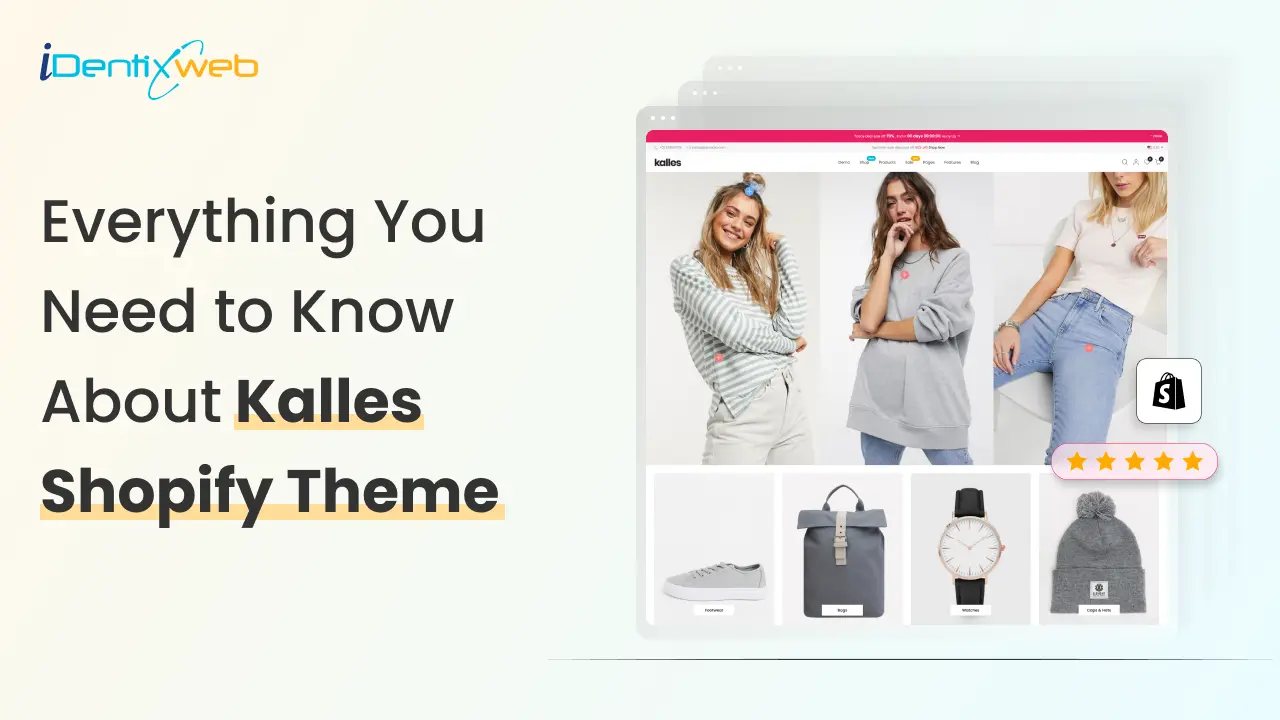
Kalles Shopify Theme Review: Features, Pros, and Cons
As more businesses shift online, choosing the right Shopify theme is crucial for store owners who want flexibility, speed, and a design that converts. The Kalles Shopify theme has gained popularity as one of the best converting Shopify themes, especially for merchants in fashion, lifestyle, and multipurpose industries. With sleek layouts, advanced customization, and powerful integrations, Kalles is often considered a top contender for the best SEO theme for Shopify. If you’re wondering whether the Kalles theme is the right fit for your store, let’s explore its features, benefits, pricing, and drawbacks to help you decide. What You Need to Know About the Kalles Shopify Theme The Kalles theme Shopify is designed to support a wide range of businesses, from clothing and fashion brands to electronics, home décor, beauty, and more. It focuses on high conversion design, smooth navigation, and flexible customization options. One of its biggest advantages is the availability of 20+ ready-made demos across industries. Whether you run a clothing brand or a tech store, you can launch quickly with a pre-built layout that fits your niche. Why Kalles is a Popular Choice 23,032 sales+ worldwide. 4.9-star rating with thousands of positive reviews. Regularly updated with new demos and features. Trusted by thousands of Shopify merchants globally. Kalles Shopify Theme Pricing & What’s Included The Kalles Shopify theme is priced at $89 on ThemeForest, making it an affordable option compared to other premium themes. Here’s what’s included in the package: The theme file with license. 6 months of free support (extendable for an additional fee $27.75). Lifetime updates. Access to demo content. The Kalles theme is fully responsive, lightweight, and mobile-optimized, ensuring excellent performance on desktops, tablets, and smartphones. It’s also compatible with major browsers like Chrome, Safari, and Firefox. Who Should Use the Kalles Shopify Theme? Clothing & Fashion Stores Kalles is often recommended as one of the best Shopify themes for clothing. With modern product pages, lookbook layouts, and quick-shop features, it’s built to showcase apparel and accessories beautifully. Want to start your own online clothing business? Follow our step-by-step guide that covers everything from setting up your Shopify store to making your first sale. Electronics & Gadgets The theme supports high-resolution images, product videos, and technical details — perfect for electronics and gadget retailers who need to highlight product specifications. Beauty & Lifestyle If you sell cosmetics, skincare, or wellness products, Kalles offers clean layouts and engaging product displays that capture attention. Furniture & Home Decor With large image sections and product galleries, Kalles is also an excellent choice for furniture and home goods stores. Key Features of the Kalles Shopify Theme Here’s a closer look at what makes it one of the best converting Shopify themes: Responsive Design – First and foremost, Kalles is fully optimized for all devices, ensuring your store looks great on desktops, tablets, and mobile screens. 20+ Ready Demos – In addition, you get access to industry-specific layouts that make launching your store faster and easier. Smart Product Filtering – Customers can quickly find what they’re looking for with filters for size, color, price, and more. Advanced Mega Menu – To enhance navigation, the mega menu lets you customize categories with images, labels, and links. Quick Shop & Product Quick View – Moreover, shoppers can view product details or add items to their cart without leaving the page. Lookbook Feature – Especially useful for fashion stores, this feature allows you to display collections in a visually engaging way. SEO-Optimized Code – On top of that, the theme is lightweight and SEO-friendly, making it a strong candidate for the best SEO theme for Shopify. Customizable Homepage Sections – Store owners can easily tailor homepage layouts with flexible content blocks. AJAX Cart – Adding items to the cart is seamless thanks to AJAX technology, which avoids page reloads. Wishlist & Compare – These features improve the shopping experience by allowing customers to save and compare products. Instagram Integration – You can also connect your store to Instagram, showcasing user-generated content for added trust. Product Reviews Integration – Finally, product reviews are built in, helping you build credibility and drive conversions. Upsell & Cross-Sell Widgets – To boost sales, Kalles includes built-in tools for upselling and cross-selling. Want more control than the built-in upsell blocks? Kalles covers basic upsells, but if you want a fully customizable cart experience, you need a Shopify upsell app iCart Cart Drawer Cart Upsell is the best upsell Shopify app that helps you run targeted upsells, cross-sells, bundles, and a free-shipping progress bar without custom development. Want to grow your Shopify sales? Explore our guide on creating a conversion-focused store that turns visitors into paying customers. How to Install the Kalles Shopify Theme Step 1. Purchase the Theme Visit ThemeForest and search for “Kalles Shopify Theme.” Buy the regular license ($89) to get the theme file and updates. Step 2. Install the Theme Log into your Shopify admin panel. Go to Online Store > Themes > Upload Theme. Upload your downloaded Kalles theme file. Publish it and start customizing your store. Pros and Cons of the Kalles Shopify Theme Pros Fully responsive and mobile-optimized for all devices. 20+ pre-built demos tailored to different industries. Advanced product filtering and customizable mega menu. Flexible design options with minimal coding required. Fast-loading, lightweight, and SEO-friendly structure. Regular updates with dedicated customer support. Cons Higher price compared to free Shopify themes. Some advanced customizations may require coding knowledge. Limited compatibility with certain third-party apps. Conclusion: Is Kalles the Right Shopify Theme for You? The Kalles theme Shopify stands out as one of the best converting Shopify themes thanks to its modern design, flexible layouts, and conversion-focused features. Whether you’re in fashion, beauty, or electronics, it gives you all the tools to build a professional and high-performing store. If you’re looking for the best Shopify theme that balances SEO, customization, and high conversion potential, Kalles is definitely worth considering. Explore More Shopify Theme Reviews Prestige Shopify theme review Empire Shopify theme review Impact Shopify theme review Impulse Shopify theme review Ella Shopify theme review Symmetry Shopify theme review Warehouse Shopify Theme Focal Shopify Theme Shopify Pipeline Theme Minimog Shopify theme FAQs About Kalles Shopify Theme 1. Is Kalles the best SEO theme for Shopify? Yes. Kalles is lightweight, fast, and SEO-friendly, which helps your store perform well in search engines. 2. Can I use Kalles for a clothing store?Kalles is one of the best Shopify themes for clothing, with lookbook layouts, swatches, and fashion-focused demos. 3. Does Kalles support product upsells and cross-sells? Yes, Kalles has built-in upsell and cross-sell features, which help increase average order value. 4. How much does the Kalles Shopify theme cost?The theme costs $89 on ThemeForest and comes with 6 months of support plus lifetime updates. 5. Is Kalles beginner-friendly?Yes. While advanced customization may require some coding, beginners can easily use its drag-and-drop and demo import features.
7 Min • 5 March 2026
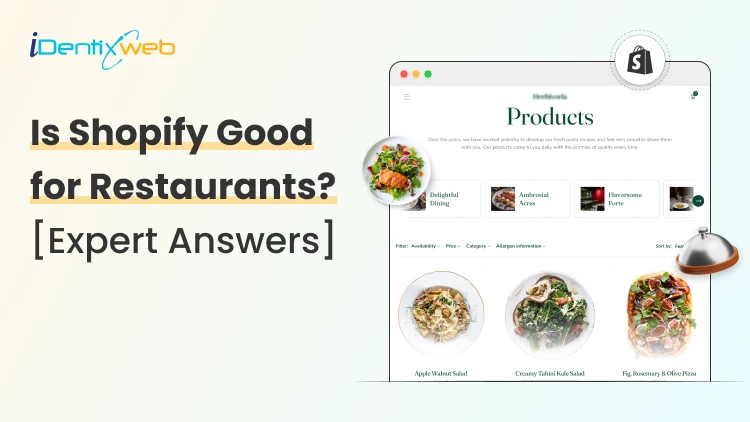
Are Shopify Restaurants Good? A Complete Breakdown for Beginners
Are you thinking about starting a Shopify restaurant in 2026? Fantastic. The food business has great profit margins, but only if you do it the right way. I have analyzed hundreds of Shopify restaurants in my 10 years as a Shopify expert and I can tell you one thing very clearly: Running a restaurant will feel exhausting but rewarding. Customers want pickup, local delivery, and clear timing. Menu items change. Add-ons and special requests show up on every order. One small mistake can turn into a refund and the customer who never comes back. But if everything goes right, the profits come fast and steady. The real question is, ‘Is Shopify good for restaurants?’ The answer decides your setup, your apps, and your budget. By the end, you’ll know exactly if Shopify for restaurants is built for selling. Is Shopify good for restaurants? Yes. Shopify is great for restaurants. It works best for online ordering, pickup, local delivery, gift cards, and selling packaged items. For dine-in workflows like table service and kitchen tickets, you can connect a restaurant-focused POS to solutions like Shopify POS. Why are Shopify restaurants profitable? You own the customer list Shopify helps owners collect emails and phone numbers, so repeat orders come from your own marketing, not only delivery apps. The checkout is faster Customers trust a clean checkout on mobile, which reduces abandoned carts during peak meal hours. Can easily upsell food items Shopify for restaurants lets you add sides, drinks, desserts, extra toppings, and combo bundles at the right step in the cart or checkout. It supports more than one revenue stream Shopify works for pickup orders, local delivery, gift cards, catering pages, and packaged goods like sauces or coffee. Brand control stays with you You control the storefront, the menu layout, the photos, the offers, and the order flow, with no marketplace limitations. Marketing is built in Shopify plugs into email and SMS tools easily, so promotions and reordering don’t feel complicated. You can scale more easily Start simple for one location, then add scheduling, delivery rules, and POS extensions as order volume grows. Shopify POS for food and beverage is a great tool for owners. Pepper Palace is a great example. This Shopify store scaled from 40 to 100 locations when it migrated to Shopify POS. What is Shopify POS? Read our complete guide for Shopify POS or your restaurant. Can you sell food on Shopify? Yes, but pick your food business model A restaurant is not the only business you can start on Shopify. There are different food models you can pick from Made-to-order pickup This model is simple. Customers choose items, pay online, and pick up within a clear window. The menus are small. Owners add prep time so the kitchen work doesn't become hectic with orders. Local delivery Here, owners define zones by distance or postal codes. You can set a minimum order value so delivery doesn’t eat margin. Add delivery fees that match fuel and staff time. Customers care more about accuracy and timing than fancy features. A clear system reduces order issues and support calls. Nationwide shipping This is the easiest way to scale beyond your neighborhood. In this model, you need to focus on products that transit better. Sauces, spice blends, snacks, coffee, and dry mixes fit this category. Keep a steady shipping workflow to keep returns and refunds low, which matters a lot in selling food on Shopify. Meal kits or subscriptions This works when you choose products that people order regularly. Inventory planning is key here. Keep the choices limited at first. A simple “weekly box” or “monthly pack” is a good start. Then you can expand to more bundles or add-ons. Read our complete guide to open your food & beverage store faster in 2026. What setup do I recommend for Shopify restaurant owners? Online ordering + pickup (best for beginners) Build your digital menu as products with clear names, portions, and add-ons (extra cheese, toppings, sides). Turn on pickup with a clear prep time, pickup instructions, and a short “ready in X minutes” message. Use email/SMS confirmations so customers know the order status and your team gets fewer “is it ready?” calls. Pickup + local delivery (most common) Add delivery zones by zip/postal code, set a minimum order, and charge a delivery fee that protects margin. Set order limits per slot so the kitchen doesn’t crash during rush hours. Dine-in support (advanced) Run Shopify POS for payments and customer data. Add a restaurant POS extension for table service, open tabs, complex modifiers, and clean kitchen tickets. Decided on Your Shopify Restaurant Setup? If you’ve decided on your restaurant setup, the next step is building it the right way. A clean menu structure, the right pickup and delivery flow, clear prep times, and a checkout that feels simple to get consistent sales. At Identixweb, we help restaurant founders launch Shopify stores that are fast, conversion-focused, and built for real operations. With our Shopify store setup services, we will set up your store, theme, key pages, and the ordering experience. We’ll guide you on the best apps for scheduling, delivery rules, and add-ons based on how your restaurant runs. Challenges faced by Shopify restaurant founders Dine-in table service isn’t native Shopify for restaurants handles online selling well, but table mapping, seat numbers, split bills, open tabs, and course flow usually need a restaurant POS extension. Kitchen tickets need clean routing. Restaurants rely on clear kitchen tickets and timing. Without a POS setup built for kitchens, orders can land in the wrong place or show up without the details the kitchen needs. Real-time menu changes are hard without a system Sold-out items, daily specials, and price changes must update fast, or customers will order items you can’t fulfill. Prep timing needs time Pickup and delivery get complicated when you don’t set cutoff times, prep buffers, time slots, and order limits. Refunds spike when expectations aren’t clear Missing pickup instructions, unclear delivery windows, and confusing policies create support calls, cancellations, and bad reviews. 5 food and beverage Shopify stores to check out As a Shopify expert, I love these 5 brands that are using the most of Shopify's functionalities. StoreWebsiteWhat they sellAthletic Brewing Co.athleticbrewing.comNon-alcoholic beerChompschomps.comSnack sticks (meat snacks)The Bomb Cothebombco.comFood products (brand focuses on bold, colorful product lineup)Olipopdrinkolipop.comPrebiotic sodaGrownAs* Foodsgrownasfoods.comPlant-based mac and cheese Final Verdict: Is Shopify good for Restaurants? Shopify for restaurants is a strong pick when the goal is to sell food online with complete control. It handles online ordering, pickup, local delivery rules, gift cards, and packaged products in a way that feels clean for customers. Shopify gets complicated with the dine-in model. Table service, open tabs, add-ons, and kitchen tickets need a restaurant POS system. I would advise starting with the model you can run easily, setting the rules around timing and fulfillment. Only then will Shopify feel like a reliable sales channel instead of another system to manage. FAQs for Is Shopify good for restaurants 1. Is Shopify good for restaurants? Yes, Shopify is great for restaurants. It is a strong fit for online ordering, pickup, local delivery, gift cards, and selling packaged items. Dine-in workflows like tables, kitchen tickets, and complex add-ons need a restaurant POS. 2. Can you sell food on Shopify? Yes, you can sell food on Shopify, including made-to-order pickup items and shipped packaged goods. 3. Can you use Shopify POS for a restaurant? Yes, Shopify POS works well for counter-service stores, basic in-store selling, and keeping customer data in one place. For full table service, split bills, open tabs, and kitchen ticket workflows, most restaurants pair Shopify POS with a restaurant-focused POS extension. 4. Which is the best food product to sell on Shopify? Shelf-stable packaged products sell best. Sauces, spice blends, coffee, snacks, and ready-to-ship bundles are top food products to sell on Shopify. 5. Which food and beverage model is best for beginners? Start with store pickup first or products with long shelf life. This is because this model is easy to manage. Local delivery is the next step once you can handle zones, minimum order value, and delivery windows that feel manageable.
Vineet Nair
9 Min • 16 February 2026
1267 Views
Bhavesha Ghatode
9 Min • 9 February 2026
1271 Views
Vineet Nair
8 Min • 29 April 2026
1616 Views
Bhavesha Ghatode
7 Min • 12 February 2026
2293 Views
Bhavesha Ghatode
10 Min • 11 March 2026
2238 Views

Bidisha Saha
6 Min • 28 February 2026
3490 Views
Bhavesha Ghatode
5 Min • 12 February 2026
3706 Views
Bidisha Saha
12 Min • 20 July 2026
4692 Views

Nick Brown
11 Min • 29 April 2026
4155 Views

Bidisha Saha
14 Min • 19 February 2026
4649 Views

Bidisha Saha
7 Min • 12 February 2026
3954 Views

Sajini Annie John
6 Min • 29 April 2026
8113 Views