Shopify Apps
Gather knowledge about the latest insights, updates, tips, and tricks in the Ecommerce industry.

5 Min • 29 April 2026
How Anua Unlocked 5X AOV Growth with iCart’s Smart Cart Features
delivery customization Challenges Solutions drive results Scale business delivery customization Challenges Solutions drive results Scale business delivery customization Challenges Solutions drive results Scale business delivery customization Challenges Solutions drive results Scale business Anua is a globally recognized Korean skincare brand known for its minimalist philosophy and focus on gentle yet effective formulations. Built on the idea of simplifying skincare routines, Anua develops products that deliver visible results while avoiding harsh or irritating components, making them suitable for sensitive skin types. Initially using a traditional full cart experience, Anua transitioned to iCart’s side cart solution in August 2025, to create a more seamless and engaging shopping journey. This shift allowed customers to easily explore complementary skincare products without disrupting their browsing flow, making it more intuitive to discover items that fit into a complete routine. By surfacing relevant recommendations directly within the cart, the brand enhanced product visibility across its range. Challenges Before implementing iCart’s side cart solution, Anua faced limitations with their existing full cart experience, which created friction in the customer journey. The traditional cart setup redirected users away from product pages, interrupting their browsing flow and reducing opportunities to explore additional products. As a skincare brand built around routines rather than single-item purchases, this made it difficult to effectively showcase complementary products and encourage customers to build complete regimens. Additionally, the lack of in-cart personalization and strategic upsell opportunities meant that customers were often unaware of related products that could enhance their skincare results. This limited the brand’s ability to increase average order value (AOV) and fully leverage its diverse product range. Anua needed a more dynamic and intuitive cart experience that could seamlessly introduce relevant recommendations while maintaining a smooth and engaging shopping journey. ❌ Cart Value Barriers Low average order value (AOV) due to single-item focus Most customers completed purchases with one primary product instead of building multi-step routines. Cart abandonment near shipping thresholds Customers were not clearly informed or motivated to reach free shipping or discount thresholds. Missed savings opportunities Customers were unaware of potential value in purchasing bundled routines or multiple complementary products. ❌ Absence of Progress-Based Incentives No free shipping or discount progress bar Customers were not motivated to increase their cart value due to lack of visible incentives. Missing tiered rewards system There were no structured milestones (e.g., “Spend more to unlock offers”), reducing upsell opportunities. ❌ Ineffective Cart UI/UX (Pre-Side Cart) Full-page cart disrupted shopping flowCustomers had to leave their browsing journey, increasing friction and drop-offs. No quick add/remove functionality Users couldn’t easily modify their cart or add suggested products without navigating away. Solution To overcome these challenges, Anua implemented iCart’s side cart solution to transform their traditional cart into a high-converting, interactive experience. By replacing the full-page cart with a seamless side cart, the brand ensured that customers could continue browsing while viewing their cart, significantly reducing friction in the shopping journey. Additionally, features like product recommendations & progress bars for free shipping and discounts motivated customers to increase their cart value. By combining personalization, incentive-driven messaging, and a user-friendly interface, Anua successfully turned their cart into a powerful revenue-driving touchpoint rather than just a checkout step. To maximize their cart effectiveness, they implemented two powerful features: ✅ Progress Bar with Multi-Reward Incentives Implemented a tiered progress bar to encourage higher cart value Customers are guided with a clear message like “Add $3.10 to unlock secret offer,” motivating them to continue adding products. Generated over $5M+ in revenue through incentive-driven cart progression Used product-based rewards to align with customer intent Instead of generic discounts, Anua incentivized purchases with relevant skincare items like Dark Spot Pads and mini serums. Built visual motivation for routine expansion As customers add products, they can clearly track progress toward unlocking multiple rewards, encouraging them to build a complete skincare routine. ✅ Product Recommendations Implemented “Frequently Bought Together” recommendations Customers adding a single product (e.g., toner) are shown complementary items like serums, moisturizers, or pads to complete their routine. Generated over 275K revenue through in-cart recommendations Encouraged full skincare regimen building Instead of isolated purchases, the cart suggests step-by-step product combinations aligned with common skincare routines. Increased product discovery at the final stage By surfacing relevant items directly in the cart, Anua ensured customers explore more of their catalog without leaving the checkout flow. Results Achieved in Last 180 Days 22932 Total Store Orders 45101 Total iCart Orders 5X iCart Generated AOV 65.70% Upsell Affected Conversion Rate These improvements reflect a clear shift in customer behavior on Anua’s store. Cart abandonment reduced as shoppers discovered complementary skincare products and felt encouraged to build complete routines. Engagement also increased, with customers interacting more with in-cart recommendations and exploring relevant product pairings. Results & Impact And...Results is Our Main Clarification By implementing iCart’s cart drawer, product recommendations, and progress bar, Anua transformed its cart into a high-performing conversion touchpoint. Shopping Experience Enhancement The improved cart experience encouraged customers to discover complementary products and understand the value of sustainable beauty routines. For instance, the clear presentation of subscription savings alongside one-time purchase options helped customers make more informed decisions about their long-term hair care needs. As Anua continues to optimize its cart experience, the brand is closely monitoring: Routine-based purchasing behavior - tracking how customers move from single items to multi-step regimens Engagement with in-cart recommendations - measuring interaction with suggested products Cart value progression - analyzing how incentives influence higher spending [related_cases_slider] Ready to Write Your Success Story? Try icart App Join successful businesses like Anua and Master your delivery scheduling Delight customers with precise timing Grow your special occasion orders Expand your delivery reach
Read Blog
4 Min • 8 January 2026
Find The Best Local Delivery App For Shopify: Stellar vs Bird Comparison
Finding the best local delivery app for Shopify stores to rely on is no longer optional - It is important for all Shopify merchants. For those Shopify stores that offer same-day delivery, in-store pickup & shipping, sometimes meeting customer expectations can become complicated. But picking up the right local delivery Shopify app can directly impact your store’s conversions and order accuracy. In this comparison, let’s break down their features, pricing, use cases and more to help you decide which solution is the perfect fit for your business needs. Who is this comparison for? This comparison is especially useful if you: Manage time-sensitive orders (food, florist, grocery, bakery, retail) Offer local delivery, in-store pickup, or scheduled shipping Want to reduce fulfillment errors, support tickets, and missed delivery windows Why does this comparison matter? Choosing the right local delivery app for Shopify directly impacts how smoothly your store handles delivery and pickup orders. Small differences in features and flexibility can affect both customer experience and daily operations. Most Shopify apps look similar at first, but many struggle due to the shortage of some features like accurate delivery dates, lack of pickup options, non-transparent estimated delivery dates & more. And the result? Poor order management, frustrated customers, missed order deliveries, etc. Common Delivery Problems Shopify Stores Face Many Shopify merchants struggle with delivery and pickup workflows as soon as order volume increases. Common issues include: Customers do not know when their order will arrive Missed or incorrect delivery windows Manual coordination between orders, routes, and staff Limited checkout customization for delivery dates Confusion between pickup, delivery, and shipping orders These problems directly affect customer satisfaction, internal efficiency, and repeat purchases. What Most Local Delivery Apps Miss At first glance, many local delivery apps appear similar. However, several gaps tend to emerge after implementation: No checkout-level delivery date selection, especially on Shopify Plus Lack of transparent estimated delivery dates, leading to customer confusion Weak order editing and fulfillment controls Limited flexibility for complex delivery rules (product-based, ZIP-based, or method-based) Poor visibility into delivery schedules for internal teams Side-by-Side Feature Comparison: Stellar Delivery vs Bird Pickup FeaturesStellarBirdShopify PlusCheckout Optimization✔✖Estimated Delivery Date & Time✔✖No developersetup required✔✔Advanced delivery rules(product/ZIP/method)✔✔Multi-locationdelivery management✔✔Shipping integrations(FedEx, UPS)✖✖Advanced ordercontrols & edits✔✖Advanced analytics& reporting✖✖ A Simple Tick-List for Choosing Stellar Delivery Date & Pickup ✔ Let customers select delivery or pickup dates at product, cart, or checkout✔ Offer local delivery, store pickup, and shipping options in one app✔ Display estimated delivery dates and times to reduce support inquiries✔ Flexible order scheduling calendar for smooth fulfillment planning✔ Shopify Plus compatible: show the delivery calendar directly on checkout✔ Translate the delivery date calendar into your store’s language for global customers✔ Schedule deliveries seamlessly with an intuitive route planner✔ Minimize operational mistakes and missed delivery windows✔ Launch quickly - no developer setup required✔ Perfect for food, florist, grocery, and bakery stores managing in-store pickup and delivery A Quick Recap Before You Decide The problem: Shopify merchants struggle with delivery clarity, scheduling accuracy, and operational efficiency What matters most: Checkout-level visibility, flexible scheduling, and reliable order management Why Stellar fits: It addresses these challenges directly with delivery date control, pickup flexibility, and Shopify Plus compatibility Real Feedback, Real Impact Ready to Upgrade Your Order Management Experience? Install Stellar Frequently Asked Questions 1. Does Stellar work with Shopify Plus and POS?Yes. Stellar Delivery Date & Pickup supports Shopify Plus and can display the delivery calendar directly on checkout. It also integrates with POS for seamless in-store pickup management. 2. Which types of stores benefit most from Stellar?The app is ideal for food, florist, grocery, and bakery stores that manage local delivery and in-store pickup, but it can work for any Shopify store offering scheduled delivery or pickup. 3. Do I need a developer to set it up? No. The app is designed to be ready-to-use with minimal setup, automated rules, and no custom coding required. 4. Can I translate the delivery calendar for my store’s language?Absolutely. You can customize the delivery date calendar text to match your store’s language and localize the experience for international customers.
4 Min • 27 March 2026
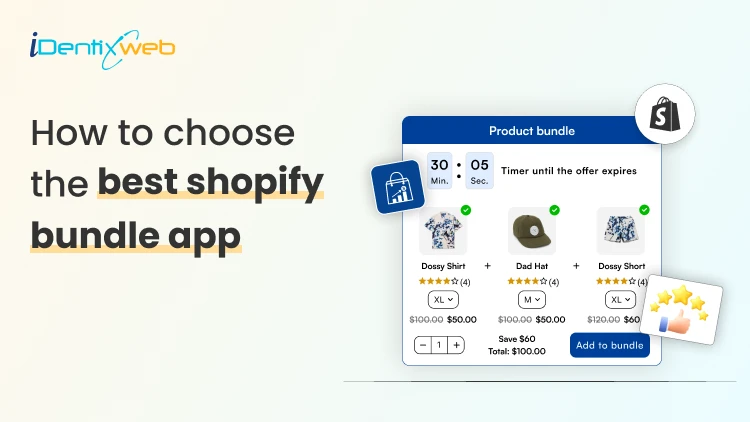
How to choose the best shopify bundle app for your store
The best shopify bundle app is one that lets you create flexible bundle offers, integrates smoothly with your cart and increases average order value and drives higher revenue per customer. The best shopify bundle app is one that helps you increase your average order value by creating flexible product bundles, syncing inventory correctly, and optimizing offers directly inside your cart without slowing down your store. But not every app delivers real results. Some limit customization. Some create inventory issues. Others look disconnected from your brand experience. In this guide, you’ll learn exactly how to choose the right app, what features actually matter, and how to implement bundle product in Shopify in a way that drives measurable revenue growt What is a Shopify bundle app? A shopify bundle app is a Shopify tool that allows merchants to group multiple products together and offer them at a discount or as a value pack to increase sales and average order value. It helps you: Create a bundle product in Shopify Offer volume discounts Run Buy X Get Y promotions Show “frequently bought together” offers Trigger cart-based bundle deals Instead of customers buying one item, they buy two or three. That’s the revenue difference. How to Choose the Best Shopify Bundle App To choose the right app, evaluate these 7 factors immediately. 1. What Bundle Types Does It Support? Why this matters: The more bundle formats your app supports, the more revenue strategies you can test and scale. A limited app restricts growth. A flexible one unlocks multiple monetization angles. It should support: Fixed product bundles Mix & match bundles Volume discounts Buy X Get Y Cart threshold rewards 2. Does It Work Inside the Cart? Why this matters: The cart is the highest-intent stage of the buying journey. This is where last-minute revenue happens. Many apps only create product-page bundles, but high-performing stores optimize at checkout. Cart-based bundling allows you to: Show offers when buying intent is strongest Trigger deals based on cart value Upsell complementary products Apps like iCart Cart Drawer Cart Upsell combine bundling with cart drawer optimization and upselling in one system which is built for Shopify. Instead of only creating a bundle product in Shopify, you optimize the entire checkout experience. 3. Does It Handle Inventory Correctly? Why this matters: Inventory errors destroy trust and create operational chaos. Overselling bundles leads to refunds, complaints, and negative brand perception. A reliable bundle app must: Sync variants automatically Track stock in real time Support SKU-based systems If the app duplicates products or breaks inventory logic, it’s not scalable for growth. 4. Does It Slow Down Your Store? Why this matters: Site speed affects SEO rankings, conversion rates, and AI overview visibility. A heavy shopify bundle app can increase load time and hurt performance. Before installing: Check reviews mentioning speed Test performance after activation Monitor Core Web Vitals 5. Can You Customize the Design? Why this matters: Bundles must feel native to your store, not like a third-party pop-up. Visual consistency builds trust and improves conversions. Your bundle widget should: Match your theme Allow font and color customization Blend seamlessly into your layout iCart app offer flexible styling inside the cart drawer, helping your offers look fully integrated. If your store looks premium but your bundle box looks generic, conversion rates drop. 6. Does It Provide Analytics? Why this matters: Without tracking, you can’t optimize. You’re just guessing. A performance-driven shopify bundle app should show measurable revenue impact. Data allows you to double down on what works and eliminate underperforming offers. Look for: Revenue generated from bundles Offer conversion rates Increase in AOV Performance by bundle type 7. Is It Easy to Set Up? Why this matters: Implementation friction delays revenue. A good app should be quick to install, easy to configure, and require no coding or complex theme edits. The faster you can launch your bundles without technical friction, the faster you start seeing real revenue impact. You should choose an app that: Installs quickly Has responsive live support Offers onboarding assistance
6 Min • 18 April 2026
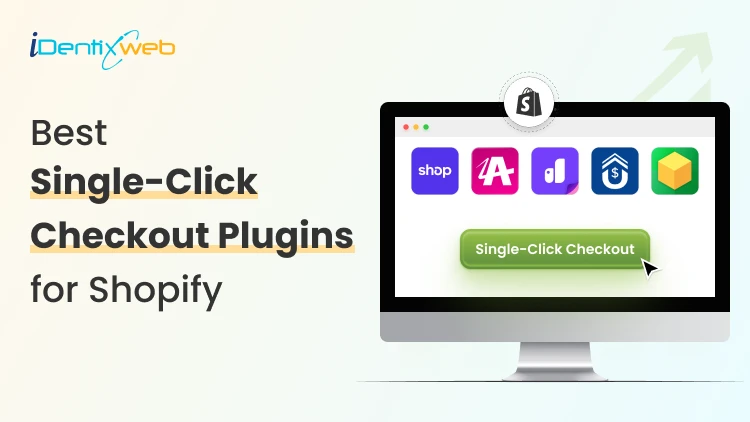
Best Single Click Checkout Plugins for Shopify (Top 5 Picks from Experts)
Single-click checkout plugins for Shopify mean enabling accelerated checkout like Shop Pay, so returning customers can pay faster with saved details. It also means one-click post-purchase offers, where customers add an extra item after they’ve paid without re-entering payment info. The top 5 single click checkout plugins for Shopify include: Shop Pay for speed, SellMore and AfterSell for post-purchase upsells, and Qikify plus Shopify Checkout Blocks for checkout customization depending on your plan. If you just launched your Shopify store, you’re probably doing the same thing everyone does first. You’re optimizing your storefront, posting on socials, and praying your cart abandonment rate is less. Here’s the truth: most stores don’t lose money because of bad products. They lose money because checkout feels like work. In this guide, I’ll show you the top 5 single click checkout plugins for Shopify, plus how to pick the right one without installing a bunch of random apps. What Does Single Click Checkout Mean on Shopify? On Shopify, single click checkout usually means the accelerated checkout feature. These feature options save the buyer’s details so returning shoppers can complete checkout in just a tap or two. For a new store, this is the simplest way to reduce checkout friction for returning customers. For Shopify merchants, single click checkout also means a post-purchase one-click offer. This means the customer completes the checkout, sees an offer in the thank-you page, and buys it without re-entering payment details. That’s why many single click checkout apps focus on post-purchase and thank-you page upsells. It keeps checkout upsells simple, feels low effort for the buyer, and helps you lift AOV without risking more drop-offs before payment. Shopify One Click Checkout Solutions Comparison AppKey featuresBest suited forRatingReviewsShop Pay (Shopify Native)Saved checkout details for faster repeat buys. Shop tracking updates. Shop Pay checkout linksNew stores that want faster checkout with minimal setup, especially for mobile-heavy trafficN/AN/ASellMoreOne-click post-purchase upsellsThank-you + order status page upsells, no-code upsell funnelsNew stores that want post-purchase upsells without adding checkout friction5.03AfterSellOne-click upsells + downsellsSmart targeting (product, cart, tags, UTM), A/B testing + thank-you page editsStores that want testing + targeting for higher AOV4.8700+Qikify Checkout CustomizerConditional checkout fields, Validation rules + widgets, Advanced checkout controlStores needing checkout rules/fields (Plus, B2B, Markets)4.850+Shopify Checkout Blocks (Shopify Native)Thank-you + order status blocksPlus: checkout blocks + custom fieldsPlus: payment/delivery rulesStores that want Shopify-native checkout/post-purchase control4.2150+ Top 5 Single Click Checkout Plugins for Shopify Shop Pay (Shopify Native) Shop Pay is Shopify’s native accelerated checkout that lets shoppers save their email, shipping, and payment details so they can check out faster on your store and across other Shop Pay-enabled stores. You can enable it inside Shopify Payments, or you need to turn it on via the app store. Key features: Saved shopper details for faster repeat checkout Order tracking and post-purchase updates via the Shop tracking experience Shop Pay checkout links for fast “2-tap” purchases Best suited for: New stores that want faster checkout with minimal setup, especially for mobile-heavy traffic. Note: Only available for merchants who use Shopify Payments Learn more about how Shop Pay works for Shopify stores. SellMore Category: Post-purchase one-click upsell SellMore is one of the best one click checkout tools for Shopify stores that focuses on one-click offers after the customer pays. For a new store, the big benefit is that you can start with one clean post-purchase offer and build from there as you get more orders and data. Key features: One-click post-purchase upsells (no re-entering payment details) Thank-you page and order status page upsells Create upsell funnels with no coding in a few clicks Best suited for: New Shopify stores that want a simple post-purchase upsell flow to lift AOV without adding friction before payment. Rating: 5.0 Reviews: 3 Should you go for in-cart upsell or post-purchase upsell? Read Shopify upsell in cart vs post-purchase upsell to find out. Aftersell Category: Post-purchase one-click upsell AfterSell is a post-purchase upsell app that helps you add one-click upsells and downsells after checkout. It also turns the thank-you page into a revenue driver with cross-sells and content blocks. Key features: One-click post-purchase upsells and downsells Targeting by product, cart value, customer tags, UTMs, and more Thank-you page customization and A/B testing Best suited for: Stores that want a single click checkout plugin with testing and targeting features Rating: 4.8 Reviews: 700+ Qikify Checkout Customizer Category: Checkout This app is built to personalize and control checkout behavior with Checkout Extensibility, including custom fields, validation rules, and checkout widgets. It provides a more advanced checkout control for merchants. Key features: Conditional checkout fields and validation rules Checkout customization widgets plus fraud-prevention style rules Best suited for: Merchants who need checkout customization, rules, and extra fields (especially Shopify Plus and B2B/Markets setups). Rating: 4.8 Reviews: 50+ Shopify Checkout Blocks Category: Checkout Checkout Blocks is Shopify’s native app for adding and arranging content blocks across checkout-related pages. Key features: Content blocks for Thank you and Order status pages Shopify Plus: custom checkout blocks, custom fields, and more Shopify Plus: hide, rename, reorder payment and delivery methods, plus validations and limits Best suited for: New stores that want Shopify-native control over post-purchase pages, and Plus stores that want deeper checkout customization without third-party apps. Rating: 4.2 Reviews: 150+ In Conclusion If you’re a new Shopify store owner, don’t chase “one-click” as a buzzword. First, make checkout faster with Shop Pay, because it removes typing and makes buying feel effortless on mobile. Then add a checkout upsell app only if you have a clear add-on that fits the main product, so you increase AOV without adding friction before payment. FAQs for Single Click Checkout Plugins for Shopify 1. What does one-click checkout mean? On Shopify, ‘one-click checkout’ usually means accelerated checkout like Shop Pay, Apple Pay, or Google Pay. These options save a customer’s payment and shipping details so returning buyers can complete checkout much faster. 2. What are the top 5 single click checkout plugins for Shopify? For new stores, a practical top 5 would be Shop Pay, SellMore, AfterSell, Qikify Checkout Customizer, and Shopify Checkout Blocks. 3. What is the fastest way to checkout in Shopify? The fastest option is enabling accelerated checkout methods (especially Shop Pay) so customers can use saved details instead of typing everything again. 4. Can I customize my Shopify checkout? Yes. The best way to customize your Shopify checkout is to use the Shopify native app, Shopify Checkout Blocks. 5. Do I need Shopify Plus to use single click checkout plugins on Shopify? You don’t need Shopify Plus to use accelerated checkout like Shop Pay. But if you want to do deep checkout customization, the Shopify Plus plan is necessary.

Sajini Annie John
10 Min • 24 March 2026
7504 Views

Sajini Annie John
4 Min • 9 January 2026
7180 Views
Sajini Annie John
14 Min • 1 May 2026
6659 Views

Sajini Annie John
6 Min • 23 February 2026
4745 Views

Sajini Annie John
2 Min • 12 February 2026
7489 Views

Sajini Annie John
4 Min • 18 March 2026
6989 Views
Sagarika Das
9 Min • 14 August 2025
9341 Views
Sagarika Das
11 Min • 10 February 2026
8785 Views
Sagarika Das
8 Min • 3 April 2026
7719 Views
Sagarika Das
4 Min • 10 February 2026
8031 Views
Sagarika Das
5 Min • 27 January 2026
8452 Views
Sagarika Das
6 Min • 14 April 2026
9283 Views