

Shopify Apps
Gather knowledge about the latest insights, updates, tips, and tricks in the Ecommerce industry.

5 Min • 29 April 2026
How Anua Unlocked 5X AOV Growth with iCart’s Smart Cart Features
delivery customization Challenges Solutions drive results Scale business delivery customization Challenges Solutions drive results Scale business delivery customization Challenges Solutions drive results Scale business delivery customization Challenges Solutions drive results Scale business Anua is a globally recognized Korean skincare brand known for its minimalist philosophy and focus on gentle yet effective formulations. Built on the idea of simplifying skincare routines, Anua develops products that deliver visible results while avoiding harsh or irritating components, making them suitable for sensitive skin types. Initially using a traditional full cart experience, Anua transitioned to iCart’s side cart solution in August 2025, to create a more seamless and engaging shopping journey. This shift allowed customers to easily explore complementary skincare products without disrupting their browsing flow, making it more intuitive to discover items that fit into a complete routine. By surfacing relevant recommendations directly within the cart, the brand enhanced product visibility across its range. Challenges Before implementing iCart’s side cart solution, Anua faced limitations with their existing full cart experience, which created friction in the customer journey. The traditional cart setup redirected users away from product pages, interrupting their browsing flow and reducing opportunities to explore additional products. As a skincare brand built around routines rather than single-item purchases, this made it difficult to effectively showcase complementary products and encourage customers to build complete regimens. Additionally, the lack of in-cart personalization and strategic upsell opportunities meant that customers were often unaware of related products that could enhance their skincare results. This limited the brand’s ability to increase average order value (AOV) and fully leverage its diverse product range. Anua needed a more dynamic and intuitive cart experience that could seamlessly introduce relevant recommendations while maintaining a smooth and engaging shopping journey. ❌ Cart Value Barriers Low average order value (AOV) due to single-item focus Most customers completed purchases with one primary product instead of building multi-step routines. Cart abandonment near shipping thresholds Customers were not clearly informed or motivated to reach free shipping or discount thresholds. Missed savings opportunities Customers were unaware of potential value in purchasing bundled routines or multiple complementary products. ❌ Absence of Progress-Based Incentives No free shipping or discount progress bar Customers were not motivated to increase their cart value due to lack of visible incentives. Missing tiered rewards system There were no structured milestones (e.g., “Spend more to unlock offers”), reducing upsell opportunities. ❌ Ineffective Cart UI/UX (Pre-Side Cart) Full-page cart disrupted shopping flowCustomers had to leave their browsing journey, increasing friction and drop-offs. No quick add/remove functionality Users couldn’t easily modify their cart or add suggested products without navigating away. Solution To overcome these challenges, Anua implemented iCart’s side cart solution to transform their traditional cart into a high-converting, interactive experience. By replacing the full-page cart with a seamless side cart, the brand ensured that customers could continue browsing while viewing their cart, significantly reducing friction in the shopping journey. Additionally, features like product recommendations & progress bars for free shipping and discounts motivated customers to increase their cart value. By combining personalization, incentive-driven messaging, and a user-friendly interface, Anua successfully turned their cart into a powerful revenue-driving touchpoint rather than just a checkout step. To maximize their cart effectiveness, they implemented two powerful features: ✅ Progress Bar with Multi-Reward Incentives Implemented a tiered progress bar to encourage higher cart value Customers are guided with a clear message like “Add $3.10 to unlock secret offer,” motivating them to continue adding products. Generated over $5M+ in revenue through incentive-driven cart progression Used product-based rewards to align with customer intent Instead of generic discounts, Anua incentivized purchases with relevant skincare items like Dark Spot Pads and mini serums. Built visual motivation for routine expansion As customers add products, they can clearly track progress toward unlocking multiple rewards, encouraging them to build a complete skincare routine. ✅ Product Recommendations Implemented “Frequently Bought Together” recommendations Customers adding a single product (e.g., toner) are shown complementary items like serums, moisturizers, or pads to complete their routine. Generated over 275K revenue through in-cart recommendations Encouraged full skincare regimen building Instead of isolated purchases, the cart suggests step-by-step product combinations aligned with common skincare routines. Increased product discovery at the final stage By surfacing relevant items directly in the cart, Anua ensured customers explore more of their catalog without leaving the checkout flow. Results Achieved in Last 180 Days 22932 Total Store Orders 45101 Total iCart Orders 5X iCart Generated AOV 65.70% Upsell Affected Conversion Rate These improvements reflect a clear shift in customer behavior on Anua’s store. Cart abandonment reduced as shoppers discovered complementary skincare products and felt encouraged to build complete routines. Engagement also increased, with customers interacting more with in-cart recommendations and exploring relevant product pairings. Results & Impact And...Results is Our Main Clarification By implementing iCart’s cart drawer, product recommendations, and progress bar, Anua transformed its cart into a high-performing conversion touchpoint. Shopping Experience Enhancement The improved cart experience encouraged customers to discover complementary products and understand the value of sustainable beauty routines. For instance, the clear presentation of subscription savings alongside one-time purchase options helped customers make more informed decisions about their long-term hair care needs. As Anua continues to optimize its cart experience, the brand is closely monitoring: Routine-based purchasing behavior - tracking how customers move from single items to multi-step regimens Engagement with in-cart recommendations - measuring interaction with suggested products Cart value progression - analyzing how incentives influence higher spending [related_cases_slider] Ready to Write Your Success Story? Try icart App Join successful businesses like Anua and Master your delivery scheduling Delight customers with precise timing Grow your special occasion orders Expand your delivery reach
Read Blog
6 Min • 31 March 2026
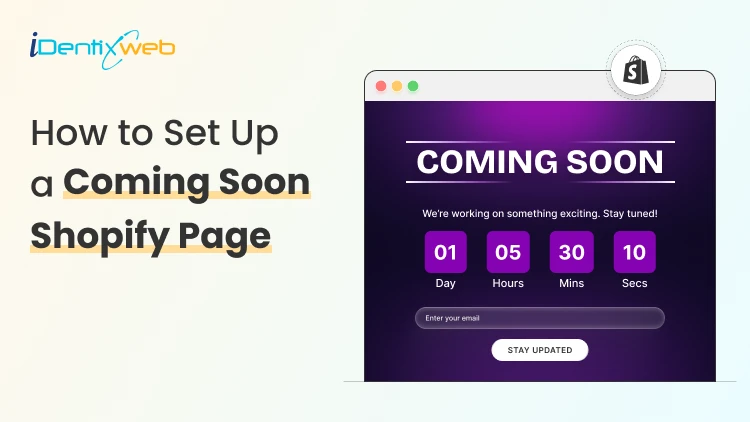
How to Set Up a Coming Soon Shopify Page Before Your Store Launch
Here's the situation most new Shopify merchants find themselves in: Your store isn't live yet. And you already have people friends, followers, potential buyers who want to know when they can shop from you. What do they see when they visit your store URL right now? If it's a blank screen, a Shopify "store not ready" page, or worse a password-protected default page with zero context you're already losing potential customers before your store has earned a single dollar. A coming soon Shopify page changes that completely. It tells visitors: We're real. We're coming. Don't miss it. This guide is written for merchants who want to do it right from day one. What Is a Coming Soon Shopify Page? A coming soon Shopify page (also called a pre-launch page or under construction page) is a temporary front-facing page that visitors see before your store is officially open. Instead of letting people hit a dead end, you give them something to engage with. At minimum, a good Shopify coming soon page includes: A clear message that the store is launching soon A countdown timer or expected launch date An email capture form to collect leads Your brand name, logo, and a strong tagline Social media links or a way to follow your journey At its best, a coming soon page is your first marketing asset, something that builds excitement, collects pre-launch emails, and makes your actual launch day significantly more profitable. Why a Coming Soon Page Matters 1. It Captures Pre-Launch Email Subscribers Email marketing consistently delivers the highest ROI of any digital channel some studies cite $36 for every $1 spent. A coming soon page with an email opt-in form lets you build that list before launch. When you go live, you're not starting from zero you're sending launch-day emails to people who already raised their hand. 2. It Signals Legitimacy Customers are skeptical of new online stores. A professional, branded coming soon page immediately tells visitors: this isn't a fly-by-night operation. You've invested in a domain, you have branding, and you have a real launch planned. That trust signal matters. 3. It Gives You Something to Promote Running pre-launch ads? Posting on Instagram? Emailing your personal network? You need somewhere to send people. A coming soon page gives you a real destination, something worth clicking and something worth sharing. 4. It Protects Your Brand During Development While you're still building out product pages and policies, your coming soon page keeps random visitors from seeing an incomplete store. No more awkward "dummy product" pages or placeholder text accidentally going public. How to Set Up a Coming Soon Shopify Page: Step-by-Step 1. Go to the Shopify App Store and search "coming soon page" 2. Install your preferred app and grant necessary permissions. Here we will show about LaunchX app. 3. After installing the app, complete the onboarding steps. 4. Go to the app settings and enable the app. 5. You will get a set of pre-built templates. You can go with it and customize the template. 6. Editor will open up with preview of the template and interface to edit the template. You can customize the template based on your needs. 7. Preview on both desktop and mobile before publishing. And save the changes. 8. You can also make the coming soon page password protected from the general settings. Enable the password protection and add your required options in it using the fields given as shown below: Common Mistakes Merchants Make With Coming Soon Pages 1. Launching without any email capture The entire point of a pre-launch page is to build a list. If you don't have a form, you have a dead end. 2. No early-bird incentive Asking someone to give you their email "just because" is a hard sell. Give them a concrete reason: early access, a discount, free shipping, or exclusive bonuses. 3. Forgetting mobile Preview your coming soon page on your phone before going live. If the form is broken, the text is cut off, or the countdown is invisible; fix it. 4. Being too vague about what you sell "Something amazing is coming" tells visitors nothing. Be specific about your product category and your unique angle. 5. Not promoting the page A coming soon page sitting unpromoted on the internet collects zero leads. Share it on your personal social channels, run a small ad campaign, post in relevant communities drive traffic to it. 6. Not having a launch date A countdown timer with a real date creates urgency. "Launching soon" creates nothing. Pick a date and commit to it. Final Thoughts Here's the uncomfortable truth: you'll never feel completely ready to launch. There will always be one more product to add, one more page to polish, one more thing to figure out. That's exactly why your coming soon Shopify page should go live the moment you have a domain and a clear value proposition even if your store is weeks away from opening. Start with a coming soon page. Build your list and make your launch matter. Frequently Asked Questions 1. Can I have a coming soon page on Shopify without disabling my whole store? Yes. Shopify's password protection feature keeps your store private while your coming soon page (or the built-in password page) is visible to the public. If you use an app or a custom page, you can route all public traffic to the coming soon page while your full store remains password-protected and accessible only to you. 2. How long should I keep my coming soon page up? There's no universal rule, but 2–6 weeks is a common pre-launch window. Long enough to build a meaningful email list and generate buzz, short enough that you don't lose momentum or overpromise a launch date you can't keep. 3. Will my coming soon page hurt my SEO? A well-set-up coming soon page won't significantly hurt your SEO, especially since you're in a pre-launch state with little to no existing rankings. That said, use proper meta titles and descriptions on the page. Don't let it stay live long after launch, and use a 302 (temporary) redirect if needed so Google knows the page will change.
2 Min • 29 April 2026
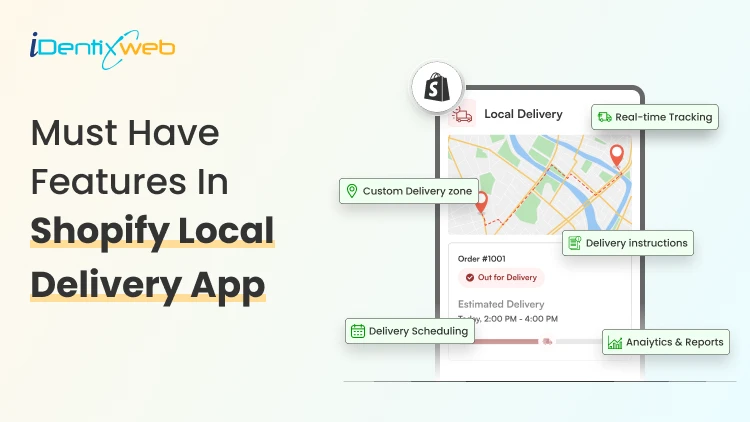
Shopify Local Delivery App: 7 Must-Have Features for Scalable Scheduling & Operational Efficiency
Running a delivery-based business on Shopify can be exciting, but as your order volume grows, so do the operational challenges. Managing deliveries manually quickly becomes overwhelming, leading to delays, confusion, and unhappy customers. This is where a powerful Shopify Local Delivery App becomes essential. It helps automate your workflows, improve delivery efficiency, and provide a better customer experience. In this blog, we’ll explore the most important features you should look for in a Shopify local delivery app. Why You Need a Shopify Local Delivery App At the beginning, many store owners handle deliveries manually using spreadsheets, phone calls, or basic tools. But as your business grows, this approach starts to fail. You may face: Missed or delayed deliveries Poor communication with customers Inefficient routes and higher fuel costs Difficulty managing drivers Lack of visibility into operations A Shopify local delivery solution helps you automate these tasks, reduce human errors, and handle more orders without increasing stress. Must Have Features In Shopify Local Delivery Apps 1. Smart Delivery Scheduling Delivery scheduling is one of the most important parts of your operations. Without proper scheduling, even a small increase in orders can create chaos. A good Shopify local delivery app should allow you to: Set daily delivery limits Manage same-day or next-day delivery options Add cut-off times for orders With smart scheduling, you can distribute orders evenly across time slots, ensuring that your delivery team is not overloaded.
6 Min • 13 August 2026
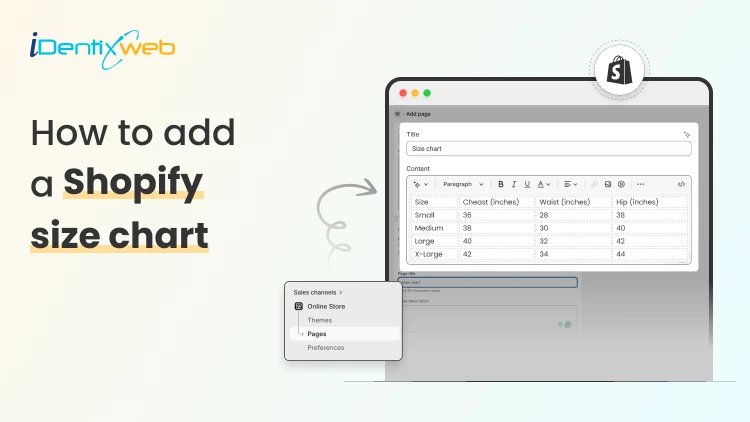
How to Add a Shopify Size Chart Within 5 Minutes
To add a size chart in Shopify under 5 minutes, use Shopify apps like TablePress where you can just select the template, the page on which the tables are to be displayed and add the details. This quick guide is perfect for Shopify store owners who want to reduce returns and boost customer confidence without the technical headache. We will walk you through choosing the right method for your store and show you exactly how to install your solution step-by-step. Plus, you will discover simple tweaks to make your size charts work harder for your business and keep customers happy. What is a Sizing Chart? A sizing chart (or size chart) is a structured reference table that helps customers determine which product size fits them based on body measurements or product dimensions. It translates abstract size labels (S, M, L, 8, 42, etc.) into specific numerical measurements, such as inches or centimeters, so shoppers can choose the correct size before purchasing. Why Every Shopify Store Needs a Size Chart 1. Reduces Costly Returns and Exchanges Sizing issues are one of the leading causes of ecommerce returns, especially in apparel, footwear, and accessories. A clear, accurate size chart minimizes uncertainty and reduces reverse logistics costs, restocking labor, and refund processing fees. 2. Increases Customer Confidence Online shoppers cannot try products before purchasing. A detailed Shopify size chart replaces the in-store fitting room experience with structured measurement guidance. When customers feel confident about fit, hesitation decreases and purchase intent increases. 3. Improves Conversion Rates When sizing information is easy to access, especially near the size selector, customers can make faster decisions. This reduces bounce rates and shortens the buying cycle. For fashion and footwear stores, clear sizing guidance often becomes a decisive conversion factor. 4. Enhances Mobile Shopping Experience The majority of ecommerce traffic comes from mobile devices. On smaller screens, shoppers are even less likely to search through long product descriptions for sizing information. A visible, mobile-optimized size chart (such as a popup or collapsible guide) ensures customers can quickly verify fit without disrupting their browsing flow. 5. Builds Brand Trust and Professionalism Professional stores provide detailed product information. A well-designed size chart signals that your brand is organized, customer-focused, and transparent. 6. Reduces Customer Support Load Without size charts, customers frequently contact support asking: “Does this run small?” “Should I size up?” “What’s the inseam length?” By proactively answering these questions on the product page, you reduce repetitive support tickets and free up operational resources. 7. Supports International Sales If you sell globally, customers may use different sizing systems (US, UK, EU, CM) for scenarios like converting size chart from asian size to US size. A comprehensive size chart that includes measurement conversions removes confusion and expands your international conversion potential. How to Add a Size Chart to Shopify Visit Shopify app store and install Tablepress app in your store. Log in to your Shopify admin account. From the left-hand menu, click on Apps. Select TablePress from the list of installed apps. You will be redirected to the dashboard page and enable the app. Click on Add table. Now, click on the create size chart button. Next, you need to select any one template that you want to create from the available templates. Or else you can create a custom table using the create custom option. To see what each template looks like, you can hover over the templates and click on Preview, where you can see the preview of that particular template. If you liked any template after previewing, you can click on use button and edit the table by adding the details of your choice in the fields given, as shown below: After adding all the details, click on the Save button and that’s it, your size chart will be live on your storefront. How to Test if your Shopify Size Chart is Working A size chart is only effective if it reduces returns, increases confidence, and supports conversions. Testing its performance requires measurable ecommerce metrics not guesswork. Below is a structured evaluation framework. 1. Monitor Return Rate Trends The primary KPI is size-related return rate. Track: Overall return rate (before vs after implementation) Percentage of returns due to “wrong size” Return rate by product category (e.g., dresses vs shoes) Benchmark goal: If sizing was a major issue, you should see measurable improvement within 30–60 days. If returns remain unchanged, the issue may be: Inaccurate measurements Confusing layout Poor chart visibility 2. Track Conversion Rate Changes A good size chart reduces hesitation. Monitor: Product page conversion rate Add-to-cart rate Checkout completion rate Compare data before and after adding or improving the size chart. If conversions improve without increased returns, the chart is functioning properly. 3. Measure Size Chart Click Engagement If you use an app or custom event tracking in Google Analytics, monitor: Size chart click rate Time spent viewing chart Conversion after size chart interaction 4. Analyze Customer Support Data Track how often customers ask: “Does this run small?” “Should I size up?” “What’s the inseam?” Conclusion Getting a size chart up and running on your Shopify store really doesn't have to be complicated. By following these straightforward steps you can have everything working smoothly in just minutes. Once your size charts are live, you will likely see fewer returns and happier customers who feel confident about their purchases.Remember to test everything on mobile devices too, since that's where most of your shoppers are probably browsing. People Also Ask 1. Can I use multiple size charts for different product types in Shopify? Yes. You can create and assign different size charts for categories like tops, bottoms, shoes, and accessories to ensure the right sizing guidance matches each product type. 2. Can I include international sizes in my Shopify size chart? Yes. Including conversions for different sizing systems (e.g., US, UK, EU) makes your size charts useful for global customers and helps them match their usual size more accurately. 3. How do I add a size chart on Shopify? You can add a size chart on Shopify using either built-in features or third-party app to get more additional features. 4. How can I make my size chart more visible on product pages? Place the size chart near the size selector or as a clear “Size Guide” popup so customers can find it easily while making a purchase decision. This increases usability and reduces friction.
Bhavesha Ghatode
14 Min • 12 February 2026
2430 Views

Bhavesha Ghatode
7 Min • 12 February 2026
3018 Views
Bhavesha Ghatode
11 Min • 25 March 2026
3217 Views
Sajini Annie John
4 Min • 12 February 2026
4738 Views
Sajini Annie John
5 Min • 28 February 2024
4181 Views
Sajini Annie John
10 Min • 10 February 2026
5043 Views
Sajini Annie John
7 Min • 8 May 2026
7372 Views
Bidisha Saha
6 Min • 1 October 2025
5242 Views
Bidisha Saha
8 Min • 25 February 2026
4258 Views

Sajini Annie John
6 Min • 12 February 2026
6120 Views

Sajini Annie John
11 Min • 26 March 2026
5684 Views
Sajini Annie John
5 Min • 1 December 2023
4144 Views