Blog
Gather knowledge about the latest insights, updates, tips, and tricks in the Ecommerce industry.

5 Min • 20 March 2026
How Anua Unlocked 5X AOV Growth with iCart’s Smart Cart Features
delivery customization Challenges Solutions drive results Scale business delivery customization Challenges Solutions drive results Scale business delivery customization Challenges Solutions drive results Scale business delivery customization Challenges Solutions drive results Scale business Anua is a globally recognized Korean skincare brand known for its minimalist philosophy and focus on gentle yet effective formulations. Built on the idea of simplifying skincare routines, Anua develops products that deliver visible results while avoiding harsh or irritating components, making them suitable for sensitive skin types. Initially using a traditional full cart experience, Anua transitioned to iCart’s side cart solution in August 2025, to create a more seamless and engaging shopping journey. This shift allowed customers to easily explore complementary skincare products without disrupting their browsing flow, making it more intuitive to discover items that fit into a complete routine. By surfacing relevant recommendations directly within the cart, the brand enhanced product visibility across its range. Challenges Before implementing iCart’s side cart solution, Anua faced limitations with their existing full cart experience, which created friction in the customer journey. The traditional cart setup redirected users away from product pages, interrupting their browsing flow and reducing opportunities to explore additional products. As a skincare brand built around routines rather than single-item purchases, this made it difficult to effectively showcase complementary products and encourage customers to build complete regimens. Additionally, the lack of in-cart personalization and strategic upsell opportunities meant that customers were often unaware of related products that could enhance their skincare results. This limited the brand’s ability to increase average order value (AOV) and fully leverage its diverse product range. Anua needed a more dynamic and intuitive cart experience that could seamlessly introduce relevant recommendations while maintaining a smooth and engaging shopping journey. ❌ Cart Value Barriers Low average order value (AOV) due to single-item focus Most customers completed purchases with one primary product instead of building multi-step routines. Cart abandonment near shipping thresholds Customers were not clearly informed or motivated to reach free shipping or discount thresholds. Missed savings opportunities Customers were unaware of potential value in purchasing bundled routines or multiple complementary products. ❌ Absence of Progress-Based Incentives No free shipping or discount progress bar Customers were not motivated to increase their cart value due to lack of visible incentives. Missing tiered rewards system There were no structured milestones (e.g., “Spend more to unlock offers”), reducing upsell opportunities. ❌ Ineffective Cart UI/UX (Pre-Side Cart) Full-page cart disrupted shopping flowCustomers had to leave their browsing journey, increasing friction and drop-offs. No quick add/remove functionality Users couldn’t easily modify their cart or add suggested products without navigating away. Solution To overcome these challenges, Anua implemented iCart’s side cart solution to transform their traditional cart into a high-converting, interactive experience. By replacing the full-page cart with a seamless side cart, the brand ensured that customers could continue browsing while viewing their cart, significantly reducing friction in the shopping journey. Additionally, features like product recommendations & progress bars for free shipping and discounts motivated customers to increase their cart value. By combining personalization, incentive-driven messaging, and a user-friendly interface, Anua successfully turned their cart into a powerful revenue-driving touchpoint rather than just a checkout step. To maximize their cart effectiveness, they implemented two powerful features: ✅ Progress Bar with Multi-Reward Incentives Implemented a tiered progress bar to encourage higher cart value Customers are guided with a clear message like “Add $3.10 to unlock secret offer,” motivating them to continue adding products. Generated over $5M+ in revenue through incentive-driven cart progression Used product-based rewards to align with customer intent Instead of generic discounts, Anua incentivized purchases with relevant skincare items like Dark Spot Pads and mini serums. Built visual motivation for routine expansion As customers add products, they can clearly track progress toward unlocking multiple rewards, encouraging them to build a complete skincare routine. ✅ Product Recommendations Implemented “Frequently Bought Together” recommendations Customers adding a single product (e.g., toner) are shown complementary items like serums, moisturizers, or pads to complete their routine. Generated over 275K revenue through in-cart recommendations Encouraged full skincare regimen building Instead of isolated purchases, the cart suggests step-by-step product combinations aligned with common skincare routines. Increased product discovery at the final stage By surfacing relevant items directly in the cart, Anua ensured customers explore more of their catalog without leaving the checkout flow. Results Achieved in Last 180 Days 22932 Total Store Orders 45101 Total iCart Orders 5X iCart Generated AOV 65.70% Upsell Affected Conversion Rate These improvements reflect a clear shift in customer behavior on Anua’s store. Cart abandonment reduced as shoppers discovered complementary skincare products and felt encouraged to build complete routines. Engagement also increased, with customers interacting more with in-cart recommendations and exploring relevant product pairings. Results & Impact And...Results is Our Main Clarification By implementing iCart’s cart drawer, product recommendations, and progress bar, Anua transformed its cart into a high-performing conversion touchpoint. Shopping Experience Enhancement The improved cart experience encouraged customers to discover complementary products and understand the value of sustainable beauty routines. For instance, the clear presentation of subscription savings alongside one-time purchase options helped customers make more informed decisions about their long-term hair care needs. As Anua continues to optimize its cart experience, the brand is closely monitoring: Routine-based purchasing behavior - tracking how customers move from single items to multi-step regimens Engagement with in-cart recommendations - measuring interaction with suggested products Cart value progression - analyzing how incentives influence higher spending [related_cases_slider] Ready to Write Your Success Story? Try icart App Join successful businesses like Anua and Master your delivery scheduling Delight customers with precise timing Grow your special occasion orders Expand your delivery reach
Read Blog
7 Min • 9 May 2026
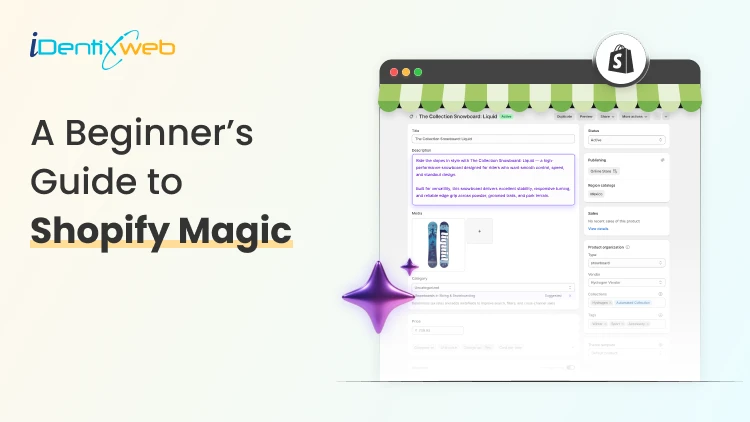
A Beginner’s Guide to Shopify Magic: What It Does + How to Use It
Running a Shopify store can feel like juggling ten things at once. You're writing product descriptions, replying to customers, designing emails, editing images, and somehow still trying to grow your sales. Sound familiar? That's exactly where Shopify Magic steps in to make your life easier. Shopify Magic is a set of free AI-powered tools built right into your Shopify admin. It helps merchants like you create content, edit images, reply to customers, and even build store sections faster than ever before. Whether you're a beginner setting up your first store or a seasoned merchant scaling your business, Shopify Magic is designed to take the heavy lifting off your shoulders. In this guide, you'll learn what Shopify Magic is, how to use it across different parts of your store, and how the Shopify Magic AI store builder can speed up your store setup. Let's dive in. What Is Shopify Magic? Shopify Magic is Shopify's built-in suite of AI features that helps merchants run their stores more efficiently. Think of it as your behind-the-scenes assistant that writes, edits, suggests, and supports, all without you needing to be a tech expert or a copywriter. Launched as part of Shopify's commitment to making commerce smarter, Shopify Magic uses generative AI to handle tasks that usually take hours. From writing product descriptions to generating FAQs, blog posts, and even editing product images, it's all included for free with your Shopify plan. Here's what makes it special: It's free for all Shopify merchants It works inside your Shopify admin (no extra apps needed) It supports multiple tasks like writing, image editing, email creation, and more It learns from your store's context to give relevant suggestions So if you've ever wondered what is Shopify Magic, the simple answer is: it's your AI-powered helper that makes running a Shopify store smoother and faster. "AI is no longer optional for ecommerce. It's becoming the foundation of how merchants compete and grow." — Harley Finkelstein, President of Shopify Key Features of Shopify Magic Let's break down what Shopify Magic actually does. Here are the main features you'll find inside your Shopify admin: 1. AI-Generated Product Descriptions Writing product descriptions can be one of the most time-consuming parts of running a store. Shopify Magic generates SEO-friendly descriptions in seconds based on your product details, keywords, and tone of voice. You can pick from tones like expert, playful, supportive, or persuasive, and Shopify Magic will craft a description that fits your brand. 2. Email Subject Line Suggestions Email marketing still drives huge revenue for ecommerce. According to Litmus, email marketing delivers an average ROI of $36 for every $1 spent. With Shopify Magic, you get instant subject line suggestions inside Shopify Email, helping you boost open rates without staring at a blank screen. 3. AI Image Editing Shopify Magic also helps you edit product images. You can: Remove or change backgrounds Match images to your brand style Create lifestyle-style backdrops automatically This is a huge win for merchants who don't have access to professional photography. 4. Sidekick (Your AI Assistant) Sidekick is Shopify's conversational AI assistant. You can ask it things like: "Show me my best-selling products this month" "Create a discount for first-time buyers" "Set up a new collection for summer items" It's like having a Shopify expert sitting next to you 24/7. 5. FAQ and Blog Content Generation Need a quick FAQ section or a blog post? Shopify Magic can draft both. You give it a topic, and it returns ready-to-edit content that you can publish directly to your store. 6. Shopify Magic AI Store Builder The Shopify Magic AI store builder helps new merchants set up their store quickly. It can generate store sections, suggest layouts, and even recommend content based on your business type. Shopify Magic Features at a Glance FeatureWhat It DoesWhere to Find ItProduct DescriptionsWrites SEO content for productsProduct editorEmail Subject LinesSuggests catchy subject linesShopify EmailImage EditingRemoves/changes backgroundsProduct imagesSidekickAI assistant for store tasksShopify adminFAQ GeneratorCreates FAQ sectionsOnline Store editorBlog Post DraftsWrites blog contentBlog posts sectionStore BuilderBuilds store sectionsTheme editor How to Use Shopify Magic (Step-by-Step) Now that you know what it does, let's look at how to use Shopify Magic across your store. Step 1: Make Sure You Have an Active Shopify Plan Shopify Magic comes free with all Shopify plans. You don't need a special subscription or add-on. Just log in to your Shopify admin to access these features. Step 2: Use Shopify Magic for Product Descriptions Go to Products in your Shopify admin Click Add product or open an existing product In the description box, click the ✨ Shopify Magic icon Add a few keywords or features about the product Choose a tone of voice Click Generate and edit as needed Step 3: Generate Email Subject Lines Open Shopify Email Start a new campaign Click the ✨ icon near the subject line field Pick a suggestion or generate new ones Step 4: Edit Product Images with AI Open any product image in your admin Click Edit image Choose options like "Remove background" or "Change background" Save the new version Step 5: Talk to Sidekick Click the Sidekick icon in your Shopify admin (usually top-right corner) Type or speak your question Sidekick will pull data, complete tasks, or guide you Step 6: Use the Shopify Magic AI Store Builder Open your Online Store > Themes Click Customize Use the AI suggestions to generate sections, hero banners, or layouts Edit and publish when ready The Future of Shopify Magic Shopify is doubling down on AI. With features like Sidekick expanding and the Shopify Magic AI store builder getting smarter, merchants can expect even more automation in the coming years. According to Statista, the global AI market is expected to reach over $1.8 trillion by 2030. Ecommerce will play a massive role in this growth, and Shopify is positioning its merchants to lead the way. Final Thoughts If you're a Shopify merchant looking to save time, create better content, and run your store more efficiently, Shopify Magic is a no-brainer. It's built right into your admin, completely free, and packed with features designed specifically for ecommerce. From writing product descriptions to editing images, building store sections, and chatting with Sidekick, Shopify Magic gives you the power of AI without the complexity. And when you pair it with the right apps and expert services from Identixweb, the possibilities are endless. So go ahead, log in to your Shopify admin, click that ✨ icon, and let Shopify Magic do its thing. Your future self (and your customers) will thank you. Frequently Asked Questions 1. Is Shopify Magic free to use? Yes, Shopify Magic is completely free for all Shopify merchants. You don't need any extra subscriptions or add-ons to access it. 2. What is Shopify Magic used for? Shopify Magic is used for writing product descriptions, generating email subject lines, editing product images, building store sections, and chatting with Sidekick (Shopify's AI assistant). 3. What is the Shopify Magic AI store builder? The Shopify Magic AI store builder is an AI-powered feature inside the theme editor that helps merchants generate store sections, layouts, and content suggestions to set up their store faster. 4. Is Shopify Magic better than ChatGPT? For Shopify merchants, yes. Shopify Magic is built into your store, understands your products and customers, and offers ecommerce-specific tools that ChatGPT doesn't. 5. What is Sidekick in Shopify Magic? Sidekick is Shopify's AI-powered assistant that helps you complete store tasks, analyze data, and answer questions inside your Shopify admin.
10 Min • 14 May 2026
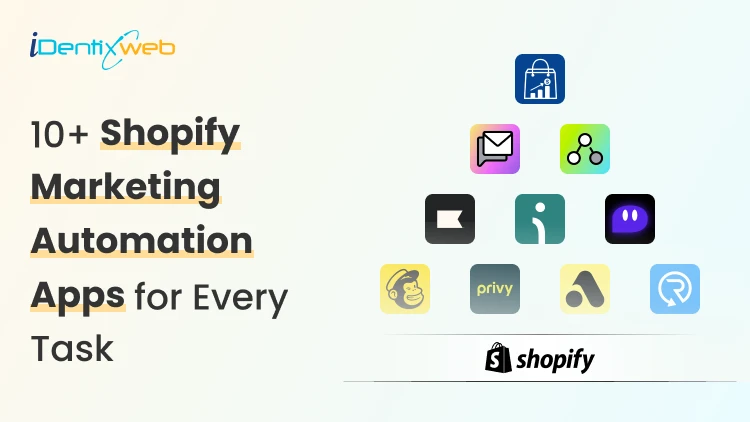
10+ Shopify Marketing Automation Apps 2026: Email, SMS, Segmentation & Cart Upsells
Running a Shopify store in 2026 gets busy fast, especially with Shopify marketing automation in every part of the workflow. Most new store owners still have the same problem. They get traffic, but they do not follow up at the right time. A shopper signs up for a discount and never hears from the brand again. Someone adds a product to the cart and leaves. That is where I recommend Shopify marketing automation tools. As a Shopify expert, I have worked with 100+ stores, and I always suggest that new stores start with a simple automation stack instead of installing too many apps. What is Shopify marketing automation in 2026? Shopify marketing automation means using customer behavior to trigger emails, SMS, offers, customer tags, cart messages, or workflows automatically. A simple example is once a customer signs up. Your store sends a welcome email. Shopify Messaging can send emails when customers take actions like abandoning a cart or signing up for a newsletter. These automations help merchants spend less time on repetitive sends while reaching customers at key moments. In 2026, Marketing automation for Shopify is not only about email. It connects many parts of the customer journey. You can automate: Email campaigns SMS messages Cart recovery Browse recovery Customer segmentation Product recommendations Post-purchase follow-ups Win-back campaigns Cart drawer upsells Progress bar offers Free gift offers Product bundles Why do new Shopify stores need automation in 2026? New stores often wait too long before setting up automation. They focus on ads first and customer follow-up later. I do not recommend that. Traffic without follow-up gets expensive. Every click costs money. Automation helps new stores: Save time Recover more carts Build email and SMS lists Improve repeat purchases Increase average order value Send personalized offers Reduce manual work The best part is that a small Shopify store can start with basic automations and improve them over time. What Shopify leaders are saying about automation? Shopify is moving heavily toward AI, smarter workflows, and faster merchant tools. Shopify President Harley Finkelstein said, “Shopify has entered the AI era with a clear edge,” while discussing Shopify’s commerce intelligence and growth direction in 2026. Tobi Lütke also shared that “Using AI effectively is now a fundamental expectation” at Shopify. For Shopify merchants, this matters because Shopify is clearly building toward automation. Shopify’s March 24, 2026, update on Marketing automations On March 24, 2026, marketing automations that use Shopify Messaging emails moved to the Shopify Messaging app. Automations that use marketing activities from other apps became available in Shopify Flow. Shopify also said merchants did not need to take action, and existing automations would keep working. From a merchant’s point of view, this update makes the automation setup cleaner. Simple email workflows now sit inside Shopify Messaging. Advanced workflows using apps, conditions, and custom actions sit inside Shopify Flow. 10+ Best Shopify marketing automation tools in 2026 The Best Shopify marketing automation tools depend on your store stage. A new store may need email capture, abandoned cart recovery, and a welcome email. A growing store may need SMS, segmentation, customer journeys, and product recommendations. Here is a simple comparison. AppBest forMain use caseiCartAI-powered Product RecommendationsCart drawer upsells, progress bar, bundlesShopify MessagingNew Shopify storesEmail, SMS, templates, segmentsShopify FlowCustom workflowsTrigger, condition, and action KlaviyoGrowing storesEmail, SMS, segmentationOmnisendEmail and SMS in one placeWelcome flows, cart recovery, product recommendationsPostscriptSMS-first brandsSMS campaigns MailchimpBeginner-friendly emailEmail campaignsPrivyList growthPopups, email capture, SMS captureAttentiveLarger brandsAI-led SMS and emailDripBehavior-based marketingSegmentation, emails, popupsRecartSMS list growthSMS capture and abandoned cart recovery 1. iCart Cart Drawer Cart Upsell Most marketing automation apps focus on what happens after a customer signs up, leaves, or buys. iCart focuses on the cart moment. That matters because the shopper is still active. A relevant offer at that point can increase AOV without waiting for an email or SMS later. iCart is built for pre-checkout cart upsell automation. It offers cart drawer upsells, cross-sells, product bundles, progress bar, shipping bar, AI-powered product upsells, cart discounts, free gifts, and no-code cart customization. Here is a simple example. A customer adds a T-shirt worth $1,500 to the cart. Your store can show a progress bar saying they can unlock a free T-shirt from a selected collection with 30% off when the cart reaches $2,000. The offer depends on the cart total, so it feels relevant. Best fit: Stores that want cart upsells, bundles, progress bars, and pre-checkout AOV growth. 2. Shopify Messaging Messaging helps merchants send personalized emails and SMS to customer segments. It also includes templates, Sidekick-assisted email editing, product-focused messages, and performance tracking for clicks and conversions. Shopify Messaging is useful for: Welcome emails Product updates Simple promotions Abandoned checkout emails Newsletter campaigns Customer segment-based campaigns Best fit: New & small catalogs stores with simple email and SMS needs. 3. Shopify Flow Flow is Shopify’s workflow automation tool. It works well when you want custom rules behind your marketing operations. For example, you can create workflows like: Tag a customer as VIP after spending over $500 Add customers to a segment after buying from a specific collection Send an internal alert for high-value orders Trigger an app action after a customer places a second order Start a flow when a product goes out of stock Create rules for loyalty, retention, or post-purchase campaigns Here’s a complete breakdown of Shopify Flow Examples that you can use in your store. Best fit: Growing stores & Shopify Plus stores that need more advanced workflow. 4. Klaviyo Klaviyo is one of the strongest apps for Shopify email and SMS automation. It works well when your store has enough customer data, and you want deeper segmentation. It helps you easily run personalized campaigns through templates and automation. Klaviyo can support: Welcome series Abandoned cart flows Browse abandonment Product recommendations Win-back campaigns Post-purchase flows Customer segments Email and SMS campaigns New merchants should avoid building too many flows at once. Start with welcome, abandoned cart, and post-purchase flows. Improve them after you have enough data. Best fit: Growing stores, retention-focused brands, data-heavy marketing teams. 5. Omnisend Omnisend is another strong choice for Shopify stores that want email and SMS in one dashboard. It helps merchants grow email lists with popups, create emails with templates, and send personalized emails using AI-powered product recommendations and segmentation. Omnisend is useful for: Welcome automation Abandoned cart emails Browse abandonment SMS campaigns Product recommendations Popups and forms Segmentation Email templates I see Omnisend as a good middle option. Shopify Messaging may feel too basic for some stores. Klaviyo may feel too advanced. Omnisend sits nicely between the two for many new and mid-sized brands. Best fit: New to mid-sized stores that want email and SMS without a complex setup. 6. Postscript Postscript is built for SMS marketing. It works best when a Shopify store wants SMS to become a serious revenue channel. If you want to execute SMS programs that engage customers through text messages, this is the tool to go for. Postscript can help with: SMS campaigns Cart recovery texts Customer segmentation Promotional messages Product launch texts Two-way SMS communication SMS automation I would not pick Postscript if email is your main priority. It works better as a focused SMS layer beside an email platform. Best fit: SMS-first brands, stores with strong mobile traffic, and repeat purchase products. 7. Mailchimp Mailchimp works well for merchants who already understand the platform and want a familiar tool. It's good for email campaigns, SMS campaigns, popups, forms, landing pages, abandoned cart emails, browse abandonment, welcome emails, follow-up emails, price drop emails, and back-in-stock emails. I would suggest Mailchimp for merchants who want simple email marketing and do not need advanced Shopify-first automation right away. For deeper ecommerce segmentation, Klaviyo or Omnisend may feel stronger. For basic campaigns, Mailchimp can still work well. Best fit: Beginners, simple email needs, merchants already using Mailchimp. 8. Privy Privy is a good option for list growth. Many new Shopify stores struggle because they have traffic but no owned audience. Privy helps with popups, email capture, SMS capture, and cart saver messages. Privy can support: Exit-intent popups Discount popups Email capture SMS capture Cart saver texts Email and SMS automations Drag-and-drop email editing I like Privy for stores that need to build an email or SMS list before running advanced campaigns. A good pop-up strategy can fix that early. Best fit: New stores, list building, pop-up campaigns, discount capture flows. 9. Attentive Attentive is better suited for larger brands that want advanced SMS and email. It is an AI-powered mobile email and SMS marketing platform for personalization at scale. It also helps with list growth, segmentation, personalized messaging, and compliance support. I would not place Attentive as the first option for a small new store. It makes more sense when the brand has traffic, subscribers, and a serious owned marketing strategy. Best fit: Larger Shopify brands, SMS-heavy brands, and retention teams. 10. Drip Drip works well for behavior-based email marketing. It helps stores grow revenue with automated emails, newsletters, abandoned cart flows, popups, and customer data in one app. It also helps with real-time dynamic segmentation and customer behavior-based automations. I would choose Drip when a merchant wants email automation based on actual customer activity. It is especially useful when customer behavior matters more than basic newsletter sends. Best fit: Stores that want smarter segmentation and behavior-based email flows. 11. Recart Recart focuses on SMS list growth and cart recovery. It helps with custom popups for desktop and mobile, direct-to-text and email capture, automations for welcome flows, abandoned cart rescue, reorders, AI tools, analytics, and compliance support. Recart can help with: SMS list growth Email capture Abandoned cart recovery Welcome flows Reorder reminders SMS automations AI-assisted content and send times I would consider Recart when SMS cart recovery is a key goal. It is a stronger fit for stores that already get enough traffic to build a meaningful SMS list. Best fit: SMS list growth, cart recovery, reorder-focused stores. Which Shopify marketing automation tool should you choose? The best Shopify marketing automation apps depends on your current store stage. A new store should not install too many apps at once. Start with the flows that can create the fastest impact. For most new Shopify stores, I would begin with: Welcome email Abandoned cart recovery Browse abandonment First purchase follow-up Win-back email Basic SMS capture Cart upsell offer That is how marketing automation for Shopify becomes useful. It saves time, improves follow-up, and helps your store grow without adding more manual work. FAQs 1. Can I automate my Shopify store? Yes. You can automate many parts of your Shopify store, including emails, SMS, cart recovery, customer tagging, order workflows, inventory alerts, and cart upsell offers. 2. Does Shopify have marketing automation tools? Yes, Shopify has built-in tools like Shopify Messaging and Shopify Flow for marketing automation. Shopify Messaging supports email and SMS campaigns for customer segments, while Shopify Flow helps merchants build custom trigger-based workflows without code. 3. Which is the best Shopify marketing automation app for email marketing? For advanced email marketing, I would choose Klaviyo because it works well for segmentation, personalized email campaigns, SMS, and customer data-driven automation. For new stores, Omnisend is a strong option because it supports email campaigns, popups, abandoned cart workflows, welcome automation, segmentation, and AI-powered product recommendations. 4. Which are the best Shopify marketing automation apps for SMS? For SMS automation, Postscript and Omnisend are strong options depending on your store size and goals. Postscript is better for SMS-first brands, and Omnisend works well when you want email and SMS together.
8 Min • 11 May 2026
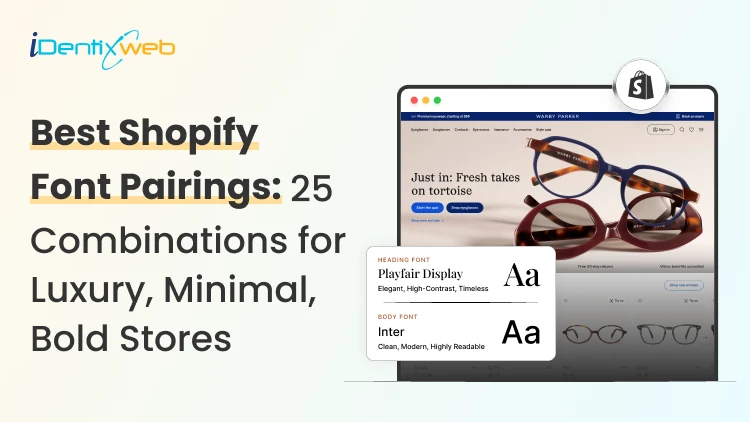
Best Shopify Font Pairings: 25+ Combinations for Luxury, Minimal, Bold Stores
Visitors decide if they trust your store in 0.05 seconds (Source: Google Research). The font you pick has more to do with that snap judgment than your product photos, color palette, or headline copy. I've helped dozens of Shopify store owners pick the best Shopify fonts over the years. Here's a list of: 25+ tested font pairings, inspired by the aesthetic vibe buyers want: Luxury, minimal, bold, modern, or playful. Shopify font pairings on this list are in Shopify's typography settings, so no coding is needed. I've also packed in a quick install guide and the font mistakes I see on new stores all the time. Why do font pairings decide whether your store sells? Shoppers don't notice fonts when they are in your store, but they feel them if they are bad. For example, a skincare brand using bold display fonts feels cheap. This mismatch creates friction, even if the shopper can't explain why. Three things shift the moment you pick the right pairing: Trust climbs (especially for luxury and DTC brands) Mobile readability improves, and bounce rate drops Brand recall sticks after a single visit How to pick the best Shopify font for your store (My 5-step filter) 1. Match the mood to your brand vibe Type your tagline in the font. Does it feel like your brand or someone else's? If it doesn't click in three seconds, move on. 2. Check mobile readability Pull up a product description in the font on your phone. If you're squinting, it's failing. Look for tall lowercase letters and open shapes. 3. Cap it at 2 font families More than two fonts hurts page speed and confuses the eye. Choose one for headings and one for body. 4. Build contrast For example, pair a serif heading with a sans serif body. Or use one family with heavy-weight contrast (Black for headings, Regular for body). 5. Test live Push the pairing to your homepage and one product page. Watch it for a week and see how the bounce rate metric of your store is. The 6 font styles every Shopify owner should recognize Serif has small strokes at the ends of letters. Feels classic, editorial, trustworthy. Examples: Playfair Display, EB Garamond, Bodoni. Sans serif has clean lines, no strokes. Feels modern, neutral, friendly. Examples: Inter, Helvetica, Poppins. Slab serif has thick, blocky strokes. Feels confident and grounded. Example: Roboto Slab. Script mimics handwriting. Good for logos, terrible for body text. Example: Pacifico. Display is built for huge headlines only. Example: Bebas Neue. Monospace gives every letter equal spacing. Feels technical or editorial. Example: IBM Plex Mono. For new Shopify stores, stick with serif + sans serif combos. They are the best Shopify font combinations that give an aesthetic and modern vibe to your store. 25+ Best Shopify font combinations sorted by aesthetic vibe Luxury Shopify font pairings for high-end & premium stores Playfair Display + Lato. The classic luxury combo. Dramatic serif headings, soft body text. Cormorant Garamond + Montserrat. My personal favorite for jewelry brands. Bodoni Moda + Inter. Editorial Vogue vibe. Works for fashion and beauty. EB Garamond + Karla. Heritage feels without looking dated. Prata + Lato. Refined and easy to read. Strong choice for skincare. Cinzel + Lora. Cinzel adds a great aesthetic for capital-lettering. I mostly use this combo for hero sections. Italiana + Raleway. Italiana is thin and elegant. Pair with light Raleway for collection pages. Minimal Shopify font pairings for clean, lifestyle stores Inter Bold + Inter Regular. This is the cleanest setup possible. Work Sans + Source Serif Pro. Modern aesthetic vibe for your store DM Sans + DM Serif Display. Pre-built pairing from the same designer. Questrial + Nunito Sans. Soft, rounded, and gentle. Great for wellness brands. Manrope + IBM Plex Serif. A good combo if your store is into tech. Good for premium digital products. Helvetica Neue (heading) + Helvetica Neue (body). This is one of the best Shopify font combinations that merchants have been using for a long time. Best Shopify font combinations for high-Impact stores like fitness or streetwear Oswald + Open Sans. This combination is built for fitness and supplement brands. Bebas Neue + Roboto. A staple in the streetwear space. This combo pairs well with sharp photography. Anton + Lato. This pairing is a little heavier than Bebas. Good for sports and outdoor gear. Archivo Black + Archivo. Same font family, but has a massive weight contrast. Great for designer brands. Big Shoulders Display + Karla. Gives an industrial feel to the store. Works for tools, equipment, and gear. Bungee + Quicksand. Quirky, playful font pairing. Best for kid brands or merch shops. Shopify fonts aesthetic vibe pairing: Modern Sans Serif trend Poppins + Roboto. The default modern combo for brands. Plus Jakarta Sans Bold + Plus Jakarta Sans Regular. Trending hard right now in 2026. Space Grotesk + Space Mono. Slightly nerdy & cool. Loved by tech brands. Outfit Bold + Outfit Regular. Best used for headlines and editorial content. Satoshi + Inter. Another great Shopify San Serif combo for that modern aesthetic vibe. Playful and editorial Shopify pairings Fraunces + Inter. Fraunces is a great font that has a personality in every letter. Plays well with neutral body text. Recoleta + Work Sans. Soft serif with a friendly sans. I have suggested this for countless DTC startups. Pacifico + Poppins. A fantastic casual and fun combo. Real Shopify stores nailing their font game Allbirds Rounded sans serif with hand-drawn touches. Makes their "eco-friendly" pitch feel approachable, never preachy. Kith Restrained, oversized serif. Whitespace does most of the talking. Pure luxury minimalism. Teenage Engineering Monospace fonts throughout. Reads like a technical blueprint and matches the product perfectly. Warmly A dropshipping brand using serif fonts to look like a heritage decor label. Proof that typography alone can elevate any niche. Gymshark Tall, condensed sans serif with heavy weights. Matches their athletic, no-excuses voice. How to add custom fonts to your Shopify store (2 Methods) Method 1: Theme settings (zero code, 2 minutes) Open your Shopify admin, go to Online Store, Themes, Customize, Theme Settings, Typography. Pick a heading font and body font from the Shopify font library. Save. Method 2: Custom font upload Upload your WOFF2 file to the Assets folder in your theme code. Add a @font-face rule in your theme.scss.liquid file. Reference the font in your CSS variables. I have written a complete breakdown on adding custom Shopify fonts to stores. Mistakes I see when selecting the best Shopify font combinations Three or more font families on one page: Reduces page speed & confuses the eye. Body text under 16px on mobile. Anything smaller and shoppers bounce. 16-18px is the sweet spot. Light grey body text on white. This is a big mistake I see store owners make. Use #333 or darker. Loading every weight from Google Fonts. Reduce your font load from 800 KB to 400 to 700 (Regular and Bold) Script fonts in product descriptions. This is beautiful for a logo, but unreadable for a 200-word product description. Quick font picks by Shopify niche NicheBest Shopify font combinations Fashion and apparelBodoni Moda + Inter, or Oswald + Open Sans for streetwearBeauty and skincareCormorant Garamond + Montserrat, or Prata + LatoTech and electronicsSpace Grotesk + Space Mono, or Manrope + IBM Plex SerifHome and furnitureFraunces + Inter, or EB Garamond + KarlaFood, beverage, and CPGRecoleta + Work Sans, or Poppins + RobotoJewelry and accessoriesItaliana + Raleway, or Cinzel + LoraFitness and supplementsAnton + Lato, or Bebas Neue + Roboto Which free tools to use to test Shopify font pairings? Google Fonts pairing previewer, Fontjoy, Typewolf, and Shopify theme preview mode are some of the tools I use regularly to test the best Shopify font combinations So, which is the best font for Shopify stores in 2026? The best font for a Shopify store is the one that converts for your audience. Here’s what I would do in 2026 if I wanted to pick the best font for my Shopify store. Pick two pairings from this list. Run them on your homepage and one product page for seven days. Track three metrics: bounce rate, time on page, and add-to-cart rate. Keep the pairing that wins. FAQs 1. Which is the best font for Shopify stores in 2026? The best font for a Shopify store's success in 2026 is Inter, hands down. It's clean, free, loads fast, and works across every niche from luxury to streetwear. 2. Where can I find the best Shopify fonts and aesthetic vibe inspiration for my store? Pinterest boards, Typewolf, and the Shopify Theme Store demo pages are my three go-to spots for Shopify fonts aesthetic vibe inspiration. 3: What's the best Shopify fonts aesthetic vibe modern sans serif combination? For a Shopify fonts aesthetic vibe, modern sans serif look, my top pick is Plus Jakarta Sans Bold paired with Plus Jakarta Sans Regular. It feels premium, loads fast, and works across every niche from skincare to SaaS. 4. Which fonts are available in Shopify? Shopify gives you access to two font libraries inside the theme customizer: its own system fonts (like Helvetica, Georgia, and Times New Roman) and the full Google Fonts catalog with 1,500+ free options. 5. How to add custom fonts to a Shopify store? Three ways to add custom fonts. The easiest is picking a Google Font directly from Online Store > Themes > Customize > Theme Settings > Typography. For paid foundry fonts, upload the WOFF2 file to your theme's Assets folder, and add a @font-face rule in your theme.scss.liquid file, and reference it in your CSS. Apps like Fontify also work if you'd rather skip the code.
Sajini Annie John
3 Min • 9 May 2026
44 Views
Vineet Nair
10 Min • 8 May 2026
42 Views
Vineet Nair
9 Min • 8 May 2026
51 Views
Vineet Nair
8 Min • 8 May 2026
58 Views
Sajini Annie John
2 Min • 7 May 2026
57 Views
Sajini Annie John
2 Min • 7 May 2026
62 Views
Vineet Nair
8 Min • 7 May 2026
52 Views
Sajini Annie John
5 Min • 6 May 2026
57 Views
Vineet Nair
7 Min • 6 May 2026
51 Views
Sajini Annie John
6 Min • 5 May 2026
52 Views
Vineet Nair
6 Min • 5 May 2026
62 Views
Vineet Nair
6 Min • 5 May 2026
59 Views