



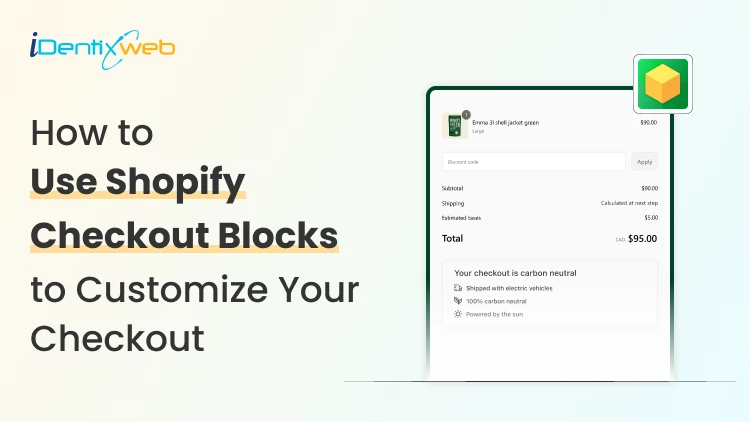

Shopify Checkout Blocks is a free app that allows store owners to customize parts of their checkout without needing any coding knowledge. You can add content blocks, custom fields, and display rules to improve the customer experience during checkout. While the app is free, full checkout page customization is available only on Shopify Plus, making it an accessible tool for merchants looking to enhance their Shopify checkout page without the need for a developer.
Customers reach the checkout page pretty quickly if you have optimized your storefront properly. Store owners I have been working with in 2026 want checkout to feel more polished, helpful, and more on-brand.
But they do not want custom development just to make a few smart changes.
That is why I use Shopify Checkout Blocks. It gives store owners a practical way to customize the checkout experience without having technical knowledge.
When I use the Checkout Blocks app in Shopify, I try to make it easier for customers to finish the order.
In this guide, I will explain what Checkout Blocks app is, its core features and how to edit checkout page in Shopify.
What is the Shopify checkout blocks app?
Shopify Checkout Blocks is Shopify’s own app for customizing parts of checkout with blocks and functions. It lets merchants place content in specific spots and control when that content appears.
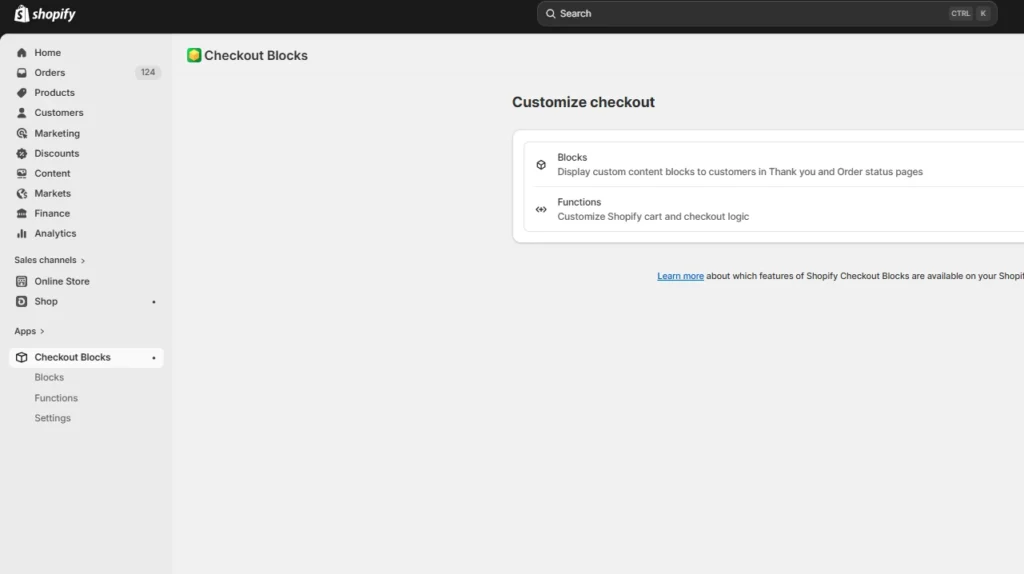
Here’s a simple explanation for store owners
- It helps you customize the Shopify checkout page
- It lets you add useful content without custom code
- It gives you more control over what the customer sees during checkout
From what I have experienced, a well-planned Shopify custom checkout page can make the buying process feel smoother and more trustworthy for customers.
Is Shopify Checkout Blocks free?
Yes. The Checkout Blocks app is absolutely free for store owners.
Although keep these points in mind…
The app being free does not mean every feature is available on every Shopify plan.
For example, merchants on Basic Shopify and above can use static and dynamic content on the Thank You Page and Order status pages. For deeper checkout customizations like payment and delivery method changes, they require Shopify Plus.
Who can use Shopify checkout blocks?
If you are on Basic Shopify or higher
You can still use parts of Checkout Blocks. On these plans, merchants can use static and dynamic content on the Thank you and Order status pages. That means you can still improve the post-purchase experience even if you are not on Plus.
If you are on Shopify Plus
This is where deeper checkout control opens up.
Payment and delivery customizations in Checkout Blocks are available only to Shopify Plus merchants. That includes options like:
- Hiding, renaming, and reordering payment methods
- Adjusting delivery options based on rules
So what should Shopify merchants do?
If your goal is to fully edit the checkout page in Shopify, your plan matters a lot. If you are not on Plus, you can still get value from the app. You just need to know where that value sits.
Core features of the Checkout Blocks app in Shopify
1. Content blocks
This is the first feature I use. Content blocks let you add helpful messages in the right part of the checkout. You can also control when they appear with display rules. That means you are not showing the same message to every shopper.
Good uses for content blocks
- Shipping notes
- Delivery expectations
- Support reminders
- Promo-related messages
- Trust-building copy near payment
I have seen a short message on the Shopify checkout page help to complete faster checkouts.
2. Custom fields
This is one of the most useful features in the app. Custom field blocks can support different input types, such as:
- Text input
- Phone field
- Dropdown list
- Checkbox
- Radio buttons
- Date and time picker
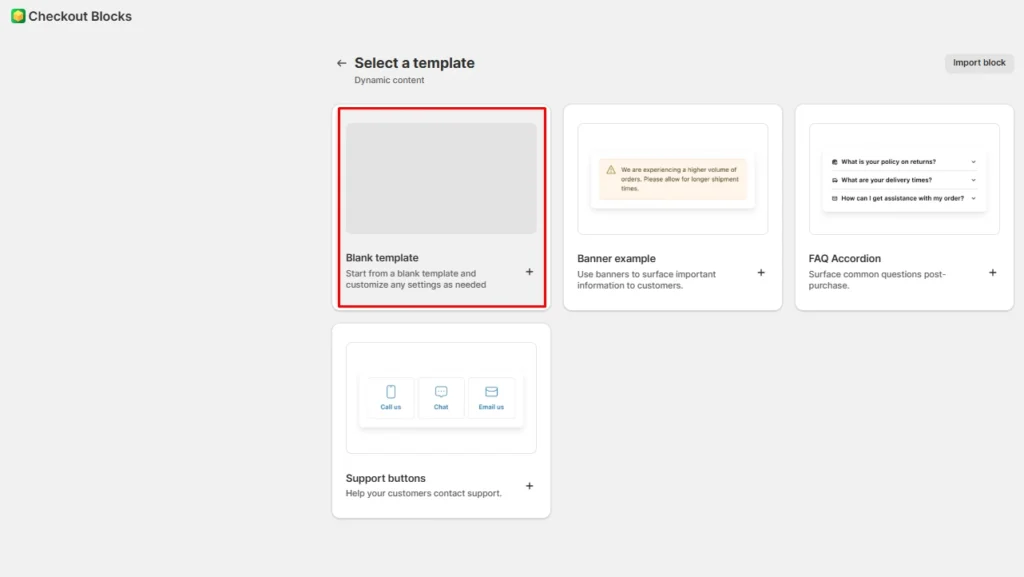
This option can be selected by clicking the blank template block.
Why do I love this feature?
If your store needs extra information during checkout, this feature helps to save a lot of time. I usually add custom fields for: gift notes, delivery instructions, customer confirmations, event-related details, and order preferences
3. Payment and delivery method customization
Note: This is for Shopify Plus stores.
When I work with Plus customers, I use Checkout Blocks to hide, rename, or reorder certain payment methods. I also use it to customize delivery options based on conditions
4. Order value limits and checkout rules
You can track order value limits inside Checkout Blocks, including minimum and maximum thresholds. Supported checkout validation rules also help stores add certain conditions during checkout.
How has this helped me?
- Managing B2B stores
- Wholesale orders
- Stores with minimum order values
- Stores with specific fulfillment rules
Want to increase revenue at the checkout page?
If your goal is to do more than improve the checkout experience, it is worth looking at what happens after the purchase, too.
That is where post-purchase upsell apps, such as SellMore Post Purchase Upsell, fit naturally.

It helps Shopify merchants show one-click upsell offers on the post-purchase page, thank you page, and order status page. I recommended this app because it has helped store owners increase the average order value without adding friction during checkout.
How to set up and customize checkout page with Checkout Blocks?
Step 1: Install the app
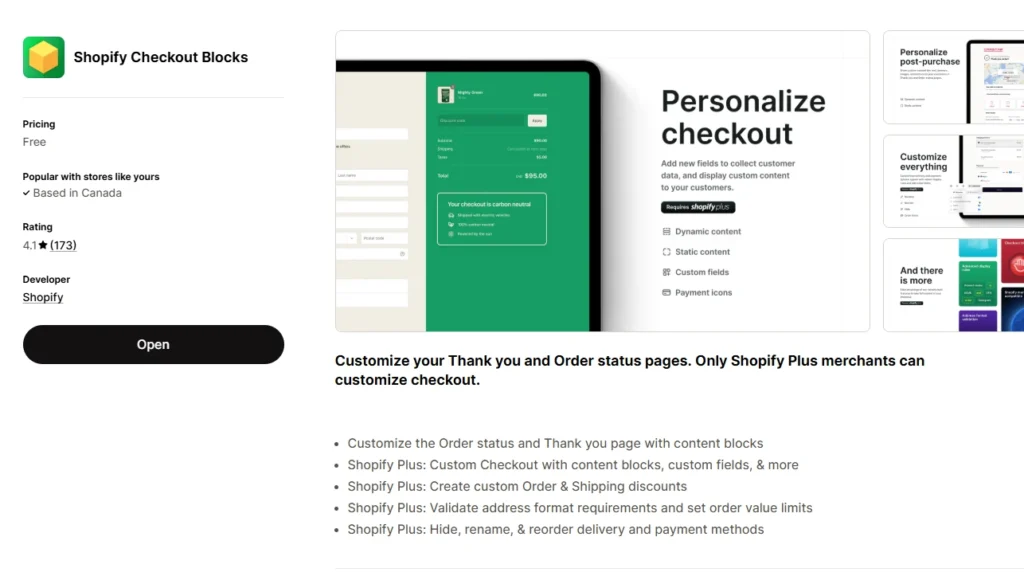
Start by installing Checkout Blocks from the Shopify App Store.
This is a Shopify app, so it connects this workflow with the checkout and accounts editor, which is where your blocks will get placed.
Step 2: Start with a simple content block
I would recommend that store owners start with this.
Whenever I help a new store, I begin with a content block because it is the quickest way to customize the Shopify checkout page. You can write a short message, choose where it should show up, and then decide when it should appear.
Step 3: Add custom fields only if they solve a real need
If your store needs extra information, then I will move to custom fields.
It's easy to set this up.
- Go to Apps > Checkout Blocks
- Create a new block
- Select Blank Template
- In the Block Name section, add the name of your block. Your customers won’t see this.
- Add a Block ID from the drop-down menu.
- Customize the display rules and content based on what you want to show and add in the block.
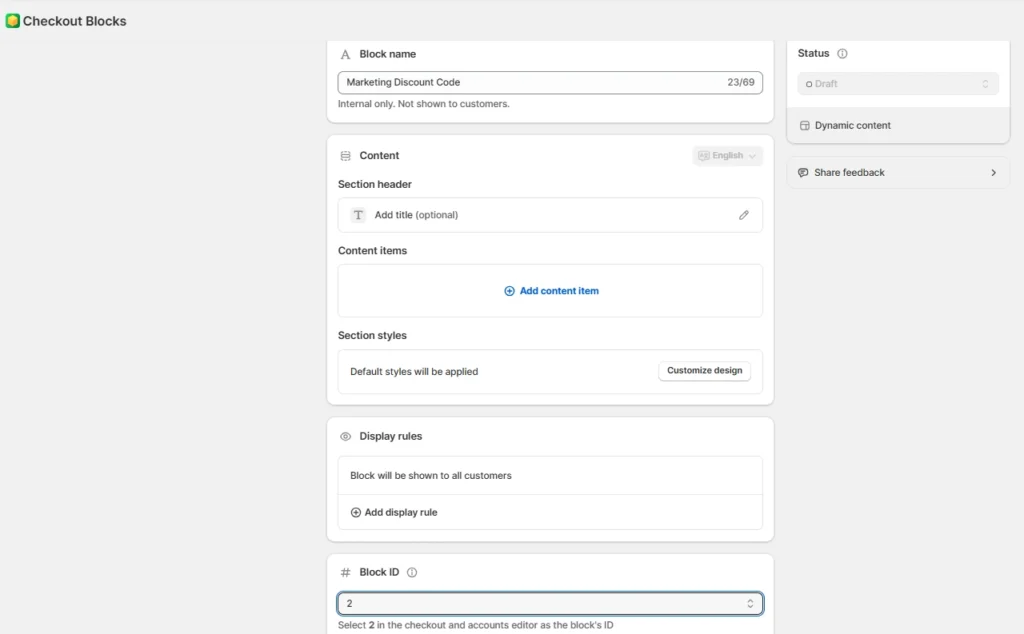
Custom fields do not get inserted inside the existing shipping or billing forms. They sit above or below those forms.
Step 4: Customize your payment and delivery options
If the store is on Shopify Plus, Checkout Blocks is more useful.
As I have discussed earlier as well, you can hide, rename, and reorder payment methods and adjust delivery choices based on conditions.
But do not customize checkout just because the feature exists. Change only what reduces confusion or supports a real business rule.
Step 5: Test the full checkout flow
I do not miss this step. Once everything is set up, I always test:
- Whether the block appears in the right place
- Whether the display rules work properly
- Whether the input gets saved correctly
- Whether the customer experience still feels smooth
My final take on Shopify Checkout Blocks
When the Checkout Blocks app debuted in 2022, it was not a Shopify app. It was acquired by Shopify, which shows how powerful the app is for merchants.
If I were using the Checkout Blocks app in 2026, I would:
- Start with content blocks
- Add custom fields only when they are genuinely useful
- Simplify payment and delivery choices if my plan allows it
- Test everything before leaving it live
FAQs
1. What are Shopify Checkout Blocks?
Shopify Checkout Blocks is Shopify’s checkout customization app that lets merchants add blocks and functions to checkout without writing code.
2. Is the Checkout Blocks app free on Shopify?
Yes. Merchants on Basic Shopify and above can use static and dynamic content on the Thank you and Order status pages. Plus, customers can do a deeper customization like customizing payment and delivery method changes.
3. Do I need a Plus plan to use the Checkout Blocks app?
No. You do not need Plus to use the app. But you do need Shopify Plus for advanced checkout functions like delivery and payment method customizations and discount codes.
4. Can I edit checkout page in Shopify with Checkout Blocks?
Yes. You can edit parts of checkout with Checkout Blocks, but how much you can change depends on your Shopify plan.




About the author
Vineet Nair
Vineet is an experienced content strategist with expertise in the ecommerce domain and a keen interest in Shopify. He aims to help Shopify merchants thrive in this competitive environment with technical solutions and thoughtfully structured content.