





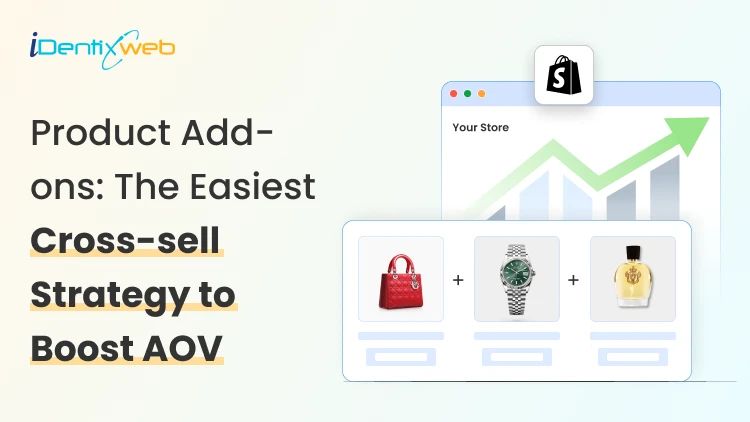
It’s 2026. You don’t need more traffic in your store. You need to convert the ones who land in your store.
Most Shopify stores I see don’t have a visibility problem. They have an AOV problem. People land on the site, they browse or add items to the cart, and they leave.
If that sounds familiar, Shopify add-ons are one of the fastest ways to change it without offering store-wide discounts.
When I say ‘add-ons’, I’m not talking about some random product recommendation. Add-on products on Shopify provide value to the customers.
In this blog, I’ll break down what Shopify add-ons are, what kind of add-ons work best for different products, and how to measure results so you’re not guessing.
What are Shopify add-ons (and why shoppers say yes)?
When most store owners hear “Shopify add ons,” they think of “extra products.” That’s close, but the real point is simpler:
Add-ons help the customer finish the purchase with fewer steps and fewer doubts.
Add-on products feel natural. They feel useful. And they don’t force your customer into a whole new decision.
If you’re trying to decide what to start with, add-ons are usually the easiest win. They’re quick to understand. They’re easy to add. And they don’t mess with your core product pricing.
Examples of Shopify add-ons include:
- Gift wrap
- Greeting card
- Personalized note
- Premium gift box
- Extended warranty
- Shipping protection
- Express shipping upgrade
- Installation service
- Spare parts kit
- Replacement filter
- Extra battery
- Charging cable
- Refill pack
- Travel-size add-on
- Subscription add-on
- eBooks
The best places to show add-on products on Shopify
Product page add-ons
The product page is where shoppers make their first decision. That’s why product page add-ons convert so well when they’re clean and obvious.
Put add-ons right next to the Add to Cart button. That’s the most natural spot because it feels like part of the purchase, not a separate upsell.
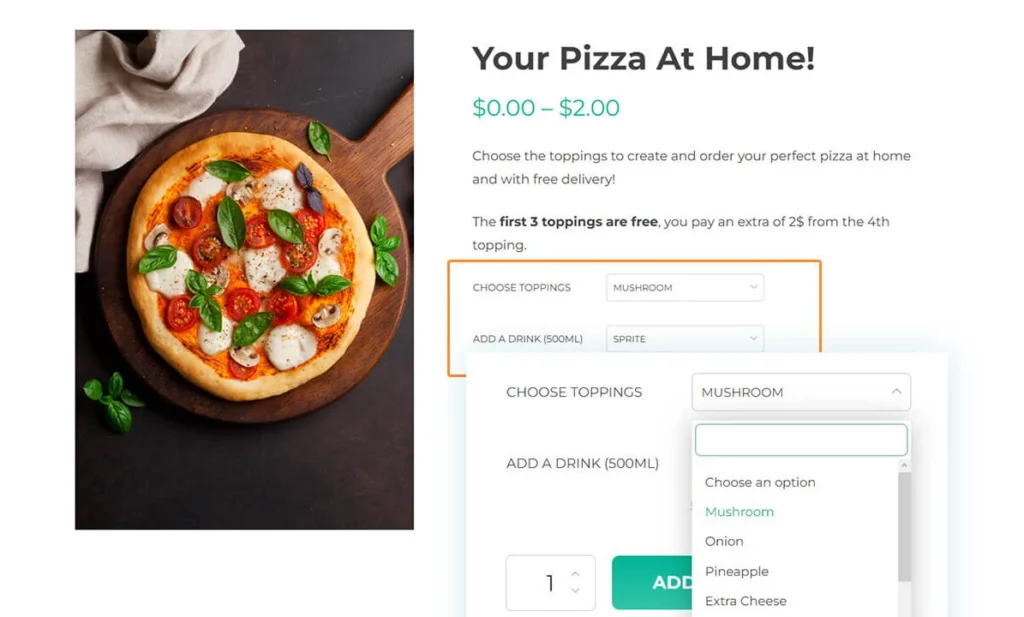
For example, if you run a food and drink Shopify store, you can create product add-ons for complementary food items.
Cart add-ons
The cart is your last clean shot to increase AOV. They’re just one step away from checkout. That’s why cart add-ons work best.
Use cart drawer or cart page add-ons. This is where you can suggest gift wrap, priority processing, accessories, refills, or anything that makes the order better right now.
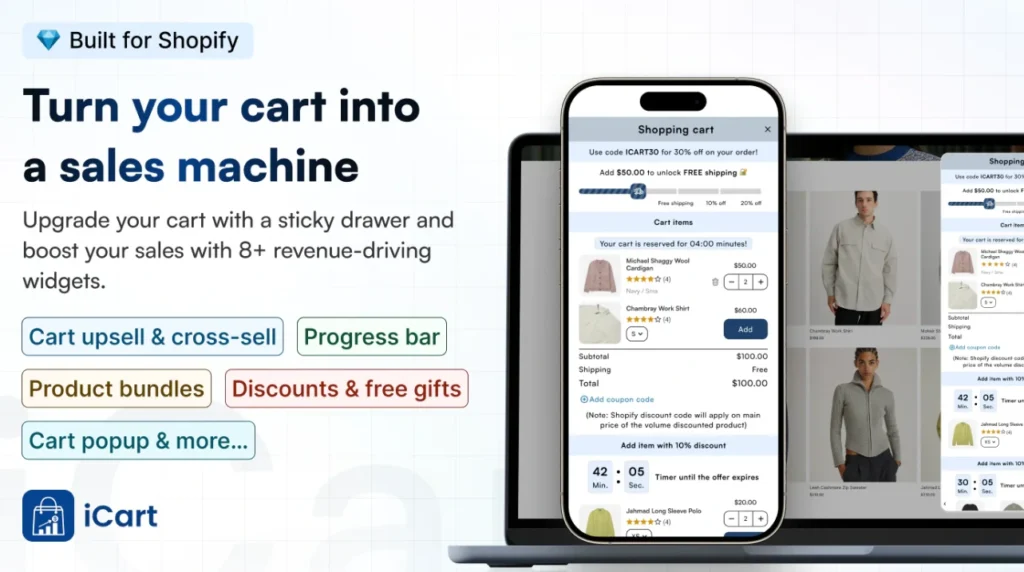
This is also where upsell Shopify apps like iCart work great. Shopify merchants prefer iCart to set up product add-ons on a Shopify store with complete optimization.
You can show add-ons inside the cart drawer or cart page in a way that feels native, so the shopper adds more without losing momentum.
Post-purchase / thank-you page cross-sell
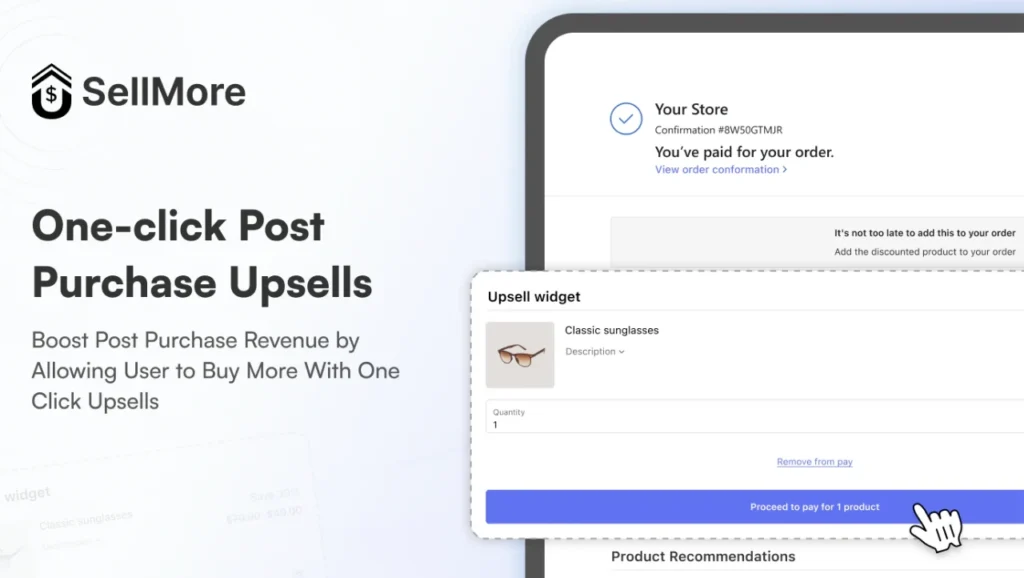
Post-purchase add-ons work great because customers don’t have any pressure to buy.
The key here is to keep it simple. One product. One reason. One click. If it feels like extra work, customers skip it. If it feels like an easy win, you get that bonus revenue without touching your main checkout flow.
You can install post-purchase upsell apps like SellMore to boost AOV in the thank-you page.
Why are Shopify add-ons the best to increase AOV?
“Complete the set” mindset
If you sell an item that needs something to go with it, they’ll often say yes to the add-on. This is because they think they are saving time and money on this deal.
Frequently bought bundles are a great example of this mindset.
Convenience beats comparison
Shoppers have become smarter in 2026. If you don’t offer the obvious add-on, shoppers will open a new tab, search Amazon, and suddenly you’re not the only option anymore.
A simple add-on offer keeps them in your store and removes the “I’ll figure this out later” friction.
A tiny add-on is an easier decision than a bigger discount
A $9.99 add-on that offers a 2-year warranty feels simple compared to discounts on every product in your store. It’s low risk. And it increases AOV without training your customers to wait for sales.
That’s the real reason the best cross sell app Shopify merchants use focuses so much on add-ons and placement.
How to Add Product Add-ons to Your Shopify Store?
Method 1: Shopify Native
Step 1: Pick the product you want to add add-ons to
- In Shopify admin, go to Products
- Click the product you want add-ons with
- Scroll to the Variants section
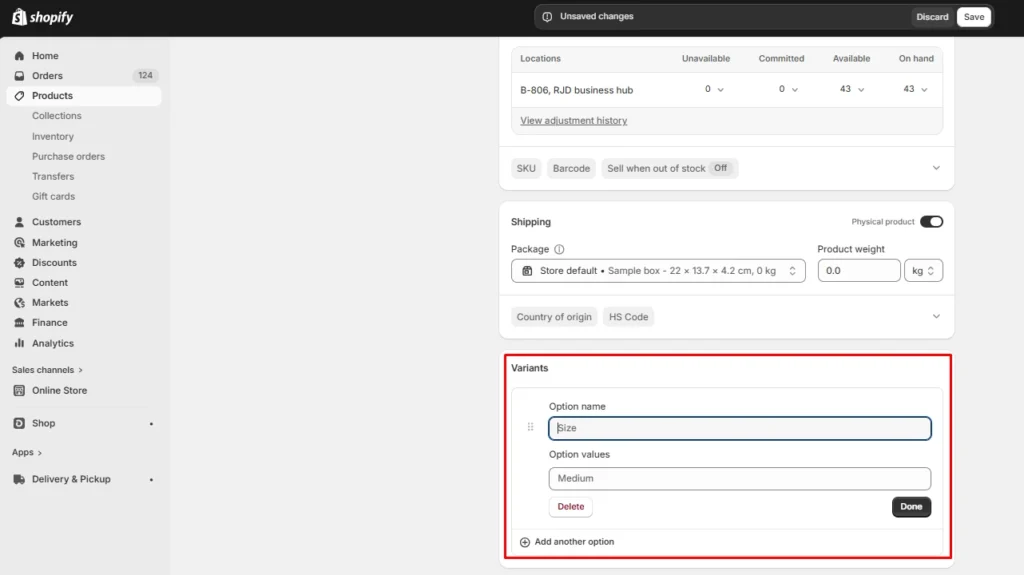
Step 2: Add in the variant details.
- In Variants, click Add options name, like size or color
- Add option values like gift wrap, shipping protection, and extended warranty
- Type other variant details (Price and images)
- Click Save
Method 2: Shopify App
Apps like iCart, one of the best cross-sell apps on Shopify, help to easily add product add-ons to stores.
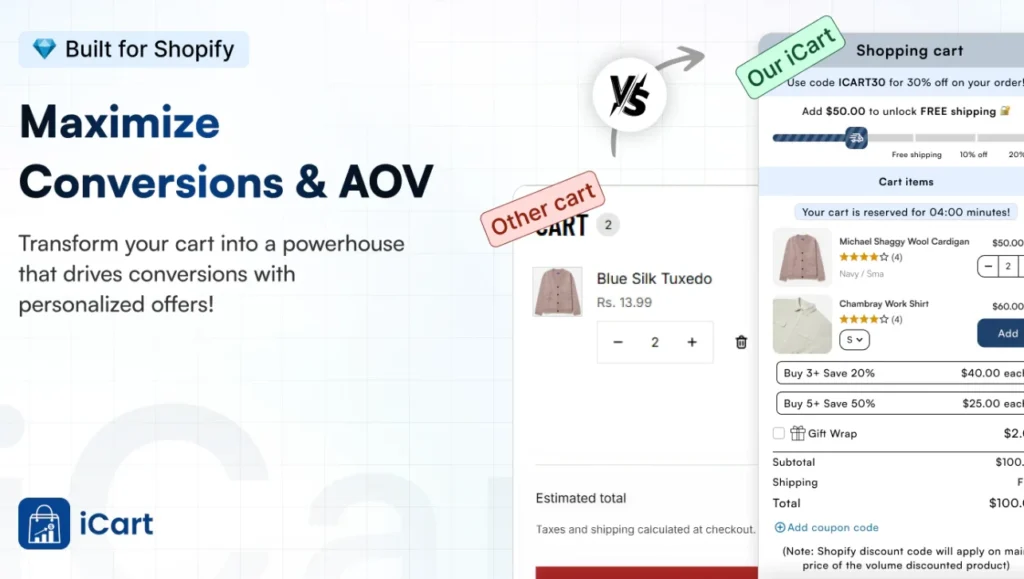
Here’s how you can use its features to drive conversions with Shopify add-ons.
Progress Bar Widget
The Progress Bar widget lets you display goals like “Spend $X to unlock free shipping, a discount, or a free product.”
When customers add items to their cart, the bar visually shows them how close they are to the next reward, which naturally encourages add‑ons.
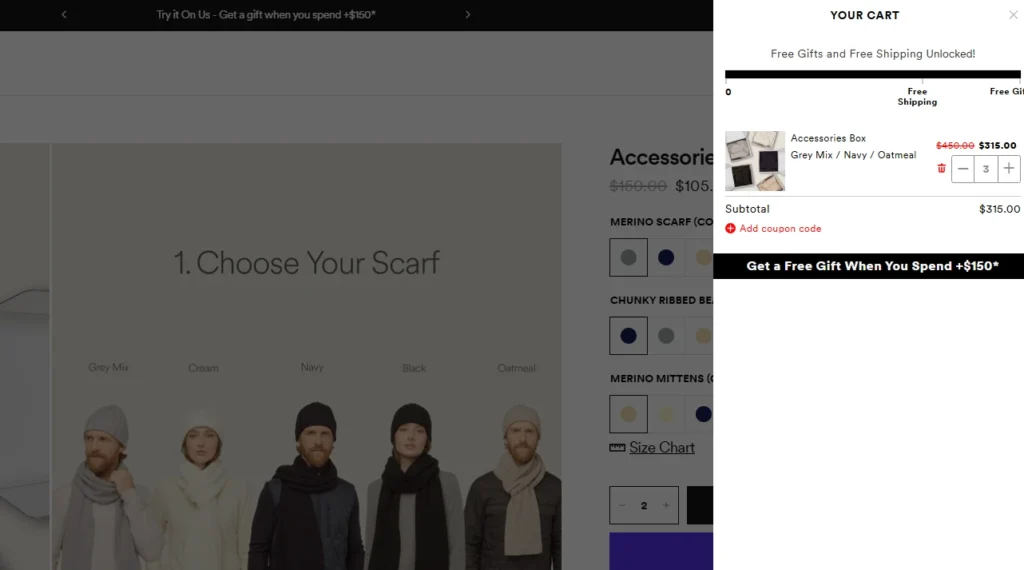
Tilly, a clothing Shopify store, is using iCart’s progress bar for add-ons in their storefront.
Product Upsell Widget
The Product Upsell widget displays complementary or targeted products directly within the cart drawer.
You choose which products to show, whether they’re Shopify recommended items, best sellers, or handpicked add‑ons. You can also add discounts or timers to boost conversions.
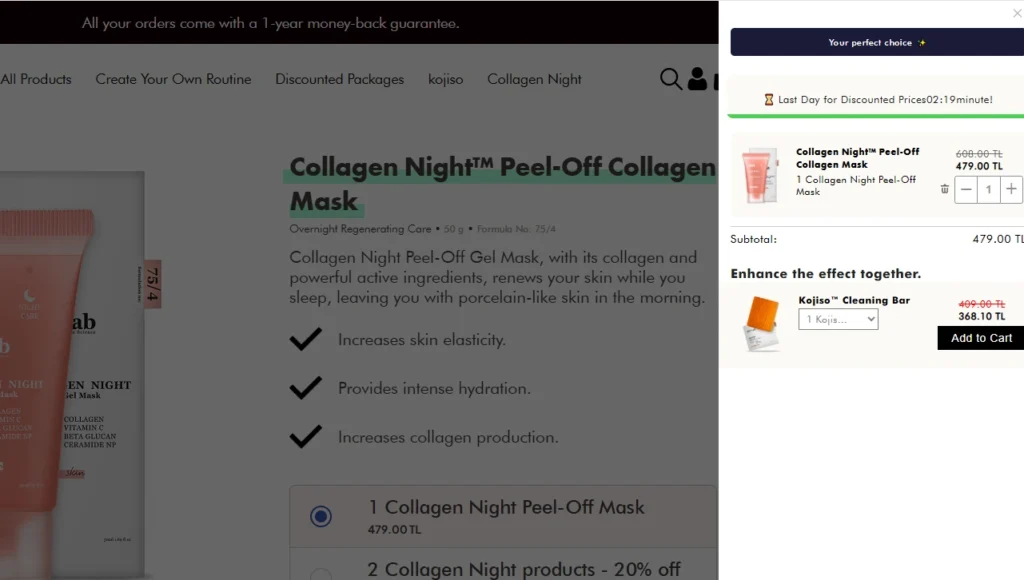
PH Lab, a beauty Shopify store, is using iCart’s product upsell feature for add-ons.
Product Recommendation Widget
The Product Recommendation widget displays items that are related to what’s already in the cart.
For example, “You may also like” or “Customers also added.” This is a classic cross‑sell layer that feels natural and personalized without being pushy. You can also create add-on upgrades in the bundle.
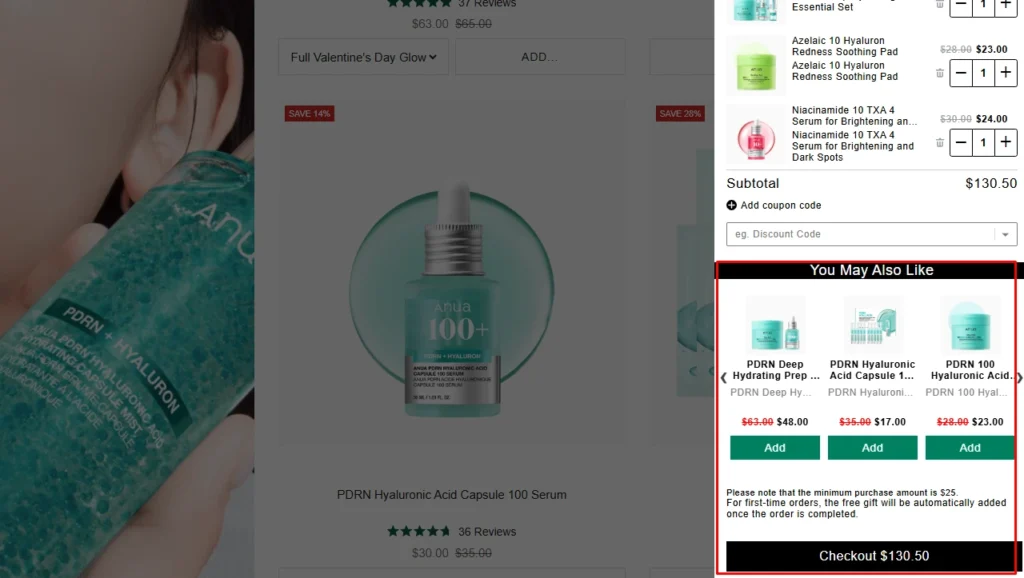
Anua, a beauty brand on Shopify, is using iCart’s product recommendations feature.
Conclusion: Create Shopify Add-ons to Maximize Sales
Incorporating product add-ons into your Shopify store is one of the easiest ways to boost your AOV. By strategically using tools, Shopify product add-on apps like iCart, you can present relevant add-ons at just the right moments.
Start by implementing Shopify add-ons with or without an app. Then monitor how your add-ons are performing. With the right set-up, you’ll not only increase your AOV but also offer your customers a more complete and satisfying shopping experience.
FAQs for Shopify Add-ons
1. Can you do add-ons on Shopify?
Yes, you can easily create product add-ons on Shopify by using built-in features like product variants or using Shopify apps like iCart.
2. What are the best Shopify plugins?
Some of the best Shopify plugins for boosting store functionality include: iCart for product add-ons, Klaviyo for email marketing, and Yotpo for customer reviews and ratings.
3. What is Shopify-add on?
A Shopify add-on is an additional product or feature offered alongside the main product to increase the total order value. Add-ons could be accessories, protection plans, gift wrap, or any item that complements the primary purchase.
4. How to make an add-on on Shopify?
To create an add-on on Shopify, you can use either the product variant feature or an app. Using the variant option, you can add extra choices like gift wrapping or shipping protection. Alternatively, Shopify apps like iCart allow you to create customizable add-ons, upsells, and cross-sells without needing to code.
5. Does Shopify need plugins?
While Shopify has built-in features to manage most store operations, using plugins (apps) can significantly enhance its functionality. Plugins help you add advanced features like product add-ons, subscription management, email marketing, upselling, and more, which aren't always available through Shopify’s default settings.

![How to Do a BOGO Sale on Shopify? [With & Without an App]](https://www.identixweb.com/wp-content/uploads/2026/02/04-02-Wed-Blog-How-to-Run-Successful-BOGO-Deals-on-Shopify_.webp "How to Do a BOGO Sale on Shopify? [With & Without an App]")

About the author
Vineet Nair
Vineet is an experienced content strategist with expertise in the ecommerce domain and a keen interest in Shopify. He aims to help Shopify merchants thrive in this competitive environment with technical solutions and thoughtfully structured content.