





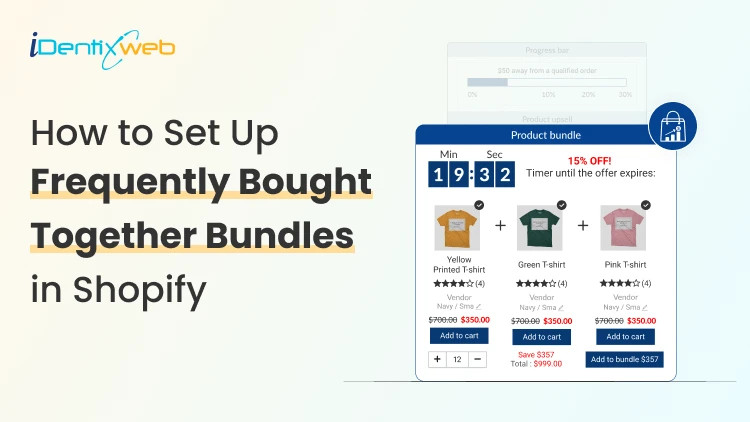

To add the Frequently Bought Together feature on Shopify, install the iCart app from the Shopify App Store. Once installed, enable the Product Bundle feature within iCart’s dashboard and select the products you want to pair together. Customize how the bundles appear on your product pages, and iCart will automatically display relevant product recommendations to your customers.
As a Shopify store owner, you're likely searching for ways to grow your sales without a huge upfront investment.
Do you know there’s a feature that is not only easy to set up but can make a significant difference in your store's performance?
The Frequently Bought Together feature in your store is a smart and simple way to boost your Average Order Value (AOV) and increase sales.
By automatically suggesting complementary products to your customers, you are encouraging them to spend more, all while enhancing their shopping experience.
In this blog, I will show you exactly how to add this feature to your Shopify store in the easiest way possible. Plus, I will also go through tips to make your FBT bundle better.
What is the 'Frequently Bought Together' Bundle?
The Frequently Bought Together feature is a powerful tool that displays related or complementary products in your cart or product page.
Imagine you're selling a T-shirt. This feature can show customers matching pants, accessories, or even shoes that others commonly purchase with that T-shirt.
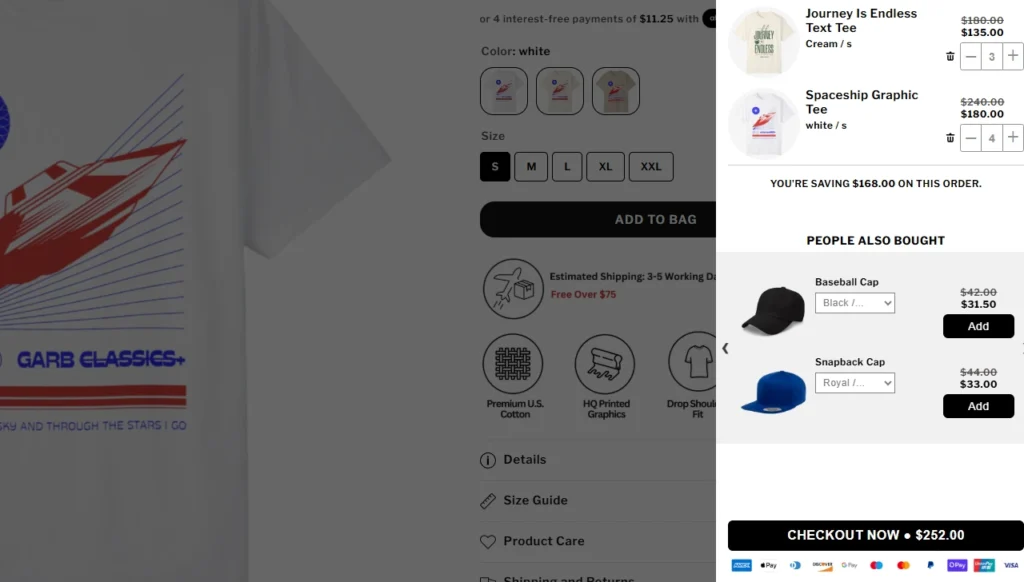
Here’s a great example. The store Garb Classics is using iCart, a frequently bought together Shopify app, to show items that people also bought with the primary product.
It’s especially helpful for new Shopify stores because it doesn’t require a lot of upfront effort or knowledge to implement.
Plus, it feels natural to your customers. They’re getting a recommendation based on what other shoppers have bought, which can increase their trust and likelihood to purchase.
How to Add Frequently Bought Together on Shopify? (In X Steps)
Step 1: Install iCart
Install the frequently bought together Shopify app iCart in your Shopify store.
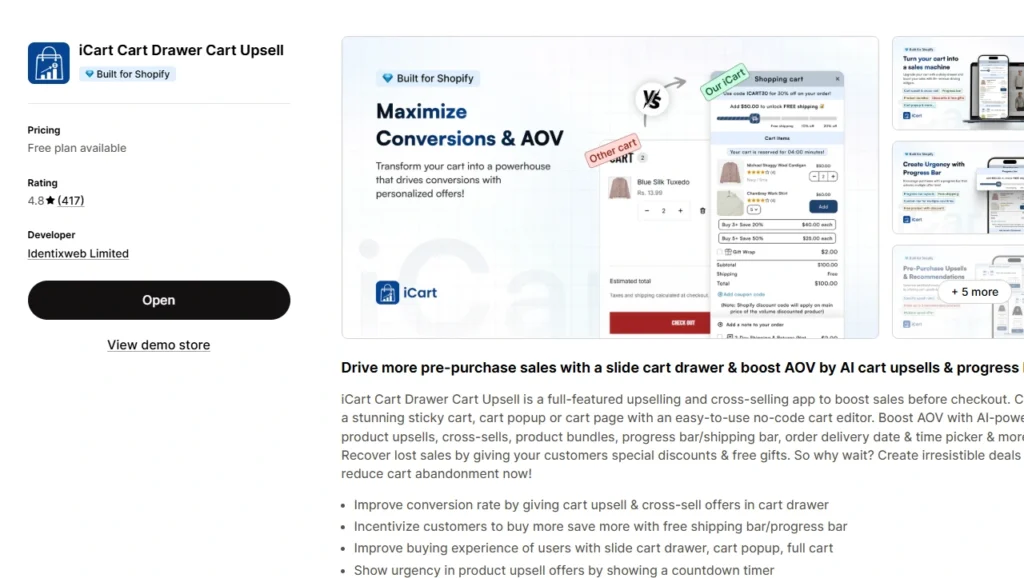
From your admin panel, go to the Apps section and configure the settings to get started.
Note: You need to go to General settings to enable the app
The first 100 orders are free for life. So you can easily test your FBT bundle in your new store without any additional cost.
Step 2: Select your cart type
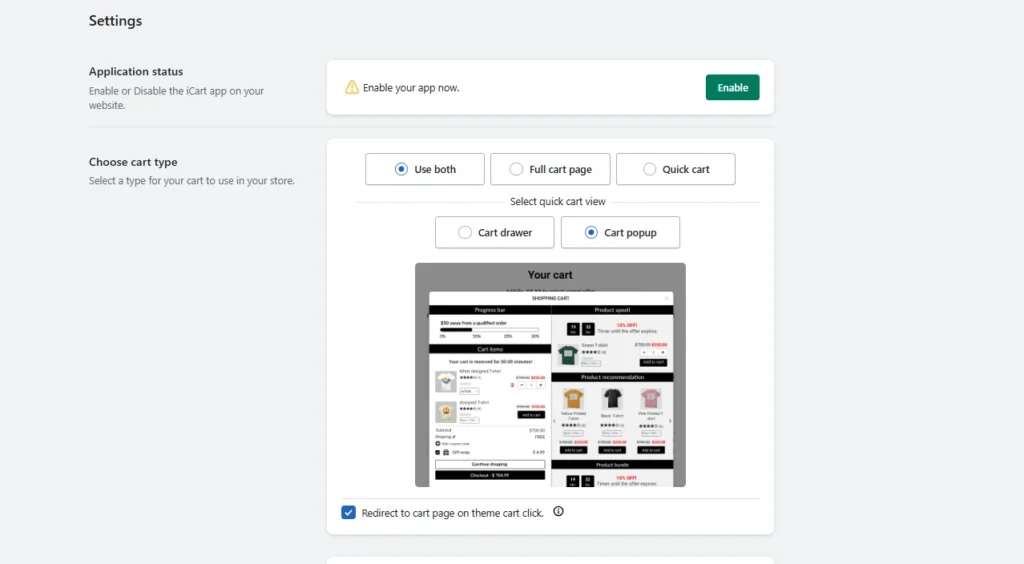
iCart provides multi-cart options to store owners. You can show all types of product bundling examples in different types of carts.
Step 3: Customize your cart to match your theme
Once you have selected your cart type, you can customize it using various widgets.
To add a frequently bought together bundle, you need to customize your cart with the Product Bundle widget.
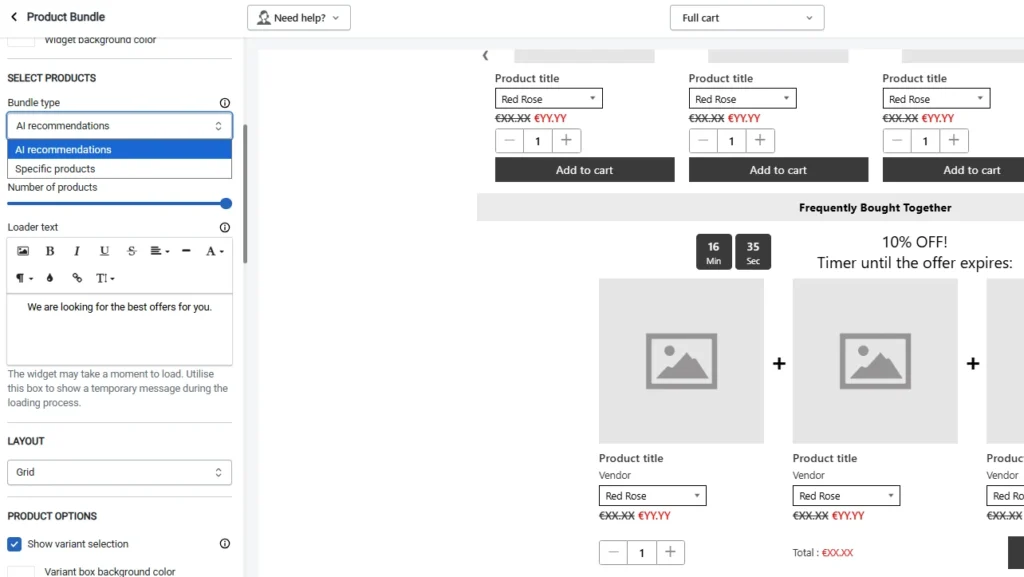
Here’s how you do it to show FBT in your cart.
- Rename the section to ‘Frequently Bought Together’ or ‘People Also Bought’
- Select the Bundle type (AI recommendations or Specific products)
- Select the number of products (You can show a maximum of 3, which is ideal)
- Choose the bundle offer (Percentage, fixed amount discount, or manually select price)
- Add a countdown time for urgency.
- You can also include an Add to cart button on each product for customers to choose a single product.
👉 Read the detailed guide for adding product bundles through iCart.
Step 4: Activate in the theme editor
From your admin panel, go to Online store > Themes > Edit theme > App embeds. Activate the iCart app here and save.
Best Practices for Using 'Frequently Bought Together' on Shopify
Focus on Relevance
- Pair products that naturally go together, like shampoo and conditioner or shoes and shoe polish.
- Ensure that the bundled items make sense for your customers’ needs to enhance their shopping experience and increase the likelihood of purchases.
Don’t Overload
- Start with 2-3 products per bundle.
- Offering too many products can overwhelm customers and lead to cart abandonment. Keep it simple and focused on the most complementary items.
Monitor Performance
- Track conversion rates and AOV, which bundles are being added to carts.
- Use this data to optimize your bundles, remove underperforming ones, adjust product pairings, or offer limited-time discounts to improve results.
Conclusion
As a new Shopify store owner, adding the "Frequently Bought Together" feature is one of the quickest and easiest ways to boost your sales.
By automatically suggesting complementary products, you create a smoother shopping experience that encourages customers to spend more without pushing too hard.
This feature is an easy win for increasing your Average Order Value (AOV) and improving customer satisfaction. You do not need to invest a lot of time or resources. It's simple to set up, and once it's live, it works seamlessly in the background to drive sales.
FAQs
1. What does frequently bought together mean?
Frequently bought together refers to products that customers commonly purchase at the same time. It works like a smart recommendation: when someone views or buys one product, the store suggests related items that other customers often bought with it.
2. How to add frequently bought together on Shopify?
Shopify doesn’t offer this feature natively, so you install a third‑party app from the Shopify App Store that supports these recommendations. After installing your chosen app, you configure which products to show together and style how the bundle appears on your product pages.
3. Which is the best frequently bought together app on Shopify?
Some highly rated options include iCart Cart Drawer Cart Upsell and Wiser AI – Upsell & Cross Sell, both known for smart AI‑based recommendations and strong reviews.
4. Which are the best examples of stores providing frequently bought together?
Electronics stores might pair phones with cases and chargers, while fashion shops show outfits or accessories together. You’ll see this pattern on many larger online retailers that use recommendation widgets to guide shoppers toward popular product combinations.
5. What is a frequently bought together algorithm?
A frequently bought together algorithm analyzes past customer purchase data to identify which products are often purchased in combination. Many Shopify apps use AI to scan order histories and browsing behavior so they can suggest relevant items that are most likely to convert.

![How to Do a BOGO Sale on Shopify? [With & Without an App]](https://www.identixweb.com/wp-content/uploads/2026/02/04-02-Wed-Blog-How-to-Run-Successful-BOGO-Deals-on-Shopify_.webp "How to Do a BOGO Sale on Shopify? [With & Without an App]")

About the author
Vineet Nair
Vineet is an experienced content strategist with expertise in the ecommerce domain and a keen interest in Shopify. He aims to help Shopify merchants thrive in this competitive environment with technical solutions and thoughtfully structured content.