







Merchants often install too many apps that they do not need, ignoring, failing to read reviews or research their developers, and forgetting to uninstall unused apps, leading to extra charges. The solution is to focus on your store's needs, opt for a free plan or trial to test, check the speed, and quality of the support before choosing the app.
Shopify has 8000+ apps to grow your online business.
These apps will help you with marketing, sales, inventory, shipping, order fullfilment, and customer service.
But many Shopify owners make mistakes while installing Shopify apps and lose traffic and sales.
Let's get straight to the point. Here's what merchants get wrong when picking apps for their Shopify store.
Common Mistakes Merchants Make When Choosing Shopify Apps
Lack of strategy when choosing apps
If you install apps without a clear reason, you’ll keep stacking apps, using features, and fixing problems you created.
A smarter approach is to define your goals, choose apps that directly support those needs, test them properly, and only install the app when you can prove it will move a real metric like conversion rate, AOV, or support tickets.
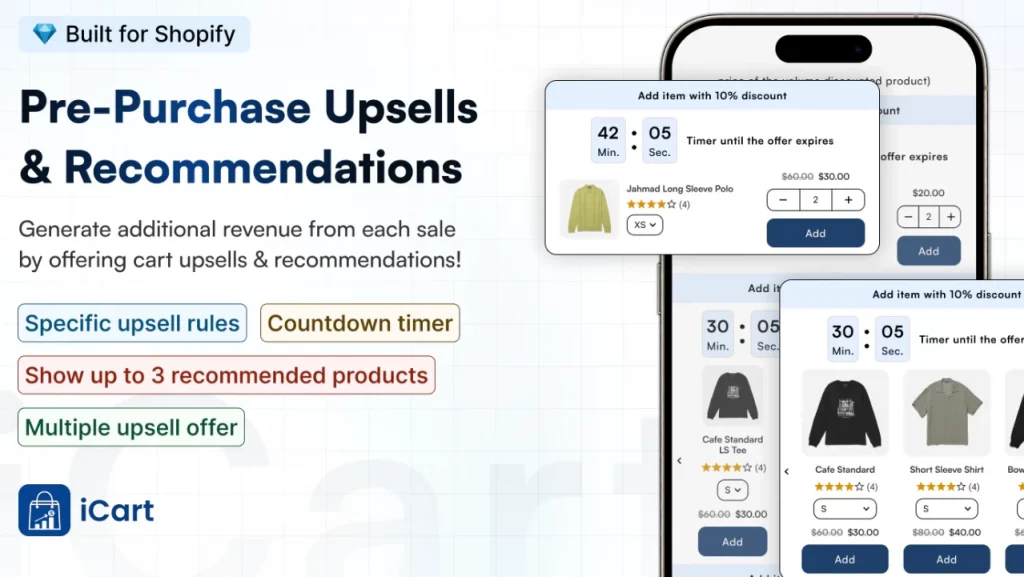
Upsell apps like iCart have been proven to increase conversion rates and AOV of Shopify merchants. Shopify merchants love its features, like a progress bar, product upsell, sticky cart, and AI-powered product recommendations.
Install too many unnecessary apps
New Shopify store owners run into trouble because they pick too many apps, too early, without a clear plan. Apps can absolutely help you sell more, but every app you add can also add scripts and extra code.
This is one of the common mistakes store owners make. They install multiple apps that solve the same problem and create feature stuffing, overlapping settings, and unnecessary load on their store.
Ignoring to check for required features
Another common mistake is skipping the check for app features. Merchants don’t read the app listing carefully, ignore customer reviews, and don’t verify if the developer offers real documentation and support.
So when you have any issues with the app, there’s no documentation or support to solve your queries.
Forgetting to uninstall
This is so easy, yet too many merchants make this mistake. Merchants often stop using an app but never uninstall it, leaving behind an app that still loads, conflicts with other apps, or charges you for their features.
Over time, this creates random issues that are hard to solve, like slow pages, broken cart behavior, or design glitches.
Installing aggressive marketing apps
Using marketing apps aggressively can backfire when they interrupt the customer too much.
Push notifications and constant popups can feel spams, especially for a new brand that hasn’t earned trust yet.
Ignoring the Shopify API calls by apps
Many apps run background jobs that constantly read or write data in Shopify (orders, customers, inventory, discounts, cart rules, etc.).
If an app calls Shopify’s APIs too frequently, it can slow things down, especially when you stack multiple apps that all do the same thing.
How to Choose the Best Shopify Apps? (Tips to Avoid Mistakes)

Identify Business Needs
Before you directly move ahead with your hunt for top Shopify apps, it is mandatory to identify your business needs.
Check out the objectives and concerns you want the Shopify apps to resolve for you. Some of the business needs cater to creating blog posts, email marketing, and other concerns.
To simplify your planning, consider using business plan templates to ensure you address key aspects effectively. Make sure you identify the core problem and then move ahead with your search for the best Shopify apps to increase sales of your Shopify Store.
Shortlist Shopify apps
Shopify has 8000+ stores to boost your store growth. Store owners can leverage top Shopify apps to increase their Shopify sales. Note down the problems you require and the app that solves them. Most merchants use 6 to 10 essential apps.
Read everything before installing
Before you install, treat the app listing like a product label. Read the description, pricing, and what features are included in each plan so you do not get surprised later when something unexpected happens.
The second thing is to read reviews for patterns, not just star ratings. Look for comments about speed, support quality, and whether it works on mobile, because that’s where most customers will experience it first.
Check how the app supports you
Support matters for every merchant, because apps touch critical parts of your store like the cart, checkout flow, and theme. Check if the app offers clear documentation, setup guides, and a support team that offers live calls to solve your queries.
Also, confirm how fast they respond and where they support you (live chat, email, tickets), plus their timezone and typical response time. When something breaks during a sale or ad campaign, good support saves you hours and prevents lost orders.
Wrap Up
Hopefully, the blog has enlightened your knowledge on choosing a Shopify app. If you have any queries, shoot in the comment section below.
1. How many apps do you need on Shopify?
Most new stores do best when they keep the number of apps between 5 to 10 and only install what supports a clear goal (like reviews, shipping, email, or upsells). Shopify recommends choosing apps carefully, and you uninstall them once you no longer need them.
2. What are the must-have apps for Shopify?
Shopify store owners start with apps that cover trust and conversion (reviews), marketing (email/SMS), customer support, and operations (shipping or delivery workflows). Prioritize apps with the Built for Shopify badge when possible because Shopify uses it to highlight higher-quality apps that meet stronger standards.
3. Is it better to choose free Shopify apps over paid apps?
Not always, because price doesn’t equal quality, and even free apps can add scripts or complexity that impact your store. Choose based on your goal, reviews, documentation, and support quality, not only on cost.
4. How do I choose the right Shopify apps?
Start with your basic needs, then compare apps by checking the listing details, recent reviews, and whether they have the Built for Shopify badge. Also, check for documentation and support. After installing, test the storefront and mobile experience, and remove apps you don’t use to keep your store clean.
5. What are the common mistakes merchants make when choosing Shopify apps?
The biggest mistakes are installing overlapping apps, ignoring performance impacts (extra scripts and background activity), skipping customer reviews, and not checking for support team.




About the author
Priyanka Chaudhari
Priyanka Chaudhari is an enthusiastic tech writer with a horizon of experience in multiple domains. She loves writing about marketing, e-commerce, and technology. Currently, she is employed with Identixweb as a senior content writer.