






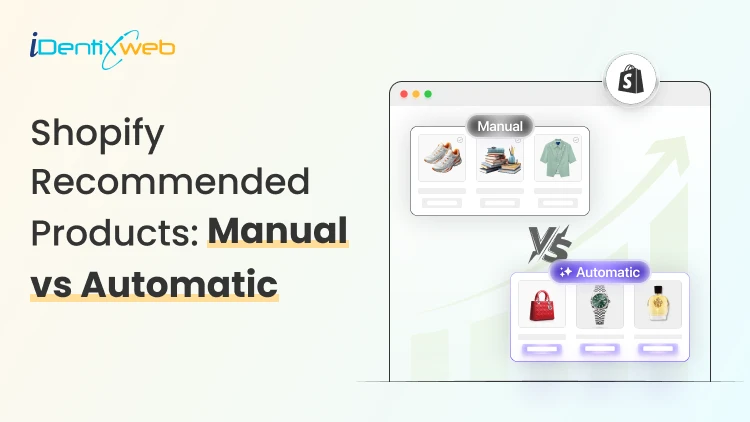
Every product page on your Shopify store is a selling opportunity and what you place in the "Recommended Products" section can make or break that moment. Done right, product recommendations keep shoppers engaged, increase average order value, and turn browsers into buyers. Done wrong, they feel random, irrelevant, and send customers straight to the exit.
Shopify gives store owners two ways to handle this: let the algorithm decide automatically, or take full control with manual curation. Both approaches have their place but knowing which one to use, and when, is what separates stores that consistently upsell from those that leave revenue on the table.
In this guide, we break down exactly how manual and automatic recommended products work on Shopify, the real-world pros and cons of each, and how to choose the right strategy for your store's goals.
What Are Shopify Recommended Products?
Picture this: A shopper lands on your product page looking for a pair of running shoes. They're ready to buy but you only show them that one pair. No related items, no complementary accessories, no "others also loved" suggestions. They buy (if you're lucky), and then they leave.
Now imagine showing them matching running socks, an insole upgrade, or the trail version of the same shoe. Suddenly, a $79 order becomes a $140 order. That's exactly what Shopify recommended products do, they surface the right products to the right shopper at the right moment.
In simple terms, Shopify recommended products are product suggestions displayed on your store typically on product pages, the cart page, or checkout designed to encourage shoppers to discover more of what you sell.
Why Shopify Product Recommendations Actually Matter
Most Shopify merchants obsess over traffic, more clicks, more ads, better SEO. And that's valid. But there's a more immediate revenue lever sitting right inside your store that most merchants completely underestimate.
Beyond revenue, smart recommendations also:
- Reduce bounce rates by keeping shoppers engaged on your site
- Improve product discovery for items buried deep in your catalog
- Build a personalized shopping experience that earns loyalty
- Lower the cost-per-conversion from your paid traffic
Manual Recommendations
Manual product recommendations are exactly what they sound like: you decide which products get suggested alongside which other products. In Shopify's native editor, this means going into each product and handpicking what appears in the "Related Products" section.
How Manual Recommendations Work in Shopify
- Go to your Shopify Admin > Products
- Open any product you want to configure. Scroll to the bottom of the product page to find the "Product recommendations" or "Related products" section (availability depends on your theme).
- Manually select related products
- Use Shopify's native search to pick and pin specific products. In some themes you may need to edit the theme's code or use metafields to hard-code product associations.
- Repeat for every product
- Review and update periodically
- Seasons change, products go out of stock, new arrivals come in. Manual setups need ongoing human maintenance to stay relevant.
Automatic Recommendations
Automatic Shopify product recommendations use algorithms and increasingly, AI to analyze shopper behavior and surface products that are most likely to convert. Shopify's native recommendation engine uses the "Recommendation Intent API," which pulls from purchase data, browsing patterns, and product metadata to generate suggestions automatically.
Many Shopify product recommendation apps go even further, using machine learning to personalize suggestions for each individual shopper in real time.
How Automatic Recommendations Work
Shopify's built-in algorithm considers several signals to decide what to recommend:
Purchase history: Products frequently bought together.
Browsing behavior: Items often viewed in the same session.
Product metadata: Shared tags, collections, and product type.
Inventory availability: Only in-stock items (in most cases).
Global trends: What's converting across similar stores (in some third-party apps).
Manual vs. Automatic: Side-by-Side Comparison
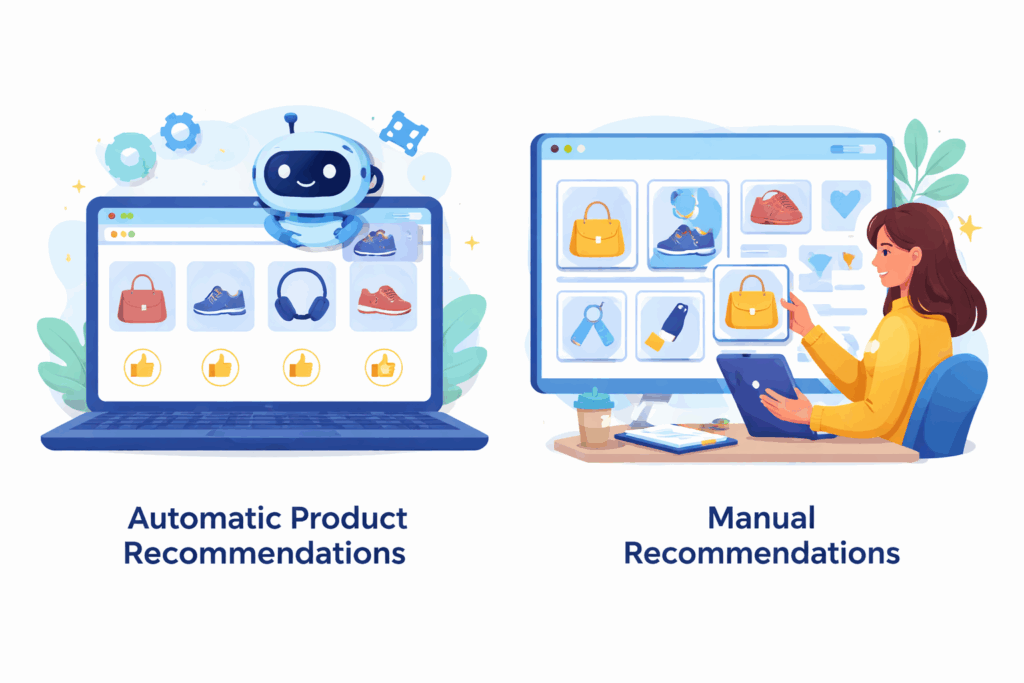
Here's everything in one place so you can make an informed decision for your specific store:
| Factor | Manual | Automatic |
| Setup time | High - requires per-product configuration | Low - works out of the box |
| Catalog size suitability | Best for small catalogs (under 50 SKUs) | Best for medium to large catalogs |
| Data requirement | None - works on Day 1 | Needs traffic/purchase history to be accurate |
| Personalization | ✗ Same for every shopper | ✓ Can be individualized per visitor |
| Margin control | ✓ Full control over what you promote | ✗ Algorithm prioritizes conversions, not margins |
Seasonal merchandising Scalability | ✓ Easy to adjust strategically ✗ Very hard to scale with large catalogs | ~ Possible with advanced apps, not natively ✓ Scales effortlessly |
| Brand control | ✓ Full editorial control | ~ Dependent on app/filter rules |
Tips to Maximize Revenue from Shopify Product Recommendations
1. Recommend the Right Things
Showing 8 recommendations on a product page feels like noise, not help. Stick to 4-6 highly relevant suggestions. Fewer, stronger recommendations outperform long generic lists every time.
2. Placement Matters
The cart page is one of the highest-converting spots for recommendations because the shopper is already in buying mode. Product page recommendations work best below the fold, if they're competing with your main CTA above the fold, they're hurting your primary conversion. If you want to show recommendations on cart page, you can make use of Shopify apps like iCart.
3. Use Social Proof in Your Recommendation Widgets
Adding star ratings, review counts, or "Bestseller" badges to your recommended products dramatically increases click-through rates. A product sitting at ★4.8 with 340 reviews sells itself even in a recommendation widget. Most good Shopify product recommendation apps support this natively.
Frequently Asked Questions
1. What is the difference between manual and automatic product recommendations?
Manual recommendations are curated by store owners, while automatic recommendations are generated by algorithms using customer data, purchase history, and behavior patterns.
2. Do automatic recommendations increase sales more than manual ones?
In many cases, automatic recommendations perform better because they adapt to user behavior in real time. However, manual recommendations can outperform them in targeted campaigns or curated collections.
3. Are Shopify’s built-in recommendations enough?
Shopify provides basic automatic recommendations, but advanced personalization often requires third-party apps for better targeting, analytics, and customization.


![How to Create a Discount Code on Shopify [Easy New Tutorial]](https://www.identixweb.com/wp-content/uploads/2026/03/26-03-Thu-Blog-How-to-Easily-Create-a-Discount-Code-on-Shopify_-2.webp "How to Create a Discount Code on Shopify [Easy New Tutorial]")

About the author
Sajini Annie John
Meet Sajini, a seasoned technical content writer with a passion for e-commerce and expertise in Shopify. She is committed to helping online businesses to thrive through the power of well-crafted content.