



You've built your Shopify store. You've added your products. But here's the problem your customers are clicking around, struggling to find what they need, and leaving before they buy.
Sound familiar?
A well-structured Shopify product catalog is often the missing piece. When shoppers can't quickly compare specs, variants, pricing, or features in one place, they bounce and they buy from someone who made it easier.
In this guide, you'll learn exactly how to build a dynamic Shopify product table that helps customers find, compare, and buy products faster without touching a single line of code.
What Is a Shopify Product Catalog Table?
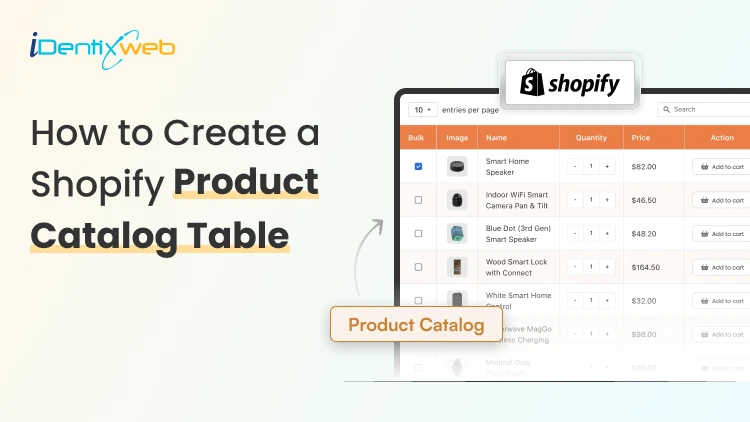
A Shopify product catalog is a structured, organized display of your products with key details like SKUs, prices, variants, dimensions, and stock status laid out in a scannable table format.
Unlike your default grid or list view, a product catalog table lets customers:
- Compare multiple products side by side
- Filter and sort by attributes (size, color, price, material)
- See all variants without clicking into individual product pages
- Add items to cart directly from the table
Step-by-Step: How to Create a Dynamic Shopify Product Catalog Table
Step 1: Define What Data Your Table Needs to Show
Before you install anything, get clear on what information your buyers actually need to make a decision.
Ask yourself:
- Do customers compare products by specs (weight, size, material)?
- Do you have many variants per product?
- Are you selling B2B, wholesale, or retail?
- Do you need a quick "Add to Cart" directly from the table?
Your answers will determine which approach fits best. A clothing store needs size charts and color options. A hardware store needs technical specs and SKU numbers. A B2B supplier needs bulk pricing and stock availability.
Pro tip: Talk to your top 5 customers. Ask them what they wish they could see on your product pages before buying. Their answers will shape your catalog table better than any template.
Step 2: Set Up Your Product Metafields in Shopify
Metafields are the backbone of a dynamic Shopify product catalog. They allow you to store additional product data beyond Shopify's default fields and display it on your storefront.
Here's how to set them up:
- Go to Shopify Admin > Settings > Custom Data > Products
- Click Add Definition
- Name your field (e.g., "Material", "Weight", "Dimensions", "SKU Code")
- Choose the appropriate content type (Text, Number, Date, etc.)
- Enable "Expose to Storefront API" so apps and themes can read the data
- Save, and repeat for each attribute you need in your table
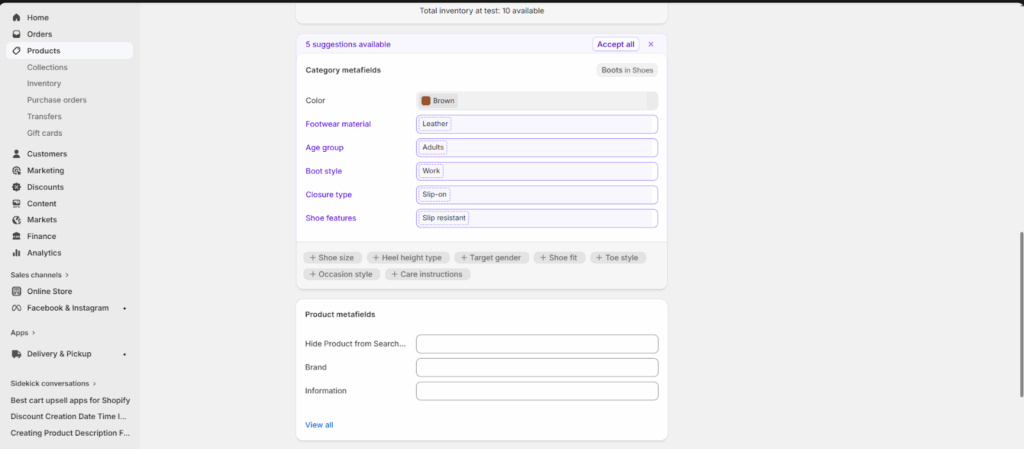
Once your metafields are created, go to each product and fill in the values. Yes, this takes time upfront but it's what makes your catalog table dynamic. When you update a product, the table updates automatically.
For stores with large inventories, use Shopify's bulk import via CSV to populate metafield values at scale instead of editing products one by one.
Step 3: Choose the Right Shopify App for Your Product Table
While Shopify does allow basic customization, it doesn’t natively support dynamic product catalog tables or advanced comparison layouts. That’s why most merchants rely on specialized apps to build structured, conversion-focused tables without coding.
The right app should help you:
- Turn product data into a clean, structured table view
- Automatically sync with Shopify products and metafields
- Allow customers to compare products side by side
- Enable filtering, sorting, and quick add-to-cart
- Work seamlessly on both desktop and mobile
I would suggest, TablePress app as it is designed specifically for these use cases.
Benefits of Adding a Product Catalog Table to Your Shopify Store
A product catalog table isn’t just a visual upgrade; it fundamentally changes how customers interact with your store. Instead of clicking through multiple product pages, shoppers can view, compare, and decide in one place.
Here are the key benefits:
Faster Product Discovery
Customers can instantly scan multiple products in a structured format instead of browsing page by page. This reduces friction and helps them find what they need quickly.
Easier Product Comparison
When key details like price, variants, specs, and availability are shown side by side, customers can make confident decisions without opening multiple tabs or product pages.
Higher Conversion Rates
By simplifying the decision-making process, product tables reduce drop-offs and increase the likelihood of adding items to cart.
Improved Experience for Large Catalogs
Stores with many SKUs, variants, or technical products benefit the most. Tables help organize complexity into a clean, digestible format.
Reduced Customer Confusion
Clear, structured data presentation removes ambiguity around product differences, especially for similar or technical items.
Faster Add-to-Cart Actions
When customers can select variants and add products directly from the table, it shortens the path from discovery to purchase.
Conclusion
A Shopify product catalog table isn’t just a design upgrade - it’s a conversion tool. When customers can compare, filter, and purchase without friction, you’re not just improving UX, you’re actively increasing revenue per visitor.
Most stores lose sales not because of bad products, but because of unclear presentation. Simplify the buying decision, and the rest follows.
FAQs
1. What is a Shopify product catalog table?
A Shopify product catalog table is a structured layout that displays products in a table format with key details like price, variants, stock status, and specifications, allowing customers to compare and purchase easily.
2. Why should I use a product table instead of a grid layout?
A product table makes it easier for customers to compare multiple products side-by-side, especially when technical details or variants are important. It reduces decision time and improves conversions.
3. Can product tables improve conversion rates?
Yes. By reducing friction in product discovery and comparison, product tables help customers make faster decisions, which often leads to higher conversion rates and increased AOV.




About the author
Sajini Annie John
Meet Sajini, a seasoned technical content writer with a passion for e-commerce and expertise in Shopify. She is committed to helping online businesses to thrive through the power of well-crafted content.