







To create a discount code on Shopify, go to Shopify Admin > Discounts > Create discount, choose the discount type, select Discount code, enter your code, set the value and rules, and save it. You can create discount types like Amount-off products, Buy X Get Y, amount off-order, and free shipping discount codes.
If you are running a Shopify store, there is a good chance you will need discount codes for your products.
Maybe you want to give free shipping or a percentage off the final amount, discount codes can be used in a variety of ways.
The good news is that Shopify has a built-in feature to create discount codes right from the Discounts section in your admin.
In this article, I’ll show you how to create a discount code on Shopify, which discount type to choose, and the best practices I follow to make sure the codes are applied for conversions.
How to create a discount code on Shopify [Step-by-step tutorial]
Step 1: Go to Discounts in your Shopify admin
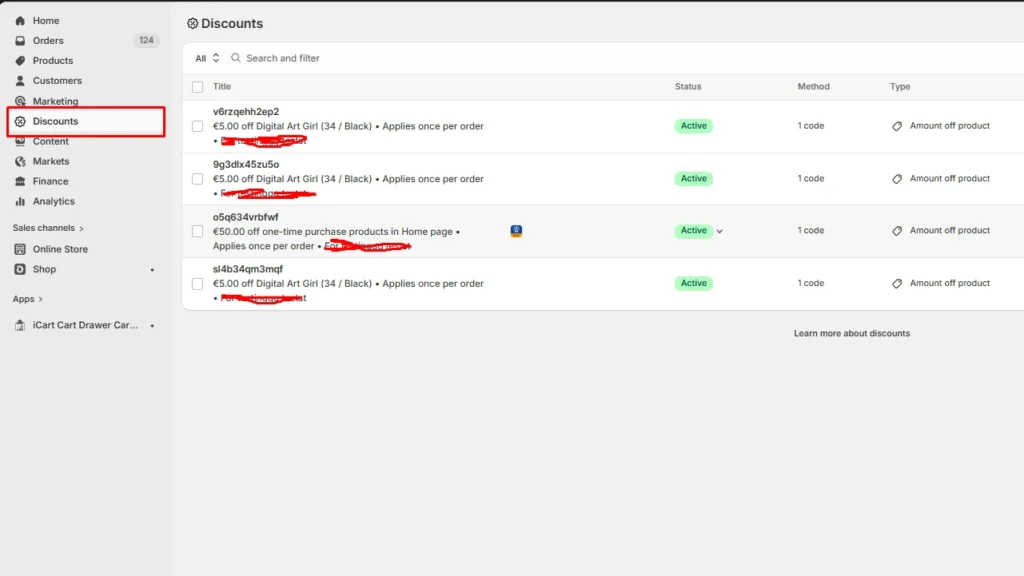
Log in to your Shopify admin, go to the Discount section in the left sidebar.
Step 2: Click Create discount
Now, go to the top-right corner and click on the Create discount button.
Step 3: Choose the type of discount code you want to create
You will be offered four discount types:
- Amount off products
- Buy X get Y
- Amount off order
- Free shipping
Select one discount type based on your goals and proceed to create the code.
Step 4: Select the discount method
Here, there are two discount methods: A manual method and an automatic method.
In the manual method, customers have to type this code at checkout. In automatic, the code will appear in the cart or checkout.
Step 5: Configure your discount code
There are different rules and values you need to add to create your discount code. I normally select automatic to make things easier for me, but it depends on the brand’s goals.
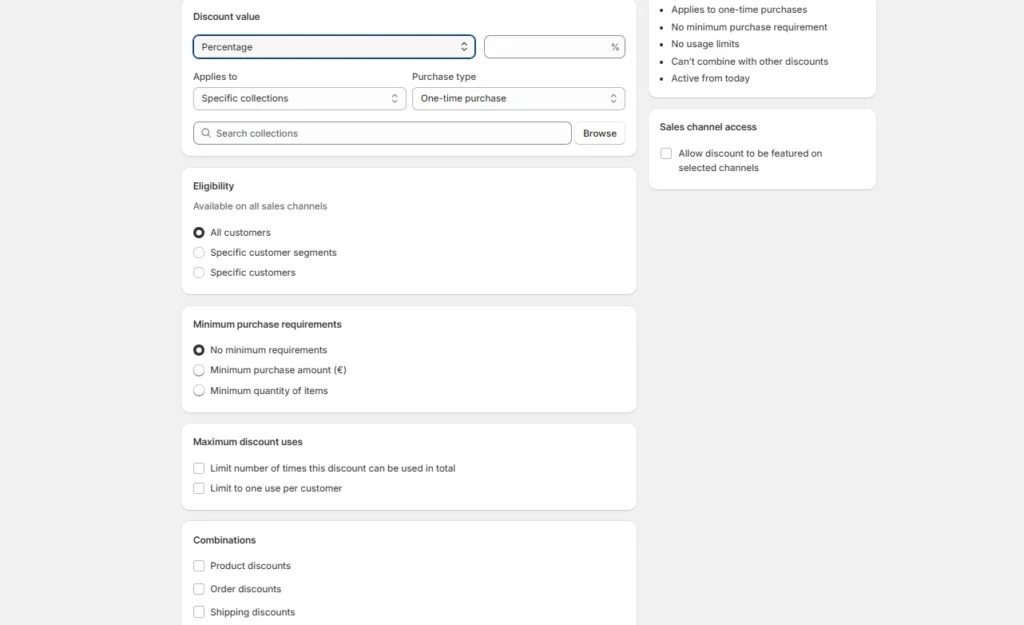
Do not forget to set active dates. I always add an end date when the code will expire. Make sure to add this date to your marketing content as well when you promote the code.
Step 6: Click Save
Go through the values and rules one last time and click Save to activate the code.
Add codes where purchases happen
Once you have created your discount code in Shopify, the next step is making that offer more visible where purchases happen.
This is where iCart Cart Drawer Cart Upsell fits naturally.
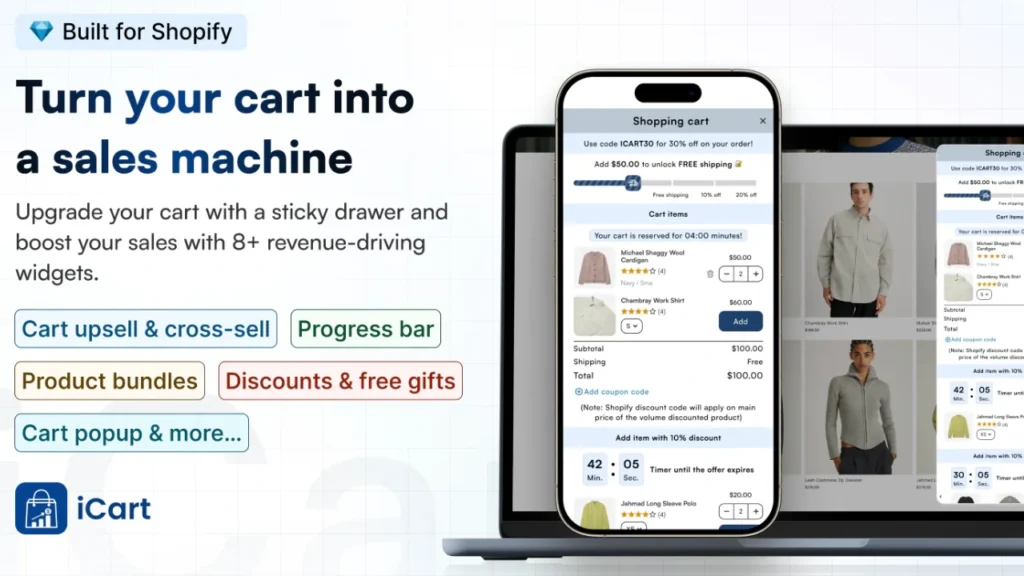
Instead of relying only on a code at checkout, you can use iCart to show discounts alongside upsells, cross-sells, product bundles, volume discounts, and a cart progress bar, which helps turn a basic offer into a stronger cart conversion strategy.
Best practices while creating a discount code on Shopify
✔️ Start with one clear goal
Before you type a code name or choose a value, decide what the code is supposed to do.
These are the reasons to go for each discount type based on my experience:
- Percentage off for first-order offers.
- Fixed amount off for simple price-led promotions.
- Free shipping for creating shopify free shipping discount code
- Buy X Get Y when you want to move more units per order.
✔️ Set combinations on purpose
One of the most important best practices is deciding whether your discount code should combine with other offers.
You can set rules for whether a discount can be combined with other product, order, or shipping discounts. But be careful because it also creates a bigger discount than you planned if you do not check the stack carefully.
✔️ Use a simple code name
I recommend avoiding special characters in discount code names so they are added correctly to your store’s checkout URL.
I prefer short and simple code that is easy to type and easy to remember. For example, something like WELCOME10, FREESHIP50, or SUMMER15.
✔️ Test the discount code at checkout
I missed this step when I created the discount code for the first time, and it didn't go well. I recommend testing the code at checkout so you can confirm that it works exactly the way you expected.
A good tip here is to always test the offer like a customer would.
✔️ Share the code the easy way
Once the code is ready, do not just paste the code text everywhere. You can create a shareable discount link from the Discounts section, and you can choose which page, product, or collection the link should open to.
✔️ Track performance after launch
After the code goes live, watch what it actually does. I use the Sales by discount report to see how often my codes are used, and review discounts directly from the Discounts section in admin.
Discount codes are simple yet effective
Creating a discount code on Shopify is easy once you know which discount type fits your goal. But you need to set the right value, rules, combinations, and active dates so it helps you get more conversions when the code is applied.
I always treat discount codes as part of a bigger conversion strategy. When you pair the right code with better cart visibility, strong timing, and proper testing, you give your store a much better chance to turn visitors into paying customers.
FAQs
1. How to create a discount code on Shopify?
Go to Shopify Admin > Discounts > Create discount, then choose the type you want, such as amount off, percentage off, Buy X Get Y, or free shipping. After that, add the code name, choose the products or collections it applies to, set eligibility, usage limits, combinations, and start/end dates, then save and test it before sharing it.
2. Can you create bulk discount codes in Shopify?
Stores use an app when they need large batches of codes for influencer campaigns, email offers, or one-time coupons. Apps like Bulk Discount Code Bot or Coupon X are good choices.
3. Can I use the same discount code for multiple products?
Yes. The same discount code can apply to multiple products, collections, variants, or even the whole order, depending on how you configure it.
4. What is the maximum number of discount codes you can create on Shopify?
The store-wide limit of discount codes is 20,000,000.
5. Which are the best discount code Shopify apps?
Bulk Discount Code Bot or Coupon X are the best Shopify apps I have used to create discount codes.


About the author
Vineet Nair
Vineet is an experienced content strategist with expertise in the ecommerce domain and a keen interest in Shopify. He aims to help Shopify merchants thrive in this competitive environment with technical solutions and thoughtfully structured content.