






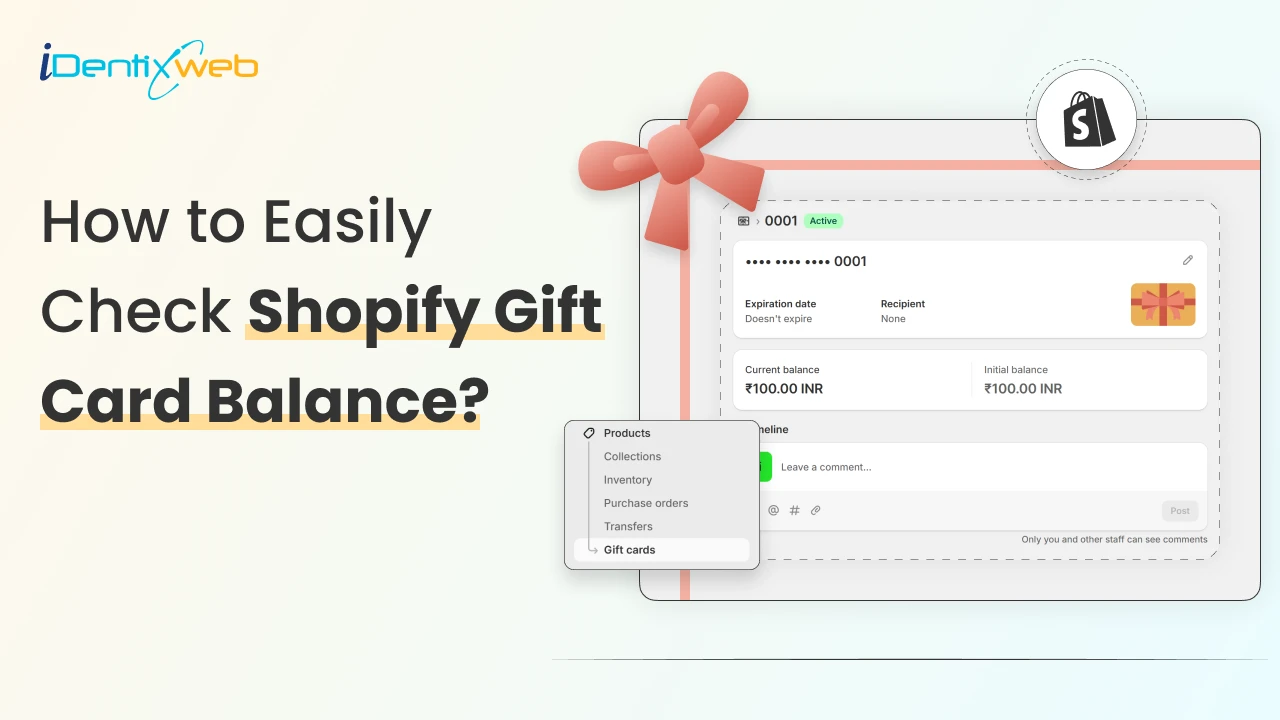

As a Shopify merchant, you can quickly check a gift card balance from your Shopify admin by going to Products → Gift cards → click the specific gift card code, where you’ll see the current balance, original value, and usage history of the card.
If you are selling gift cards on Shopify, you’ve probably had that moment in support where a customer asks: “Hey, can you check how much is left on my gift card?”
Selling gift cards on Shopify can be challenging. The good news is that checking a Shopify gift card balance is actually simple once you know exactly where to look.
By the end of this guide, you’ll have a simple playbook to manage digital gift cards confidently in Shopify admin.
Step-by-step Guide to Check Shopify Gift Card Balance
Step 1: Navigate to the ‘Gift cards’ section in Shopify
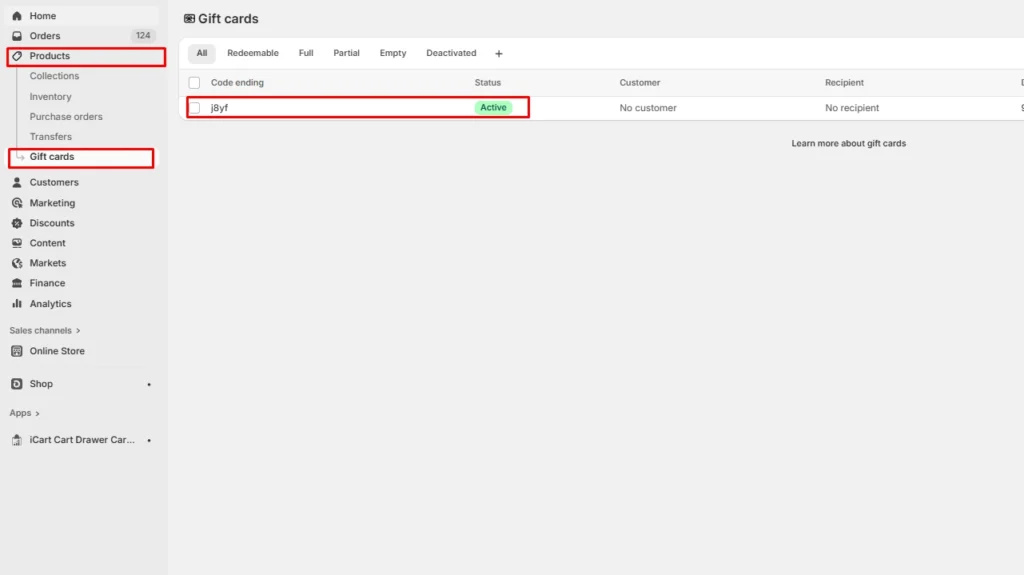
In your Shopify admin panel, go to Products > Gift cards. Here you can see the list of gift cards in the Code ending column.
Step 2: Click on the code
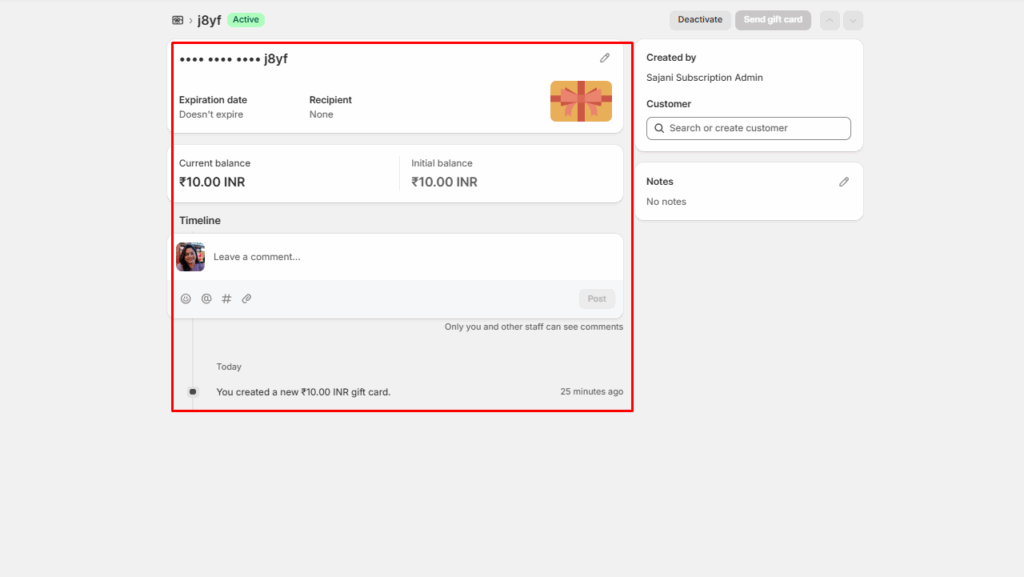
Click on the code you want to check the balance for. Here you can see details like current balance, recipients, and expiration date. You can also customize this gift card.
How to Customize Gift Cards in Shopify?
Once you select a gift card on Shopify, you can customize many features in it.
Edit expiration date
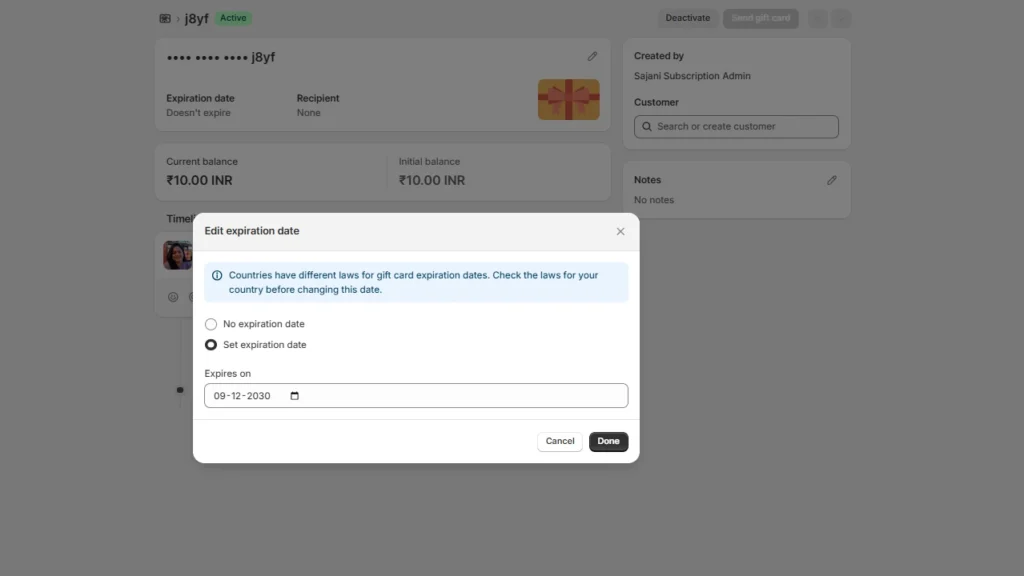
You can edit the expiration date. Shopify gives you two options. You can either set a new expiration date or select no expiration date.
Add and remove customers
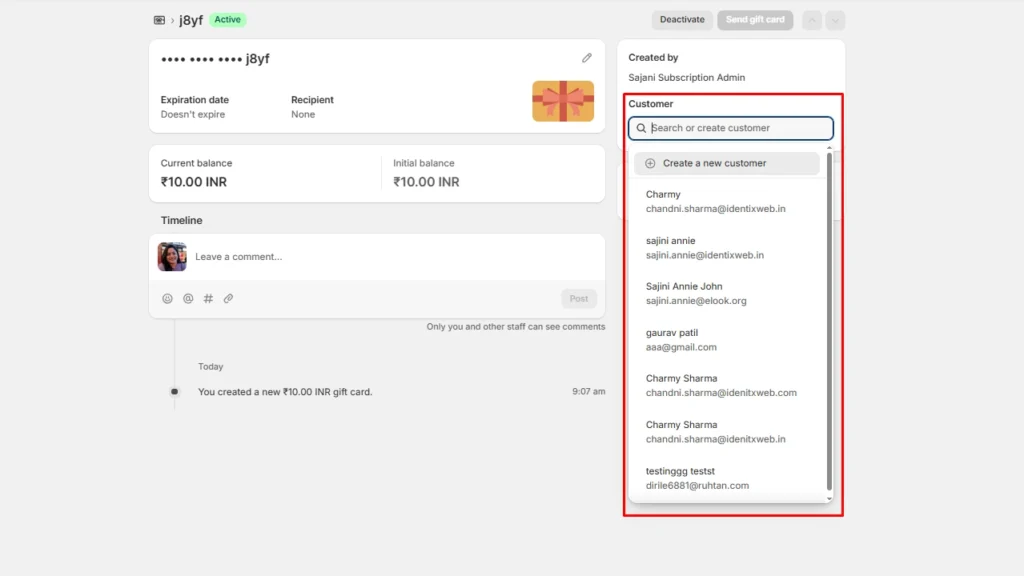
You can add or remove specific customers whom you want to send these gift cards. Just search the customer’s name and select them to add to this gift card.
You can also add notes and deactivate this gift card in this section.
If you want to sell and manage gift cards more effectively, you can install Shopify gift card balance apps. Here are a few tried and tested ones.
Need a Shopify store that’s ready for gift cards from day one?

If you’re reading this, you’re probably not just trying to check a Shopify gift card balance online; you’re setting up or customizing your Shopify store.
Identixweb'shelps store owners build a clean, conversion-friendly gift card setup that fits their brand.
We handle store setup, theme customization, and development work to improve the cart and checkout flow, setting up the right customer experience.
Want us to set up or customize your Shopify store the right way?
👉 Schedule a free consultation, and let’s build a store that’s built to sell.
👉 Explore our Shopify store setup and management solutions
Best Shopify Gift Card Apps
Givy - Gift Cards
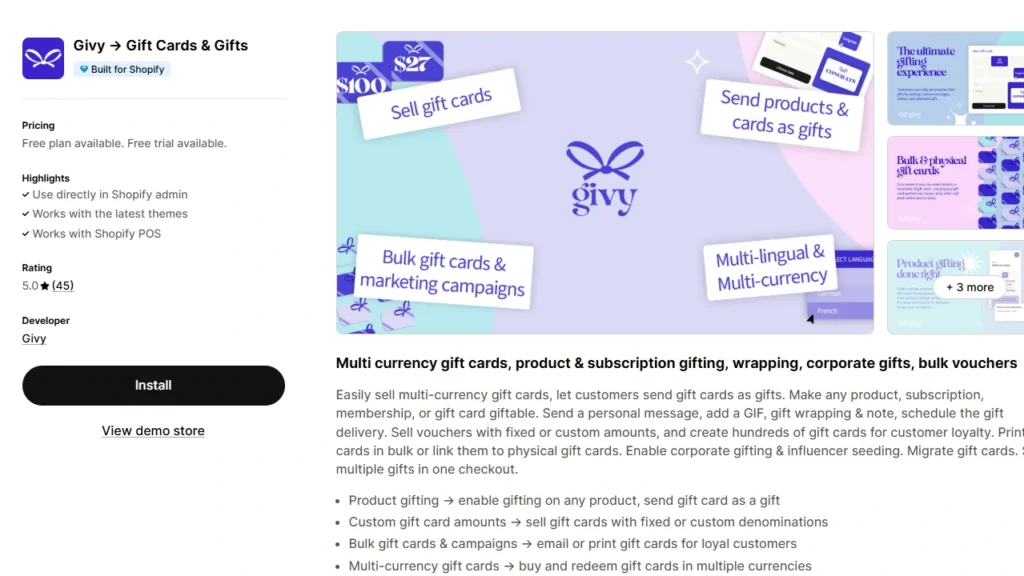
Givy lets you sell multi-currency gift cards, turn any product or subscription into a gift, and layer in extras like gift wrap, notes, GIFs, or video messages.
It also supports bulk and corporate gifting, physical card printing, and influencer campaigns. This comes in handy if you run larger promos or loyalty pushes around holidays and peak seasons.
Vify- Professional Gift Cards
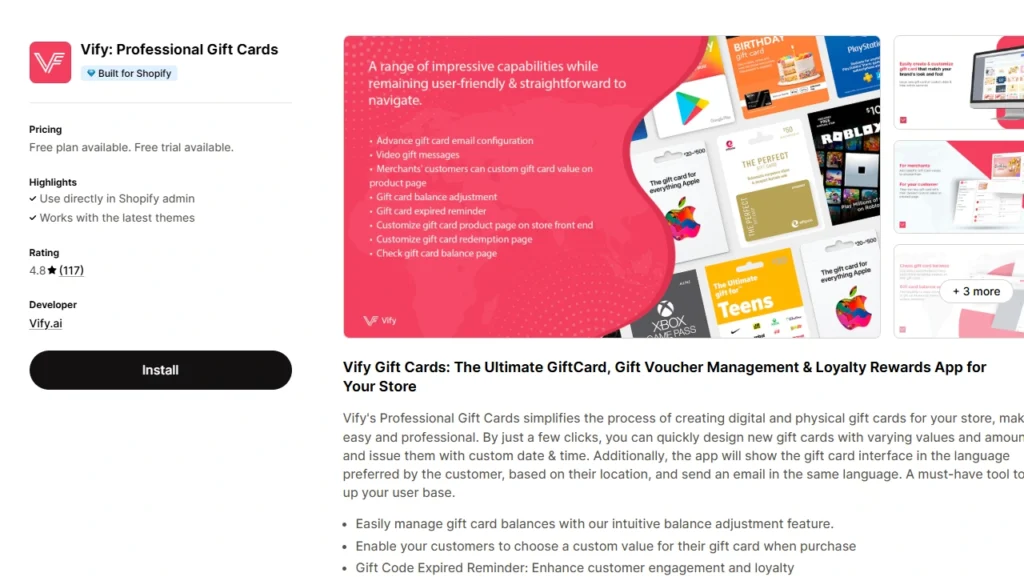
Vify focuses on branded, customizable digital (and physical) gift cards with a clean UX for both you and your customers.
You can create cards with custom values, adjust balances, send expiry reminders, and give shoppers a dedicated page to check their remaining gift card balance.
Gift Card Factory
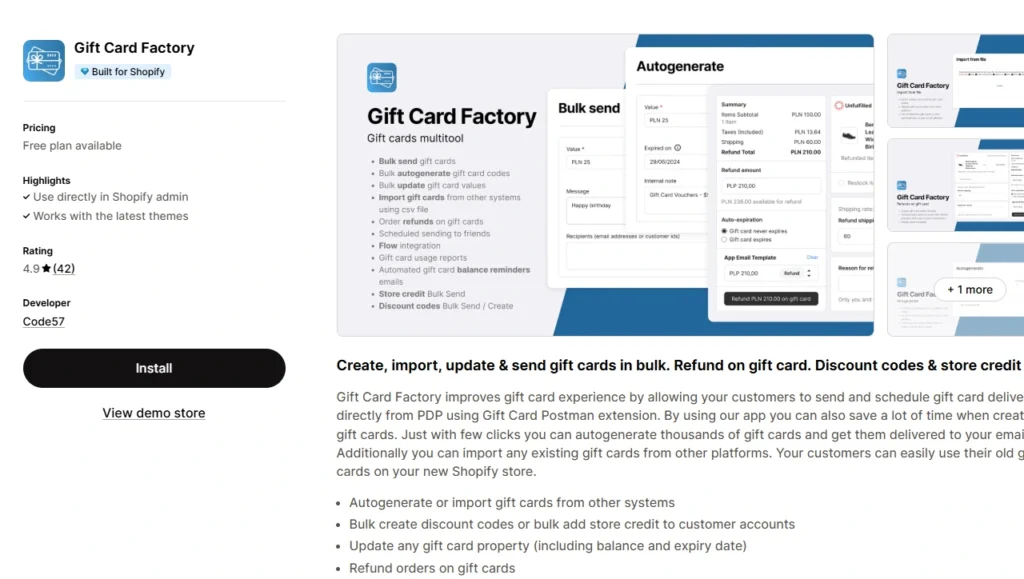
Gift Card Factory is a solid fit if you deal with a lot of gift cards or store credit and want to manage everything in bulk without spreadsheets.
You can autogenerate thousands of cards, import existing codes from other platforms, update balances/expiry dates, and even refund orders back to a gift card.
Wrap up: Make gift card balance checks a non-issue
When you know exactly where to look, a Shopify gift card balance check takes seconds.
Build a simple habit: Use the admin panel to manage your gift cards regularly. You can also use Shopify gift card balance apps to sell and manage gift cards in a better way.
Shopify Gift Card Check Balance FAQs
1. Can you check your Shopify gift card balance online?
Yes. Both you and your customers can check a Shopify gift card balance. Customers see their remaining balance on the gift card page linked in their original gift card email. You can view any card’s live balance from Products → Gift cards in your Shopify admin.
2. How do you check your Shopify gift card balance?
From your Shopify admin, go to Products → Gift cards, search or click the specific gift card, and Shopify shows you the current balance, original value, and usage history in one place.
3. Is there a Shopify app to manage gift card balance?
Yes. Shopify gift card apps like Givy, Vify, and Gift Card Factory will help you easily sell and manage your Shopify gift cards.
4. How to add a Shopify gift card to Apple Wallet?
In your Shopify admin, go to Settings → Payments, find the Apple Wallet passes section, and enable “Activate Apple Wallet Passes for gift cards”. This way customers can add their gift cards to Apple Wallet from the email they receive.
5. Are Shopify gift cards digital?
By default, Shopify gift cards are digital. Customers buy them online and receive a unique code via email or SMS that they redeem at checkout. If you want a physical option, Shopify POS supports selling and redeeming physical gift cards as well, so you can offer both digital and plastic cards to customers.

![How to Add Apple Pay to Shopify? [New & Easy Tutorial]](https://www.identixweb.com/wp-content/uploads/2026/03/20-03-Fri-Blog-How-to-Enable-Apple-Pay-in-Your-Shopify-Store_-.webp "How to Add Apple Pay to Shopify? [New & Easy Tutorial]")


About the author
Vineet Nair
Vineet is an experienced content strategist with expertise in the ecommerce domain and a keen interest in Shopify. He aims to help Shopify merchants thrive in this competitive environment with technical solutions and thoughtfully structured content.