







To contact Shopify, go to the Shopify Help Center (help.shopify.com) and use the chat option, which is available 24/7 on all plans. Log in and select your store so Shopify can route you to the right support advisor, to solve your issues. If you are on Shopify Plus or a Retail plan, you may also see email and phone support options.
Managing an online business can be tough, especially when tech problems come up. Having access to reliable customer assistance is essential, regardless of how established your Shopify firm is or how recently you launched it.
With Shopify, a leading e-commerce platform, you can launch and operate an online business with extensive support. No matter how expert you are, knowing the right way to contact Shopify support can save you a lot of time and help you get issues resolved quickly.
This comprehensive guide will walk you through the various ways to get in touch with Shopify customer support so you can get assistance whenever you need it.
Quick checklist before you reach out (it saves time)
Do these first so you can get faster and better answers for your queries.
- Write down the exact issue in one line (example: “Payout failed but bank details are correct”).
- Note when it started (date + time) and what changed right before it happened (theme edit, app install, settings update).
- Keep proof ready: screenshots, screen recording, error message text, order number, payout ID, charge ID, and the affected product or customer email.
- If the admin feels slow or unavailable, check Shopify’s status page first
Why is Shopify support important?
Shopify support is very important for anyone running an online store on the platform. When you have problems or questions, Shopify customer support is there to help you.
For instance, if your store isn't functioning properly, support can help you fix it quickly to avoid losing sales. You can also get assistance from the support team once your store has been set up and running correctly.
There are several ways to contact Shopify customer support, including live chat, email, and phone. As a result, you can spend more time on growing your business instead of dealing with technical issues. The Shopify customer support team ensures that your store works efficiently, saves you time, and enables you to take full advantage of all the features that Shopify has to offer.
Phone and email support: who actually gets it
Shopify makes this very plan-dependent:
- All plans: 24/7 chat
- Shopify Plus: chat + phone + email (email replies typically around 48 hours)
- Retail (POS focused plans): phone + email + chat (email replies typically around 48 hours)
If you are on non-Plus, non-Retail plans, Shopify notes you cannot request a callback or phone support directly. Email support is not available in the same way.
How to Contact Shopify? Updated Methods
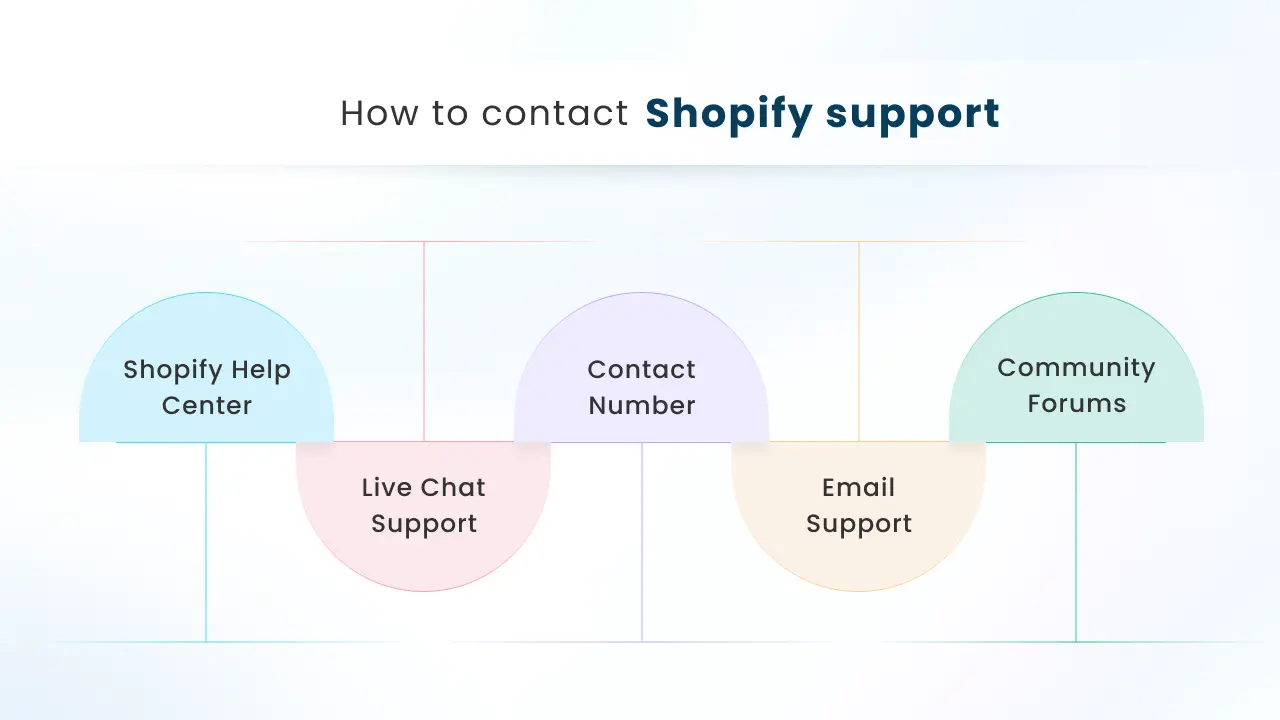
Shopify Help Center
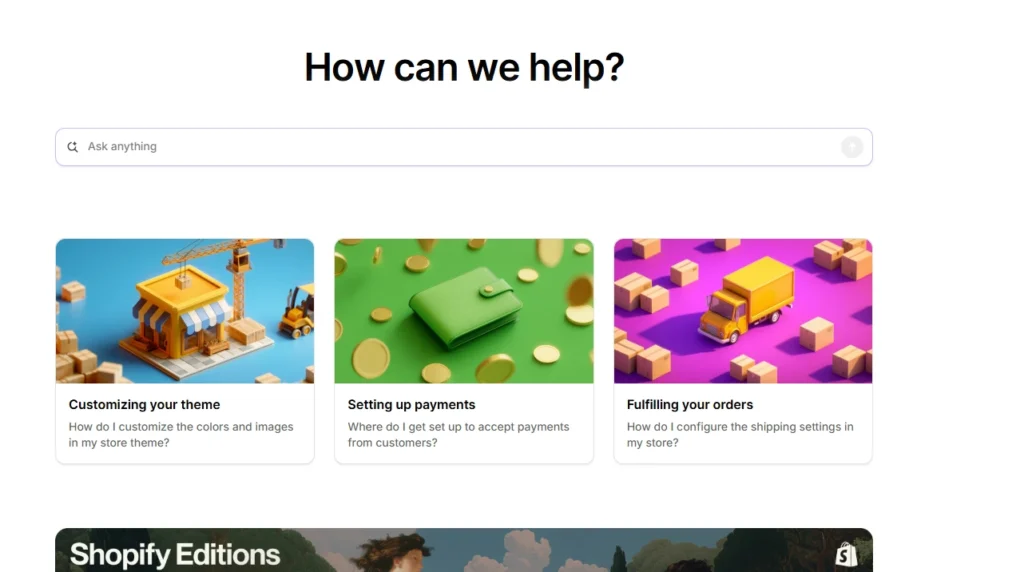
There is an extensive amount of information available in the Shopify Help Center, which is intended to assist users with many aspects of their online stores.
It covers a wide range of topics, from store setup to advanced customization and troubleshooting, and includes articles, tutorials, videos, and community forums.
You just need to visit the Shopify Help Center and type your query into the Search Bar. It's a quick and effective approach to obtaining the answers to your questions.
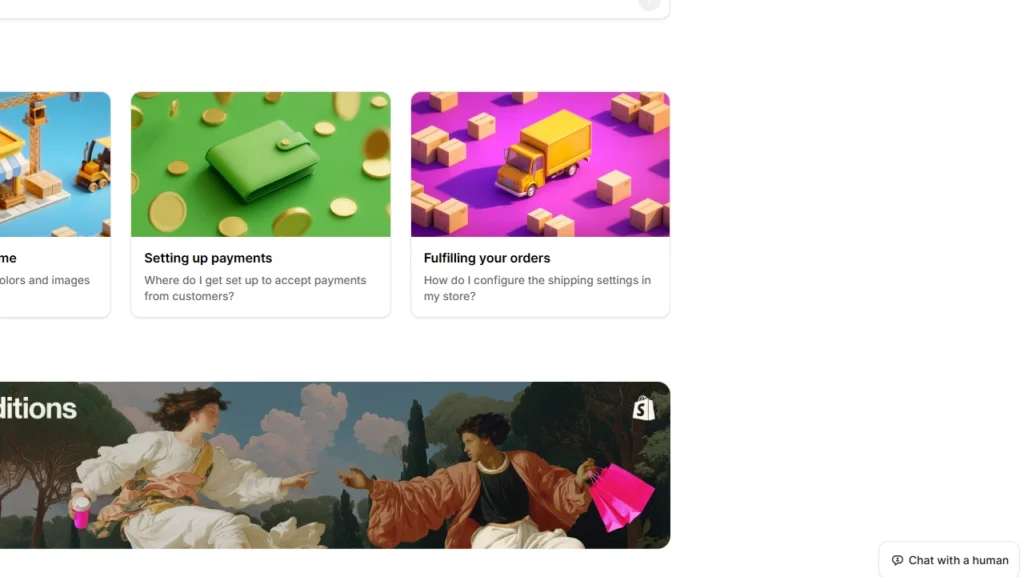
How to Contact Shopify Support via chat (step by step)
- Go to the Shopify Help Center at help.shopify.com.
- Click the “Chat with a Human” button in the bottom-right corner.
- Log in when prompted and select your store (this helps route you to the right support team).
- Pick the topic or briefly explain your issue, then continue in chat until you’re connected to a Shopify Support advisor.
How to Contact Shopify Via Email Support
Important first: Shopify does not provide a general support email address you can just email (older addresses like [email protected] are not the official path anymore). Shopify’s own guidance is that email support is only available on Shopify Plus and Retail plans, and you submit it from the Help Center.
If you’re on Shopify Plus or a Retail plan (email option available)
- Go to help.shopify.com and log in to the account that owns the store.
- Open Contacting Shopify Support from the Help Center and proceed to connect with support.
- Choose the Email support option (it appears as a ticket submission flow inside Help Center).
- Submit your details and screenshots. Shopify notes that typical email response times are around 48 hours for Plus/Retail email tickets.
If you’re on Basic, Grow, or Advanced (no email support)
Shopify states there’s no email support on these plans, so the supported route is 24/7 chat in the Help Center to reach an advisor.
How to Contact Shopify Support Via Phone
Shopify does not provide a single public phone number for everyone. Phone support is available only for Shopify Plus and Retail plans, and you access it from inside the Help Center after you log in.
Steps (Plus or Retail)
- Go to help.shopify.com.
- Click Log in, then sign in to the account that owns the store and select your store.
- Start with AI Search, then proceed to connect with support.
- Choose Phone support (Shopify provides a direct phone line to Plus/Retail Support Advisors through this flow).
If you don’t see the phone option
- If you’re on Basic, Grow, or Advanced, Shopify says you can’t request a callback or phone Shopify directly, so your supported route is 24/7 chat via Help Center.
- If you are on Plus/Retail and it still doesn’t show, use chat to reach an advisor and ask them to route you to the phone option.
Shopify Community Forums
One great way to connect with other Shopify users, share experiences, and ask questions is the Shopify Merchants Community.
It offers you the opportunity to connect with over 500,000 developers, merchants, and marketers for knowledge and support.
To find out if someone has already run into the same issue before, you can search the community. If you don't find a satisfactory answer, you can post your question to get suggestions and answers from other users.

- Go to the Shopify Community page.
- Browse or search for topics related to your issue.
- Post your question or join existing discussions to get the support you need.
Final Thoughts
Any Shopify merchant wishing to operate a profitable business needs Shopify support. You can get quick, expert assistance to resolve issues, optimize your store, and maintain smooth operations through it. When you know how to reach the Shopify customer support team through several methods, you can receive assistance more quickly. Whether you're dealing with technical challenges or seeking guidance on using Shopify's features, the Shopify customer support team is ready to assist. Always remember, a successful online business relies on excellent customer support, not only to resolve issues but also to build loyalty and trust.
FAQs for How to Contact Shopify
1. Can I contact Shopify directly by phone?
Shopify does not offer a universal public phone number you can call on most plans. Phone support is available for Shopify Plus plans, and you usually access it by logging into the Help Center and choosing the phone option there.
2. Does Shopify offer 24/7 support?
Yes. Shopify offers 24/7 support via chat on all plans. An upgraded plan can unlock additional channels like phone or email, but chat remains the always-on option.
3. Can I talk to a live person through Shopify support?
Yes. You can reach a live support advisor through Shopify’s chat, even if the chat starts with automated help first. If you need a human, use the Help Center chat and ask to connect with a Support Advisor.
4. What is the email address to reach Shopify support?
Shopify does not publish a single general support email you can rely on, and Shopify staff have said the old support email route is no longer active. Email support is available for Shopify Plus and Retail customers, but you access it through the Help Center after logging in.
5. What is the best way to reach Shopify support?
The best and fastest method for most merchants is the Shopify Help Center chat, since it is available 24/7 for all plans. Start in the Help Center, search for your issue, then use chat to connect with an advisor for store-specific help.



About the author
Bidisha Saha
Step into the content world with Bidisha Saha, a seasoned Senior Content Writer at Identixweb. Passionate about e-commerce, technology, and marketing, she optimizes online visibility, crafting engaging content for business growth. Join the journey through words and innovation with Bidisha.