





New Shopify store owners usually put all their energy into customizing their storefront to get more conversions. That makes sense.
But here’s the quiet truth:
Delivery decides whether a customer comes back.
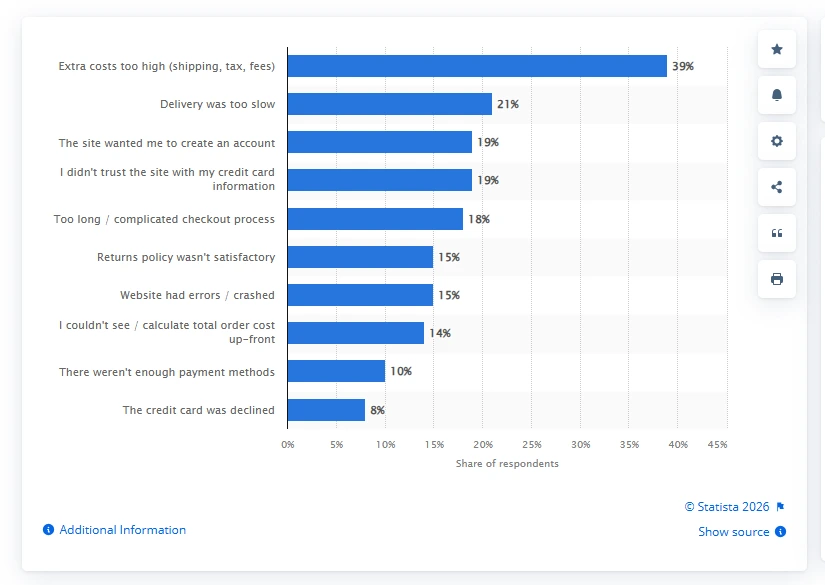
In fact, according to Statista’s report, too slow deliveries were one of the top reasons for cart abandonment.
Customers don’t want one delivery option anymore.
- Some want it shipped to their home
- Some want a pickup point to collect it on the way back from work
- Some want local delivery today because it’s last-minute.
That’s why flexible delivery options matter more than ever. The good news is you don’t need to build a complicated system to do this.
In this blog, I’ll show you how to offer flexible delivery options on Shopify in a way that feels clean and simple, so customers buy with confidence and help you deliver without headaches.
What do ‘flexible delivery options’ mean in Shopify?
When people say flexible delivery options, they’re really talking about one thing:
Letting the customer choose how they want the order to arrive.
Not everyone shops the same way. And on Shopify, “delivery” isn’t one setting. It’s a set of delivery methods you turn on and manage in Settings > Shipping and delivery.
The 4 delivery types Shopify supports
Shipping (standard carrier shipping)

This is the classic option. You ship the order to the customer’s address using your carriers.
Most stores start here because it works for every product type and every location. Shopify groups these options inside your shipping and delivery setup.
Local delivery (you deliver nearby)
Local delivery means you deliver orders to customers in a defined area around your store or warehouse. Shopify lets you set delivery zones using a radius or specific postal codes, and you can add conditional pricing rules based on order value.
Pickup in store (customer collects)
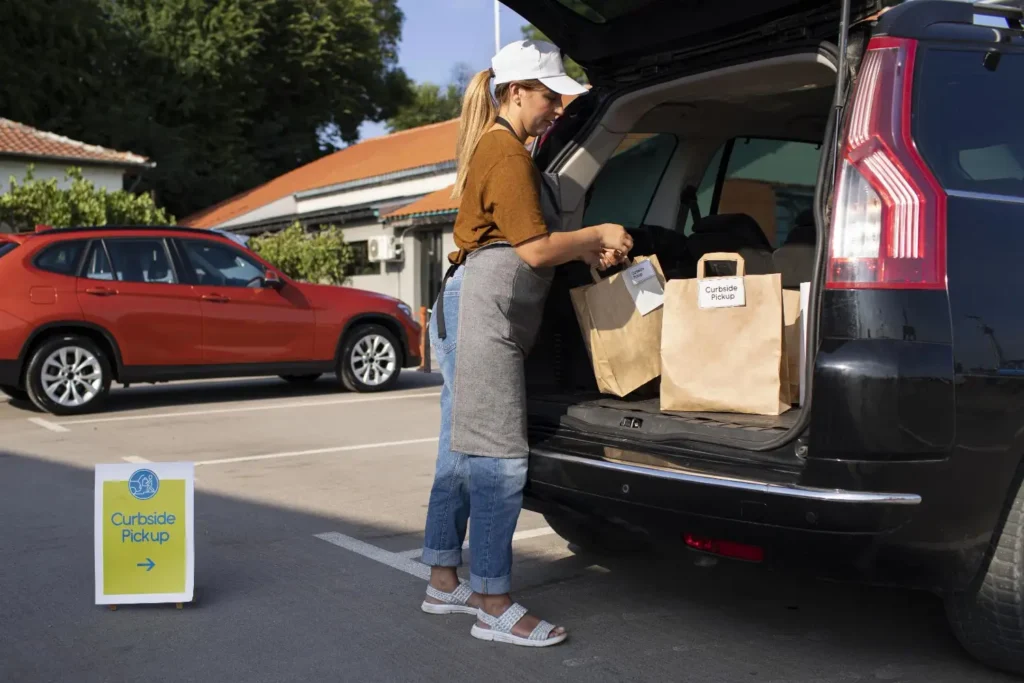
Pickup in store is for customers who want the order fast and don’t want to pay for shipping. You enable it per location, set instructions, and keep the experience clear so customers know where to go and what to expect. It’s built into Shopify’s delivery methods workflow.
Pickup points
Pickup points are third-party pickup locations like lockers or parcel shops. This is a strong option for customers who don’t want packages left at the door.
Shopify supports “shipping to pickup points” as a delivery method, and it’s configured from the same Shipping and delivery area in admin.
Shopify delivery and pickup apps like Stellar help to streamline local delivery, store pickup & shipping orders with a flexible order scheduling calendar.
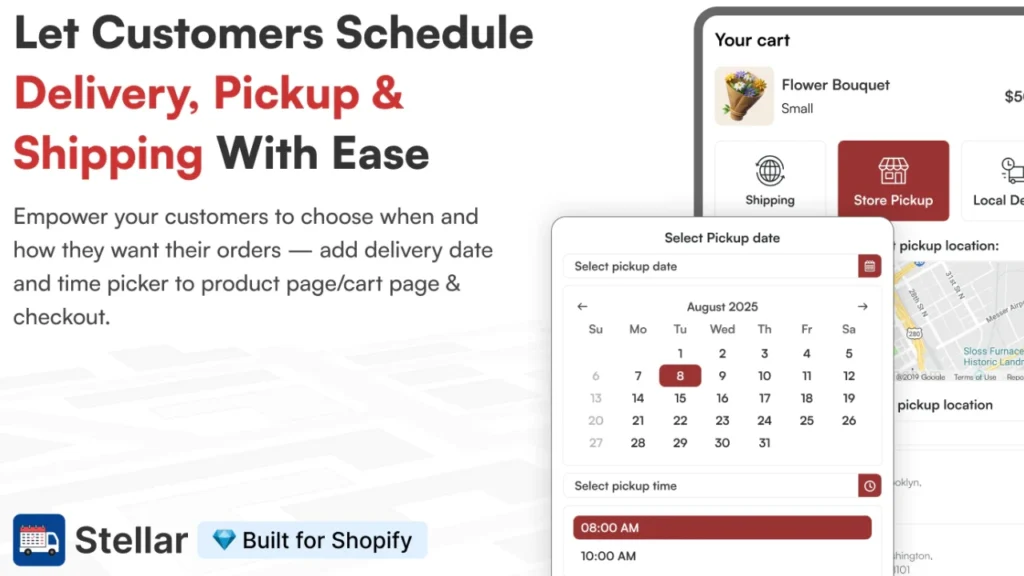
Shipping: Stellar adds a delivery date and time picker before checkout. You can also show an estimated delivery date and time, so customers know what to expect before they pay.
Local delivery: It lets customers schedule a local delivery date and time. This app also supports things like cutoff times, preparation time, order limits, and blocked dates, so you don’t overbook a day.
Pickup in store (customer collects): It lets customers book a pickup date and time slot, and it supports in-store and curbside pickup features so the pickup experience feels organized. Stellar also supports rescheduling, which helps when customers need to change pickup time or date.
Benefits of flexible delivery options
It reduces cart abandonments
A lot of abandoned carts aren’t about price. They’re about friction.
If the only delivery option feels too slow, or just not possible, customers leave. Flexible delivery options give them a second path instead of a dead end.
It lowers support tickets
New stores get the same questions on repeat:
- “Can I pick up instead?”
- “Do you deliver locally?”
- “Can you ship it to my office?”
When customers see clear delivery options at checkout, they don’t need to ask. And you don’t need to manually explain it all day.
It protects your margin
This one matters more than most new store owners realize. If you only offer one shipping option, you end up losing customers.
With flexible delivery options, you can keep standard shipping priced normally and charge extra for faster delivery. This is how you stay competitive without quietly losing money on every order
Conclusion: Flexible Delivery Options are Expected in 2026
Flexible delivery options need to be a standard for customers in 2026. When customers can choose shipping, local delivery, or pickup in store, your checkout feels easier, and your store feels more trustworthy.
The winning formula for a new Shopify store is simple. You sell more because fewer people abandon at checkout. And you protect your margins because you’re not forcing one shipping price on every order.
FAQs for Flexible Delivery Options
1. What is the best shipping option for Shopify?
For most new stores, carrier-calculated rates are the safest starting point because Shopify can show live rates from carriers at checkout, which protects your margin. If you want something simpler, use flat rates with a free shipping threshold once you know your AOV.
2. How to provide flexible delivery options in Shopify?
Install delivery and pickup apps like Stellar Delivery Date and Pickup to provide flexible delivery options in your Shopify store.
3. What are the different delivery options for customers in Shopify?
Shopify supports 3 options for delivery shipping to an address, local delivery, and pickup in-store.
4. What delivery services does Shopify use?
Shopify doesn’t operate its own delivery fleet; instead, Shopify Shipping lets you buy and print labels from Shopify-supported carriers. In the US context, Shopify commonly references carriers like USPS, UPS, and DHL Express for label purchasing and shipping services.
5. Does Shopify take care of delivery?
Not automatically. You either fulfill orders yourself (pick, pack, ship) or you connect a fulfillment service, and Shopify gives you the tools to manage that workflow inside your admin.
6. How should I set my delivery charges on Shopify?
Use Shopify’s shipping rates setup to choose between flat rates, price/weight-based rates, or carrier-calculated rates. If you’re, calculated rates are a simple way to protect your margins, and you can later add a free-shipping threshold once your numbers are stable.


About the author
Vineet Nair
Vineet is an experienced content strategist with expertise in the ecommerce domain and a keen interest in Shopify. He aims to help Shopify merchants thrive in this competitive environment with technical solutions and thoughtfully structured content.