






![Shopify Ecommerce Automation: Tasks You Can Automate [Real Use Cases]](https://www.identixweb.com/wp-content/uploads/2026/02/19-02-Thu-Blog-Which-Shopify-Tasks-Can-You-Automate_-Top-Use-Cases-Explained.webp "Shopify Ecommerce Automation: Tasks You Can Automate [Real Use Cases]")

Shopify Flow app is the best solution for Shopify Ecommerce Automation. It streamlines manual tasks and helps brands to scale in less time. Other Shopify apps for automation include iCart Cart Drawer Cart Upsell, Gorgias, Shopify Magic and Shopify Sidekick.
What if I tell you there are tasks that you can easily automate in your Shopify store?
Here’s the real issue in 2026. Manual work takes you hours. You should rather spend time on things that actually move the store forward.
That’s where Shopify ecommerce automation helps. The kind of simple automations that run in the background and save you from repetitive tasks.
And yes, AI makes this easier now. You can use it to speed up so many tasks to build and run your Shopify store smoothly.
But what are those tasks?
This guide breaks down Shopify ecommerce automation in a way that makes sense for new stores. You’ll see exactly what to automate first, why it matters, and real use cases you can copy.
What is Shopify ecommerce automation? 5 key AI use cases in ecommerce

Shopify store automation means your store runs certain tasks on autopilot. A trigger happens, and the next step happens automatically.
There are 5 key AI use cases in ecommerce that you need to automate.
Store setup and content
This is everything you do before a customer even buys. Product uploads, titles, descriptions, tags, collections, and basic SEO.
Marketing and conversion
This is where you turn visitors into buyers. Welcome emails, abandoned cart messages, cart upsells, post-purchase follow-ups, and website offers.
Orders and fulfillment ops
This is all the “order admin” work you do daily. Paid order checks, fraud flags, packing steps, tracking updates, and delivery status questions.
Customer service
This is the best AI use case in ecommerce. Support becomes repetitive quickly, and you need to take time to answer questions or get help from the support team.
Reporting and alerts
You don’t want to log in and guess what’s working. Automations can send you a daily snapshot of sales and orders.
Shopify Automation Tools Comparison
| Tool | Best for | Use case | What it automates | Why it matters |
| Shopify Magic | Store setup + content | New product goes live within minutes | Draft product descriptions inside the Shopify admin | Faster launches, consistent product pages, better trust and SEO |
| iCart Cart Drawer Cart Upsell | Conversion | Cart nudges shoppers to add more items | Shows AI-powered product recommendations and in-cart upsells in the cart drawer | Higher AOV because buying intent is highest in-cart |
| Shopify Flow | Orders + fulfillment ops + alerts | Sort paid orders and trigger alerts | Auto-tags paid orders, flags risk/high-value orders, triggers notifications and workflows | Less manual order handling, fewer mistakes, faster ops |
| Gorgias | Customer support | Handle repeat queries faster | Auto-replies for common questions, ticket tagging, macros, routing, and Shopify order-linked support | Faster replies without hiring early, more organized support |
| Zapier + Google Sheets | Reporting + tracking | Reporting + daily snapshot | Pushes Shopify order data into Google Sheets automatically for daily/weekly tracking | Clear visibility without exports, lightweight reporting for beginners |
Tasks to automate in a Shopify store (use cases you can copy)
Use case 1: New product goes live within minutes
Product descriptions matter because they answer key buyer questions fast, build trust, and help in SEO.
What you need to automate:
- Draft the product description so you don’t start from a blank page.
- Keep product setup consistent with the same format every time.
Product descriptions are important to
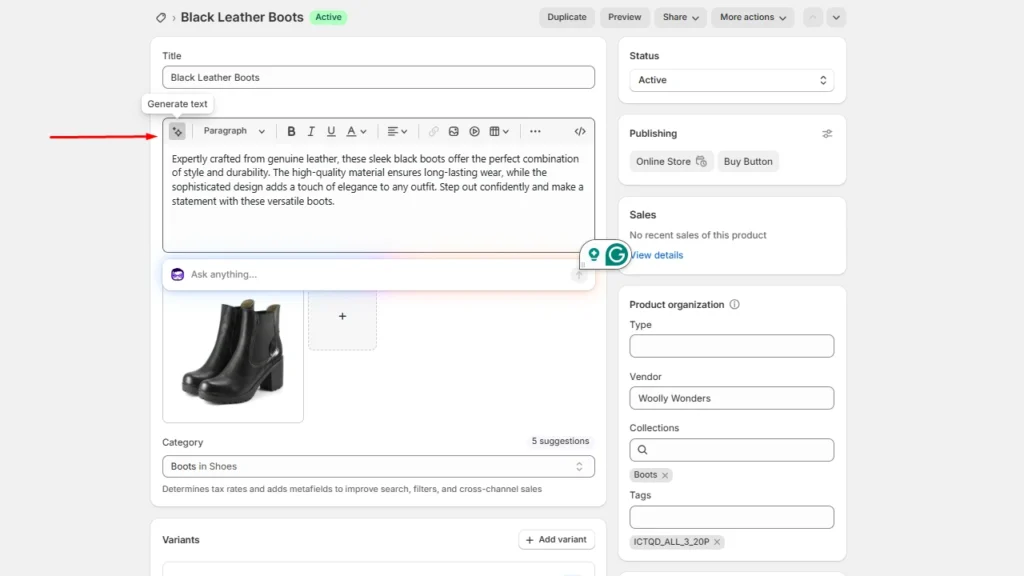
Solution: Shopify Magic
You can generate product descriptions directly inside the Shopify admin by clicking the generate text option in the description box.
Use case 2: Someone adds a product. Your cart nudges them to add more items.
Shopify in-cart upsells are the best way to increase AOV because buying intent is the highest at this point.
What you can automate:
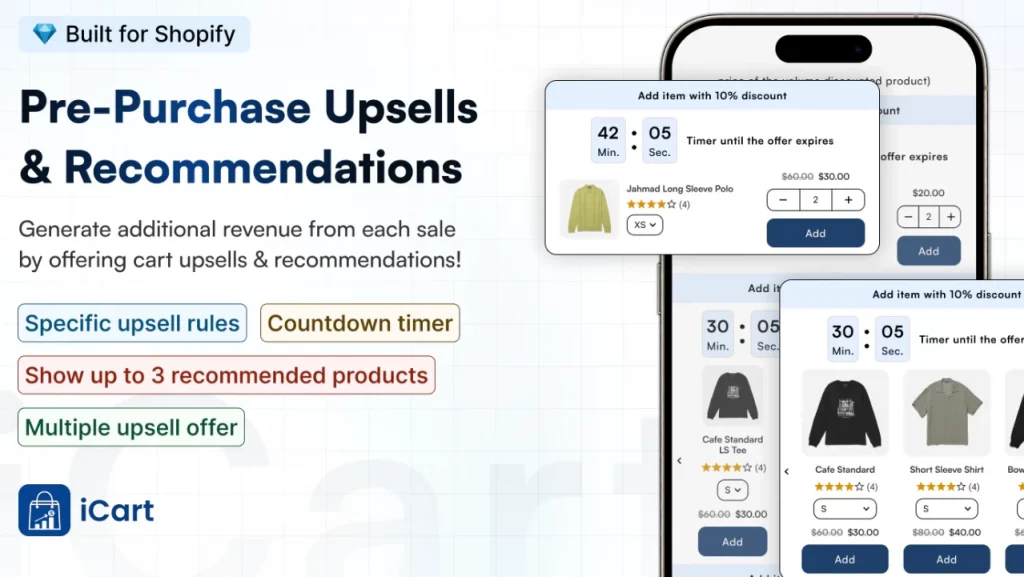
- Show AI-powered product recommendations inside the cart drawer.
Solution to use: iCart Cart Drawer Cart Upsell
iCart is a Shopify upsell app that shows AI-powered product recommendations by analyzing the shopper’s buying behavior.
Use case 3: Paid order comes in. The store sorts it out for you
When a paid order comes in, you don’t want to open your Orders tab and figure out what to do next. You want the store to sort it for you.
What you need to automate:
- Tag paid orders as “Ready to pack” automatically.
- Flag specific orders (high value, certain products, suspicious patterns) for review.
- Trigger your internal workflow without constantly checking the Orders tab.
Solution to use: Shopify Flow
This is easily the best Shopify ecommerce automation tool. Shopify Flow is built for store automation with triggers, conditions, and actions across orders, inventory, fulfillment, and more.
Use case 4: Customer queries get handled without typing the same reply multiple times.
Customers have queries regarding everything from product information to shipping details.
What you should automate:
- Auto-send a response for common questions (order status, return steps, address change).
- Tag the ticket by topic so you can batch replies.
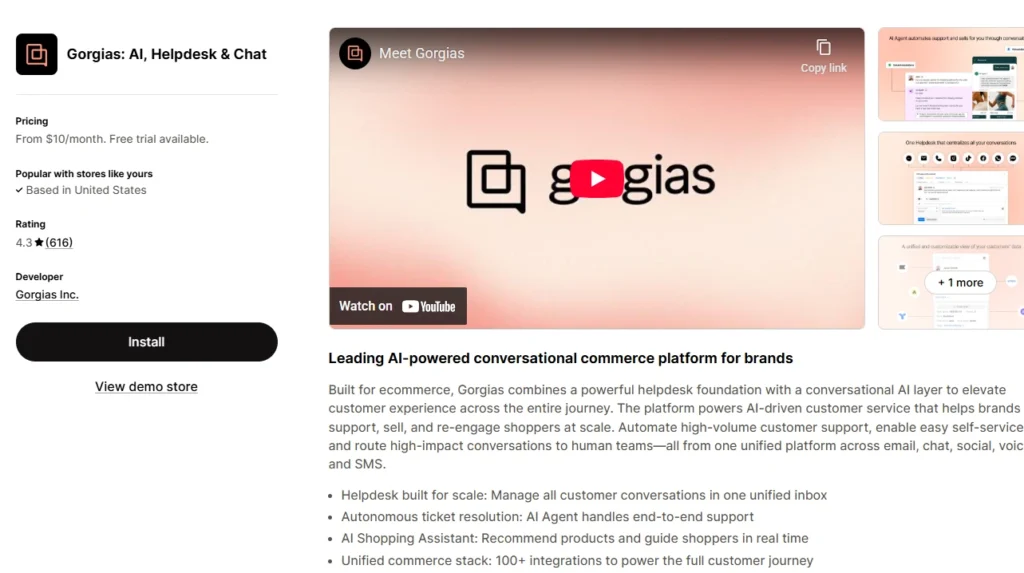
Solution to use: Gorgias
It’s one of my go-to Shopify support setups for centralizing customer messages and speeding up responses with automations/macros.
You can easily connect it with your Shopify order data.
Use case 5: Reporting + alerts (so you stop guessing)
Instead of checking your store 20 times a day, you set up a system that pings you only when something matters.
This is your quick daily view of store health. It includes:
- Total orders
- Revenue
- Top-selling product
It also includes alerts like
- Low stock alert
- Conversion dip alerts
- Refund spikes alerts
How you automate it:
- Use Shopify Flow to trigger actions based on store events and build workflows with triggers, conditions, and actions.
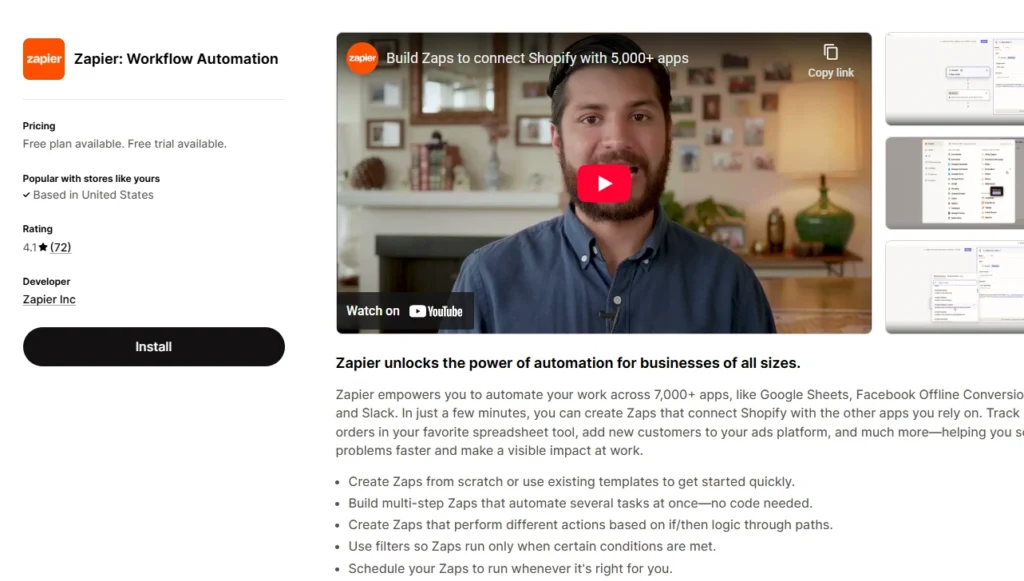
- Then use Zapier to push order data into Google Sheets automatically, so your daily snapshot is always updated without exports or copy-paste.
Wrapping Up: Adapt to Shopify Ecommerce Automation
It’s easy to run your automated Shopify store in 2026. All you need are the right tools and setup
You need to stop doing repetitive work. Manual work is not going to help you in ecommerce. You need to let your store handle the basics while you focus on growth.
Keep it simple. Pick two or three automations you can set up this week. I would suggest starting with Shopify Magic, Sidekick, and Flow. These Shopify apps for automation will help you manage an automated Shopify store easily.
FAQs for Shopify Ecommerce Automation
1. Does Shopify have automation?
Yes. Shopify supports automation through Shopify Flow, which lets you build workflows using triggers, conditions, and actions (for example: order paid → add tag → send notification).
2. Which ecommerce platform has the best automation?
If you want easy, no-code automations inside the admin, Shopify is strong because Flow and Shopify’s marketing automations are built into the ecosystem and connect with many apps.
3. Does Shopify email have automation?
Yes. Shopify lets you create marketing automations for email (and more) from Marketing → Automations, using templates or custom workflows.
4. How can I automate my Shopify store?
Start with two things: Shopify Flow for store operations and Marketing > Automations for customer messaging. Select Shopify apps for automation to help you with tasks to automate.
5. How to automate orders on Shopify?
Use Shopify Flow to automate order handling with rules like: order paid → add tags, hold fulfillment, send email/Slack alerts, or route orders based on conditions.

![How to Automate Shopify Post-purchase Email? [Examples + Tips to Convert]](https://www.identixweb.com/wp-content/uploads/2026/04/26-03-Thu-Blog-How-to-Streamline-Shopify-Post-purchase-Email-Flow_.webp "How to Automate Shopify Post-purchase Email? [Examples + Tips to Convert]")


About the author
Vineet Nair
Vineet is an experienced content strategist with expertise in the ecommerce domain and a keen interest in Shopify. He aims to help Shopify merchants thrive in this competitive environment with technical solutions and thoughtfully structured content.