





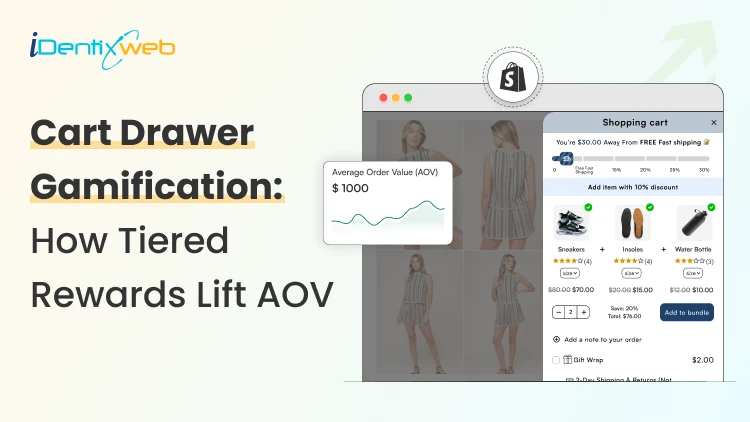
Shopping cart optimization is one of the fastest ways for a new Shopify store to grow revenue without buying more traffic.
Your product page will have all the necessary information, but the cart is where shoppers decide if they want to leave or if they’ll add more items.
Shopify’s shopping cart gamification fixes that with a simple, shopper-friendly nudge. You add tiered rewards right inside the cart drawer.
For example, each threshold a customer passes, they get a reward.
- Tier 1: Free gift
- Tier 2: 20% discount
- Tier 3: Free shipping
In this article, you’ll learn tips to set discount tiers that help your margins and how to avoid the common mistakes that hurt trust. You will also learn about the best Shopify app to customize your cart drawer.
What “tiered rewards” mean in a cart drawer
Tiered rewards are 2 to 4 levels that unlock better perks inside your Shopify shopping cart. The more a shopper adds, the better the reward gets.
You want your shoppers to think, “I’m only $12 away, I’ll add one more thing.” That is the shopping cart optimization that feels helpful, and it is proven to increase AOV.
This is what a basic tier setup looks like:
- Tier 1: a small, easy win (most people should reach it)
- Tier 2: a stronger perk (for shoppers already close)
- Tier 3: a “nice bonus” (optional, not required)
You can add multiple tiers in your cart drawer. Here’s an example of Anua, a skincare brand that uses iCart, the best shipping bar Shopify app. They have used 5 tiers with free gifts as rewards for completing each tier.
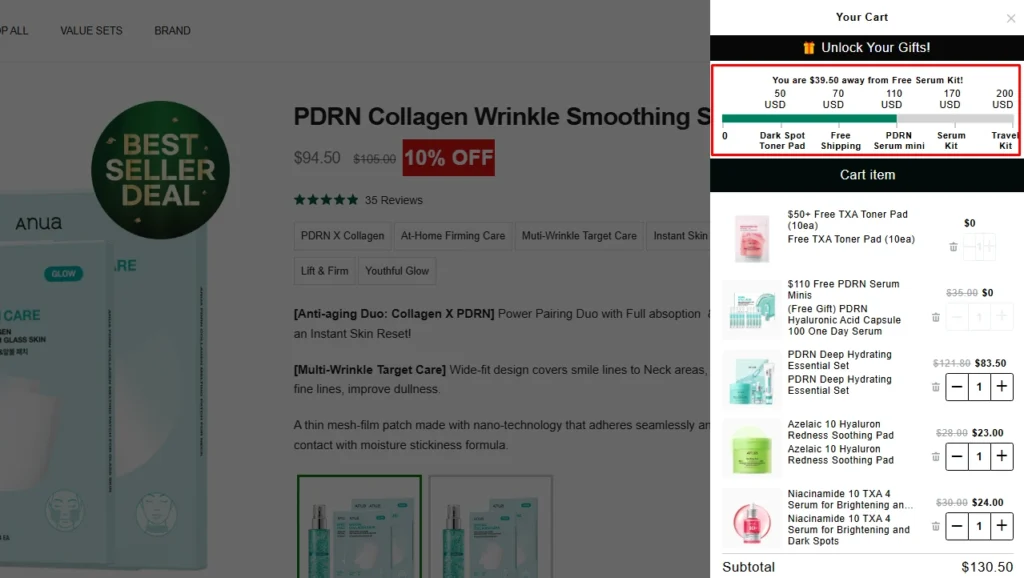
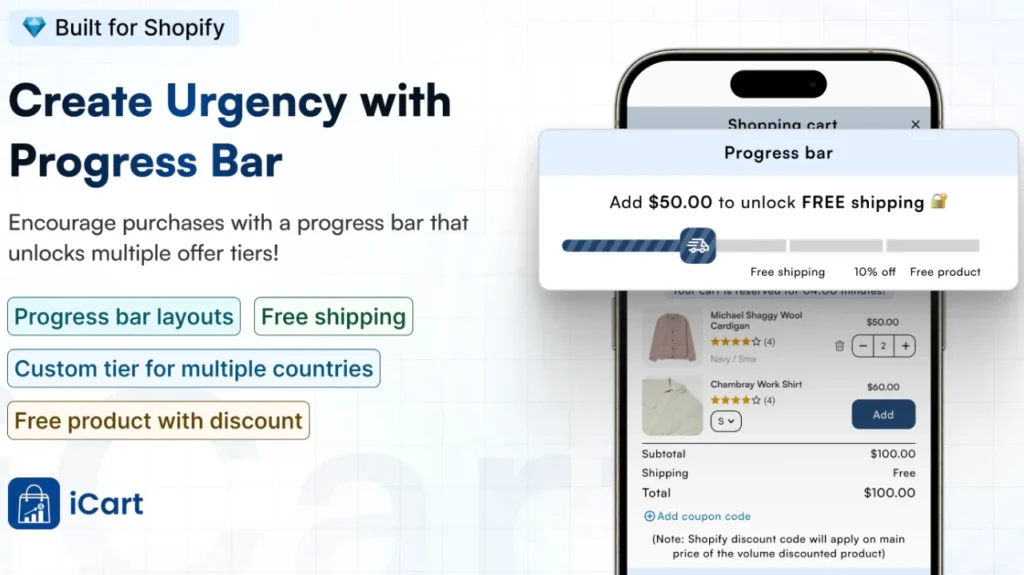
iCart helps you add discount tiers through its Progress Bar widget, inside the cart drawer. You set milestones like “Spend $50”, and the cart shows shoppers how close they are to the next reward. That keeps the shopper moving forward by adding more items.
You can run tier rewards like free shipping, percentage discount, fixed amount discount, and stack multiple tiers in one progress bar.
The 3 reward types that increase AOV in Shopify
Free Shipping Goal
Free shipping works because shoppers already want it. In fact, high shipping costs are one of the top reasons for cart abandonment, according to Baymard Institute’s research.
Why does it lift AOV?
- It works like a service perk, not a promo.
- It is one of the most natural ways for customers to add more items.
- It reduces cart abandonment.
Buy X Get Y
Buy X Get Y works when you have complementary items. For example, socks, phone cases, skincare items, brushes, and gift wrap are all perfect to add to this tier.
Why it converts
- The reward feels like an add-on.
- You can control what the “Y” item is, so you protect margins.
- It nudges shoppers to build their own bundle.
Gift with Purchase
A free gift feels premium. The clean Shopify way to run this is usually a Buy X Get Y setup, where the “Y” item is your gift. But you can also add a free item as a threshold so customers spend more to get it.
What makes it work
- The gift should be low-cost and of high perceived value.
- It should match the main product, not feel random.
- It should be easy to ship.
Tips to set up the perfect tier in your cart
If you’re new to Shopify shopping cart optimization do not worry, you can set up a tier system easily.
A simple 3-tier system is enough to increase AOV on Shopify without losing your margins.
Here’s the exact model you can use. Keep the rewards simple and messages short. You can change the number based on your products, but as a Shopify expert, I have seen this system work perfectly.
| Tier name | Cart goal | Reward | Cart message example |
| Tier 1 | $50 | Free shipping | “Add $12 to unlock free shipping.” |
| Tier 2 | $75 | 10% off | “You’re close. Add $18 for 10% off.” |
| Tier 3 | $100 | Free gift | “Hit $100, and we add a free gift.” |
As we have said before, you can also use more than 3 tiers, but make sure to set the rules accordingly.
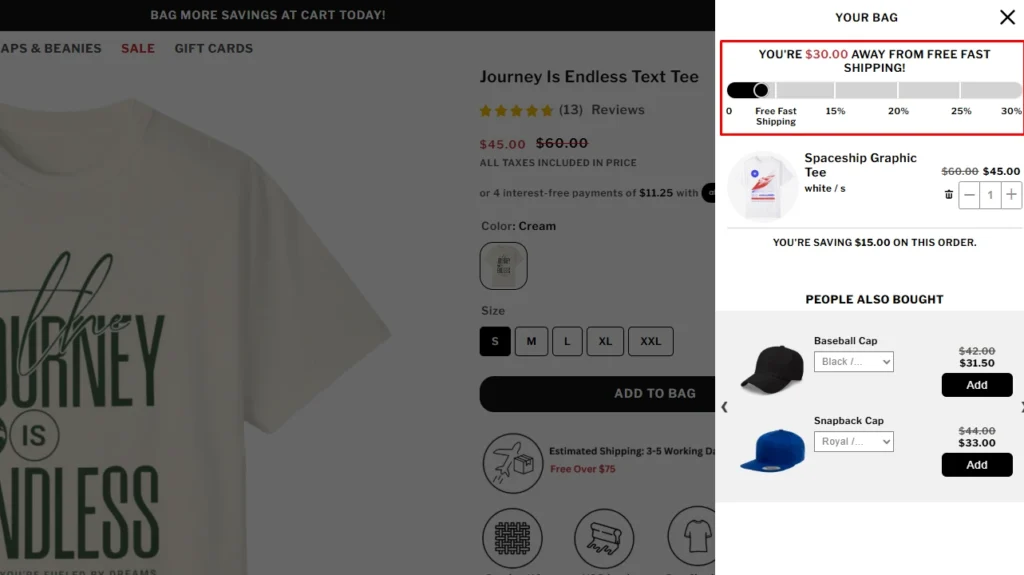
Here’s an example of Garb Classics using iCart’s progress bar features to set up 5 discount tiers.
How to pick your thresholds
Your thresholds should match how people already shop in your store. Use your current AOV as the anchor, then build tiers around it.
Step 1: Find your current AOV
- Shopify admin > analytics > reports.
- Look for the average order value and use the last 30 to 60 days.
Step 2: Set Tier 1 at +10% to +20% above AOV
This is the tier most people should hit. If your AOV is $45, Tier 1 should be around $50 to $55. That small gap is what drives the customer to add more items.
Step 3: Make Tier 2 reachable
Tier 2 should feel like one extra product. If it takes three extra items to reach it, shoppers stop caring. A good Tier 2 gap often lands around $15 to $30 above Tier 1 for many new stores.
Step 4: Keep Tier 3 optional
Tier 3 is for your best customers, not everyone. It should feel like a bonus, not a requirement, to get a fair deal. A free gift works great here because it feels premium without waiting for a discount.
Conclusion
Cart drawer gamification works because it turns checkout into an interactive game. Shoppers see a goal, they see progress, and they know exactly what they get if they add one more item.
That’s why this style of shopping cart optimization can increase AOV on Shopify.
Keep the game simple. Use 3 tiers, make the first reward easy to reach, and write cart messages that feel friendly and direct. Then track AOV and how to increase conversion rate on Shopify for the next two weeks, and adjust the tiers based on what shoppers actually do.
Shopify shopping cart FAQs
1. How to increase the add to cart rate?
Focus on the product page basics first: fast load time, high-quality photos, clear price and shipping/returns info, and a bold Add to Cart button that’s easy to tap on mobile. Then add trust badges to the cart and checkout page to increase conversions.
2. Which are the best free shipping bar Shopify apps?
If you want a solid, widely used shipping bar, check out iCart Cart Drawer Cart Upsell. Other similar apps include Essential Free Shipping Upsell and Progressify.
3. What are the different types of Shopify discounts?
Shopify supports core discount types like amount off (percentage or fixed), Buy X Get Y, and free shipping. You can run them as discount codes or as automatic discounts that apply when the cart meets the rules.
4. What does tiered discount mean?
A tiered discount means the offer gets better as the cart hits higher thresholds, like “Spend $50, get 5% off, spend $75, get 10% off.” Most Shopify stores use tiers to increase AOV without showing one big discount to everyone.
5. How do I add a progress bar in Shopify?
The fastest way is to install a free shipping or progress bar app and set your goal amount (like $50) and the reward text. Some themes also support announcement bars, but a true cart progress bar is easiest through a Shopify app.
6. How to do tiered discounts on Shopify?
Shopify can run automatic discounts, but multi-tier systems require a dedicated app that can handle tier logic. A most common setup is: use an app like iCart to show a tier through a progress bar in the cart drawer.



About the author
Vineet Nair
Vineet is an experienced content strategist with expertise in the ecommerce domain and a keen interest in Shopify. He aims to help Shopify merchants thrive in this competitive environment with technical solutions and thoughtfully structured content.