





Acquiring a new customer costs 5x more than retaining an existing one. Yet most Shopify merchants pour their budget into ads, acquisition, and flash sales, while their best customers quietly drift away, unnoticed, untargeted, and un-retained.
The problem isn't effort. It's visibility. You can't retain customers you don't truly understand.
That's exactly where the HubSpot Shopify integration changes the game. This guide is for Shopify merchants who are serious about retention. By the end of this guide, you will have a clear roadmap to connect HubSpot and Shopify, sync your customer data, and build the kind of retention engine that compounds over time.
Benefits of Integrating HubSpot and Shopify
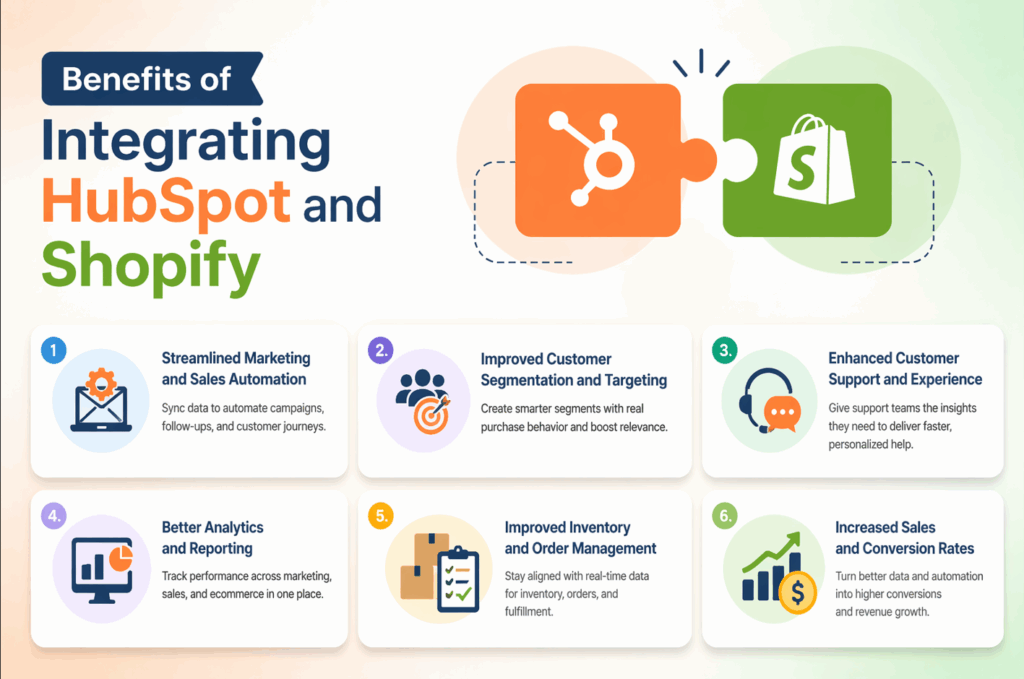
1. Streamlined Marketing and Sales Automation
One of the biggest advantages of integrating HubSpot with Shopify is the ability to automate your marketing and sales processes seamlessly. When these two powerful platforms are connected, you can:
- Sync customer data automatically between Shopify and HubSpot, ensuring that your sales and marketing teams have up-to-date information.
- Create automated workflows to send personalized emails, offer discounts, or notify your team when high-value leads or orders are placed.
- Automate follow-ups and nurture campaigns, increasing the chances of turning first-time buyers into loyal customers who can then become brand advocates through a referral tool like ReferralCandy.
2. Improved Customer Segmentation and Targeting
HubSpot’s CRM offers powerful tools for customer segmentation, allowing you to group customers based on their behavior, purchasing patterns, or lifecycle stage. By integrating Shopify with HubSpot, you can leverage this segmentation for highly targeted marketing campaigns:
- Segment your customers based on their purchase history from Shopify (e.g., frequent buyers, first-time visitors, cart abandoners).
- Target specific groups with tailored offers such as product recommendations, personalized discounts, or exclusive promotions.
- Track the customer journey from the first touchpoint to post-purchase, ensuring that your messaging is always relevant.
3. Enhanced Customer Support and Experience
The HubSpot Shopify integration not only benefits your marketing and sales efforts; it also greatly enhances the customer support experience. With seamless access to detailed customer information, your support team can:
- View a customer’s entire purchase history, including past orders, items they’ve viewed, and interactions with your store. This enables more personalized and efficient support.
- Automate customer support processes such as triggering an automatic email when a customer abandons their cart, or when their order status changes.
- Resolve issues faster by accessing important customer data directly from your CRM, reducing the back-and-forth that typically slows down support.
4. Better Analytics and Reporting
Another key benefit of integrating HubSpot and Shopify is the enhanced analytics and reporting capabilities. By combining HubSpot’s marketing and sales data with Shopify’s eCommerce performance metrics, you can:
- Get a clear overview of your sales funnel, from lead generation to customer retention.
- Track the ROI of your marketing campaigns directly in HubSpot, allowing you to measure the effectiveness of campaigns based on real sales data.
- Generate detailed customer reports, including purchase patterns, behavior on your website, and lifetime value (LTV), which helps in making informed decisions.
5. Improved Inventory and Order Management
When HubSpot and Shopify are integrated, inventory and order management become far more efficient. Here’s how:
- Sync order data from Shopify directly to HubSpot, providing your team with up-to-date information on stock levels, backorders, and new orders.
- Automate notifications when stock is low, so you can act quickly to restock and prevent lost sales.
- View detailed customer profiles along with order history, helping you offer the right products and services at the right time.
6. Increased Sales and Conversion Rates
By combining HubSpot’s automation tools with Shopify’s eCommerce platform, you can create highly effective marketing campaigns that drive higher conversion rates and increased sales. With this integration, you can:
- Retarget cart abandoners with tailored email reminders, discount offers, or personalized product suggestions based on their shopping behavior.
- Create post-purchase follow-ups to upsell or cross-sell products, helping increase average order value (AOV).
- Engage customers at key stages of the buying journey, keeping them interested and engaged with your brand.
What Data Syncs Between Shopify and HubSpot?
Before setting anything up, you need to know exactly what moves between platforms. Not all integrations are equal, and understanding the data flow will help you build smarter workflows from day one.
Customer & Contact Data
✔ Customer name, email, phone number, and billing/shipping addresses
✔ Customer tags assigned in Shopify (e.g., "wholesale," "VIP," "influencer")
✔ Account creation date and customer source (organic, paid, referral)
✔ Total number of orders placed (order count)
✔ Total amount spent (lifetime value / LTV)
✔ Average order value (AOV)
Order & Transaction Data
✔ Individual order records with product line items, quantities, and pricing
✔ Order status: pending, fulfilled, refunded, cancelled
✔ First order date and most recent order date
✔ Discount codes used at checkout
✔ Shipping method and fulfillment status
Ecommerce Events
✔ Abandoned cart events (customer ID + cart contents)
✔ Product viewed events (with pixel or tracking enabled)
✔ Checkout initiated but not completed
✔ Refund and return events
Step-by-Step Process for Seamless HubSpot Shopify Integration
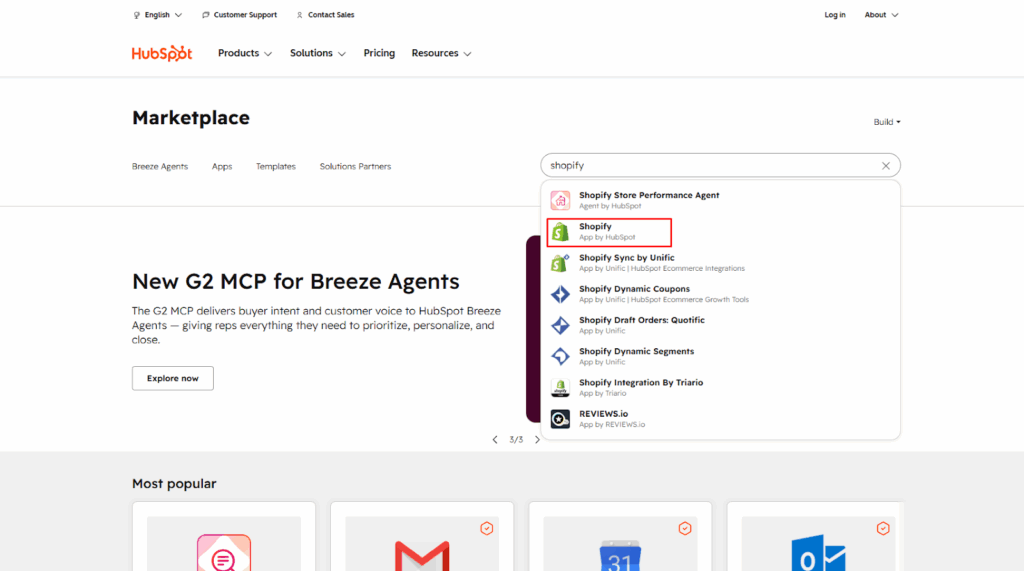
1. Go to HubSpot's App Marketplace
Log in to your HubSpot account. Navigate to the top navigation bar and click the grid icon to open the App Marketplace. Search for "Shopify", and you'll see the official Shopify integration built by HubSpot.
2. Install the Shopify Integration App
Click on the Shopify integration tile and then click "Install app." HubSpot will redirect you to authorize the connection. You will need to enter your Shopify store URL (yourstore.myshopify.com). Grant the necessary permissions - this allows HubSpot to read your orders, customers, and product data.
3. Configure Your Sync Settings
After authorization, you'll be taken to the sync settings panel inside HubSpot. Here you'll configure: Contact sync (which Shopify customers to import), Deal/order sync (whether each order becomes a Deal in HubSpot), and Historical data (how far back to import existing customers and orders - we recommend importing all historical data).
4. Map Your Custom Properties
HubSpot will automatically create a set of Shopify-specific properties on your Contact and Deal records. Review these and map any custom fields that matter to your business like a customer's preferred product category or subscription tier. This step is worth 30 extra minutes of your time; it pays off every single day.
5. Install the HubSpot Tracking Code on Shopify
For behavioral tracking (cart abandonment, product views, checkout events), you need to install HubSpot's JavaScript tracking code on your Shopify storefront. In HubSpot, go to Settings > Tracking Code, copy the snippet, and paste it into your Shopify theme's theme.liquid file before the closing </head> tag. If you're not comfortable with this, use HubSpot's Shopify Pixel app instead it handles this automatically.
6. Test the Sync with a Live Order
Place a test order in your Shopify store (use a $0 discount code or Shopify's test mode). Then, check your HubSpot Contacts within a few minutes, and the contact record should appear with full order details. If it does, your HubSpot Shopify integration is live.
Final Thoughts
Integrating HubSpot with Shopify is a game-changer for eCommerce businesses looking to streamline their sales, marketing, and customer relationship management. By following the simple steps outlined in this guide, you can seamlessly connect your Shopify store to HubSpot, unlocking powerful tools for automation, customer segmentation, and enhanced marketing strategies.
Ready to take your Shopify store to the next level with HubSpot integration? Contact us today for expert assistance in setting up the integration, and let’s work together to boost your store’s performance!
Frequently Asked Questions
1. Is the HubSpot Shopify integration free?
The integration itself is free to install, but you need a HubSpot account. HubSpot's free CRM plan supports basic contact sync. To unlock marketing automation, email workflows, and segmentation tools that make the integration truly powerful, you'll need a paid HubSpot plan.
2. Does HubSpot have a native Shopify integration?
Yes. HubSpot offers an official, natively built Shopify integration available through the HubSpot App Marketplace. It supports real-time contact and order sync, historical data import, and ecommerce event tracking.
3. How long does it take for Shopify data to appear in HubSpot?
New orders and customer records typically sync to HubSpot within a few minutes of being created in Shopify.




About the author
Sajini Annie John
Meet Sajini, a seasoned technical content writer with a passion for e-commerce and expertise in Shopify. She is committed to helping online businesses to thrive through the power of well-crafted content.