






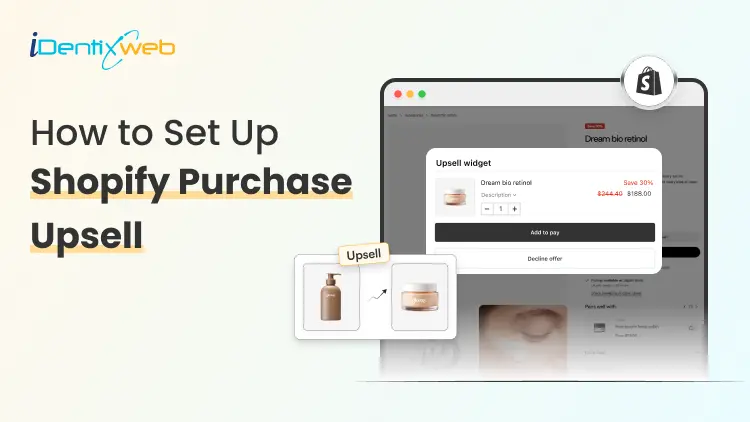
Setting up a Shopify post purchase upsell involves installing a dedicated upsell app, enabling it within your checkout settings, and creating a funnel that presents a targeted, one-click offer immediately after payment but before the thank-you page. This approach allows customers to add additional products to their order without re-entering payment details, making the process seamless and highly effective for increasing average order value.
In this guide, you’ll learn how to set up Shopify post-purchase upsells without any coding, along with shopify post purchase upsell strategies to maximize conversions and boost your store’s revenue.
What is a Shopify post purchase upsell?
A Shopify post purchase upsell is an offer shown to your customer after they've completed checkout but before they leave your store. It's a one-click offer that says: "Hey, would you also like this?"
Because payment details are already captured, customers can accept the offer with a single tap. No re-entering card numbers. No second checkout. Just one click and the item is added to their order.
Steps to add a Post Purchase Upsell on Shopify
Here, we will see the steps to setup post purchase upsells using SellMore app.
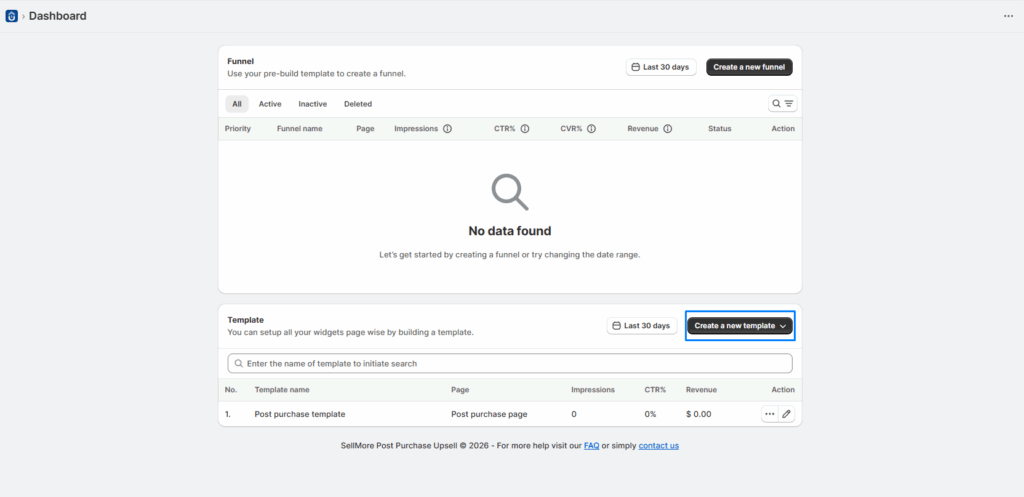
- The first step you need to do is create a new template.
- Now create a new funnel, add the conditions as per your choice and select the post purchase template that you have created.
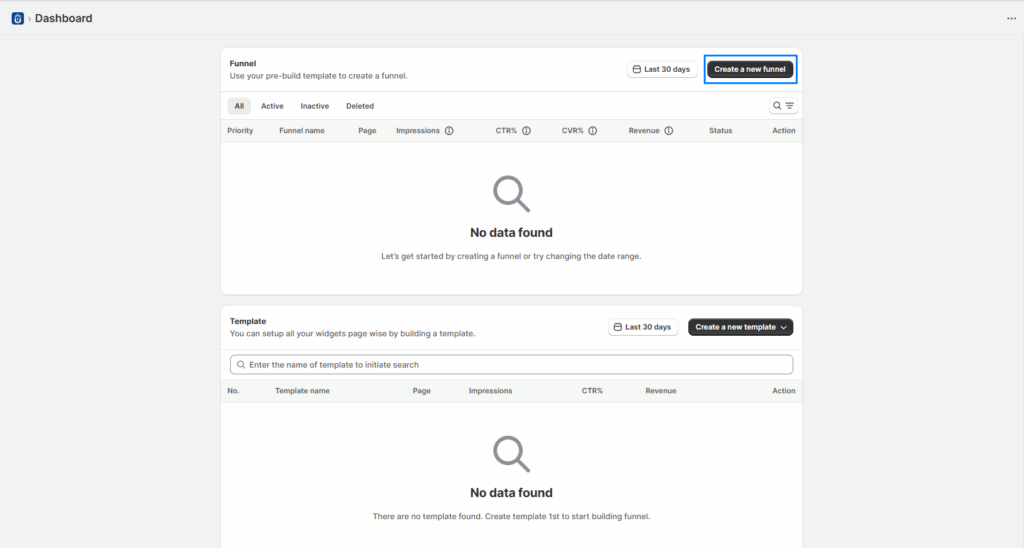
- After making the changes, click on the save button.
Top Shopify post purchase upsell strategies that actually work
Not all offers perform equally. After analyzing what works across thousands of Shopify stores, these are the Shopify post purchase upsell strategies with the highest conversion rates.
Complement the purchase
Offer the natural next product. Bought a camera? Offer a memory card. Bought shoes? Offer shoe care. Works because it feels helpful, not pushy.
Replenishment offer
If you sell consumables coffee, supplements, skincare - offer a second unit or a bundle at a discount. Customers who buy once are likely to run out.
Discounted upgrade
Bought the basic version? Offer the premium or larger version at a "one-time" post-purchase price. Perceived exclusivity increases conversion.
Protection or warranty
Offer an extended warranty, product protection, or priority shipping. High-margin, low-cost to fulfill great for electronics, furniture, or sporting goods.
Subscription conversion
If you offer subscriptions, the post-purchase page is the perfect moment to offer "subscribe and save." The buyer already trusts you.
Buy more, save more
Offer a bundle discount: "Add 2 more for 25% off." Works especially well for beauty, wellness, and home goods where multiples make sense.
Key advantages of showing upsells on post purchase page
1. Increases Average Order Value (AOV)
Once a customer completes checkout, they’re more likely to accept an additional offer especially if it’s relevant and discounted. This directly raises revenue per transaction without needing more traffic.
2. Zero Risk to Conversion Rate
Traditional upsells during checkout can cause friction and lead to cart abandonment. Post-purchase upsells happen after payment, so they don’t interfere with the original purchase decision.
3. Frictionless One-Click Buying
Customers don’t need to re-enter payment or shipping details. This dramatically reduces resistance and improves acceptance rates compared to pre-purchase upsells.
4. Higher Conversion Rates Than Pre-Purchase Offers
Because the customer is already in a “buying mindset,” post-purchase offers typically convert better than upsells shown earlier in the funnel.
5. Improves Customer Experience
If the upsell is relevant (e.g., accessories, add-ons, warranties), it feels helpful rather than pushy enhancing perceived value instead of interrupting the journey.
6. Maximizes Revenue Without Extra Ad Spend
You’re monetizing existing customers instead of acquiring new ones. This improves return on ad spend (ROAS) and overall profitability.
Conclusion
Post-purchase upsells are one of the simplest yet most powerful ways to grow your Shopify store without increasing your marketing spend. By targeting customers at the right moment after they’ve already committed to buying you unlock additional revenue with minimal effort and zero disruption to the checkout experience.
The key is to keep your offers relevant, valuable, and easy to accept. Start with a single, well-matched upsell, monitor its performance, and gradually optimize your strategy based on real data.
With the right approach and no-code tools, you can turn every completed order into an opportunity for higher profits. Over time, even small improvements in your upsell funnel can lead to significant gains in average order value and overall revenue.
People Also Ask
1. What is post-purchase upsell?
A post-purchase upsell is an additional product offer shown to customers right after they complete checkout but before the thank-you page. It allows them to add items to their order with a single click.
2. Do I need coding skills to set up post-purchase upsells?
No, you don’t need any coding knowledge. Most Shopify upsell apps provide a no-code, drag-and-drop interface to create and manage offers.
3. Can I show more than one upsell offer?
Yes, many apps allow multiple offers, including downsells if the first offer is declined. However, it’s best to keep the flow simple to avoid overwhelming customers.
4. Can post-purchase upsells affect my conversion rate?
No, they typically don’t hurt conversion rates because they appear after the purchase is completed. In fact, they help increase revenue without disrupting checkout.

![How to Automate Shopify Post-purchase Email? [Examples + Tips to Convert]](https://www.identixweb.com/wp-content/uploads/2026/04/26-03-Thu-Blog-How-to-Streamline-Shopify-Post-purchase-Email-Flow_.webp "How to Automate Shopify Post-purchase Email? [Examples + Tips to Convert]")

About the author
Sajini Annie John
Meet Sajini, a seasoned technical content writer with a passion for e-commerce and expertise in Shopify. She is committed to helping online businesses to thrive through the power of well-crafted content.