





If you’re already running your business on Shopify, you’ve made the right choice.
Shopify gives you full control over your brand, your customers, and your long-term growth.
But as your store grows, it’s natural to look for additional sales channels that can help you reach more buyers without disrupting your core setup. That’s where Etsy often enters the conversation.
Many Shopify merchants start wondering:
- Is there a free way to integrate Etsy with Shopify?
- Can Etsy help me bring in more sales without replacing Shopify?
- How do I manage Shopify and Etsy together without extra complexity?
The good news is, you don’t have to choose Shopify vs Etsy. Shopify can remain your main ecommerce platform, while Etsy works as a complementary marketplace that helps you tap into an audience already searching for products like yours.
In this guide, we’ll break down how to integrate Etsy with Shopify, explore the best Shopify Etsy integration options, and explain how Shopify merchants can use Etsy strategically.
Why Integrate Etsy With Shopify?
Integrating Etsy with Shopify allows you to combine the strengths of both platforms:
- Use Etsy as a discovery channel
- Use Shopify as your brand hub
- Manage products, inventory, and orders from one place
For growing merchants, this integration solves a major pain point: time and operational chaos.
Without integration, you’re manually:
- Updating inventory on two platforms
- Managing orders separately
- Risking overselling or stock mismatches
With the right Shopify Etsy integration, this process becomes automated.
Shopify vs Etsy: Feature-by-Feature Comparison for Merchants
| Feature | Shopify | Etsy |
| Best For | Building and scaling a branded ecommerce business | Selling products through a marketplace audience |
| Platform Role | Primary ecommerce platform and business foundation | Secondary sales and discovery channel |
| Brand Ownership | Full ownership of brand, store design, and domain | Limited branding within Etsy’s marketplace |
| Customer Data Access | Complete access to customer data and insights | Limited access; Etsy controls buyer relationships |
| Website Customization | Fully customizable storefront and checkout | Minimal customization |
| Traffic Control | Full control via SEO, ads, content, and email marketing | Etsy drives internal marketplace traffic |
| Scalability | Highly scalable for long-term and global growth | Best suited for small-to-medium marketplace sales |
| Fees Structure | Predictable monthly plans and payment processing fees | Listing fees, transaction fees, and advertising fees |
| Marketing Tools | Advanced SEO, email, automation, and integrations | Basic promotional tools within Etsy |
| Inventory Management | Centralized and flexible inventory control | Inventory managed within Etsy’s ecosystem |
| Multi-Channel Selling | Supports multiple sales channels (Etsy, Amazon, social) | Primarily focused on Etsy marketplace only |
| Long-Term Business Value | Builds an independent, sellable ecommerce brand | Dependent on marketplace rules and policies |
Is There a Free Way to Integrate Etsy with Shopify?
Until early 2025, Shopify merchants could integrate Etsy for free using Shopify’s Marketplace Connect app; however, Shopify has since discontinued Etsy support within Marketplace Connect, and it is no longer available as a native free integration.
So, let’s see another way to integrate Shopify and Etsy.
Step 1: Setup Your Shopify and Etsy Accounts
Before starting the integration, make sure:
- You have an active Shopify store
- You have an Etsy seller account
- Your Shopify products have clear titles, SKUs, pricing, and inventory
Step 2: Install any Etsy Integration Shopify App
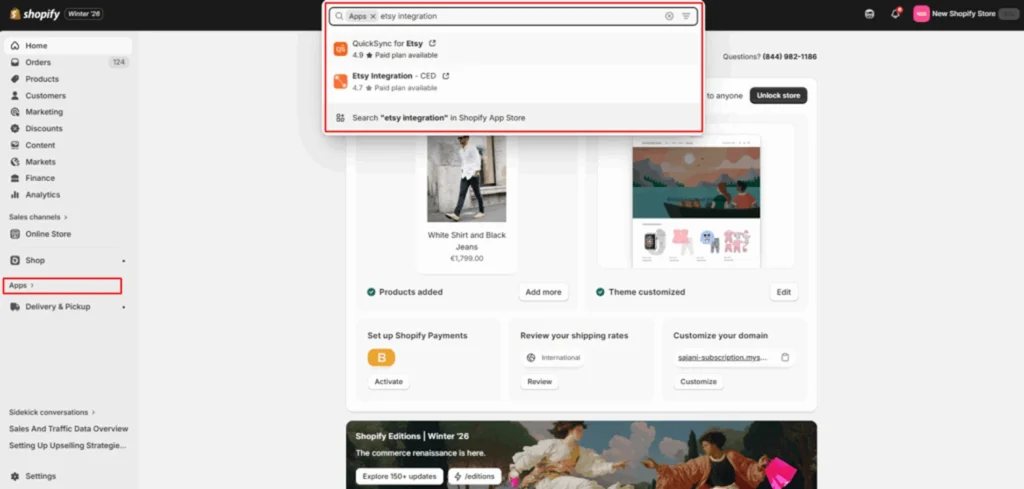
Login to your Shopify admin, go to apps section and search for Etsy integration apps. I have installed the Etsy Integration app by CedCommerce.
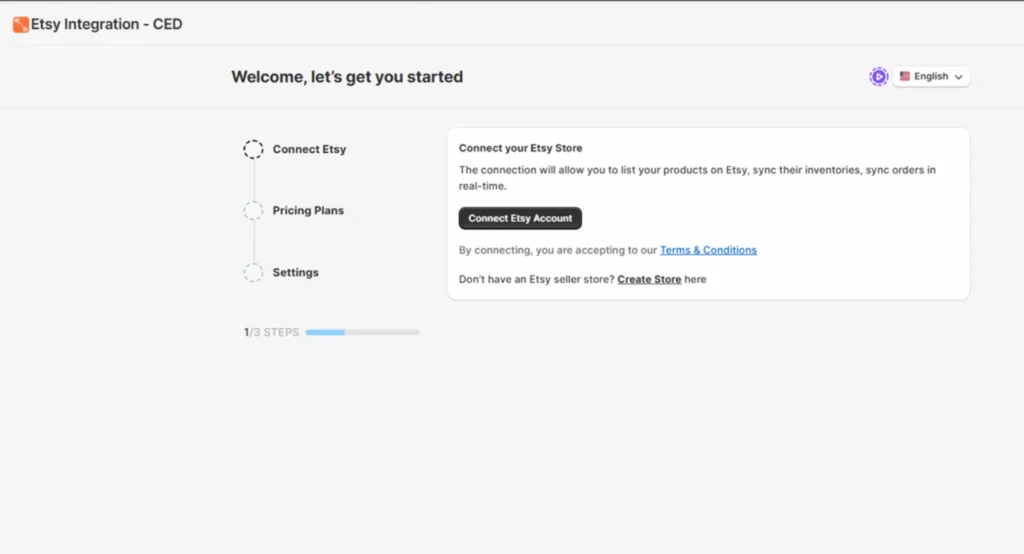
Step 3: So after following a few steps like granting permissions, connect your Etsy account.
Step 4: Sync Data Between Etsy and Shopify
- Open the Etsy integration app from your Shopify dashboard
- Import your Etsy products into Shopify
- Review product details like titles, images, descriptions, and pricing
- Edit listings if needed to keep information consistent
Step 5: Manage Inventory and Orders Across Both Platforms
- Enable real-time inventory sync to avoid overselling
- Sync orders so purchases flow into Shopify for fulfillment
- Regularly monitor stock levels and order status
Step 6: Create a Seamless Shopping Experience on Your Shopify Store
What to set up next after integration?
Moving from Etsy to Shopify gives you more control, but it also means you’re responsible for conversion.
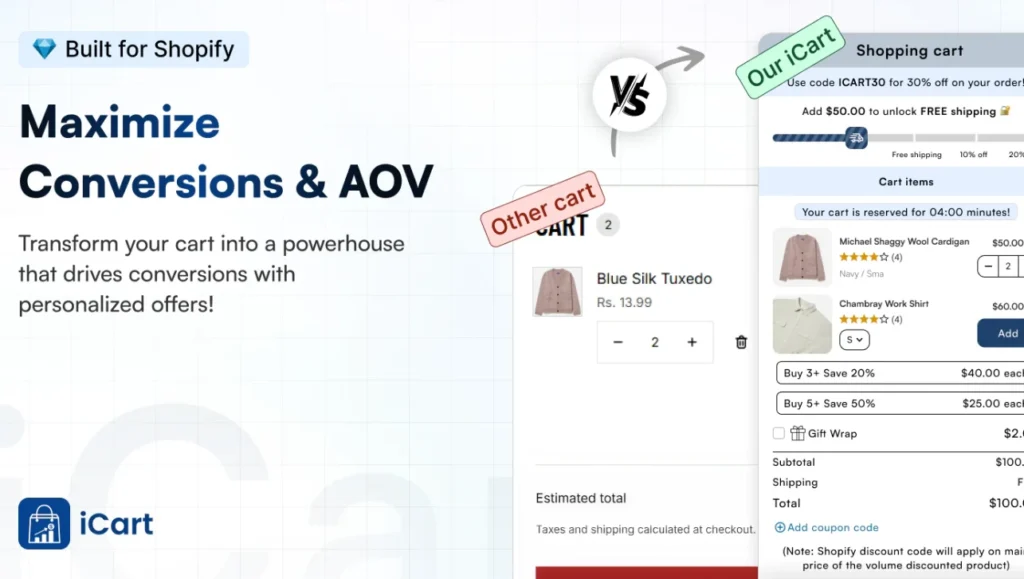
Small cart upgrades like AI-powered product recommendations, bundles, and a progress bar offer can easily increase your Shopify AOV.
Shopify upsell apps like iCart is the best option if you want to add these elements without any technical expertise.
Final Thoughts
Integrating Etsy with Shopify is a practical way to expand your reach without changing your core ecommerce setup.
Shopify gives you full control over your brand, customers, and growth, while Etsy helps you access a large marketplace of ready-to-buy shoppers.
Although Shopify no longer offers a free native Etsy integration, merchants can still connect both platforms using reliable third-party solutions.
The key is to use Etsy as an additional sales channel and manage everything from Shopify to keep operations simple and scalable.
By choosing the right integration method, you can grow your sales while keeping Shopify at the center of your business.
People Also Ask
1. Is there a free way to integrate Etsy with Shopify?
Until early 2025, Shopify offered a free Etsy integration through its Marketplace Connect app. However, Etsy support has since been discontinued. Currently, most Etsy & Shopify integrations rely on third-party apps, which may offer limited free plans or trials.
2. Do Etsy orders sync automatically with Shopify?
Automatic order syncing depends on the integration method you choose. Native and third-party integration apps typically support order syncing, while manual or basic methods require handling orders separately.
3. Can I sell the same products on Etsy and Shopify?
Yes. You can list the same products on both platforms. Using an integration helps keep pricing, inventory, and product details consistent across Etsy and Shopify.




About the author
Sajini Annie John
Meet Sajini, a seasoned technical content writer with a passion for e-commerce and expertise in Shopify. She is committed to helping online businesses to thrive through the power of well-crafted content.