





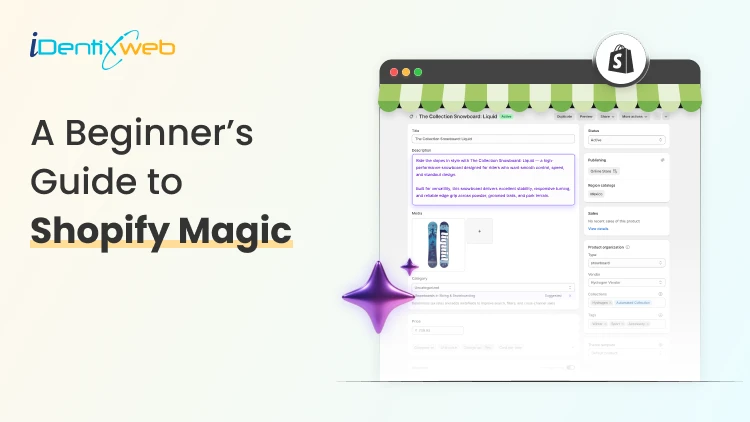
Running a Shopify store can feel like juggling ten things at once. You're writing product descriptions, replying to customers, designing emails, editing images, and somehow still trying to grow your sales. Sound familiar? That's exactly where Shopify Magic steps in to make your life easier.
Shopify Magic is a set of free AI-powered tools built right into your Shopify admin. It helps merchants like you create content, edit images, reply to customers, and even build store sections faster than ever before. Whether you're a beginner setting up your first store or a seasoned merchant scaling your business, Shopify Magic is designed to take the heavy lifting off your shoulders.
In this guide, you'll learn what Shopify Magic is, how to use it across different parts of your store, and how the Shopify Magic AI store builder can speed up your store setup. Let's dive in.
What Is Shopify Magic?
Shopify Magic is Shopify's built-in suite of AI features that helps merchants run their stores more efficiently. Think of it as your behind-the-scenes assistant that writes, edits, suggests, and supports, all without you needing to be a tech expert or a copywriter.
Launched as part of Shopify's commitment to making commerce smarter, Shopify Magic uses generative AI to handle tasks that usually take hours. From writing product descriptions to generating FAQs, blog posts, and even editing product images, it's all included for free with your Shopify plan.
Here's what makes it special:
- It's free for all Shopify merchants
- It works inside your Shopify admin (no extra apps needed)
- It supports multiple tasks like writing, image editing, email creation, and more
- It learns from your store's context to give relevant suggestions
So if you've ever wondered what is Shopify Magic, the simple answer is: it's your AI-powered helper that makes running a Shopify store smoother and faster.
"AI is no longer optional for ecommerce. It's becoming the foundation of how merchants compete and grow." — Harley Finkelstein, President of Shopify
Key Features of Shopify Magic
Let's break down what Shopify Magic actually does. Here are the main features you'll find inside your Shopify admin:
1. AI-Generated Product Descriptions
Writing product descriptions can be one of the most time-consuming parts of running a store. Shopify Magic generates SEO-friendly descriptions in seconds based on your product details, keywords, and tone of voice.
You can pick from tones like expert, playful, supportive, or persuasive, and Shopify Magic will craft a description that fits your brand.
2. Email Subject Line Suggestions
Email marketing still drives huge revenue for ecommerce. According to Litmus, email marketing delivers an average ROI of $36 for every $1 spent. With Shopify Magic, you get instant subject line suggestions inside Shopify Email, helping you boost open rates without staring at a blank screen.
3. AI Image Editing
Shopify Magic also helps you edit product images. You can:
- Remove or change backgrounds
- Match images to your brand style
- Create lifestyle-style backdrops automatically
This is a huge win for merchants who don't have access to professional photography.
4. Sidekick (Your AI Assistant)
Sidekick is Shopify's conversational AI assistant. You can ask it things like:
- "Show me my best-selling products this month"
- "Create a discount for first-time buyers"
- "Set up a new collection for summer items"
It's like having a Shopify expert sitting next to you 24/7.
5. FAQ and Blog Content Generation
Need a quick FAQ section or a blog post? Shopify Magic can draft both. You give it a topic, and it returns ready-to-edit content that you can publish directly to your store.
6. Shopify Magic AI Store Builder
The Shopify Magic AI store builder helps new merchants set up their store quickly. It can generate store sections, suggest layouts, and even recommend content based on your business type.
Shopify Magic Features at a Glance
| Feature | What It Does | Where to Find It |
| Product Descriptions | Writes SEO content for products | Product editor |
| Email Subject Lines | Suggests catchy subject lines | Shopify Email |
| Image Editing | Removes/changes backgrounds | Product images |
| Sidekick | AI assistant for store tasks | Shopify admin |
| FAQ Generator | Creates FAQ sections | Online Store editor |
| Blog Post Drafts | Writes blog content | Blog posts section |
| Store Builder | Builds store sections | Theme editor |
How to Use Shopify Magic (Step-by-Step)
Now that you know what it does, let's look at how to use Shopify Magic across your store.
Step 1: Make Sure You Have an Active Shopify Plan
Shopify Magic comes free with all Shopify plans. You don't need a special subscription or add-on. Just log in to your Shopify admin to access these features.
Step 2: Use Shopify Magic for Product Descriptions
- Go to Products in your Shopify admin
- Click Add product or open an existing product
- In the description box, click the ✨ Shopify Magic icon
- Add a few keywords or features about the product
- Choose a tone of voice
- Click Generate and edit as needed
Step 3: Generate Email Subject Lines
- Open Shopify Email
- Start a new campaign
- Click the ✨ icon near the subject line field
- Pick a suggestion or generate new ones
Step 4: Edit Product Images with AI
- Open any product image in your admin
- Click Edit image
- Choose options like "Remove background" or "Change background"
- Save the new version
Step 5: Talk to Sidekick
- Click the Sidekick icon in your Shopify admin (usually top-right corner)
- Type or speak your question
- Sidekick will pull data, complete tasks, or guide you
Step 6: Use the Shopify Magic AI Store Builder
- Open your Online Store > Themes
- Click Customize
- Use the AI suggestions to generate sections, hero banners, or layouts
- Edit and publish when ready
The Future of Shopify Magic
Shopify is doubling down on AI. With features like Sidekick expanding and the Shopify Magic AI store builder getting smarter, merchants can expect even more automation in the coming years.
According to Statista, the global AI market is expected to reach over $1.8 trillion by 2030. Ecommerce will play a massive role in this growth, and Shopify is positioning its merchants to lead the way.
Final Thoughts
If you're a Shopify merchant looking to save time, create better content, and run your store more efficiently, Shopify Magic is a no-brainer. It's built right into your admin, completely free, and packed with features designed specifically for ecommerce.
From writing product descriptions to editing images, building store sections, and chatting with Sidekick, Shopify Magic gives you the power of AI without the complexity. And when you pair it with the right apps and expert services from Identixweb, the possibilities are endless.
So go ahead, log in to your Shopify admin, click that ✨ icon, and let Shopify Magic do its thing. Your future self (and your customers) will thank you.
Frequently Asked Questions
1. Is Shopify Magic free to use?
Yes, Shopify Magic is completely free for all Shopify merchants. You don't need any extra subscriptions or add-ons to access it.
2. What is Shopify Magic used for?
Shopify Magic is used for writing product descriptions, generating email subject lines, editing product images, building store sections, and chatting with Sidekick (Shopify's AI assistant).
3. What is the Shopify Magic AI store builder?
The Shopify Magic AI store builder is an AI-powered feature inside the theme editor that helps merchants generate store sections, layouts, and content suggestions to set up their store faster.
4. Is Shopify Magic better than ChatGPT?
For Shopify merchants, yes. Shopify Magic is built into your store, understands your products and customers, and offers ecommerce-specific tools that ChatGPT doesn't.
5. What is Sidekick in Shopify Magic?
Sidekick is Shopify's AI-powered assistant that helps you complete store tasks, analyze data, and answer questions inside your Shopify admin.
Post Tags




About the author
Sajini Annie John
Meet Sajini, a seasoned technical content writer with a passion for e-commerce and expertise in Shopify. She is committed to helping online businesses to thrive through the power of well-crafted content.