





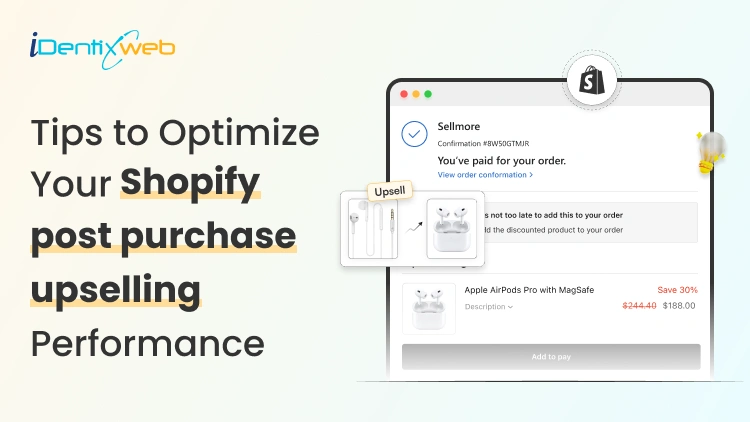
If you are a Shopify merchant looking to earn more from every buyer, you’ve probably heard about post purchase upselling. It’s one of the most powerful method to increase average order value and overall revenue of your store, yet most stores either ignore it or implement it poorly. In this guide, we will explain the Shopify post purchase upsell strategies and show you real, actionable tips you can start using today.
What is a post purchase upsell in Shopify
A post purchase upsell is an offer presented after the initial checkout confirmation, without making the customer enter payment details again. Since they’ve already bought, upsell offers must be simple, relevant, and compelling.
Successful use cases include:
- Adding a complementary item (e.g., phone case after a phone order)
- Offering expedited shipping upgrades
Why post purchase upselling matters more than ever
Post purchase upsell has become one of the smartest growth levers for Shopify merchants. Instead of spending more to bring in new traffic, you increase revenue from customers who have already trusted you enough to buy. That shift in mindset alone can transform your store’s profitability.
Let’s look at the numbers.
According to Shopify, returning customers can spend up to 3x more than first-time buyers, and they also convert at significantly higher rates. If you’re not optimizing your Shopify post purchase upsell flow, you’re leaving revenue on the table.
Here’s why it works:
- The buyer has just shown intent
- They’ve completed checkout
- They are cognitively in the “buying” mindset
So how do we build a flow that leverages this buyer state? Let’s jump into the strategies.
Shopify post purchase upsell strategies to optimize your upsell performance
1. Display relevant offers
The success of your post purchase upselling depends almost entirely on relevance. Customers are willing to buy again only if the offer logically complements what they just purchased. Random or unrelated offers instantly reduce trust and conversion rates.
When a buyer sees something that genuinely improves their original purchase, the decision feels natural rather than forced. Shopify apps like SellMore Post Purchase Upsell enable merchants to create targeted one-click upsell offers across checkout, post purchase, and thank you pages; helping ensure the upsell shown is directly tied to the customer’s actual order rather than a generic product recommendation.
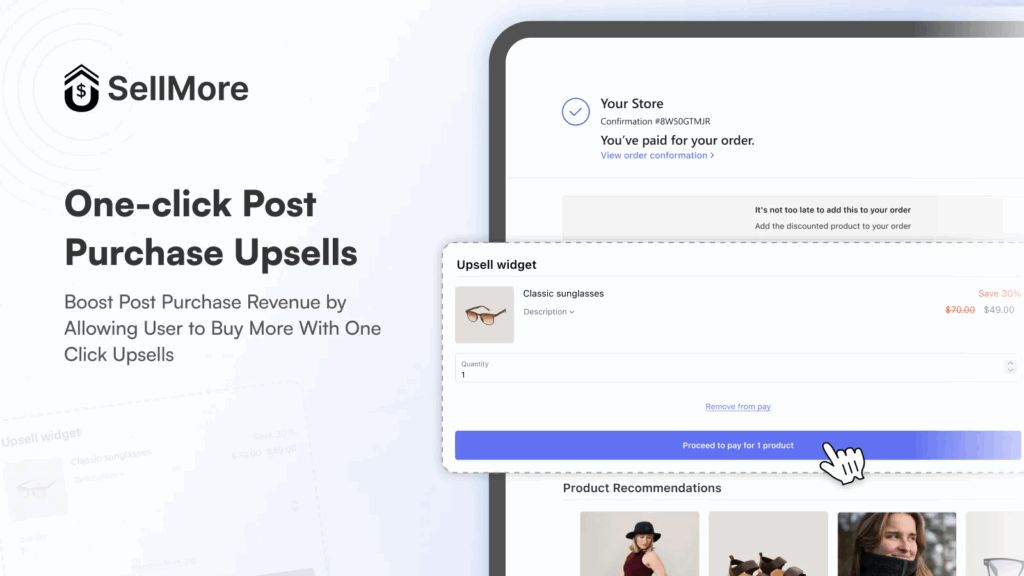
How to ensure relevance:
- Offer complementary accessories (phone case after phone purchase)
- Suggest consumables or refills (skincare refill after serum purchase)
- Provide upgrades (premium version or extended warranty)
- Use order-based logic to match products
Example:
If a customer buys a yoga mat, your upsell could include:
- Resistance bands bundle
- Carrying strap
- Cleaning spray
The more specific the pairing, the higher your take rate.
2. Introduce smart upsell funnels
Showing just one offer leaves revenue on the table. Instead of presenting a single upsell, structure a funnel that adapts based on the customer’s response. Smart funnel logic increases total revenue per order without overwhelming the buyer. If you’d like to see how real brands structure their offers, you can explore these post-purchase upsell pages examples to understand what high-converting implementations look like in practice.
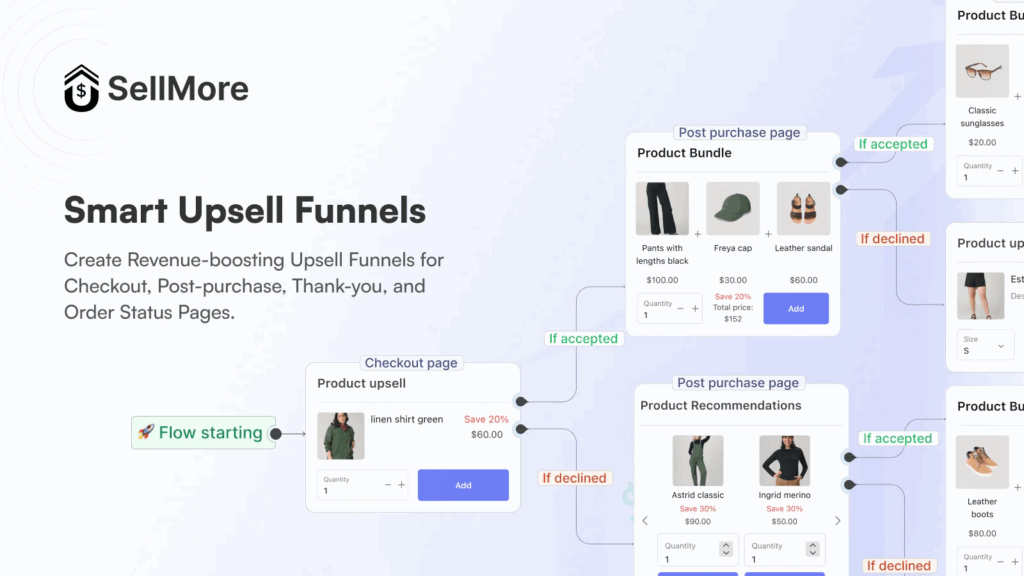
A layered approach is one of the most effective shopify post purchase upsell strategies.
How smart funnels work:
- Offer A → If accepted → Show complementary Offer B
- Offer A → If declined → Show lower-priced alternative
- Offer A → If declined → Offer bundle discount
Example funnel structure:
- Offer: 25% off premium accessory
- If declined → Offer: Buy one get one 50% off
- If accepted → Offer add-on bundle
3. Use AI-Powered Targeting to Improve Conversions
Manual upsell rules work, but AI-powered targeting scales better. AI analyzes customer behavior, product combinations, and order patterns to determine which upsell has the highest probability of converting. The more data-driven your approach, the less you rely on assumptions.
AI can optimize based on:
- Purchase history
- Order value
- Product combinations
- Customer segments (new vs returning)
- Checkout behavior
Example:
Instead of manually deciding that Product A pairs with Product B, AI identifies:
- Customers who buy sneakers are 38% more likely to buy performance socks
- Customers over $100 AOV respond better to bundles than discounts
4. Optimize for mobile first-experience
Most Shopify traffic today comes from mobile devices. If your store experience is not mobile-optimized, you are automatically losing conversions. Mobile friction kills impulse decisions and post purchase upselling relies heavily on impulse momentum.
Mobile optimization checklist:
- Large, easy-to-tap CTA buttons
- Minimal copy (clear benefit-focused text)
- Fast-loading images
- Clean layout without clutter
- One-click acceptance
5. A/B Test Offers
Never assume your first upsell offer is the best one. Small tweaks in copy, discount structure, or presentation can dramatically change performance. Continuous testing is the backbone of successful post purchase upselling.
What you should test:
- 15% vs 25% discount
- Bundle vs single product
- Scarcity messaging vs value messaging
- Image-heavy vs benefit-heavy layout
- Single product vs multi-product offer
Conclusion
Post purchase upselling is one of the simplest ways to increase revenue without increasing traffic. When your offers are relevant, well-timed, and easy to accept, customers naturally say yes.
Focus on smart funnels, AI-driven targeting, mobile optimization, and continuous testing. Even small improvements in your Shopify post purchase upsell strategy can create meaningful lifts in AOV and long-term profitability.
People Also Ask
1. What is post purchase upselling in Shopify?
Post purchase upselling is a strategy where additional product offers are shown to customers immediately after they complete checkout. Unlike pre-checkout upsells, the original order is already secured, which reduces cart abandonment risk.
In Shopify, a post purchase upsell typically appears on the post purchase page, thank you page, checkout page (for Shopify Plus), or order status page as a one-click offer.
2. Where can Shopify merchants show post purchase upsells?
Depending on your Shopify plan and tools, upsells can appear on the checkout page (Shopify Plus), post purchase page, thank you page, order status page.
3. What is the difference between a checkout upsell and a post purchase upsell?
A checkout upsell appears before payment is completed, while a post purchase upsell appears after the order has been confirmed.

![How to Build a Top Shopify Grocery Store [Examples & Themes + Best Apps]](https://www.identixweb.com/wp-content/uploads/2026/02/11-02-Wed-Blog-How-to-Build-a-Shopify-Grocery-Store-Examples-Must-Have-Apps.webp "How to Build a Top Shopify Grocery Store [Examples & Themes + Best Apps]")

About the author
Sajini Annie John
Meet Sajini, a seasoned technical content writer with a passion for e-commerce and expertise in Shopify. She is committed to helping online businesses to thrive through the power of well-crafted content.