





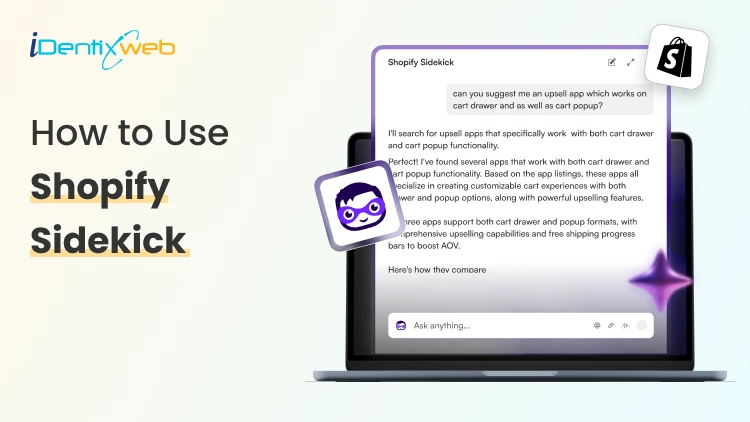

Shopify Sidekick is an AI assistant that helps merchants run their stores more efficiently. To use it, simply log into your Shopify store, open the Sidekick icon, and enter your tasks or prompts to create product descriptions or automate repetitive tasks and more.
Shopify sidekick is an all-in-one AI assistant for Shopify stores to help merchants manage their day–to-day tasks and grow their store. But is this Shopify AI sidekick worth the hype? Let’s see what it brings to the table.
By the end of this guide, you will come to know about its capabilities and its use cases to grow your Shopify store.
What is Shopify Sidekick?
Shopify sidekick is an AI-powered assistant to help shopify merchants in managing their stores effectively. It can generate product descriptions, marketing content, assist with customer support and more. The best thing about this AI assistant is that it saves the time and effort of merchants, making things easier for them.
Key use cases of Shopify Sidekick for Shopify stores
Content Creation
Before the launch of Shopify AI Sidekick, creating content was time-consuming. But now the AI Sidekick makes it easy for Shopify store owners to create engaging product descriptions, email templates, blog posts or other promotional campaign content based on your brand’s voice. This can save hours and manual work for merchants.
I have tested this feature to create a description for one of my products, and yes,s it has written exactly what I needed!

Image Creating & Editing
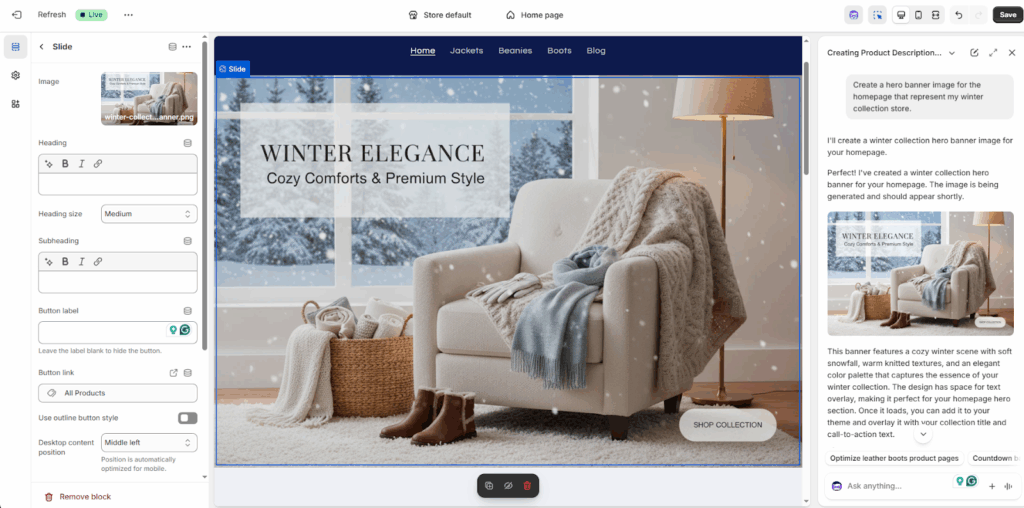
Do you believe that Shopify AI sidekick creates high-quality designs much better than human ones? Yes, Sidekick helps you to create visually appealing images that help merchants to maintain a highly professional storefront. You can even improve your product images or other images of your store using specific prompts as per your needs. I have tried to change my hero banner image on the homepage and see how it turned out!
Theme Editing
Edit or customize your Shopify themes easily with Shopify AI Assistant Sidekick. It will suggest beautiful layouts, design elements that you can use to improve your store’s UI/UX experience. Based on your brand identity, it suggests you design elements recommendations like colors, typography, layouts, etc. Additionally, it is fully compatible with Dawn theme version 11.0.0 and above, enabling smooth customization without requiring technical skills. I tried to edit my theme, and this is the result I got within seconds with zero effort!

Data Analysis & Insights
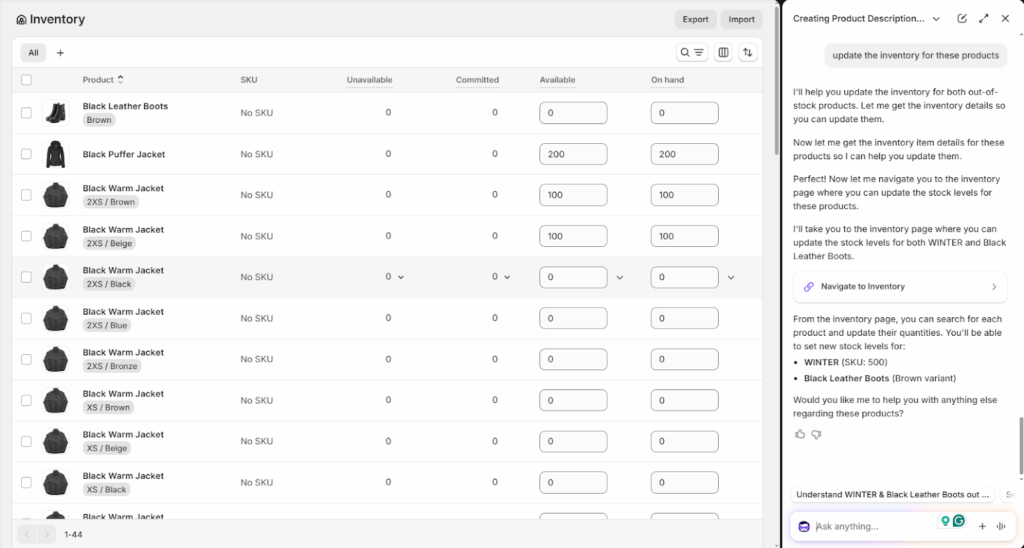
Analyze your store data and get actionable insights to make data-driven decisions. You can add any prompt to measure your store’s performance, or see sales trends, customer behavior and more. It will give you smarter insights, which you can use to make the best decisions for your store to improve the performance & conversions. I have asked Shopify sidekick about my out-of-stock products from the last 30 days, which need to be updated, and below is the result I got.
Automated Store Operations
You can save hours of time by automating repetitive tasks. Want to create a discount or launch a product collection. Just add your prompts, and it will perform the action exactly as you wanted to do.
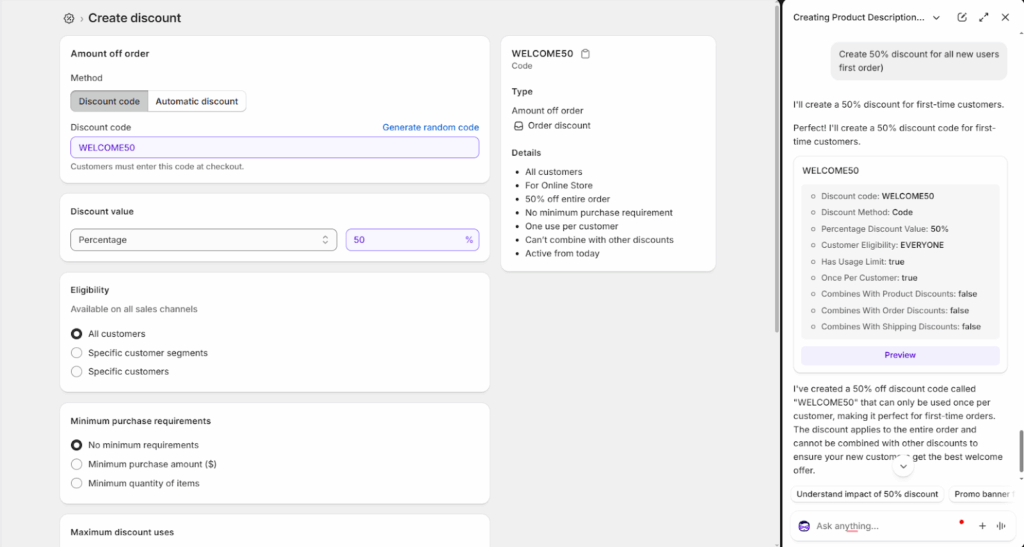
Voice & Screen Sharing
Voice search features allow merchants to easily speak to the AI sidekick to perform any actions in the store. It feels like you are talking with a human, and the conversation is very natural. No need to type and waste hours of time in finding the solution, Sidekick will give the outputs to you as per the inputs.
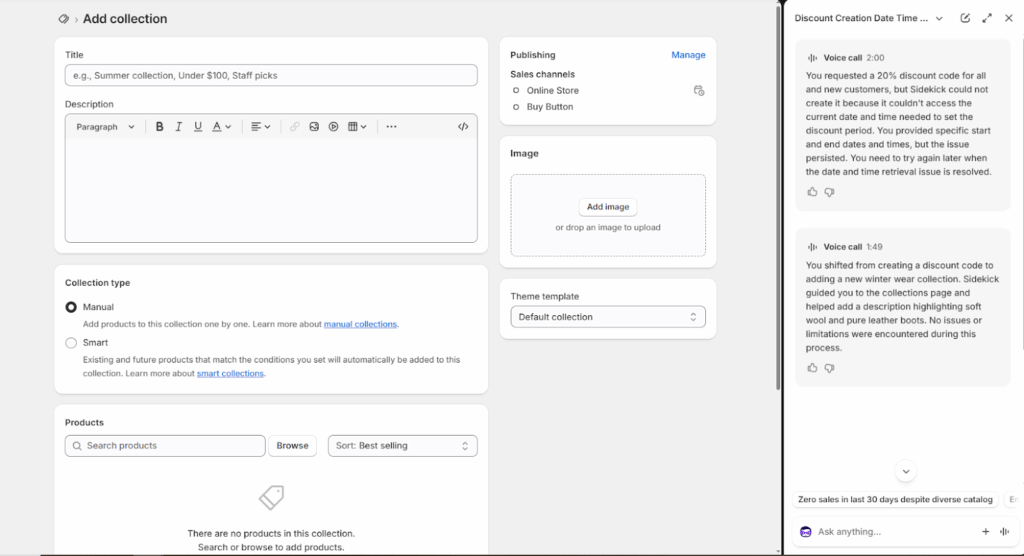
Instant support & guidance
Shopify Sidekick acts as an always-available assistant, answering questions and providing step-by-step guidance on Shopify features, settings, and best practices. This helps merchants resolve issues faster without searching through documentation.
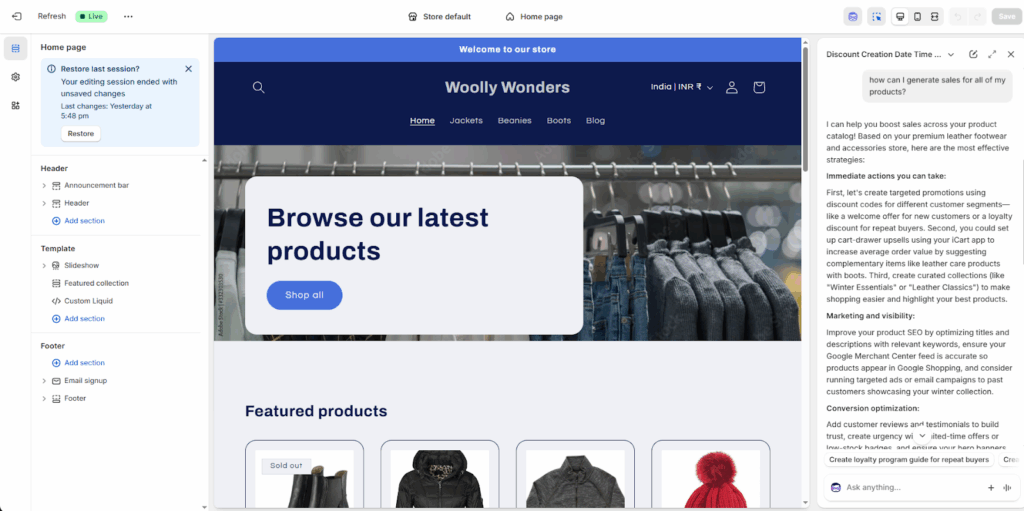
Custom App Building
You can use Shopify Sidekick to build custom apps directly within your Shopify admin. Simply explain what you need, and Sidekick will generate the app from your initial prompt and refine it through follow-up instructions.
Conclusion
I think Shopify sidekick is going to be the new trend in ecommerce in the coming months. Because it saves hours of manual work and effort for Shopify merchants in operating their tasks. From content creation to theme editing and custom app development, Sidekick AI Assistant is a lifesaver for Shopify store owners.
By giving the right prompts and leveraging its capabilities, merchants can easily manage their day-to-day store operations seamlessly.
People also ask
1. What is Shopify Sidekick?
Sidekick is an AI assistant to help merchants with many time-saving features like content creation, theme editing, task automation and more.
2. How to use sidekick on shopify?
To access sidekick, go to your Shopify admin and click on the Sidekick icon seen on top right corner and add your prompts in it.
3. Is shopify sidekick free?
Yes, it is free for all Shopify merchants.
4. When did shopify launched sidekick?
It was launched in June 2024, building on Shopify Magic with a public release planned for the Winter Edition in December 2024.
5. What’s the difference between Shopify Sidekick and Shopify Magic?
Shopify Magic is the AI technology built into Shopify that helps with tasks like writing product descriptions, emails, and code. Shopify Sidekick is a conversational AI assistant powered by Shopify Magic that acts like a business helper, answering questions, giving insights, and guiding merchants inside the Shopify admin.

![The Only Easter Marketing Ideas for Shopify Stores [Proven Strategies]](https://www.identixweb.com/wp-content/uploads/2026/02/24-02-Tue-Blog-Tips-Tools-for-Shopify-Stores-to-Boost-Easter-Sales.webp "The Only Easter Marketing Ideas for Shopify Stores [Proven Strategies]")

About the author
Sajini Annie John
Meet Sajini, a seasoned technical content writer with a passion for e-commerce and expertise in Shopify. She is committed to helping online businesses to thrive through the power of well-crafted content.