



Setting up a Shopify store used to take days figuring out your theme, writing product descriptions, organizing collections, and making everything look professional. But with the AI Shopify store builder, all of that is changing fast. Today, merchants are launching complete, polished stores in a matter of minutes, not days.
If you're a Shopify merchant exploring how AI can do the heavy lifting for you, you're in the right place. In this guide, we'll walk you through everything.
What Is AI Shopify Store Builder?
Shopify AI Store Builder is an AI-powered ecommerce website generator by Shopify that helps users create a Shopify storefront in seconds using a simple text prompt. Instead of manually designing a website, users describe their business idea; for example, “minimalist skincare brand for sensitive skin” and the AI automatically generates a complete online store layout with branding, homepage sections, colors, images, and marketing copy.
Key features include:
- AI-generated store designs
- Automatic homepage creation
- Mobile-responsive layouts
- Built-in branding suggestions
- Editable themes inside Shopify
- Fast setup process
Step-by-Step: How to Use an AI Shopify Store Builder
Step 1 - Open the Shopify AI Store Builder
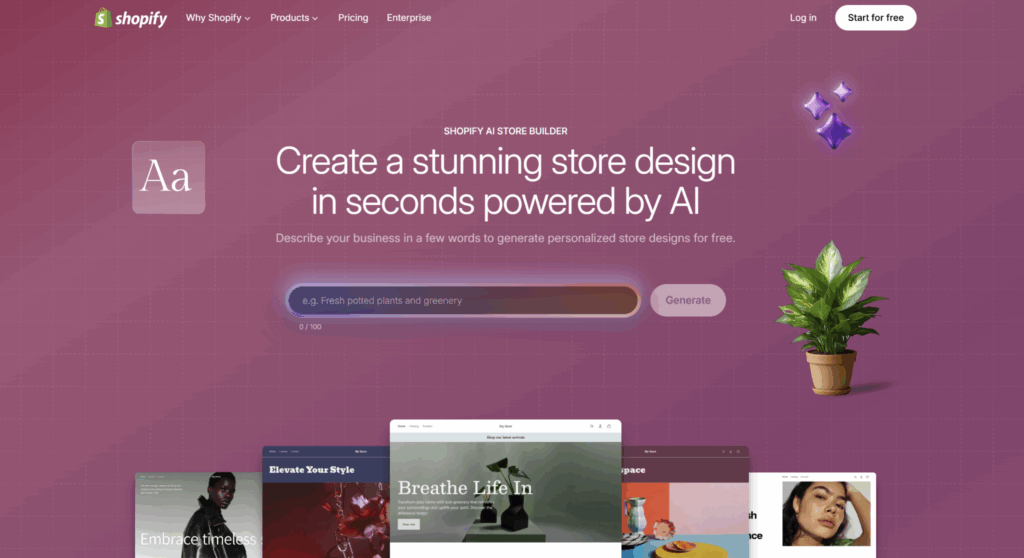
Go to the Shopify AI Store Builder Page A “Generate” button
Step 2 - Write Your Store Prompt
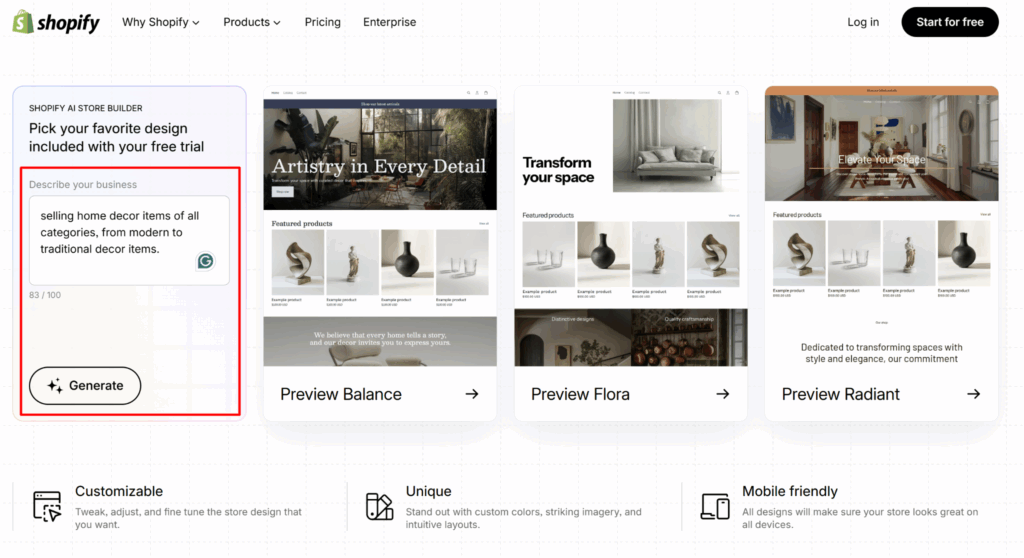
Now you will see a short text input field. The AI uses a short description (roughly 100 characters) to generate your store. Add your prompt in that field and click on “Generate” button.
Step 4 - Review the Generated Store Designs
In the next step, you can describe your store and Shopify typically generates several variations/themes. You can see multiple store designs from which you can select any one.
Step 5 - Choose the Best Design
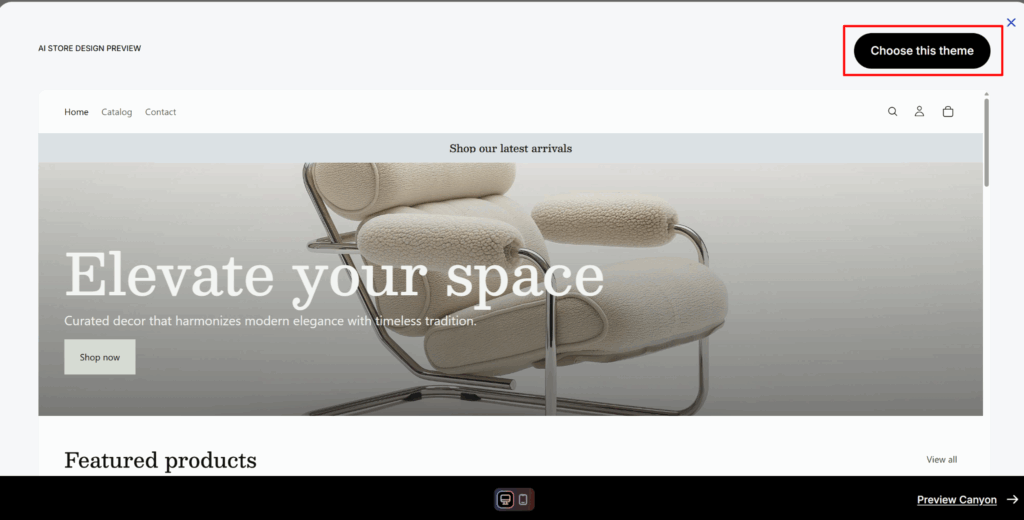
Select the design closest to your brand vision and click on choose this design button.
Remember:
- You can edit everything later
- Focus on structure first
- Don’t obsess over perfection yet
After selection:
- Shopify creates your actual store
- The AI-generated theme gets added automatically
Step 6 - Create Your Shopify Account
If you are not logged in yet enter your email & password. Or if you are new to Shopify create your Shopify account.
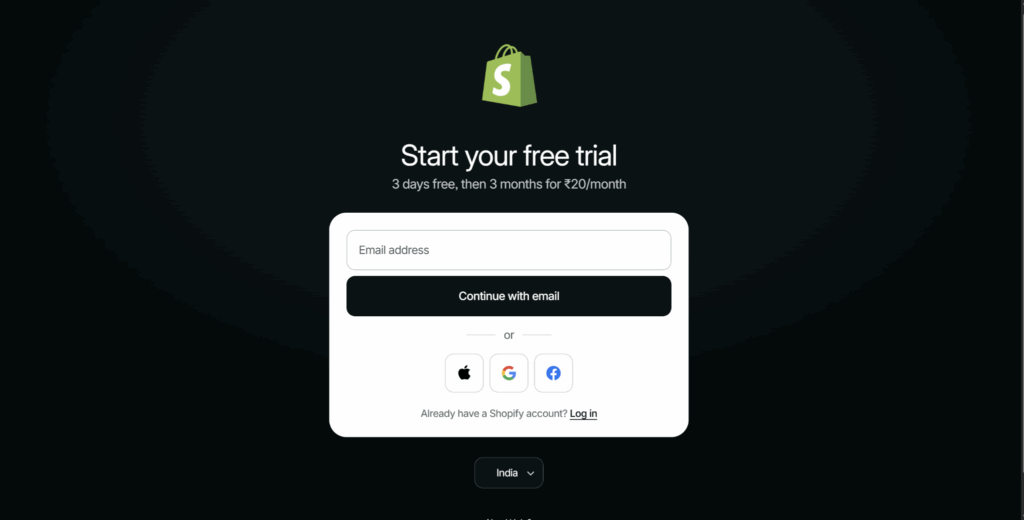
Step 7 - Enter the Shopify Admin Dashboard
After signup, you’ll land inside the Shopify admin panel and you can see your AI-generated storefront is now installed.
Step 8 - Customize Your Theme
You can now customize your theme by and change the colors, sections, layouts, text, font styles, etc as per your choice.
Step 9 - Replace AI Placeholder Content
This is one of the most important steps. Replace Placeholder images, AI-generated text, Demo products, Generic messaging with Real product photos, Real product descriptions & actual pricing. Remember AI gives you a starting structure; not a finished brand.
Step 10 - Add Products
After settin up add your products in your store and add the product details like price, inventory, vendor name, etc.
Step 11 - Set Up Navigation
Go to Online Store > Navigation and create main menu like home, shop, about, contact & footer menus as per your need.
Step 12 - Configure Payments
Go to Settings > Payments and add your payment methods. Test payments before launch.
Tips to Maximize Your AI-Built Store
Once your AI store builder for Shopify has done the initial setup, here are the strategies that separate a mediocre AI store from a high-converting one:
1. Personalize Your AI-Generated Copy
The AI gives you a draft. Your job is to make it sound like YOU. Add your brand story, your "why," and specific benefits that only your products offer. Customers connect with authenticity, not generic text.
2. Invest in Great Product Photography
This is the single biggest driver of conversions that AI cannot do for you. Studies show that 75% of online shoppers rely on product photos when making a purchase decision. (Source: BigCommerce.com). Use natural lighting, multiple angles, and lifestyle shots.
3. Build a Smart Cart Experience
Once your AI-built store is live, the next step is maximizing every sale. iCart Cart Drawer & Cart Upsell lets you add product upsells, cross-sells, free shipping progress bars, and promotional announcements directly in your cart drawer all without touching code. Merchants using iCart report an average 20-30% increase in average order value (AOV).
4. Speed-Test Your Store
AI-built themes can sometimes add unnecessary scripts. Run your store through Google PageSpeed Insights and aim for a score above 70 on mobile. A 1-second delay in load time can reduce conversions.
5. Set Up Email Capture From Day One
Your AI store builder may suggest a pop-up or footer email form. Use it. Building your email list from launch is one of the smartest marketing moves you can make. Tools like Klaviyo integrate seamlessly with Shopify.
Conclusion
The emergence of the AI Shopify store builder is genuinely one of the most exciting developments in ecommerce in recent years. What used to require weeks of design work, significant budget, or deep technical knowledge can now be scaffolded in minutes.
The merchants who win are the ones who use the AI Shopify store builder to save time on the setup, then invest that saved time into what really matters: knowing their customers, telling their brand story authentically, and continuously optimizing their store's performance.
Frequently Asked Questions
1. What is the best AI Shopify store builder available right now?
The best AI store builder for Shopify depends on your needs. Shopify Magic (native) is the most accessible and comes included with your Shopify plan. For advanced design control, GemPages AI and Instant Page Builder are popular choices. For pure content generation, tools like Jasper AI or ChatGPT integrated with Shopify can be powerful. Start with Shopify Magic and expand from there.
2. Can I build a Shopify store completely with AI, without any coding?
Yes, absolutely. A Shopify AI store builder is specifically designed to be no-code. You won't need to write a single line of code to use Shopify Magic or most third-party AI builder tools. Shopify's platform itself is built for non-developers.
3. How long does it take to build a Shopify store with AI?
The initial AI-generated store structure can be ready in as little as 5 to 15 minutes. However, adding your own product photos, reviewing content, configuring payments and shipping, and doing final testing typically takes 2 to 4 hours for a simple store. A more complex store with many products may take a full day.
4. Does an AI-built Shopify store rank on Google?
An AI-built store can absolutely rank on Google, but it requires ongoing SEO work beyond the initial AI setup. Shopify Magic configures basic meta tags, but you'll need to create a solid content strategy, get backlinks, and optimize your product pages for target keywords. Consider working with an
5. What is Shopify Magic and how is it different from a standalone AI store builder?
Shopify Magic is Shopify's native AI feature suite embedded directly in the Shopify admin. It helps with product descriptions, email subject lines, FAQ suggestions, and more. Standalone AI Shopify store builders (like GemPages AI) are third-party apps that focus specifically on design and page building. Both can work together.




About the author
Sajini Annie John
Meet Sajini, a seasoned technical content writer with a passion for e-commerce and expertise in Shopify. She is committed to helping online businesses to thrive through the power of well-crafted content.