





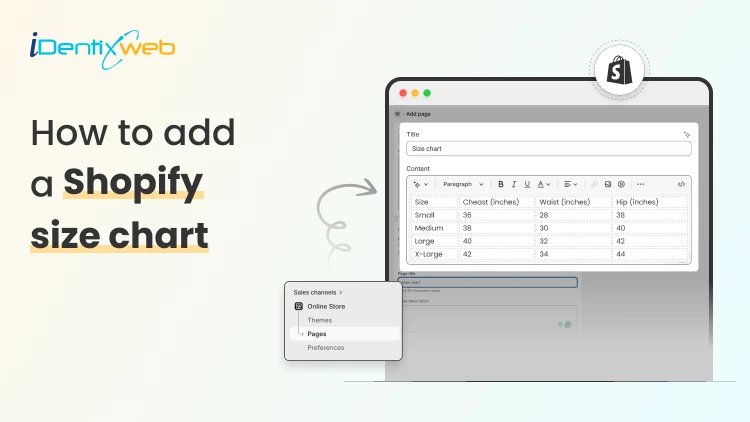
To add a size chart in Shopify under 5 minutes, use Shopify apps like TablePress where you can just select the template, the page on which the tables are to be displayed and add the details.
This quick guide is perfect for Shopify store owners who want to reduce returns and boost customer confidence without the technical headache. We will walk you through choosing the right method for your store and show you exactly how to install your solution step-by-step. Plus, you will discover simple tweaks to make your size charts work harder for your business and keep customers happy.
What is a Sizing Chart?
A sizing chart (or size chart) is a structured reference table that helps customers determine which product size fits them based on body measurements or product dimensions.
It translates abstract size labels (S, M, L, 8, 42, etc.) into specific numerical measurements, such as inches or centimeters, so shoppers can choose the correct size before purchasing.
Why Every Shopify Store Needs a Size Chart
1. Reduces Costly Returns and Exchanges
Sizing issues are one of the leading causes of ecommerce returns, especially in apparel, footwear, and accessories. A clear, accurate size chart minimizes uncertainty and reduces reverse logistics costs, restocking labor, and refund processing fees.
2. Increases Customer Confidence
Online shoppers cannot try products before purchasing. A detailed Shopify size chart replaces the in-store fitting room experience with structured measurement guidance. When customers feel confident about fit, hesitation decreases and purchase intent increases.
3. Improves Conversion Rates
When sizing information is easy to access, especially near the size selector, customers can make faster decisions. This reduces bounce rates and shortens the buying cycle. For fashion and footwear stores, clear sizing guidance often becomes a decisive conversion factor.
4. Enhances Mobile Shopping Experience
The majority of ecommerce traffic comes from mobile devices. On smaller screens, shoppers are even less likely to search through long product descriptions for sizing information. A visible, mobile-optimized size chart (such as a popup or collapsible guide) ensures customers can quickly verify fit without disrupting their browsing flow.
5. Builds Brand Trust and Professionalism
Professional stores provide detailed product information. A well-designed size chart signals that your brand is organized, customer-focused, and transparent.
6. Reduces Customer Support Load
Without size charts, customers frequently contact support asking:
- “Does this run small?”
- “Should I size up?”
- “What’s the inseam length?”
By proactively answering these questions on the product page, you reduce repetitive support tickets and free up operational resources.
7. Supports International Sales
If you sell globally, customers may use different sizing systems (US, UK, EU, CM) for scenarios like converting size chart from asian size to US size. A comprehensive size chart that includes measurement conversions removes confusion and expands your international conversion potential.
How to Add a Size Chart to Shopify
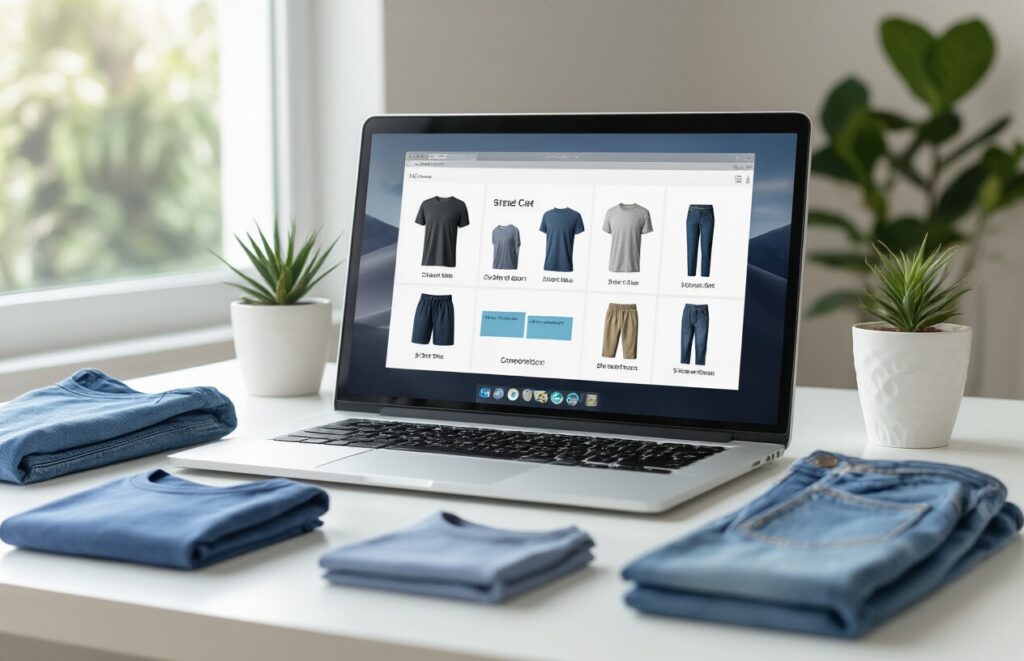
- Visit Shopify app store and install Tablepress app in your store.
- Log in to your Shopify admin account.
- From the left-hand menu, click on Apps.
- Select TablePress from the list of installed apps.
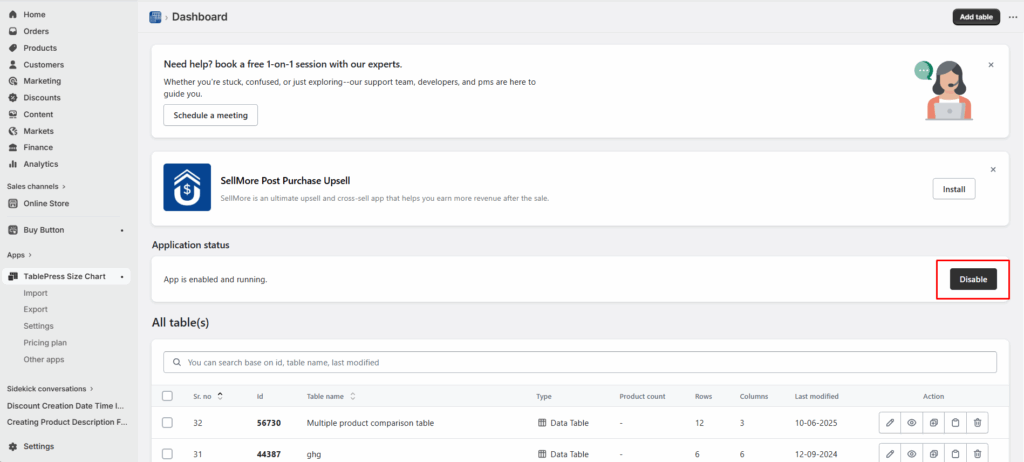
- You will be redirected to the dashboard page and enable the app.
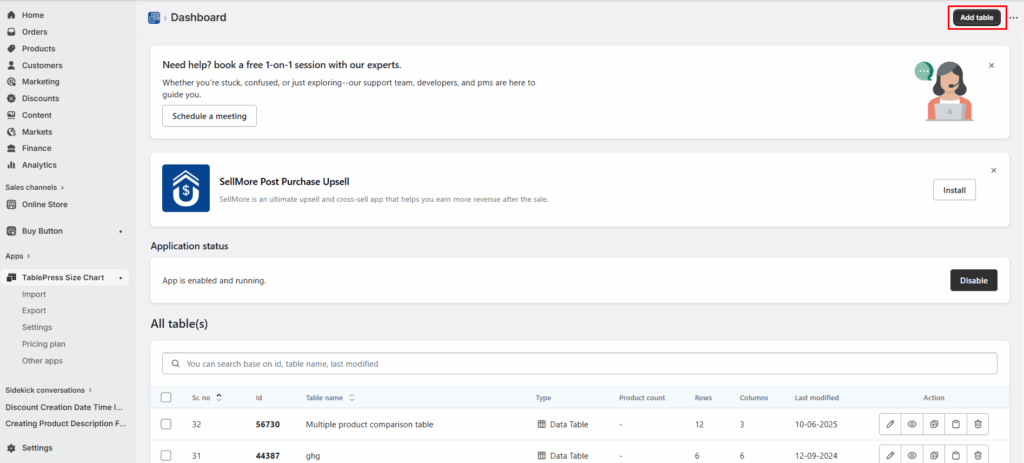
- Click on Add table.
- Now, click on the create size chart button.
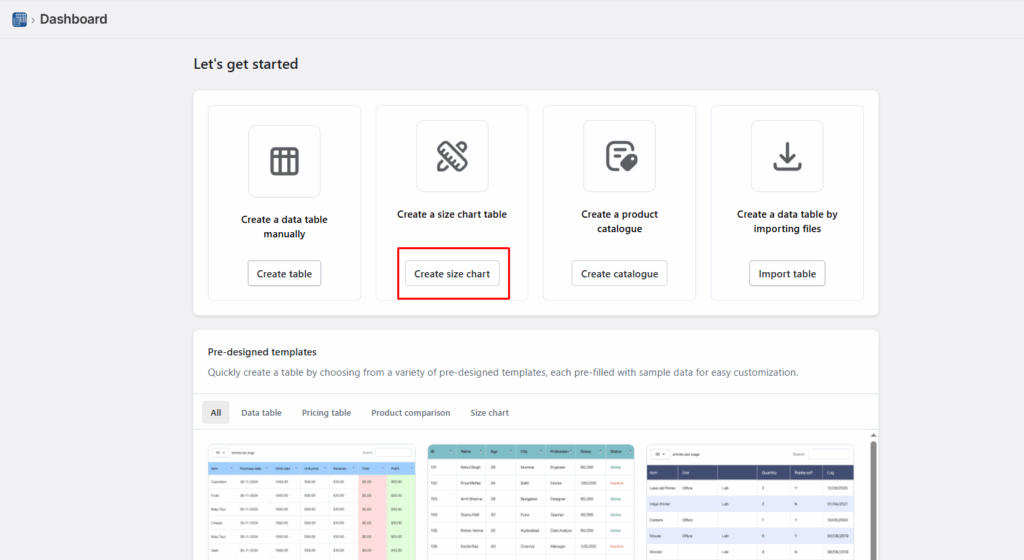
- Next, you need to select any one template that you want to create from the available templates. Or else you can create a custom table using the create custom option.
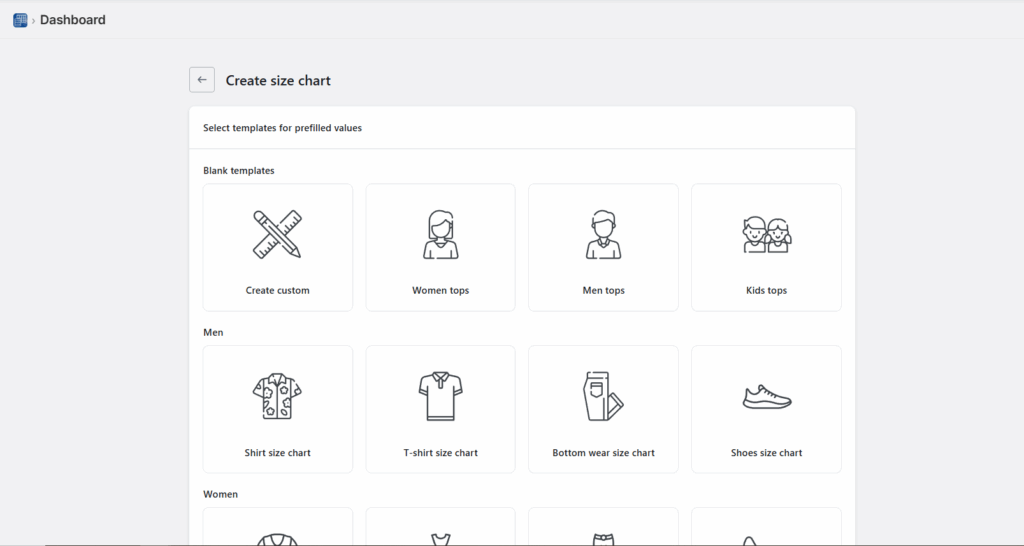
- To see what each template looks like, you can hover over the templates and click on Preview, where you can see the preview of that particular template.
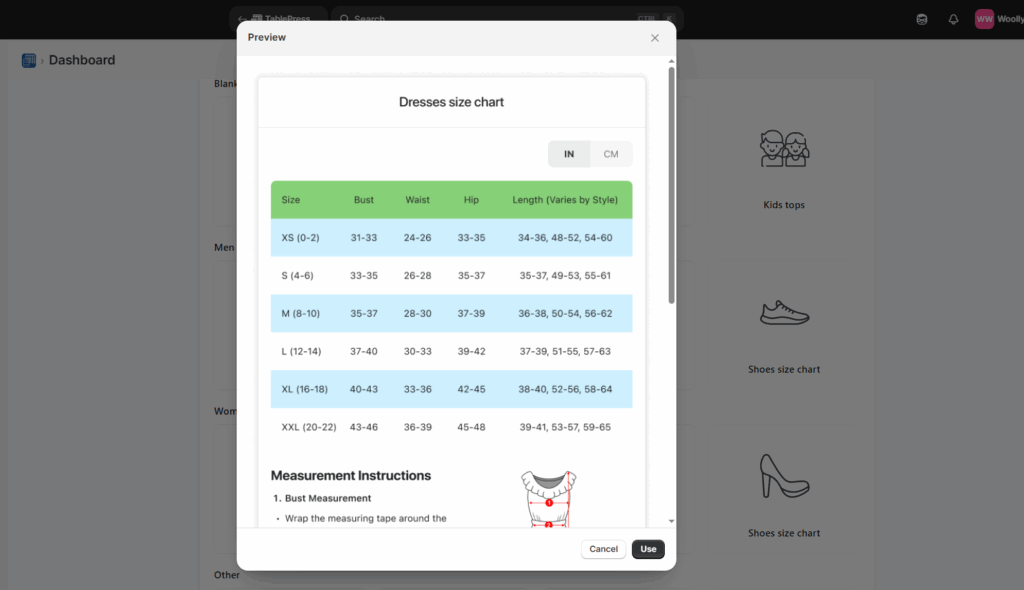
- If you liked any template after previewing, you can click on use button and edit the table by adding the details of your choice in the fields given, as shown below:
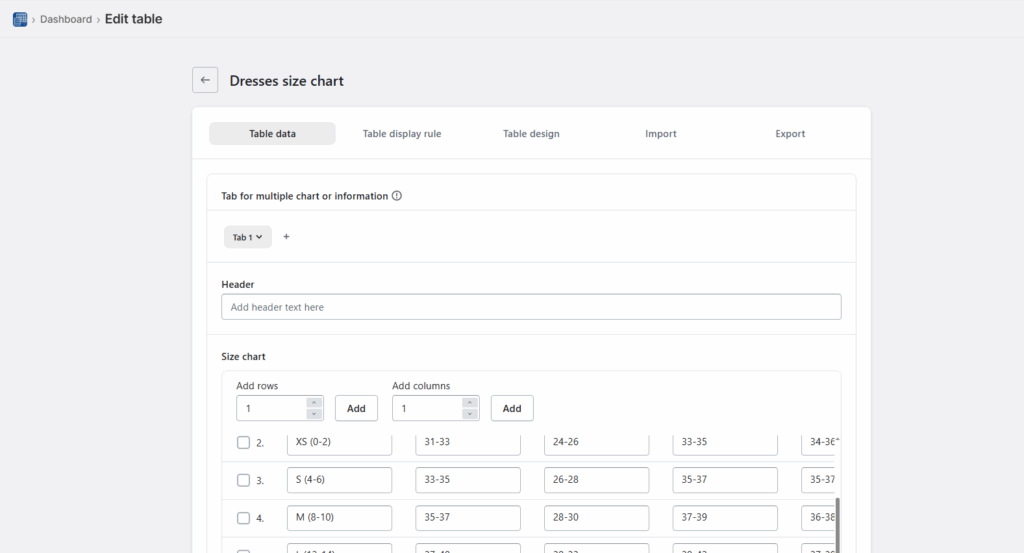
- After adding all the details, click on the Save button and that’s it, your size chart will be live on your storefront.
How to Test if your Shopify Size Chart is Working
A size chart is only effective if it reduces returns, increases confidence, and supports conversions. Testing its performance requires measurable ecommerce metrics not guesswork.
Below is a structured evaluation framework.
1. Monitor Return Rate Trends
The primary KPI is size-related return rate.
Track:
- Overall return rate (before vs after implementation)
- Percentage of returns due to “wrong size”
- Return rate by product category (e.g., dresses vs shoes)
Benchmark goal:
If sizing was a major issue, you should see measurable improvement within 30–60 days.
If returns remain unchanged, the issue may be:
- Inaccurate measurements
- Confusing layout
- Poor chart visibility
2. Track Conversion Rate Changes
A good size chart reduces hesitation.
Monitor:
- Product page conversion rate
- Add-to-cart rate
- Checkout completion rate
Compare data before and after adding or improving the size chart. If conversions improve without increased returns, the chart is functioning properly.
3. Measure Size Chart Click Engagement
If you use an app or custom event tracking in Google Analytics, monitor:
- Size chart click rate
- Time spent viewing chart
- Conversion after size chart interaction
4. Analyze Customer Support Data
Track how often customers ask:
- “Does this run small?”
- “Should I size up?”
- “What’s the inseam?”
Conclusion
Getting a size chart up and running on your Shopify store really doesn't have to be complicated. By following these straightforward steps you can have everything working smoothly in just minutes.
Once your size charts are live, you will likely see fewer returns and happier customers who feel confident about their purchases.Remember to test everything on mobile devices too, since that's where most of your shoppers are probably browsing.
People Also Ask
1. Can I use multiple size charts for different product types in Shopify?
Yes. You can create and assign different size charts for categories like tops, bottoms, shoes, and accessories to ensure the right sizing guidance matches each product type.
2. Can I include international sizes in my Shopify size chart?
Yes. Including conversions for different sizing systems (e.g., US, UK, EU) makes your size charts useful for global customers and helps them match their usual size more accurately.
3. How do I add a size chart on Shopify?
You can add a size chart on Shopify using either built-in features or third-party app to get more additional features.
4. How can I make my size chart more visible on product pages?
Place the size chart near the size selector or as a clear “Size Guide” popup so customers can find it easily while making a purchase decision. This increases usability and reduces friction.

![The Only Easter Marketing Ideas for Shopify Stores [Proven Strategies]](https://www.identixweb.com/wp-content/uploads/2026/02/24-02-Tue-Blog-Tips-Tools-for-Shopify-Stores-to-Boost-Easter-Sales.webp "The Only Easter Marketing Ideas for Shopify Stores [Proven Strategies]")


About the author
Sajini Annie John
Meet Sajini, a seasoned technical content writer with a passion for e-commerce and expertise in Shopify. She is committed to helping online businesses to thrive through the power of well-crafted content.