






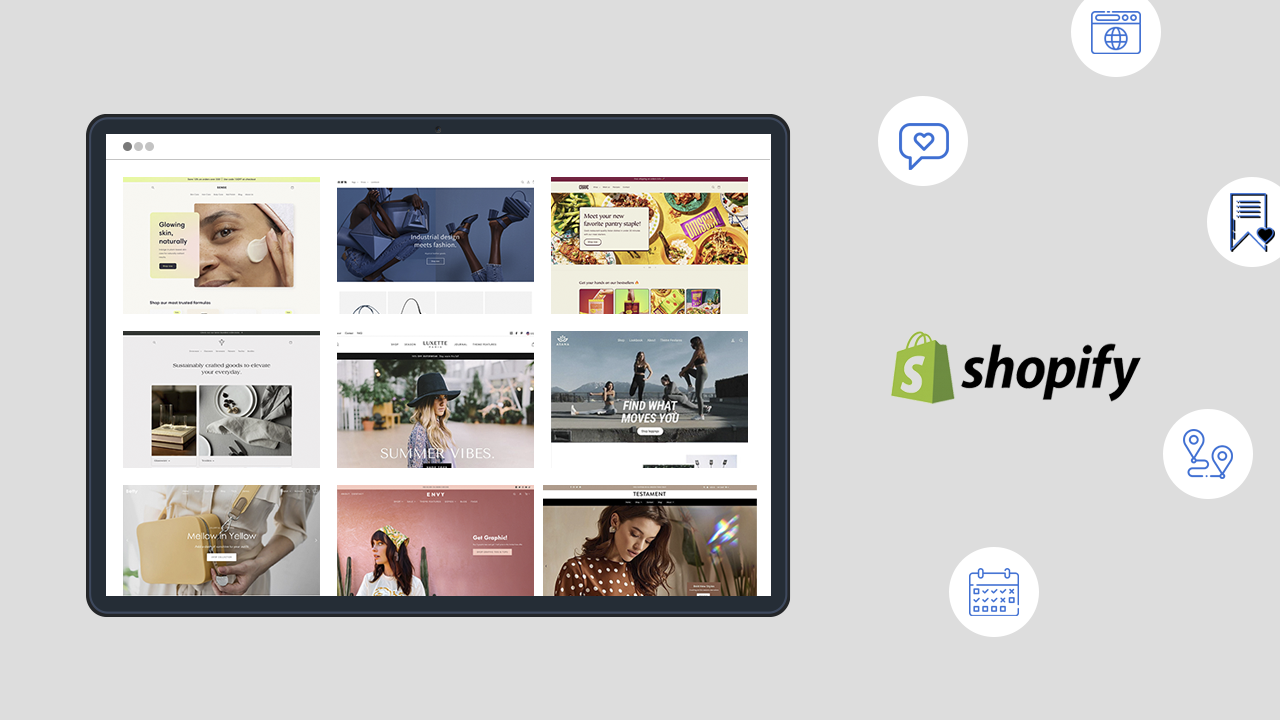

Pick a Shopify theme that matches your brand style, fits your target audience, and works well for the type of products you sell. Use the Shopify Theme Store filters to narrow options by industry, features like quick add-to-cart, mega menus, and lookbooks, and your budget (free or paid). Choose a theme that loads fast, looks great on mobile, and comes with solid developer support, and test the demo plus the theme customizer with your own products before you buy or publish it.
What is the first thing that comes to your mind when entering a restaurant? Quite obviously, you may think of its ambience, interiors, hygiene, and many more factors.
Similarly, the same things pass through the minds of customers while visiting your Shopify stores.
They can judge your store at a single glance from your color, design, functionalities, and themes used.
The right theme makes your products look better, loads fast on mobile, and gives you key features without installing 10 extra apps.
Let’s make this decision of 'how to choose a Shopify theme for your online store', even if you are building your first store.

Factors to consider before picking a theme
1) Brand fit: does it “feel” like your store?
A theme should match your vibe the moment someone lands on your homepage.
If you sell premium products, you need clean spacing, strong typography, and big visuals. If you sell fun or trendy items, you need bold sections, badges, and punchy layouts.
Quick check:
- Does the homepage style match your brand (minimal, bold, luxury, playful)?
- Can you highlight your best sellers without confusing the customers?
- Does it support the kind of visuals you use (big images, video, lifestyle shots)?
2) List out your products and product categories
It’s really important to sort out your total products or categories that you are willing to show in your store. I will tell you why.
Themes behave very differently when you have 15 products vs 1,500 products. With a larger catalog, shoppers need fast ways to narrow options. With a small catalog, you need strong storytelling and product pages that sell more.
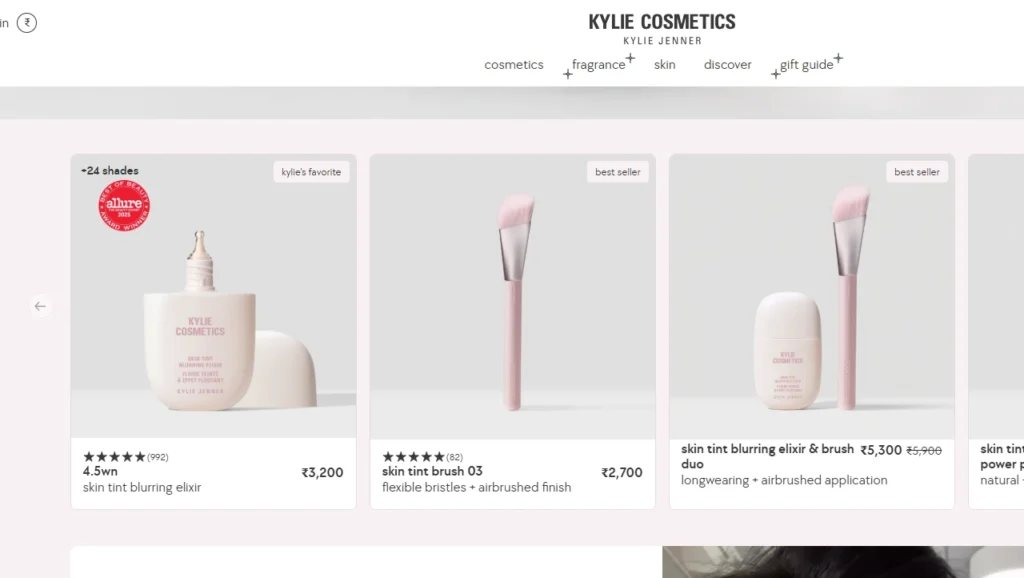
Source: Kylie Cosmetics with a large catalog.
If you have a lesser products, then choose a theme accordingly rather than selecting a theme with more elements and features, which can create confusion in the minds of people and you.
If you are selling a single product then it will be better to show it on the homepage. But if you are planning to sell more products then you can go with a theme that allows a small selection feature on the homepage.
What to look for:
For big catalogs
- Strong collection layout
- Filters and sorting that feel easy
- Search that helps people find products quickly
For small catalogs
- Strong product page layout
- Sections for story, reviews, FAQs, trust blocks
- Visual-first design that sells the “why”
3) UX features that reduce app overload
New merchants often install apps to fix what their theme should already handle. A better theme saves you money and keeps your store lighter.
Features worth prioritizing:
- Slide-out cart features
- A clean cart experience that encourages checkout
- Video support on product pages
- Mega menu support if you have lots of categories (mega menus show many links in a multi-column layout)
- Strong collection filters and sorting for discovery
- Cross-sell or “recommended products” sections to raise average order value
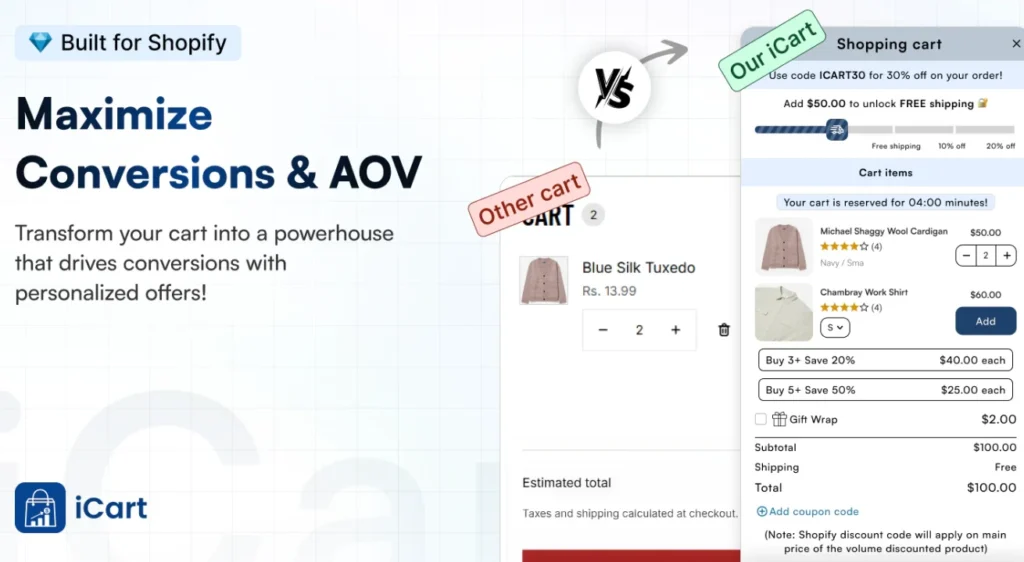
Although this doesn't mean these features are better in themes than apps. If you want long-term benefits, opting for upsell apps like iCart helps to drive conversions with a slide-out cart feature.
4) Test whether the theme matches the desired features
Before selecting a theme, understand the various features that come with a theme and list out them to compare with the desired features that you are planning to apply to your store.
Once you have done with it, go and check in the Shopify theme store for the theme that satisfies your requirements and fits well with your brand.
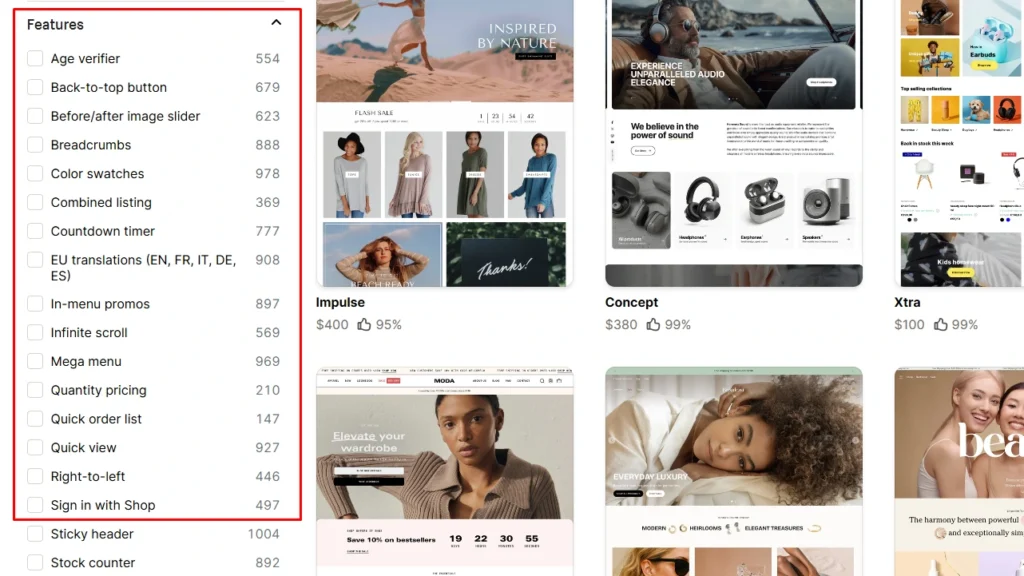
If you find a theme with only one feature that you like while the rest of them are missing, then drop them there and go for that theme that has most of the features that you like. You can get those single features developed by your developer.
5) Check your content
One of the main factors to be noted before picking up the theme is to analyze your content. Make a list of the text, images, and videos that you are going to use in your store.

Now go to the Shopify theme store and select the theme by matching the requirement. If a theme has a more picture-first approach then and doesn’t offer anything in terms of content then jump to the other theme. Still, if you don’t find any of them then list out your features and try to match them with what the theme offers.
6) Performance: speed and mobile experience
Speed matters because slow pages lose attention and sales. Shopify also recommends using an up-to-date, optimized theme, and it warns that heavy animations can slow pages, so you should compare performance before and after turning those on.
Responsive themes are very important in 2026 as almost half of the Shopify traffic comes from mobile devices.
Performance checklist:
- Choose a theme known for performance and keep it updated
- Avoid too many sliders, transitions, and “fancy” effects if you want speed
- Test mobile first, because most new stores get a lot of mobile traffic
The great thing about Shopify's themes is that the themes are already optimized for desktop and mobile phones. That means you don’t need to be more worried about this, as these themes will work better in your store.
7) Customization: Can you edit without code?
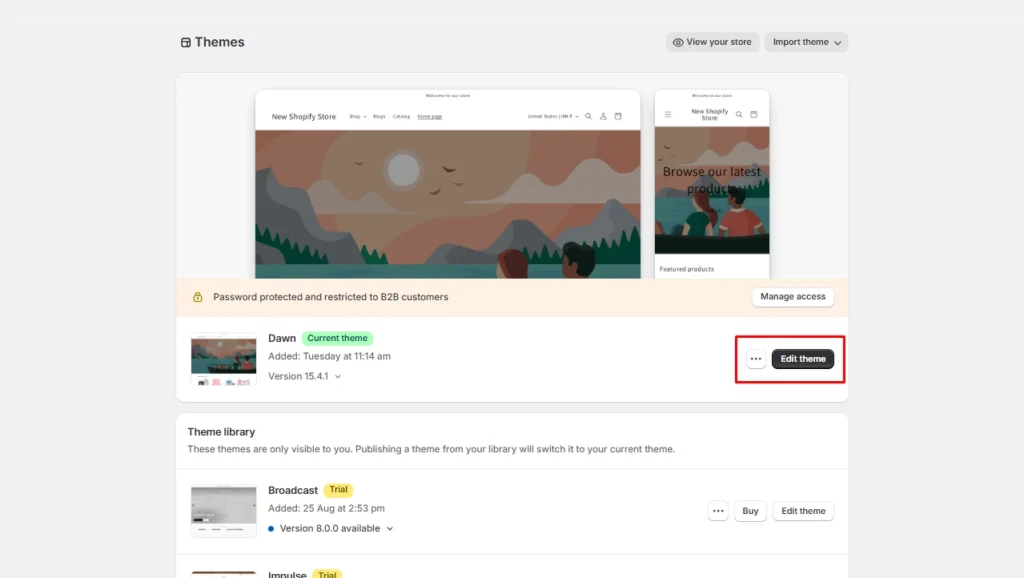
You should be able to update the theme you choose without touching code. Shopify’s theme editor lets you preview changes and rearrange content. You can use sections and blocks inside the theme editor to build layouts with flexible building pieces.
Look for:
- Drag-and-drop sections that let you move content around
- Enough templates or flexible layouts for product pages and collections
- Settings for fonts, colors, buttons, and spacing so you can match your brand fast
8) Compatibility and scalability
Your theme should play nicely with the apps you actually plan to use (upsell, reviews, email capture, subscriptions, upsells, delivery date, and so on).
If you plan to grow into more products or more collections, you also want a theme that does not break when your catalog expands.
Ask yourself the following questions:
- Does the theme support the layouts you will need 6 months from now?
- Does it keep your store clean even after adding apps and content?
9) Budget and support
Free themes can work really well, especially if you are a new store and want a solid performance right away. Paid themes often give you more built-in sections, more templates, and developer support, which helps if you want a more “ready-made” premium look.
Here are some tips if you are on a budget:
- Check if the theme developer provides documentation and support access from your admin.
- Remember: third-party theme developers usually do not do custom work for you, so you might still need a Shopify Partner for deeper changes.
How to find your perfect Shopify theme?
Step 1: Start inside the Shopify Theme Store
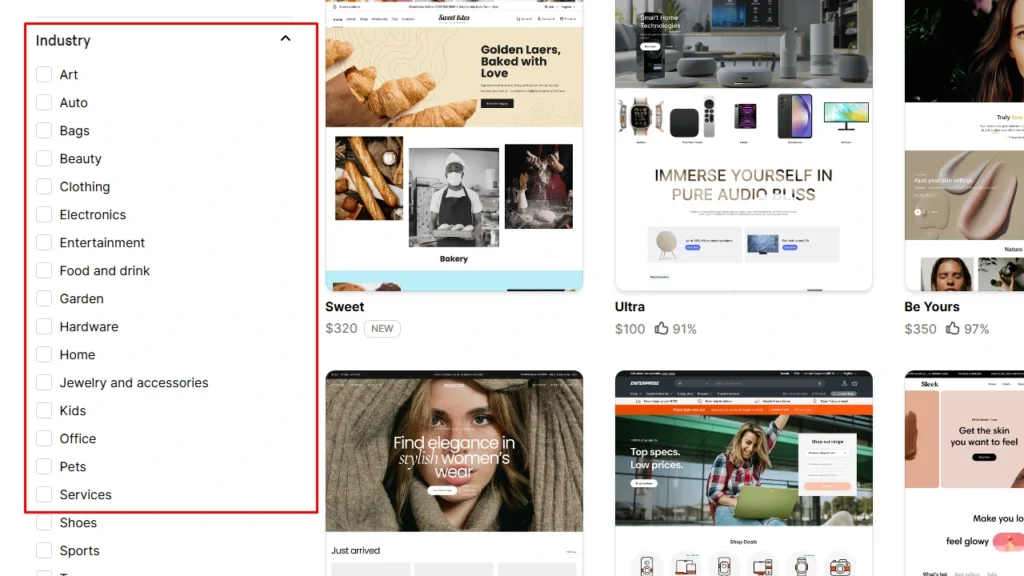
Shopify lets you sort themes by industry or by collection style. Shopify also notes that no theme is locked to one industry, so you can pick what fits your brand, not just your category.
Do this:
- Filter by industry to narrow options fast
- Filter by style or collection type if you want a specific vibe
Step 2: Preview and test the theme with your products
Shopify lets you preview any theme and customize it in the theme editor. You can also try a paid theme in your Shopify admin before you buy it, and Shopify saves your customizations if you decide to purchase later.
Checklist before you commit to a paid theme:
- Add 5 to 10 real products with real images
- Build 2 to 3 collections and test filters and sorting
- Open your store on mobile and check:
- Menu and navigation
- Product page clarity
- Cart and checkout flow
- Keep an eye on speed, and turn off effects that slow things down
Step 3: Read reviews and real merchant feedback
What do you do while purchasing anything online? No doubt, you may go through the reviews and ratings of the product before you buy it.
Similarly before picking up the theme for your Shopify store go check the reviews of the theme and what others say about their experience in using the theme based on that you can simply decide whether to choose the theme or not.
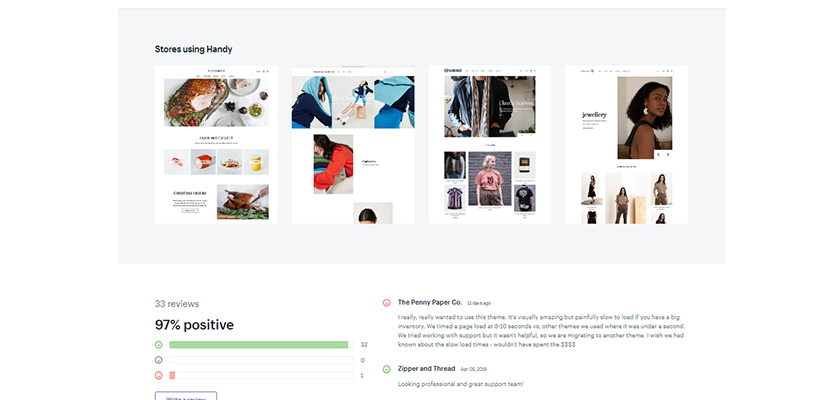
Support is the main factor that can save the cost of hiring someone to fix something. The Shopify themes give access to Shopify’s theme support team, so you need not worry about it.
Conclusion
So here we have gone through the common steps to be considered before selecting the theme for your Shopify store. Now it’s your turn to prove your decision making skills in picking up the right theme for your store.
FAQs
1. How to choose a Shopify theme for your online store?
You can browse the Shopify Theme Store and use its search bar or filters to find a theme with the look and features your store needs (for example, a slideshow or product filters). Try out both free and paid themes and read their details (like included features and developer support) to make sure you pick one that matches your brand.
2. How to change your Shopify theme?
In your Shopify admin, go to Online Store > Themes, then find the theme you want in the library and click Publish. Your store will then use that theme (your old theme moves to the theme library, so you can switch back later)
3. Should you go for free or paid theme for Shopify?
Free themes are a great way to start for a new or small store because they cost nothing and cover all the basics. Paid themes (with a one-time cost around $180–$350) usually offer more built-in features and design flexibility, which will be worth it as your store grows.
4. Which Shopify theme should you start with for your store?
Shopify usually starts new stores with a default free theme (called Dawn) which gives you a simple design to begin with. You can customize that theme to match your brand and later switch to another theme (free or paid) by publishing it in your admin if you find one you like better.
5. Are Shopify themes a one time purchase?
Paid Shopify themes require a one-time purchase fee (typically around $180–$350) and then you own the theme for your store. Free themes cost nothing, so you can keep using or switching them without any purchase.


About the author
Sajini Annie John
Meet Sajini, a seasoned technical content writer with a passion for e-commerce and expertise in Shopify. She is committed to helping online businesses to thrive through the power of well-crafted content.